


How to Optimize Google Ads: A Step-by-Step Guide

Learn how to optimize Google Ads step-by-step. Reduce wasted spend, improve performance, and build a repeatable optimization workflow.
Google Ads


%20-%20new%20v2.png)
Silvio Perez
Founder @AdConversion
Google Ads can become one of your biggest pipeline and revenue drivers.
But getting there takes more than launching a few campaigns and hoping for the best.
With so many metrics, settings, and recommendations competing for your attention, it's easy to lose sight of the optimizations that actually move the needle.
Learn how to optimize Google Ads with a data-backed workflow that keeps you focused on improvements that make a real difference.
What Does Google Ads Optimization Actually Mean?
Google Ads optimization means continuously improving your Google Ads campaigns to get better business results from every ad dollar you spend.
Common optimization goals include:
- Reduce wasted spend by ensuring more of your budget goes toward traffic with a real chance of becoming customers.
- Lower cost per acquisition (CPA) by producing the same number of qualified leads for less money, or more qualified leads for the same ad spend.
- Increase return on ad spend (ROAS) by earning more revenue from the same Google Ads investment.
- Improve lead quality by attracting buyers who match your ideal customer profile (ICP) and are more likely to book a demo or talk to sales.
- Bring in more revenue by turning Google Ads into a reliable source of pipeline and closed-won deals, rather than just clicks and impressions.
- Improve efficiency at scale by growing your Google Ads account without letting costs outpace results.
Every Google Ads optimization you make should move at least one business key performance indicator (KPI) in the right direction.
Why Should Every Google Ads Optimization Start With Data?
Every Google Ads optimization should start with data because it tells you exactly what's working, what's wasting budget, and what to prioritize.
Conversion tracking beats good guesses
Before changing anything, check your conversion tracking. Google Ads can only optimize for the signals you give it.
Make sure your primary conversions include actions that create real business value. Think demo requests, qualified contact forms, trial sign-ups, or purchases.
Then check whether you've enabled Google’s Enhanced Conversions.
Browser privacy changes can cause traditional tracking to miss some conversions. Enhanced Conversions recovers many of those missing signals using hashed first-party customer data, like email addresses.
You should also set up offline conversion tracking. This way, you can feed Google Ads key milestones from your customer relationship management (CRM) system.
Sales-qualified leads (SQLs), opportunities, and closed deals tell Google’s algorithm which clicks actually generate revenue. This allows Smart Bidding to optimize for lead quality instead of lead volume.
Business metrics tell the real story
Google Ads gives you more data than you'll ever need. The trick is knowing which metrics should drive your decisions.
It's easy to celebrate a higher click-through rate (CTR) or a lower cost per click (CPC). But these metrics only show you how people interact with your ads. They don’t tell you if you’re actually making a profit.
Look at CPA, ROAS, cost per SQL, opportunities, and closed-won revenue first to see if your Google Ads investment is paying off.
Then use platform metrics to understand why performance improved or declined.
Tracking and analyzing results becomes much easier when all your data lives in one place.
AdConversion’s Data Analytics Agency can help with that. The team builds you a custom Paid Revenue Dashboard that combines Google Ads, CRM, and other PPC data into a single reporting view.
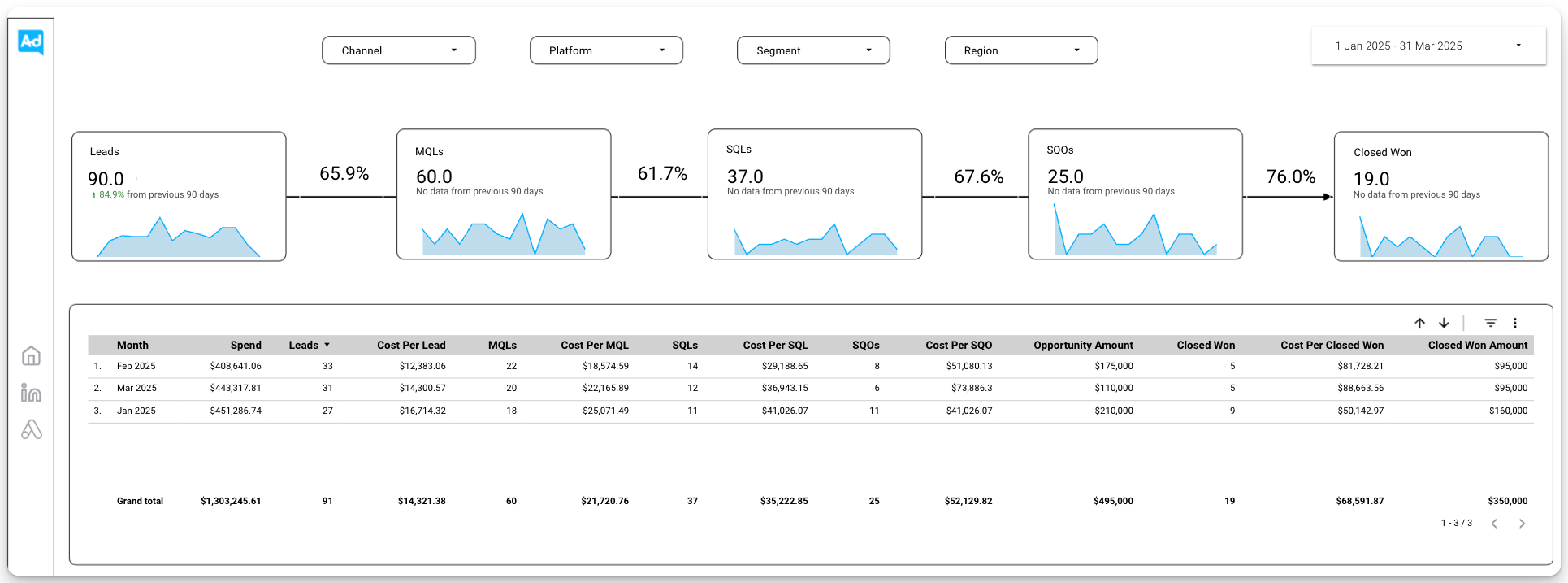
The dashboard puts pipeline and revenue front and center, while still showing the campaign metrics behind those results.
You’ll get the full picture without jumping between platforms.
Since the dashboard updates in real time, you're always working with the latest data when deciding what to optimize next.
Segmentation uncovers opportunities
Campaign averages only tell part of the story. The real opportunities usually appear when you start breaking the data apart.
Open your Google Ads search terms report and review the actual queries people typed in before clicking your ad.
This is one of the fastest ways to spot keywords that attract high-intent buyers and others that waste ad spend.
You should also review campaign performance by device, location, audience, time of day, and landing page.
Each report tells you something different about your campaigns.
Once you put those insights together, you'll know exactly where your next campaign optimization will have the biggest impact.
More data leads to better decisions
Google Ads optimization takes patience. That's probably the hardest part.
When performance drops for a few days, it's tempting to jump in and start making changes. Try not to.
A short-term slip doesn't always mean something’s wrong. In some cases, your campaigns simply need more data.
Every major change gives Google's bidding system something new to learn, which can take up to three weeks.
Switching your Google Ads bidding strategy or changing your primary conversion goal will usually trigger a new learning period.
Let that learning process finish before you judge the results. You'll make better decisions and avoid unnecessary changes.
How Do You Optimize Google Ads Step by Step?
Optimize Google Ads with a repeatable, data-driven process that reduces wasted ad spend and maximizes your return on investment (ROI).
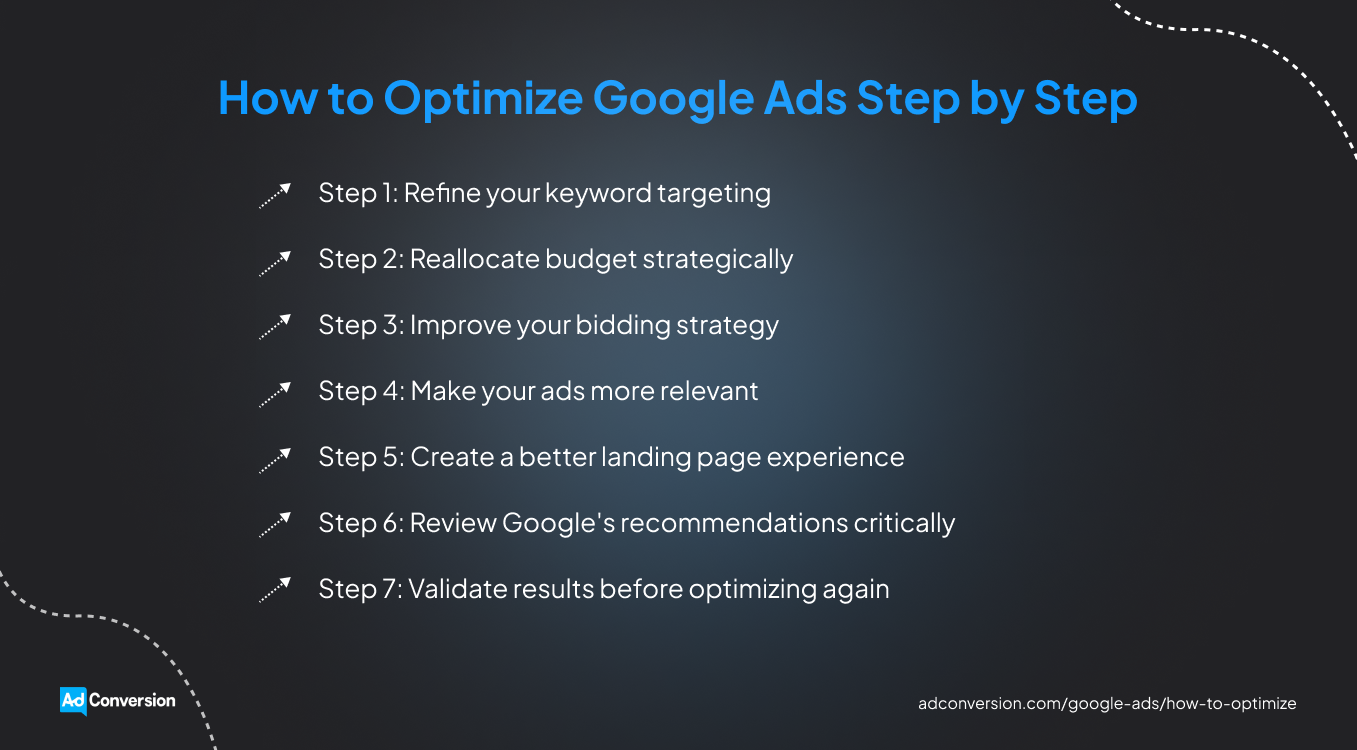
Step 1: Refine your keyword targeting
Stop paying for clicks that were never going to turn into customers.
Open your search terms report and sort it by cost. The queries at the top have already accounted for a large share of your budget, so that's where you'll find the biggest savings.
Remove searches that don't belong in your account by adding them to your Google Ads negative keywords list.
For example, if you sell B2B accounting software, queries like 'free accounting template,' 'accounting jobs,' or 'accounting course' won’t grow your pipeline, so they need to go.
You'll also come across queries that are relevant but don't match your buyers' intent.
For example, a broad-match keyword like 'accounting software' might trigger searches like 'what is accounting software' and 'free accounting software.'
If this pattern keeps showing up, tighten your targeting. Test phrase match or exact match to give Google less freedom when matching searches.
You'll probably receive fewer clicks, but the traffic you keep will be much more relevant.
Step 2: Reallocate budget strategically
Put more of your Google Ads budget behind campaigns that still have room to grow, and cut back on those that don't.
Start with campaigns marked 'Limited by budget.' Google uses this status when your ads could show more often with a higher daily budget.
This is a good place to look for growth, but it's not an automatic green light to spend more.
If the campaign is already performing well, increase the budget gradually.
A 10% to 20% increase is easier for Smart Bidding to handle than doubling the budget overnight. It also helps you avoid triggering a new learning period.
Not every campaign or keyword deserves more budget, though. If you're spending more but your conversion rate isn’t budging, it's time to cut your losses.
Pause underperforming Google ads and reallocate those dollars to campaigns that actually drive business results.
The good news is that you don’t have to do it all manually.
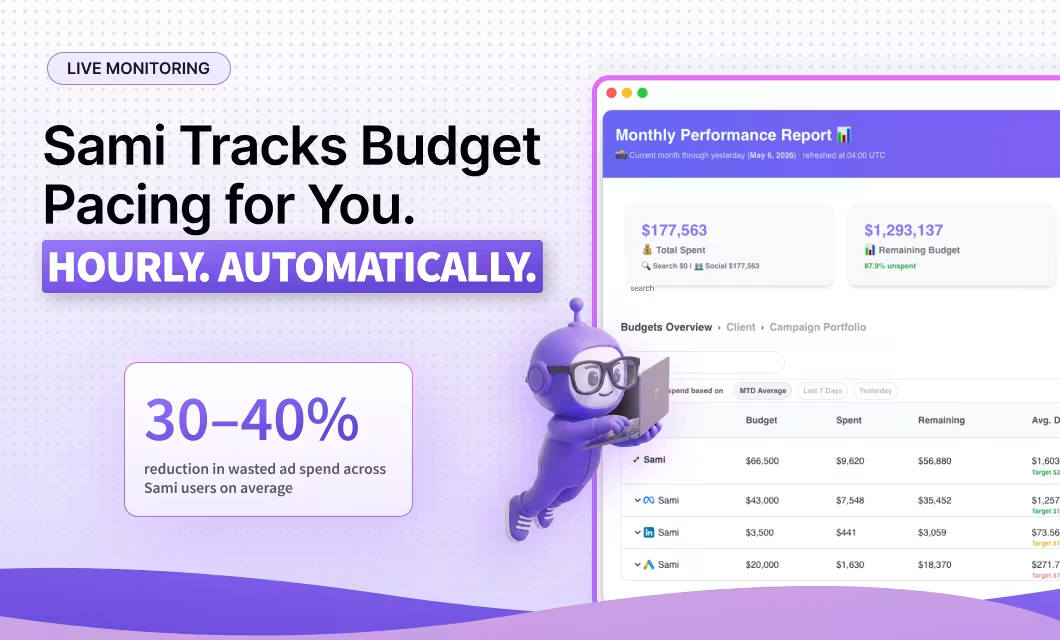
Sami, AdConversion’s proprietary AI agent, can automatically make budget adjustments for you.
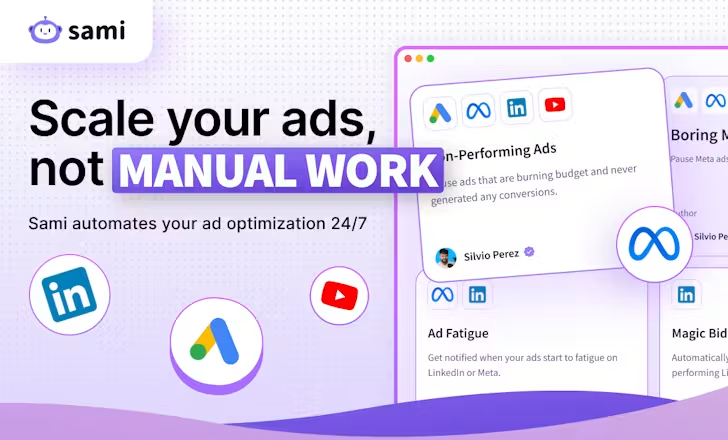
It adjusts campaign budgets based on the performance rules you set and keeps your team in the loop via Slack.
Sami also checks your Google Ads account every hour. If a campaign misses your target CPA or another KPI, it automatically pauses it to avoid wasted spend.
The same goes for keywords that exceed your cost limit without generating conversions.
Step 3: Improve your bidding strategy
Don't rush to switch Smart Bidding strategies. You'll often get better results by simply fine-tuning the one you're already using:
- Target CPA: If you consistently get conversions at a rate below your target CPA, lower it slightly. If conversions start drying up, raise it slightly to give Google more flexibility.
- Target ROAS: Decide what matters more right now: growth or profitability. Lowering your target ROAS gives Google more freedom to find additional conversions. Raising it tells Google to be more selective.
- Maximize conversions: Watch what happens as you increase the budget. If conversions grow at a similar pace, keep scaling. If spend goes up but conversions flatten, more budget won't buy you better results.
- Maximize conversion value: Don't get distracted by conversion volume. Focus on the total value your campaign generates. Twenty conversions worth $20,000 will always beat 30 conversions worth $10,000.
Just make sure your campaigns have enough conversion data before you make any changes.
Otherwise, Google’s algorithm will have too little to go on. Instead of optimizing more intelligently, it might bid too conservatively and limit your campaign's visibility.
Google recommends over 15 conversions per campaign each month for Smart Bidding to work properly.
You can also use Google's bid simulators to estimate how bid changes could affect conversions, conversion value, and ad spend.
Step 4: Make your ads more relevant
Write Responsive Search Ads (RSAs) that make buyers think: 'That’s exactly what I’m looking for.'
Read through your RSA headlines one by one. If three or four headlines all make the same point, you're not giving Google much to work with.
Mix different messages instead. One headline could focus on pricing, another on implementation speed, and another on customer results.
That gives Google more combinations to test and buyers more reasons to click.
Then make sure your keywords and ad copy tell the same story.
If an ad group targets searches for 'CRM software pricing,' make pricing the focus of your headlines and descriptions. Save product features or integrations for ad groups targeting those topics.
The closer your message matches the search, the more relevant your ad becomes.
When you test new messaging, change one thing at a time. Try 'Book a Demo' against 'See It in Action.' Or compare 'No Annual Contracts' with 'Go Live in 14 Days.'
You'll quickly see which message resonates with your buyers without having to guess what made the difference.
Don't ignore your Google Ads Quality Score, but don't obsess over it either. Think of it as a diagnostic tool that points you in the right direction.
If Expected CTR is below average, your message probably isn't compelling enough. If Ad Relevance is low, your keywords and ad copy are likely out of sync.
If you'd rather leave the creative work to specialists, AdConversion can help.
AdConversion’s SaaS PPC Agency handles ad copy and visual production for all your Google search, display, and video ads.
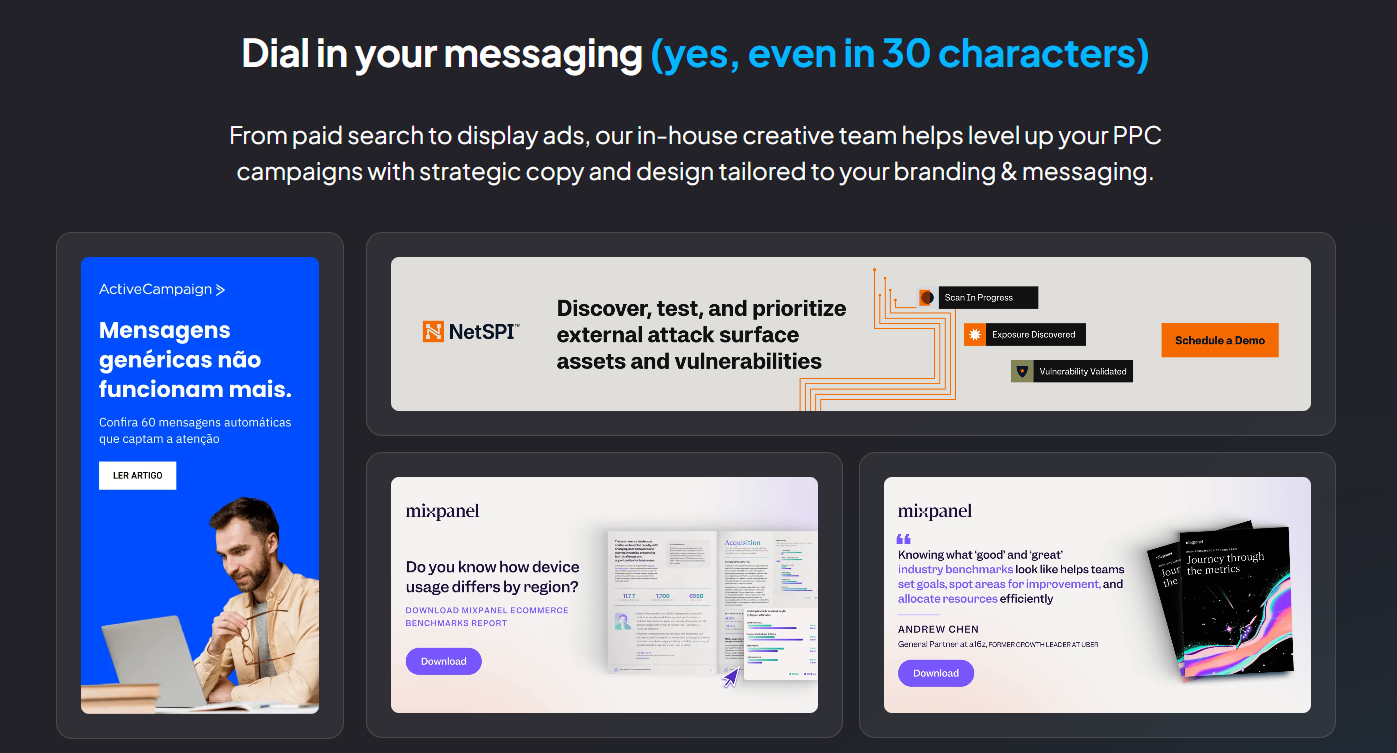
Every message is tailored to your brand voice, services, ICP, and buying journey, so your ads connect with the right buyers at every stage.
Step 5: Create a better landing page experience
Make it as easy as possible for buyers to take the next step.
Look at your landing page through a first-time visitor's eyes. Within a few seconds, they should understand what you offer, who it’s for, and what to do next.
If buyers have to hunt for answers or your call to action (CTA), you're probably losing conversions.
Keep the page focused on one goal. If your ad promotes AI meeting software for sales teams, send visitors to a page about that solution, not your homepage.
Take a closer look at your form too, as every extra field gives people another reason to leave. Ask only for the information your sales team actually needs.
Then add proof buyers can trust, like customer logos, short testimonials, or review ratings.
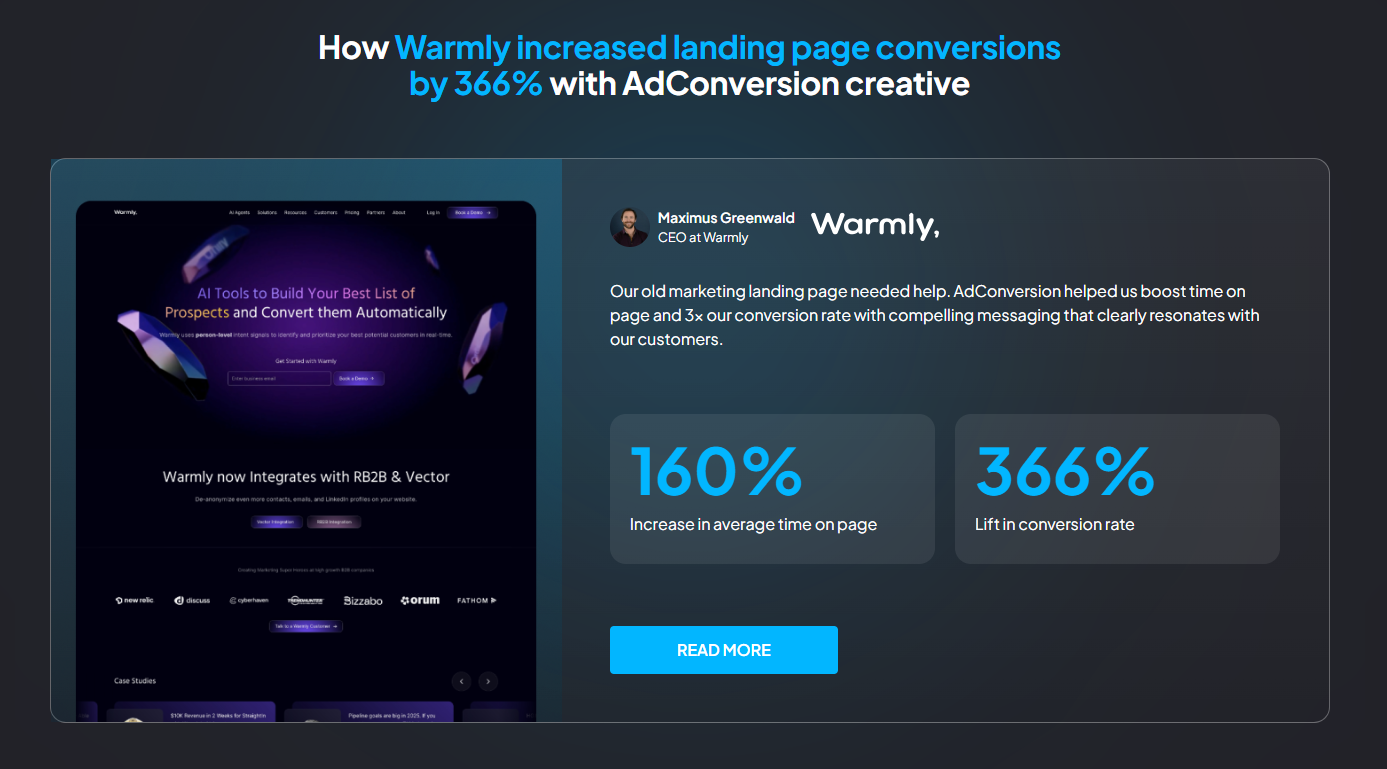
To make sure you get it right, you can hand over execution to a landing page agency, like AdConversion.
AdConversion builds dedicated landing pages for each of your Google Ads campaigns and doesn't stop once they go live.
The team keeps testing new offers, messaging, CTAs, and page elements to improve conversions.
Check out AdConversion's Warmly case study to see how a landing page redesign increased conversion rates by 366% and average time on page by 160%.
Step 6: Review Google's recommendations critically
Don't assume every Google Ads recommendation will improve your results.
Start with suggestions that fix real issues, such as broken assets, conflicting negative keywords, or outdated conversion tracking. This improves your account’s health without changing your strategy.
Be a bit more careful with growth recommendations, though.
Google might suggest adding new keywords, expanding your targeting, or scaling your budget. Those changes can help, but they can also bring in traffic that's less likely to convert.
Before you click Apply, ask yourself whether the recommendation actually supports your business goals. If it doesn’t, don’t hesitate to ignore it.
The same goes for your Optimization Score. A score closer to 100% doesn't automatically mean your campaigns are performing better.
Google simply increases the score when you apply or dismiss its suggestions.
You should also check your auto-apply settings, as Google still lets you automate some recommendations.
If you'd rather stay in control, turn off the ones you don't want running in the background. That way, every optimization happens because you decided it was the right move.
Step 7: Validate results before optimizing again
Make sure your last optimization actually worked before moving on to the next one.
Compare results before and after the change.
If you updated your targeting to lower your Google Ads cost per lead (CPL) check whether it actually went down. Or, if you tested new ad copy, look at your CTR and conversion rate to see whether buyers responded differently.
For bigger changes, use Google Ads Experiments. This allows you to A/B test updates before rolling them out.
You can test different keyword match types, bidding strategies, ad variations, or even entire Performance Max campaigns.
Google creates a test version and splits your budget or traffic between the original campaign and the experiment.
You can then compare results side by side.
If the experiment outperforms your original campaign, apply the changes. If it doesn't, simply end the experiment and keep the original running.
You should also keep a simple record of every test you do. Write down what you changed, why you changed it, and what happened.
Before long, you'll build your own Google Ads optimization checklist based on real results instead of guesswork.
How Often Should You Optimize Google Ads?
Optimize Google Ads on a schedule that balances ongoing improvements with Google's need for stable data.
Daily: Monitor campaign health
Think of your daily routine as a quick health check, not an optimization session.
Keep an eye on spend, conversions, and campaign delivery to catch problems before they become expensive.
Watch out for sudden spikes in CPC, broken conversion tracking, disapproved ads, or campaigns that stop spending unexpectedly.
Remember that Sami, AdConversion’s AI sidekick, can handle these routine checks and make quick adjustments for you.
Sami also sends you daily budget pacing reports and Slack alerts, so you'll know straight away if your campaigns drift off track.
Weekly: Make small improvements
Your weekly review is all about keeping your campaigns tidy.
Look for new negative keywords and see if your Responsive Search Ads are still sending the right message.
It's also a good time to go through Google's recommendations and make a few small budget adjustments if they're backed by data.
Keep your changes small to avoid triggering new Google learning cycles.
Monthly: Optimize for better performance
A month gives you a much clearer picture of what's working and what isn't.
Take a fresh look at your Google Ads bidding strategy, budget distribution, and landing page performance.
Replace underperforming ad copy, launch a new A/B test, and review the changes you've made over the past month.
By then, you’ll have enough data to make smart optimization decisions.
Quarterly: Revisit your overall strategy
Every few months, take a step back and look at your account with fresh eyes.
Some campaigns that worked a few months ago might no longer fit your goals.
Review your business KPIs, campaign structure, keyword strategy, messaging, and budget allocation to ensure you’re still moving in the right direction.
Then look beyond your own Google Ads account. Run a Google Ads competitor analysis, revisit your buyer persona, and look for new ways to grow your pipeline.
That's usually where your next big optimization comes from.
For a more detailed optimization walkthrough, you can enroll in AdConversion’s free online course for intermediate B2B Google Advertisers.
Wrapping Up
Learning how to optimize Google Ads becomes easier once you stop looking for one big breakthrough and start building on small wins.
Every smart improvement gives you a little more insight into what your buyers respond to and where your budget works hardest.
Follow the data, stay consistent, and your campaigns will keep moving in the right direction.
If you want to see what your Google Ads account is truly capable of, have a quick chat with AdConversion.
Frequently Asked Questions (FAQs)
Q1. How long does it take to see results from Google Ads optimization?
The time it takes to see results depends on the type of optimization. Small changes, like adding negative keywords, can improve performance within a few days. Bigger updates, such as changing a Smart Bidding strategy, usually take up to three weeks or one to two conversion cycles for Google to learn and start optimizing.
Q2. Which Google Ads campaigns should you optimize first?
Start with the campaigns that spend the most budget or generate the most leads. Those campaigns usually have the greatest impact on your pipeline and provide enough data to make smart optimizations. That’s also where small improvements can produce the largest business gains.
Q3. Should you optimize Google Ads manually or use automation?
You can use both. Let Google Ads automation tools handle repetitive tasks like budget pacing and routine monitoring. This allows you to focus on more important optimizations that involve strategy, messaging, audience targeting, and landing pages. This combination gives you the best balance between efficiency and control.
Q4. Can you optimize Google Ads without increasing your budget?
Yes. Some of the most effective optimizations cost nothing. Adding negative keywords, improving ad relevance, refining your bidding strategy, and creating better landing pages can all increase conversions and improve ROI without increasing your Google Ads budget.

.png)
Related Articles
How to Optimize Google Ads: A Step-by-Step Guide
10 Google Ads Automation Tools to Manage Paid Campaigns
How to Run Google Ads for Cybersecurity [Strategy Guide]
Join 0,000 B2B marketers leveling up their paid advertising skill set! 🚀
Join 0,000 B2B marketers leveling up their paid advertising skill set! 🚀


