



LinkedIn Ads

10 Best Agencies for LinkedIn Ads in B2B: A Detailed List [2026]

Table of Contents
- 1. AdConversion
- 2. Impactable
- 3. TripleDart
- 4. B2Linked
- 5. Disruptive Advertising
- 6. OmniLab
- 7. Remotion
- 8. Cleverly
- 9. Stop The Scroll
- 10. Thrive Internet Marketing Agency
- What Are the Top LinkedIn Ads Agencies for SaaS?
- What Are the Best B2B LinkedIn Ads Agencies for Startups?
- What Are the Best LinkedIn Ads Agencies for B2B Enterprises?
- How Do You Choose a B2B LinkedIn Ads Agency?
- How Much Does It Cost to Hire a LinkedIn Ads Agency in B2B?
B2B LinkedIn ads agencies are specialized partners that help you turn LinkedIn into a real source of quality leads instead of a money pit. They plan, launch, and optimize your ad campaigns to reach the decision-makers in companies you want to attract as clients.
The ultimate goal here is to inspire these decision-makers to act, meaning contact your business for your services or product.
Some of the top LinkedIn ads agencies for B2Bs are:

Read through each option to figure out which agency best fits your B2B brand. Focus on what they actually do, how they run campaigns, and whether that matches your business needs and goals.
Disclaimer: The information on these agencies is accurate as of March 2026.
1. AdConversion
AdConversion is a full-service B2B advertising agency and education platform founded by Silvio Perez in 2023.
The company has two business units that can come in handy:
- AdConversion Academy gives you access to free coaching and community resources to level up ad performance on your own.
- AdConversion Agency builds and manages paid media campaigns for you end-to-end.
Source: www.adconversion.com
AdConversion’s LinkedIn Ads Agency usually works with B2B SaaS companies that are fed up with paying for expensive LinkedIn ads without seeing any results.
DigitalOcean, OpenSesame, Warmly, and Checkr are some of the brands that reached out for help. After the agency rebuilt their ad strategies, these clients started to attract real sales opportunities.
AdConversion is one of the best B2B LinkedIn ads agencies because it designs campaigns around demand generation and revenue.
The company works on connecting you with the right people, turning more LinkedIn users into customers, and reducing the cost of getting high-quality sales leads.
The best part is that there’s no oblivious client success manager slowing down execution. You work directly with the senior performance marketer running your campaigns. This person knows your strategy inside out, so they can offer guidance and make changes without any back-and-forth.
Services:
- LinkedIn ads strategy building starts with a full audit of your existing ad account, targeting setup, messaging, and conversion tracking. Based on this data and the agency’s Five Stages Model (Create, Capture, Accelerate/Activate, Revive, and Expand) AdConversion creates a full-funnel strategy for your B2B company.
- Ad creative production provides ad copy and visuals and constantly tests different LinkedIn ad formats, such as video, carousel, and thought leader, to keep your target audience on its toes.
- 24/7 campaign optimization uses AdConversion’s AI-powered ad automation software, Sami, to monitor your ad performance in real time. This tool tracks key performance indicators (KPIs) such as click-through rate (CTR), cost per SQL (CPSQL), and ad fatigue, and automatically pauses weak ads.
- Analytics and reporting run through a LinkedIn ads performance dashboard custom-built for you. The agency also shares daily updates, weekly reports, and detailed creative insights so you always know where your campaigns stand.
- Conversion rate optimization (CRO) and landing pages focus on what happens after the click. AdConversion builds you fully optimized landing pages and experiments with different funnel setups, such as demand gen and account-based marketing (ABM), to improve your conversions.
Pros
Clutch reviews and portfolio testimonials show that:
- AdConversion can turn LinkedIn into your primary pipeline source within a well-defined, full-funnel strategy.
- The agency improves cost per marketing-qualified lead (CPMQL), return on ad spend (ROAS), and attribution accuracy from the very first month, rather than focusing on vanity metrics.
- The marketing team stays proactively engaged week after week, not just in the beginning. They continually review your data and push for new experiments and improvements, rather than letting your campaigns run on autopilot or waiting for your instructions.
- Ad execution is quick and painless because AdConversion handles copy and design, matching your brand guidelines from the start.
Cons
Based on verified client reviews from Clutch:
- Progress can slow down if you don’t give AdConversion access to your internal data.
- Some experiments and optimizations might not work as expected, causing temporary performance drops before the agency gets your campaigns back on track.
Minimum project size (based on Clutch):
$7,500
Good to know: Unlike other agencies, AdConversion charges a flat monthly retainer with zero ad spend fees, so you can increase your ad budget without costs going up.
2. Impactable
Impactable is a LinkedIn marketing agency founded in 2020 by Justin Rowe. It offers both paid ad management and thought-leadership content creation.
Whether your B2B company specializes in SaaS, financial, or marketing services, Impactable can adapt to your needs.
Some of the agency’s clients are Beko Technologies, Relish, and Spiro.ai.
Source: impactable.com
Impactable puts most of its focus on LinkedIn advertising for long B2B sales cycles.
The agency builds demand-generation systems that combine paid ads, account-based marketing (ABM), retargeting, and LinkedIn content.
This multi-touch approach allows the right audience to see and get to know your brand before they reach out.
Services:
- LinkedIn ad creatives use segmentation, different ad formats, and A/B testing to build role-based ads and matching landing pages that improve conversion rates.
- LinkedIn ad scheduling uses Impactable’s DemandSense marketing automation software to deliver ads automatically when your target audience is most active.
- LinkedIn reporting goes beyond the default LinkedIn analytics to provide demographic insights, track custom ad performance metrics, and create visual reports.
Pros
According to Clutch reviewers:
- Impactable builds LinkedIn ad funnels that can get you a predictable return on ad spend.
- Clients report increases in traffic, engagement, and B2B brand visibility after launching LinkedIn and Google Ads campaigns with the agency.
- The team provides frequent updates, closely monitors campaigns, and suggests changes to maintain high-performing LinkedIn ads.
Cons
Clutch reviewers also mention some areas for improvement:
- Account managers leading a client engagement sometimes change, affecting campaign progress.
- Since Impactable doesn’t target a single industry, its team needs more time to fully understand a client’s field, services, and messaging.
Minimum project size (based on Clutch):
$1,000+
3. TripleDart
TripleDart is a B2B Marketing Agency founded by Shiyam Sunder in 2020, operating in the U.S., Europe, India, Singapore, and Thailand.
The company usually partners with startups and scaleups to help them build a predictable pipeline strategy through paid media, content strategy, and analytics.
Some of the agency's customer success stories include Teamed, Everstage, and Dyte.
Source: www.tripledart.com
TripleDart’s LinkedIn Ads Agency handles campaign planning, management, and growth.
The marketing team studies your past performance, creates campaigns based on buyer personas, and tests various ad formats to improve results.
Services:
- LinkedIn audience targeting uses firmographic filters, high-intent data, and behavioral signals to find businesses that are actually looking for solutions like yours.
- Ad creatives speak to each buyer persona and encourage them to take action by addressing their pain points.
- Campaign reporting tracks key metrics such as CTR, conversions, and cost per lead (CPL) and uses them to adjust targeting and budgets.
Pros
Feedback from Trustpilot client reviews suggests the following pros:
- TripleDart offers detailed reports and explanations to help you understand why campaign results improve or decline.
- It takes the time to learn your ideal customer profile and then creates high-quality creatives that fit your brand.
- Communication is smooth even when working in different time zones.
Cons
Based on Trustpilot reviews, TripleDart has a couple of limitations:
- The feedback cycles and campaign adjustments during active testing phases can be slow.
- This digital marketing agency might be a better fit for companies early in their paid media journey than for established teams with complex ad programs.
Minimum project size (based on Clutch):
$1,000+
4. B2Linked
B2Linked is a LinkedIn advertising and consulting agency founded in 2014 by A.J. Wilcox.
B2B brands such as Plannuh, Qualio, and Flourish typically reach out to B2Linked to maximize LinkedIn ad spend and improve lead-generation quality.
Source: b2linked.com
B2Linked works with your in-house marketing team to fix inefficient LinkedIn ad campaigns.
The agency improves targeting accuracy and makes sure your ads reach the people who actually influence buying decisions.
Services:
- LinkedIn ads management builds you full-funnel strategies, sets up segmented audiences, and runs regular tests to lower cost per lead and improve campaign quality.
- Proprietary B2Linked tools analyze performance data, schedule ads at the best times, and make changes to optimize enterprise accounts.
- LinkedIn consulting and account audits review past campaign data, identify wasted ad spend, and recommend improvements to targeting, bidding, and campaign structure.
Pros
Client reviews on Clutch point out that:
- B2Linked offers useful LinkedIn ads insights and clear next steps that you can apply right away.
- Once the agency takes over your LinkedIn marketing strategy and management, you notice increases in conversion rates.
- The team responds quickly to questions and concerns, communicates effectively, and delivers on time.
Cons
Clutch feedback also mentions a few drawbacks:
- The pricing might be too high for smaller businesses.
- If you don’t have clear goals from the start, the process can be slow.
Minimum project size (based on Clutch):
Undisclosed
5. Disruptive Advertising
Disruptive Advertising, a digital marketing agency specializing in paid social media, lead gen, and SEO, was founded by Jake Baadsgaard in 2012.
The company targets both B2C and B2B growth-focused companies in e-commerce, SaaS, and other service fields, including Adobe, KPMG, and Instructure.
Source: disruptiveadvertising.com
Disruptive Advertising builds and expands B2B LinkedIn ad campaigns through research and testing.
The agency analyzes audience data, compares targeting options, and adjusts campaign settings until your ads start delivering measurable results.
Services:
- LinkedIn ad audits review your current campaigns, analyze KPIs, and spot areas where better targeting, messaging, or budget allocation can improve results.
- Audience segmentation uses advanced filters, such as job title, company size, industry, and skills, to target professionals more likely to convert.
- Data analytics automatically track campaign metrics that match your business goals. Based on this data, the agency shows you how to adjust bids, creatives, and targeting to achieve better outcomes.
Pros
Disruptive Advertising clients talk about these strengths:
- Its LinkedIn ad creatives can improve audience engagement.
- The agency’s paid ad campaigns can increase LinkedIn lead generation and the quality of those leads.
- The marketing team is responsive, comes prepared to meetings, and finds new ways to improve your results.
Cons
Some of the downsides Clutch reviewers mention are:
- Frequent changes in account managers can slow down your campaigns.
- It can take around three months for the agency to understand your company’s needs and expectations as a new client.
- Reporting is pretty basic, so you might need additional tools for more detailed campaign insights.
Minimum project size (based on Clutch):
$5,000+
6. Omni Lab
Omni Lab is a paid media marketing agency that helps SaaS brands get more leads from their paid ad platforms.
The company was founded in 2020 by Jason Steele and Jonathan Bland and has worked with B2B brands like Routeware, Shipwell, and Splash.
Source: www.omnilabconsulting.com
Omni Lab builds campaigns based on your ideal customer profile, sales cycle, and the offers that move prospects closer to a demo call.
Services:
- LinkedIn account audits break down your existing ad campaigns to find wasted spend, weak targeting, and messaging that doesn't convert.
- Demand generation planning creates a multi-channel strategy for all your paid media, including LinkedIn, to make your brand more visible and attract better leads.
- Conversion tracking monitors all your paid ads and matches high-intent actions to revenue in a custom Google Tag Manager (GTM) workspace. These actions can include booking a demo, requesting a quote, or starting a free trial.
Pros
The only available Omni Lab review on Clutch notes that:
- The agency’s outreach marketing services can increase your marketing-qualified and sales-qualified leads, as well as your conversions.
Cons
The same Clutch review claims that:
- Omni Lab might need to learn more about the software laboratory space to better meet client needs.
Minimum project size (based on Clutch):
$10,000+
7. Remotion
Remotion is a LinkedIn ads agency that optimizes and scales advertising strategies for B2B SaaS startups.
Founded in 2016 by Gabriel Ehrlich, the agency has worked with brands like WordPress VIP, Pentera, and Connecteam.
Source: www.remotion.io
Remotion builds LinkedIn ad strategies based on audience research and creative testing.
The agency then optimizes your campaigns using lead-quality data and sales feedback to deliver the best results.
Services:
- Audience targeting finds the companies and niche segments that match your ideal customer profile, even in very narrow B2B markets.
- Creative consulting improves LinkedIn ad performance by recommending format, messaging, and design changes your team can apply straight away.
- Reporting combines LinkedIn data with CRM metrics to track CPL, SQLs, opportunities, and closed deals so you can see which campaigns generate revenue.
Pros
Since Remotion doesn’t have any public reviews, these pros come from their client testimonials:
- After applying the agency’s campaign optimization suggestions, you can expect to see an increase in pipeline and a decrease in CPL.
- The marketing team pays close attention to detail and is committed to helping your campaigns succeed.
Cons
Some potential downsides can include:
- Since the agency only focuses on strategy and consulting, your team needs to handle ad creative production on its own.
- Reporting relies on your HubSpot data, so if you use a different CRM, you need to manually export and share your data with the agency.
Minimum project size (based on Clutch):
$10,000+
8. Cleverly
Cleverly is a B2B lead generation agency founded in 2017 by Nicholas Verity.
Businesses like Full Pipe, Productiv, and Adaptable work with Cleverly to attract new prospects through LinkedIn ads and outreach.
Source: www.cleverly.co
Cleverly’s LinkedIn marketing agency plans ad campaigns based on the type of customers you want to close.
The company studies your past deals to see who is most likely to buy, then builds you a full-funnel ad strategy.
Services:
- Audience research identifies your ideal customer, segments your market, and sets up LinkedIn targeting for your campaigns.
- Funnel setup designs different LinkedIn ad types, creates retargeting campaigns, automates follow-ups, and sets up CRM integrations for tracking.
- Ongoing testing and optimization replace low-performing ads, adjust targeting, and review campaign data regularly to keep lead quality high.
Pros
Cleverly clients appreciate that:
- Its LinkedIn campaigns can increase your brand’s reach and contact network.
- Sales teams often see more prospects engaging and asking for calls.
- The agency takes the time to understand your target audience and tailors campaigns to match your ideal customers.
Cons
A few Clutch reviewers reveal that:
- Communication can sometimes be slower or less detailed than expected.
- Even though the campaigns generate connections, many leads might be unqualified.
- You need to go through the agency to make any changes to your campaigns.
Minimum project size (based on Clutch):
$1,000+
9. Stop The Scroll
Stop The Scroll is a LinkedIn ads and content agency that helps B2B companies gain more visibility and sales opportunities.
The company was founded by Elizabeth and Justin Berg in 2025 and has ongoing partnerships with brands like Lacuna Talent, Rock The Rankings, and Legally.
Source: www.stopthescroll.io
Stop The Scroll works closely with you to create LinkedIn ad campaigns that match your expertise and brand voice.
The agency tracks success by pipeline impact and adjusts strategy based on what brings revenue.
Services:
- Audience and funnel mapping breaks down your target audience, sales cycle, and funnel into cold, warm, and retargeting segments that align with the buying journey.
- Ad creative development creates LinkedIn ads for each stage of the funnel, using different messages and formats to grab attention and push prospects closer to a decision.
- Campaign launch and testing apply A/B testing, performance checks, and creative updates to improve campaign results.
Pros
Since Stop The Scroll doesn’t have any online customer reviews yet, these pros are based on their case studies:
- The agency’s LinkedIn ads and content strategies can increase inbound leads, engagement, and impressions.
- Stop The Scroll can help you gain followers and sales opportunities through a mix of LinkedIn content, videos, and outreach.
Cons
Some potential limitations of Stop The Scroll include:
- Since the agency specializes only in LinkedIn marketing, you’ll have to hire extra help to explore other platforms.
- The monthly cost can be higher than that of other agencies offering multi-channel paid media management.
Minimum project size (based on Clutch):
$5,000+
10. Thrive Internet Marketing Agency
Thrive Internet Marketing Agency specializes in different types of digital marketing, including paid ads, SEO, content, and social media.
Founded by Matt Bowman in 2005, the agency helps B2C and B2B brands improve their reach and lead gen quality.
ComplianceHR, Geoforce, and Datadobi are among the agency’s satisfied clients.
Source: thriveagency.com
Thrive’s LinkedIn Advertising Agency manages campaign setup and ongoing data-driven changes to help you reach your target audience.
Services:
- LinkedIn ad audits and strategy planning review your current campaigns, define buyer personas, and create a targeting and bidding plan that aligns with your goals.
- Ad copy and creative production build LinkedIn ads with eye-catching visuals and messaging that attract prospects and drive action.
- Retargeting and campaign optimization re-engage users who interacted with your brand and adjust targeting, creatives, and budgets to improve results over time.
Pros
Feedback from Clutch shows that:
- The agency’s social media campaigns can increase your follower count and engagement on different platforms.
- Consistent campaign management can result in higher sales.
- The team communicates efficiently, meets deadlines, and maintains a reliable working relationship throughout the engagement.
Cons
Thrive reviewers also cite a few limitations:
- The agency might not be able to take over all aspects of your social media and digital presence.
- Frequent changes in team members can affect campaign continuity.
Minimum project size (based on Clutch):
$1,000+
What Are the Top LinkedIn Ads Agencies for SaaS?
The best LinkedIn ads agencies for SaaS understand long buying journeys and know how to turn your ad spend into sales opportunities:
- AdConversion is specifically designed for B2B SaaS companies that want to predictably generate pipeline and improve the pipe-to-spend ratio through precise audience targeting (including ABM), creative testing, and revenue-based tracking.
- Omni Lab helps SaaS companies track outcomes by directly linking LinkedIn ad performance to CRM metrics and revenue.
- Impactable combines LinkedIn advertising, content, and ABM to keep SaaS brands visible throughout the buying journey.
What Are the Best B2B LinkedIn Ads Agencies for Startups?
The best LinkedIn ads agencies for startups help you gain early traction, validate messaging, and produce qualified leads without burning through your ad budget:
- AdConversion works best for Series A+ B2B SaaS startups with existing paid media budgets that want to turn LinkedIn ads into consistent demand generation and pipeline.
- Remotion improves LinkedIn ad performance for Series A-E startups through audience research, creative testing, and lead-quality feedback.
- TripleDart supports Series A startups with LinkedIn ad campaigns built around segmentation, personalization, and ongoing optimization.
What Are the Best LinkedIn Ads Agencies for B2B Enterprises?
The best LinkedIn ads agencies for B2B enterprises can handle large ad spend, complex targeting, and long buying journeys with multiple decision-makers:
- AdConversion supports mature B2B SaaS companies by creating full-funnel LinkedIn ad programs that attract qualified pipeline and measurable revenue impact, while keeping cost per SQL in check.
The team regularly manages large client budgets (around $150K/month in ad spend), so they know how to handle complex buying committees and multi-touch attribution across long sales cycles.
- B2Linked helps enterprise teams improve LinkedIn campaign efficiency through advanced segmentation and testing.
- Thrive Internet Marketing Agency creates LinkedIn ads for enterprises as part of a broader marketing strategy that includes SEO and content marketing.
How Do You Choose a B2B LinkedIn Ads Agency?
Choose a B2B LinkedIn ads agency by determining whether the team can manage your campaigns effectively and deliver results that match your business goals.
Some factors to consider include:
- Specialization in B2B SaaS proves the agency understands long sales cycles, buyer personas, and how to reach the right decision-makers through LinkedIn ads.
- Services should cover everything you need, from campaign management and audience targeting to ad creatives and reporting.
- Results from past campaigns demonstrate agency performance. Look for case studies and metrics tied to SQLs, conversion rates, and return on ad spend, and check the LinkedIn Ads Library for visuals.
- Reviews from other clients give you real insight into how the agency communicates, delivers work, and handles issues during the engagement.
- Pricing should match your ad budget and expectations. Be wary of dynamic ad spend fees and choose an agency that operates on a flat-fee model to keep costs predictable.
Check out AdConversion’s 10 tips for hiring an ad agency to make a smart decision.
How Much Does It Cost to Hire a LinkedIn Ads Agency in B2B?
Hiring a B2B LinkedIn ads agency can cost anywhere between $2K and $15K per month, based on the pricing structures of the 10 companies in this guide and others.
The main factors that affect pricing are the scope of services, your ad spend, and campaign complexity:
- Agencies that handle full campaign management, ad creative, and reporting usually charge more than those offering only consulting.
- Pricing models vary between flat fees and percentage-based fees tied to ad spend.
- Costs usually increase if you target multiple buyer personas, run full-funnel campaigns, or need advanced attribution and CRM integration.
Final Thoughts: Choosing the Right Partner for Your LinkedIn Strategy
The right LinkedIn ads agency can turn this paid media channel into a continual source of revenue for your B2B brand. The trick is to find a partner that truly understands your audience and knows how to get results.
Each agency on this list operates differently, so take the time to match their strengths with your goals, resources, and growth stage before making a decision.
If you need more info, schedule a chat with AdConversion.

How to Create LinkedIn Audiences that Convert

Sometimes, LinkedIn Ads fail due to poor creatives, messaging, or offers.
But many times — and in my experience, most of the time — the problem is actually the audience.
If you aren’t reaching your ICP, it’s almost impossible to drive conversions.
After running LinkedIn Ads for many hypergrowth startups, I’ve developed a methodology to ensure that I’m getting in front of the right people and minimizing wasted spend for my clients.
I’ll be breaking down my entire process below 👇
TABLE OF CONTENTS
- Step 1: Define your ICP
- Step 2: Brainstorm your targeting
- Step 3: Draft your audiences in LinkedIn Campaign Manager
- Step 4: Refine your audiences
- Step 5: Adjust based on insights
- Conclusion
Step 1: Define your ICP
If you’re taking over a new account and don’t have any audiences yet, here’s where I recommend starting:
1. Explore the website to get some initial ideas on the target job functions and industries of your personas.
2. Talk to your clients. Are there certain industries, company sizes, job titles, or job functions that have historically driven more revenue?
3. Listen to demo calls to gain a deeper understanding of a) what pain points their product solves and b) who resonates most with these pain points
Step 2: Brainstorm your targeting
Once you have a strong understanding of your ICP, it’s time to look at the targeting options available within LinkedIn Ads.
To do this, you can make a copy of this LinkedIn persona database sheet, which contains all the job titles and industries available within LinkedIn Campaign Manager.
If you want to target IT professionals, for example, you can add the filter Text contains “Information Technology”, and you’ll find all 389 IT-related job titles that are available.
Based on these results, you can determine exactly what job titles (or job function + seniority) you want to target.
Also, by looking through the industries tab, you can define the industries you want to reach in your campaigns.
Pro Tip: LinkedIn’s industry categorization can be a bit confusing. If you aren’t sure what industries you should be targeting, look up your best-fit customers on LinkedIn. What industries are they in? These are likely the ones you should be targeting.

Step 3: Draft your audiences in LinkedIn Campaign Manager
Once you have a solid understanding of your ICP and the job titles and industries you want to go after, you’re ready to go into LinkedIn Campaign Manager and create your audiences.
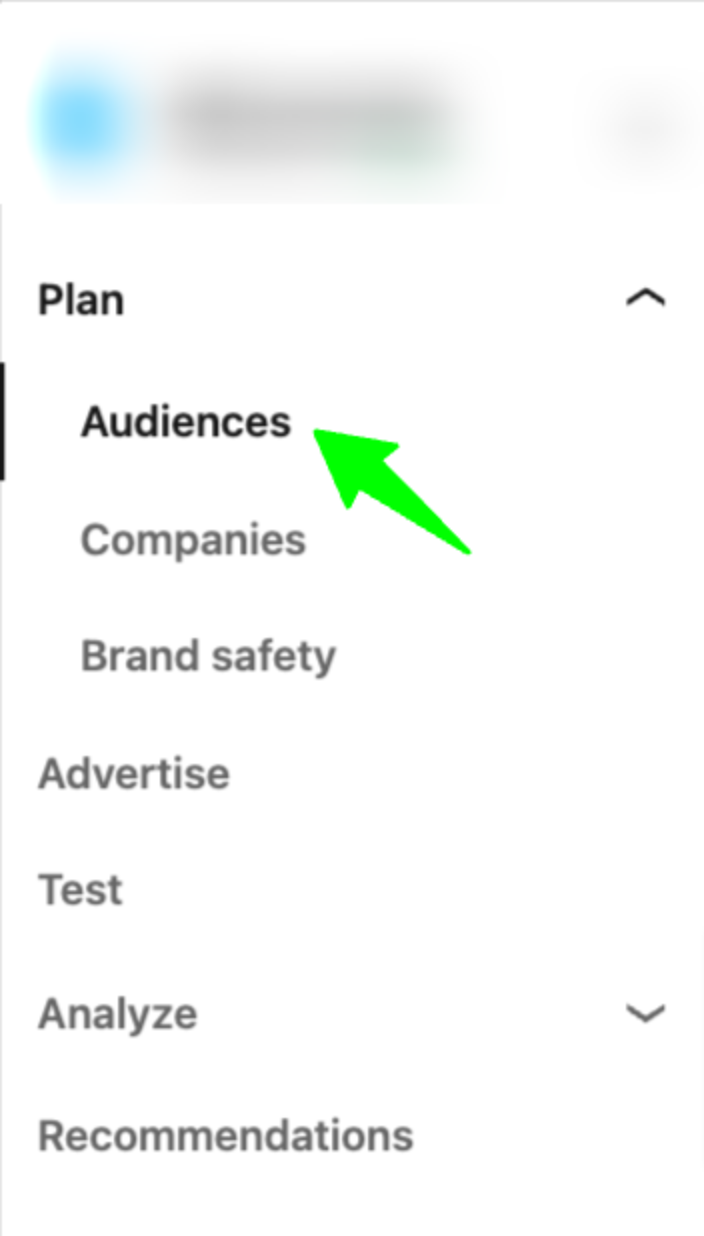
Here’s how you do it:
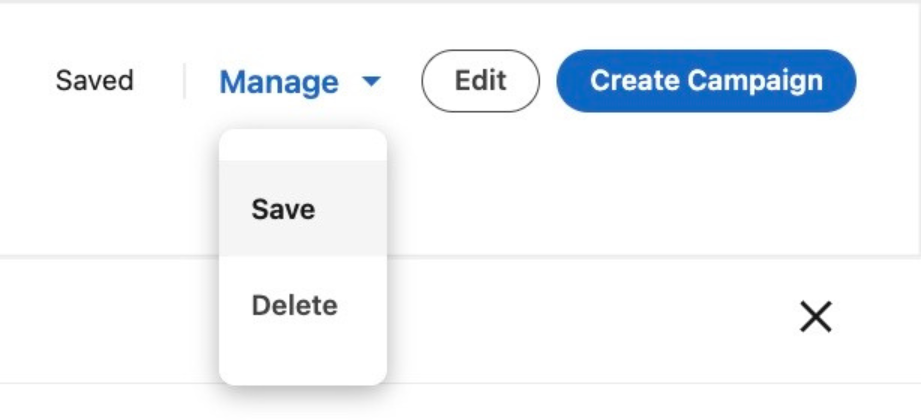
1. Navigate to the audiences tab, on the left hand side of LinkedIn Campaign Manager.
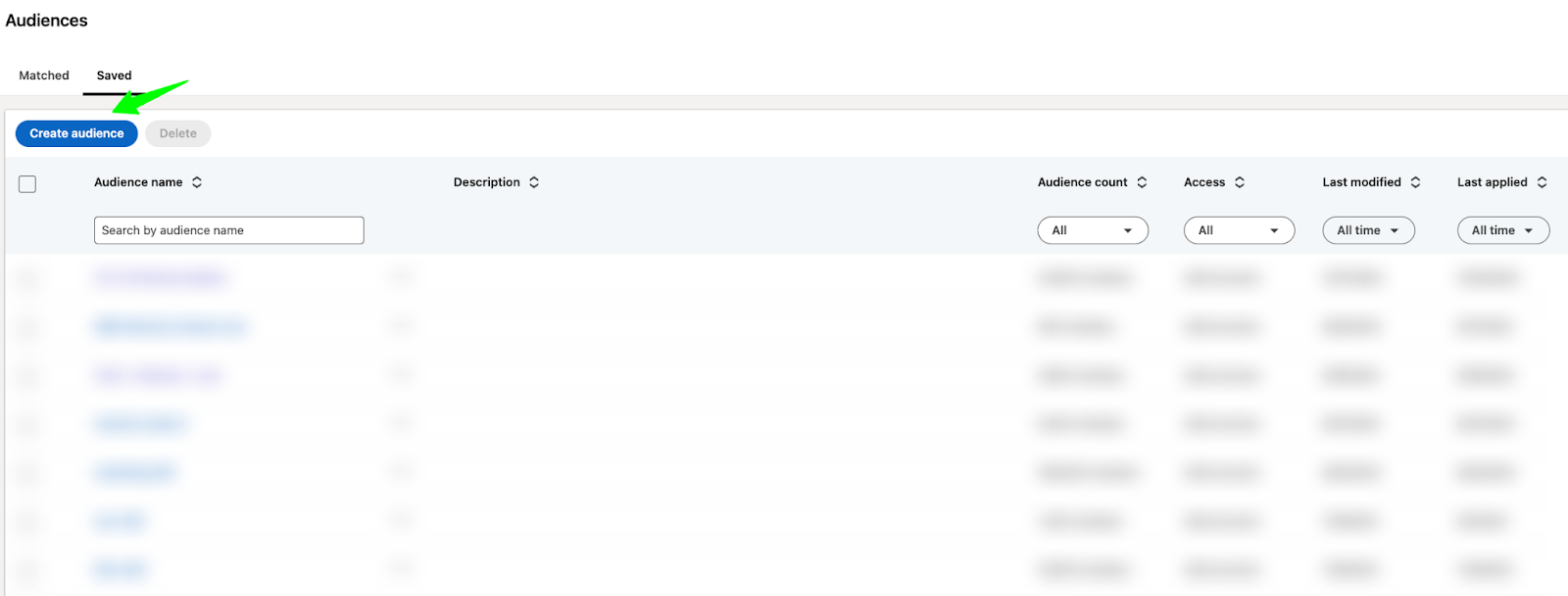
2. Go to “Saved”, and then click on “Create Audience”
3. Click on “Edit” and input your targeting criteria.

4. Apply your targeting criteria (in the bottom right corner of your screen)

5. Save your audience so you can come back to it later. You can do this in the top right corner of your screen.
Here are the top 3 audiences that I’ve seen the most success with for capturing demand (feel free to steal or adapt to your company’s needs)
1. Remarketing
90-day Website Visits + 90-day Video Views + 90-day Single Image Ad Interactions + 90-day Company Page Visitors + 90-day Content Lead Gen Form Submissions
AND
Target Locations
AND
Target Job Titles (Substitute for Job Function and Skills if audience is too small)
***Typically I like to go with a 90-day window, but you could go with a longer 180-day window if you have a longer sales cycle.
2. Tier 1 & Tier 2 Accounts
Tier 1 & Tier 2 Account Lists
AND
Target Job Titles
AND
Target Company Size
AND
Target Locations
3. Open opportunities
Companies in the open opportunity phase
AND
Target Job Titles
AND
Target Locations
Step 4: Refine your audiences
Now that you’ve drafted your audience, you’re almost ready to launch, but not quite.
Before going live, it’s important to refine your audiences by making exclusions.
Otherwise, you’ll end up wasting money on irrelevant people.
Here’s how you do it:
1. Access the saved audience you already created
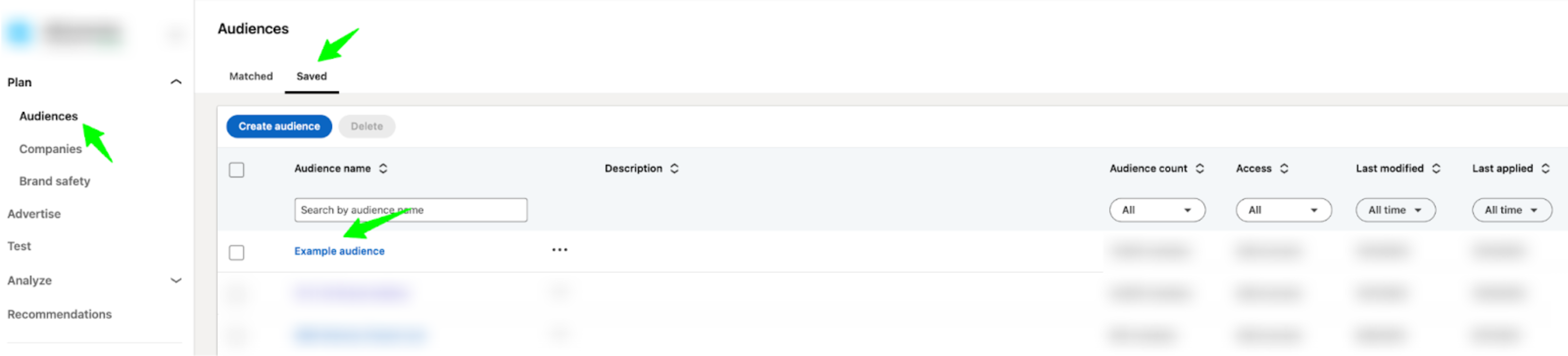
2. Refine the Audience
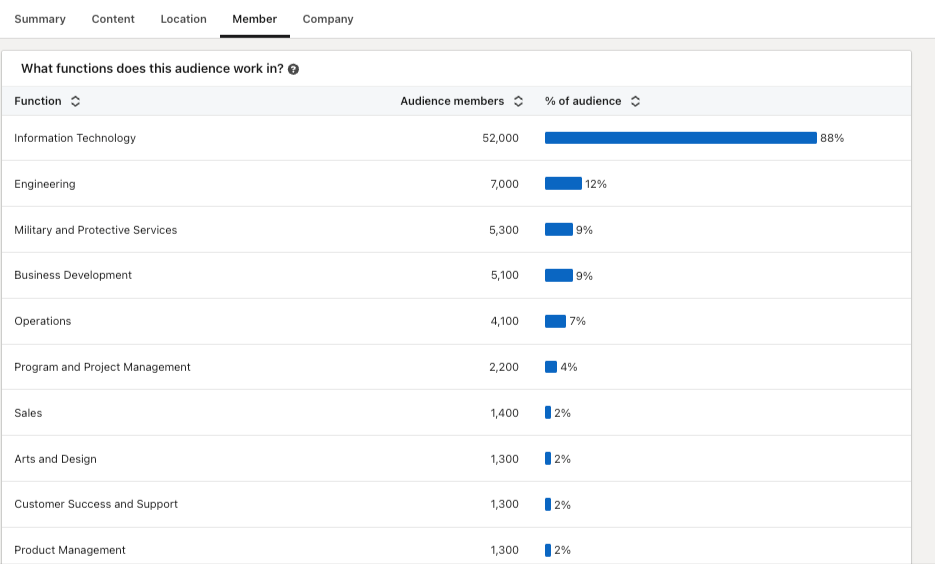
Look at the “Member” and “Company” sections of your audience for exclusion ideas.
In the member tab, you can see what job titles, job functions, and seniorities you’re targeting.
For example, if you’re aiming to target the IT job function and 21% of your audience consists of Engineering or Military, you might exclude these irrelevant functions.
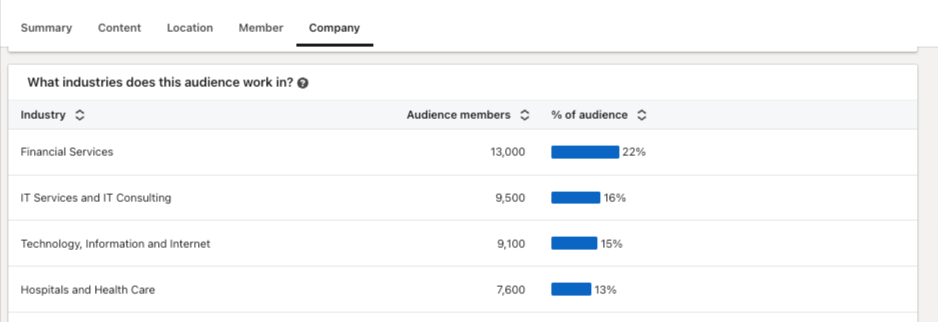
In the company tab, you can review what industries, company sizes, and companies you’re targeting.
For example, if you’re aiming to target FinServ and realize that 13% of your audience is in Hospitals and Healthcare, you may want to exclude it from your targeting.
Go through all available options in your saved audience and refine as much as possible.
Once you’re happy with the exclusions you’ve made, you can add this audience to your campaigns.
Here are the top exclusions that I typically make to avoid wasted spend (feel free to use as inspiration)
1. Irrelevant Industries
2. Irrelevant job functions
3. Irrelevant seniorities
4. Up-to-date list of customers and competitors
5. Current employees
6. People who have visited the login or support pages
7. Poor fit titles (ie students, teachers, retired, interns, analysts)
8. Company sizes outside of ICP
9. People who have recently filled out demo forms
Step 5: Adjust based on insights
After making exclusions and launching your campaigns, your work isn’t finished. In order to be successful with LinkedIn Ads, you need to continually check and adjust your targeting.
To do this, make sure you look at your demographics report on a weekly basis.
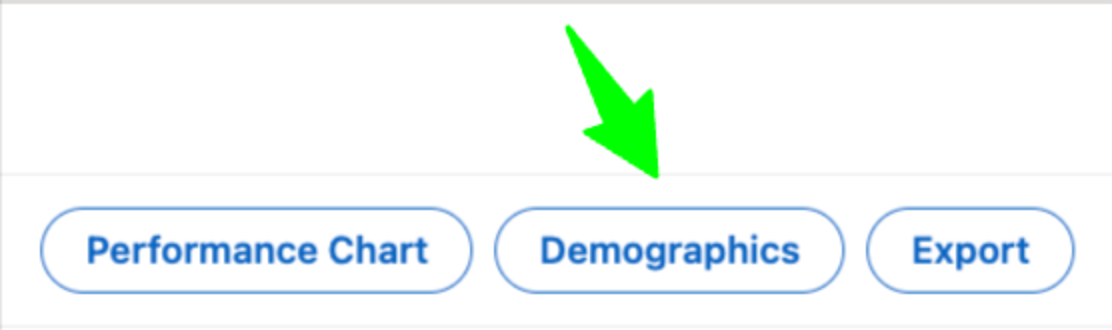
This can be found in the top right corner of LinkedIn Campaign Manager. To access it, simply select your campaign and click on “Demographics.”
Now, you’ll be able to see the job functions, job titles, companies, industries, seniorities, etc. that your campaigns are reaching.
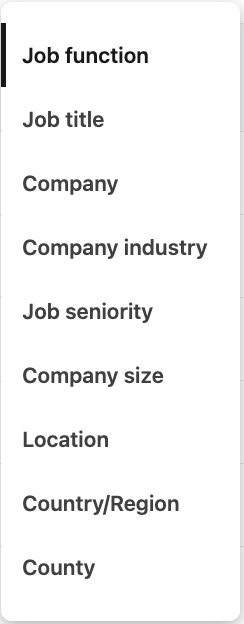
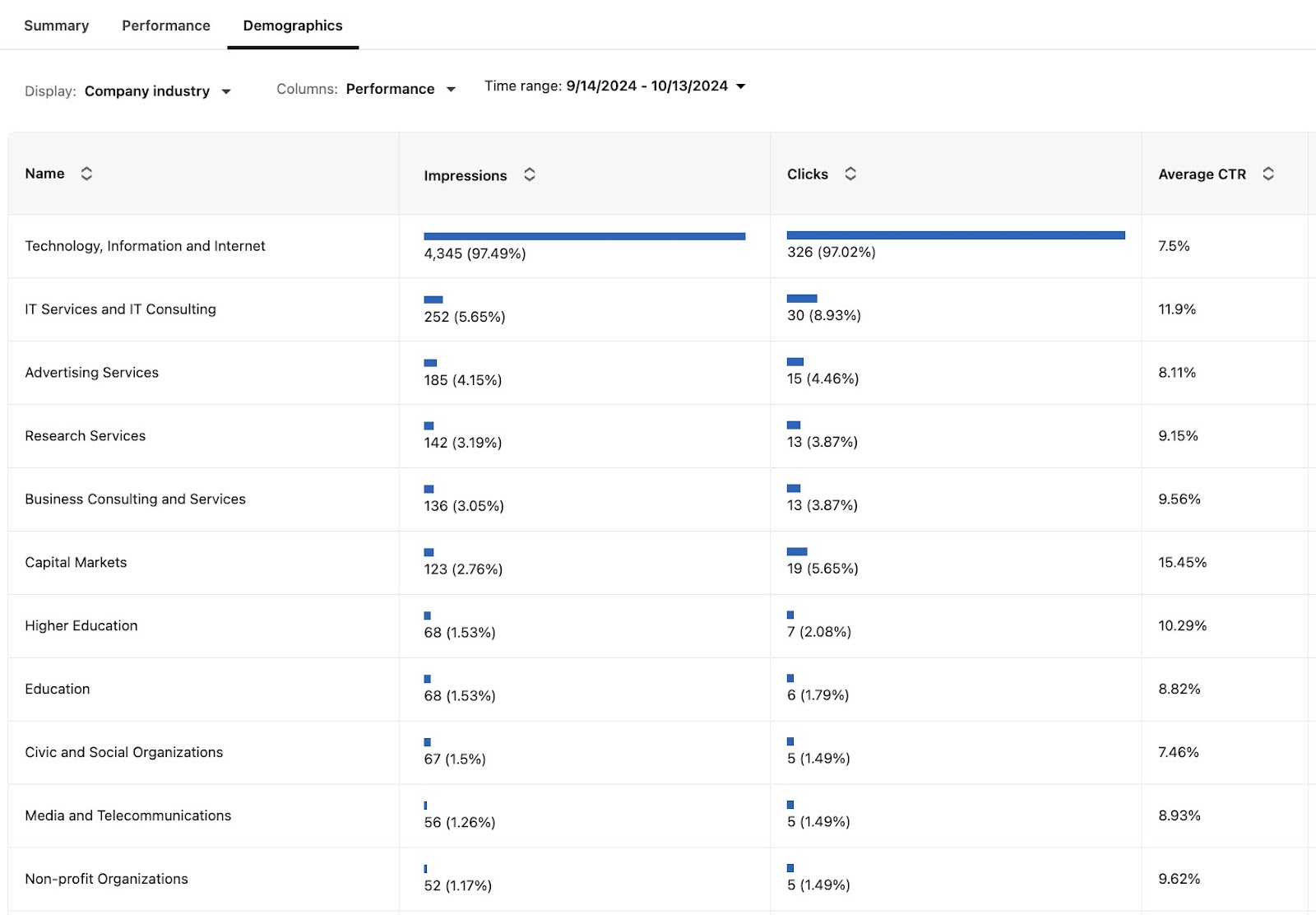
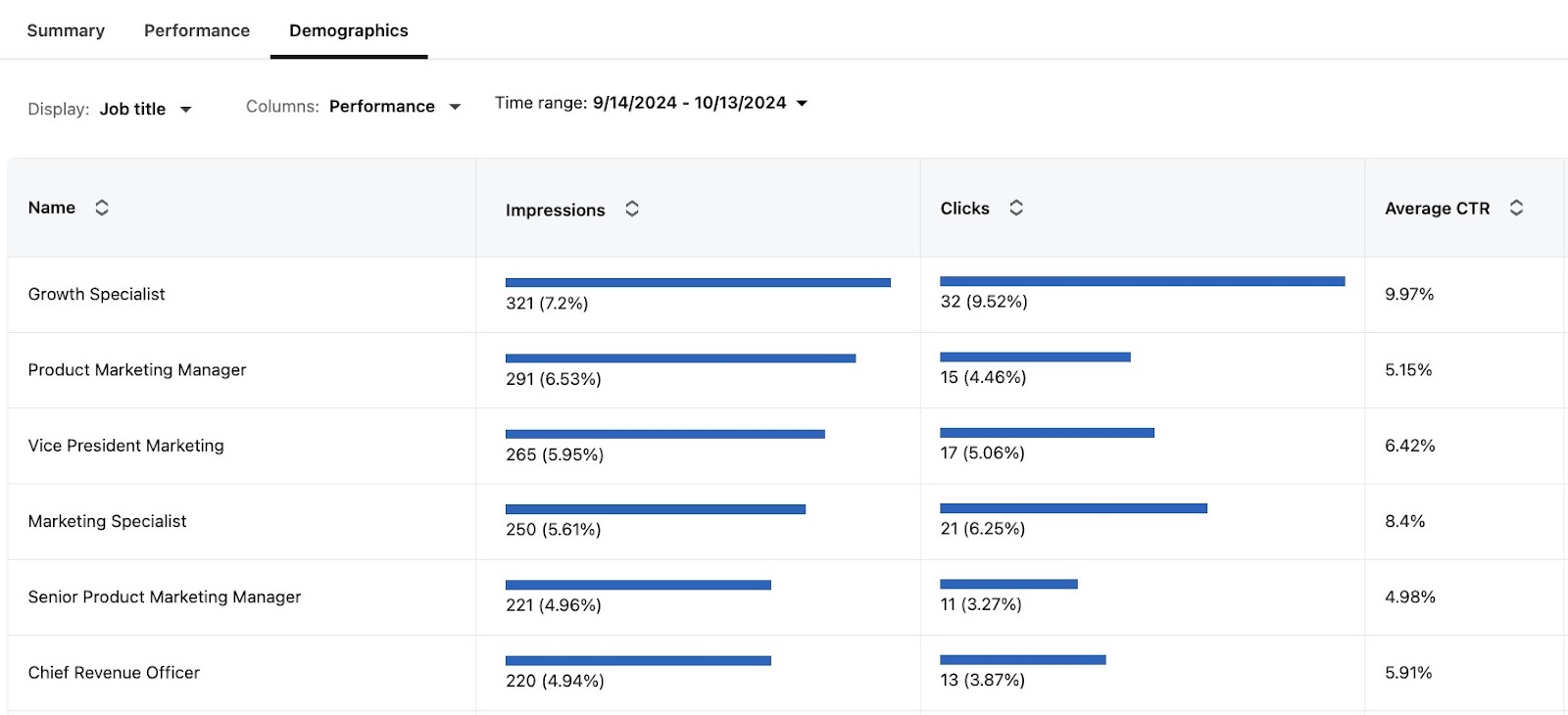
Look through all of these insights – are the people you’re reaching closely aligned with your intended targeting?
Are there certain job titles, functions, companies, industries, etc. that you want to exclude?
Doing this exercise may seem tedious or insignificant, but these small details are often the difference between success and failure.
Conclusion
To summarize, if you want to generate conversions on LinkedIn Ads:
1. Make sure you get extremely clear on who you want to target.
2. Consider testing proven targeting combinations, such as retargeting, tier 1 and tier 2 accounts, and open opportunities.
3. Audit your audiences in LinkedIn Campaign Manager and make all the necessary exclusions to avoid wasted spend.
4. After launch, consistently check your demographics report and adjust your audiences as needed.
P.S. If you have any questions and would like to get in touch, feel free to send me a message on LinkedIn
Master B2B LinkedIn Ads with these 3 Free Courses:
If you want to become a LinkedIn Ads pro, check out our free B2B LinkedIn Ads courses, where you'll learn how to launch, optimize, and scale your campaigns to drive pipeline and revenue.
Here's what you'll learn in each course:
⚙️ B2B LinkedIn Ads 101 - The Ultimate Crash Course for New LinkedIn Advertisers
- Foundations For LinkedIn Ads Success
- Measurement: Tracking & Key Principles
- Targeting: Reaching Your Dream Buyers
- Ads: Mastering The 9 Ad Formats
🎯 B2B LinkedIn Ads 102 - The Blueprint for LinkedIn Ads Optimization
- Monitoring: How To Spot Performance Trends
- Auditing: How To Find The Darlings You Need To Kill
- Reporting: How To Transform Data Into Insights
- Optimization: How To Make Your LinkedIn Ads Profitable
🚀 B2B LinkedIn Ads 103 - Advanced Scaling Strategies From $25M In Ad Spend
- Concepts of Scaling
- Divide and Conquer
- Learnings From $25M+ In LinkedIn Ad Spend
Click Here to Join 10,000+ B2B Marketers Today and start leveling up your advertising skill set.
Takes < 90 seconds to sign up (seriously we timed it 😂)
People Also Ask
How can I effectively measure the success of my LinkedIn ad campaigns in terms of audience engagement and conversion rates?
Utilize LinkedIn’s Campaign Manager to monitor key performance indicators (KPIs) such as click-through rates (CTR), conversion rates, and cost per conversion. Implement LinkedIn’s conversion tracking to assess how many ad interactions lead to desired actions, providing insights into campaign effectiveness.
What are the best practices for refining audience targeting to minimize wasted ad spend on LinkedIn?
Leverage LinkedIn’s advanced targeting options, including job titles, industries, company sizes, and seniority levels, to align your ads with your ideal customer profile (ICP). Regularly analyze campaign data to identify underperforming segments and adjust targeting parameters accordingly to optimize ad spend.
How can I utilize LinkedIn’s audience insights to enhance my ad creatives and messaging?
Analyze demographic data and engagement metrics to understand which audience segments interact most with your ads. Tailor your ad creatives and messaging to resonate with these segments, addressing their specific pain points and interests to increase relevance and engagement.
What strategies can I employ to test and optimize different audience segments on LinkedIn?
Implement A/B testing by creating multiple ad variations targeting different audience segments. Compare performance metrics to determine which segments yield the highest engagement and conversions, and allocate more resources to the top-performing audiences.
How can I integrate LinkedIn audience targeting with other marketing channels for a cohesive strategy?
Align your LinkedIn audience targeting with other platforms by creating consistent buyer personas across channels. Use LinkedIn’s Matched Audiences feature to retarget website visitors or upload contact lists, ensuring a unified approach that reinforces your marketing messages across different touchpoints.
LinkedIn Ad Formats: How to Choose the Best One for Your Campaign

LinkedIn has become an essential platform for B2B marketers, offering a variety of ad formats designed to reach professionals and decision-makers.
But with so many options, how do you choose the right one for your campaign?
In this comprehensive guide, we’ll delve into LinkedIn's diverse ad formats, uncovering detailed insights and actionable best practices.
Whether you're looking to increase brand visibility, generate quality leads, or drive traffic to your website, mastering LinkedIn's ad formats can give you a competitive edge in the market.
TABLE OF CONTENTS:
- Overview of LinkedIn Ad Formats
- Single Image Ads
- Video Ads
- Carousel Ads
- Thought Leader Ads
- Text Ads
- Conversation Ads
- Message Ads
- Spotlight Ads
- Follower Ads
- Document Ads
- Lead Gen Forms
- Connected TV Ads
- How to Choose the Right Ad Format
- How to Measure Performance of Each Ad Format
Overview of LinkedIn Ad Formats
Selecting the right ad format depends on your marketing objectives and target audience.
Let’s explore each primary LinkedIn ad format in detail, and reference this article for all ad specs:
Single Image Ads
Single Image Ads are a staple of LinkedIn advertising.
These ads feature one static image and appear directly in the LinkedIn feed, making them highly visible and engaging.
- High engagement with minimal content.
- Simple to create and easy to manage.
.png)
Pro tip: Use images and copy that resonate with your target audience. The best-performing ones often use your Ideal Customer Profile's (ICP) language or even direct words. Remember, in B2B, we are still advertising to people, not to robots! 😃
Video Ads
Video Ads are perfect for storytelling and driving engagement.
They allow you to share dynamic content that captures attention and conveys your message effectively.
- Excellent for storytelling and capturing attention.
- Engaging format that can explain complex ideas
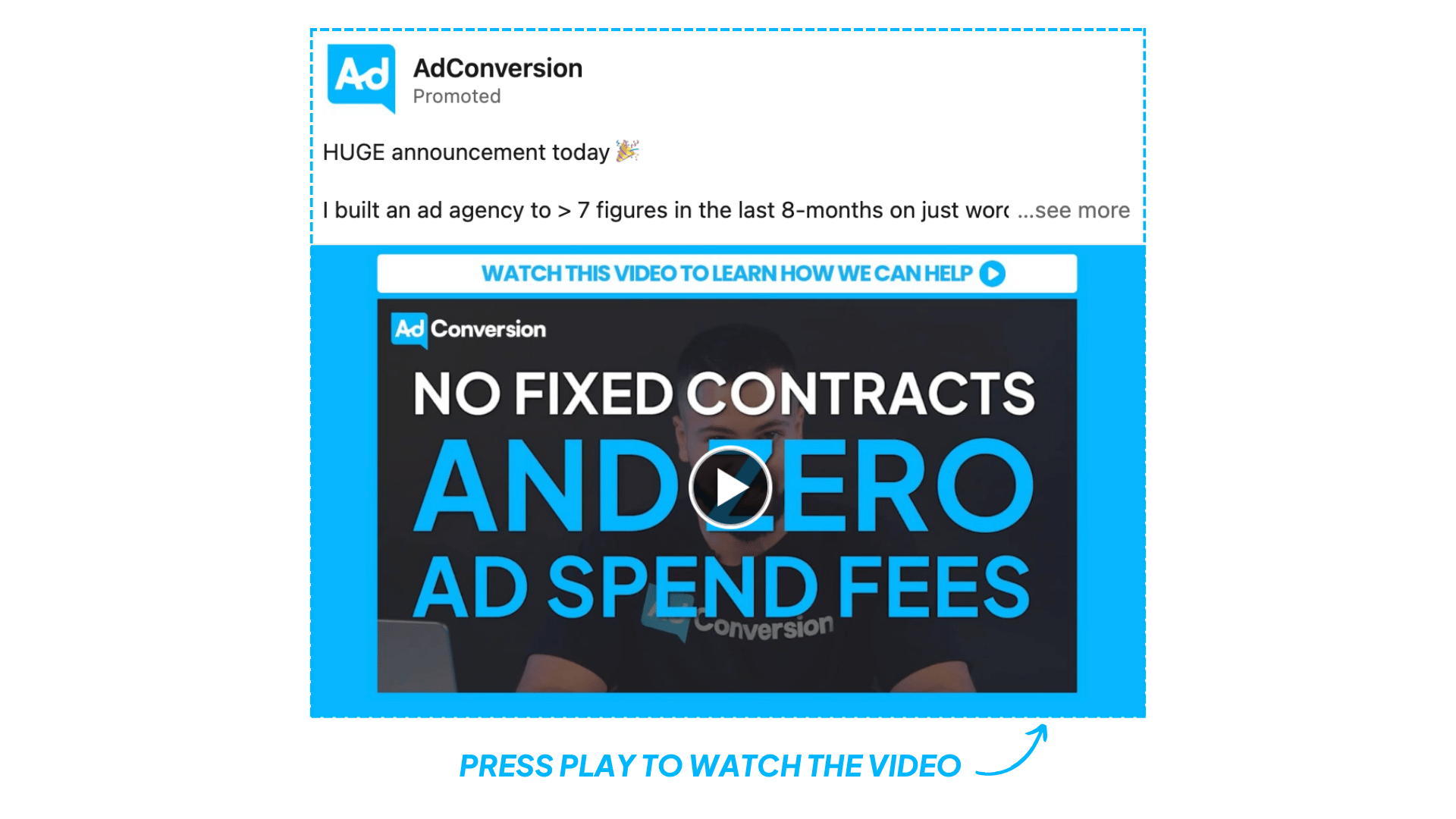
Pro tip: Video ads excel at both brand building and showcasing testimonials. They are particularly effective for demonstrating product functionality. Make sure to add subtitles, the videos usually autoplay on mute.
Carousel Ads
Carousel Ads allow you to showcase multiple images or videos in a single ad unit, each with its link.
This format is ideal for highlighting different aspects of a product or telling a story more interactively.
- Interactive format that encourages engagement.
- Multiple visuals to showcase different products or features.
.gif)
Pro tip: Carousel ads can be used for explaining the product, showcasing use cases and features, or explaining customer success stories in the feed. Ensure you have a consistent flow across all cards.
Thought Leader Ads
Thought Leader Ads are a powerful way to build brand credibility and engage your audience by leveraging the influence of key figures within your organization.
These ads allow you to sponsor posts from your company's thought leaders, positioning them—and by extension, your company—as industry experts.
- Build Credibility: Sponsoring posts from thought leaders enhances your brand's authority and trustworthiness.
- Engagement: These ads typically receive higher engagement rates as audiences are more likely to interact with content from recognized industry experts.
- Content Variety: Showcase a variety of content, from personal insights to industry analysis, that resonates with your audience.
.png)
3 tips for implementing thought leader ads:
- Authenticity: Ensure the content from thought leaders is authentic and reflects their genuine perspectives.
- Consistency: Regularly publish thought leadership content to maintain engagement and visibility.
- Interactive Content: Use content that encourages interaction, such as questions or calls to action, to drive higher engagement rates.
For more insights refer to 14 Powerful LinkedIn Thought Leader Ad Strategies Worth Testing.
Text Ads
Text Ads are simple yet effective.
They appear on the right-hand sidebar of LinkedIn and are great for driving traffic to your website or landing page.
- Cost-effective and easy to set up.
- Ideal for driving traffic to your website.
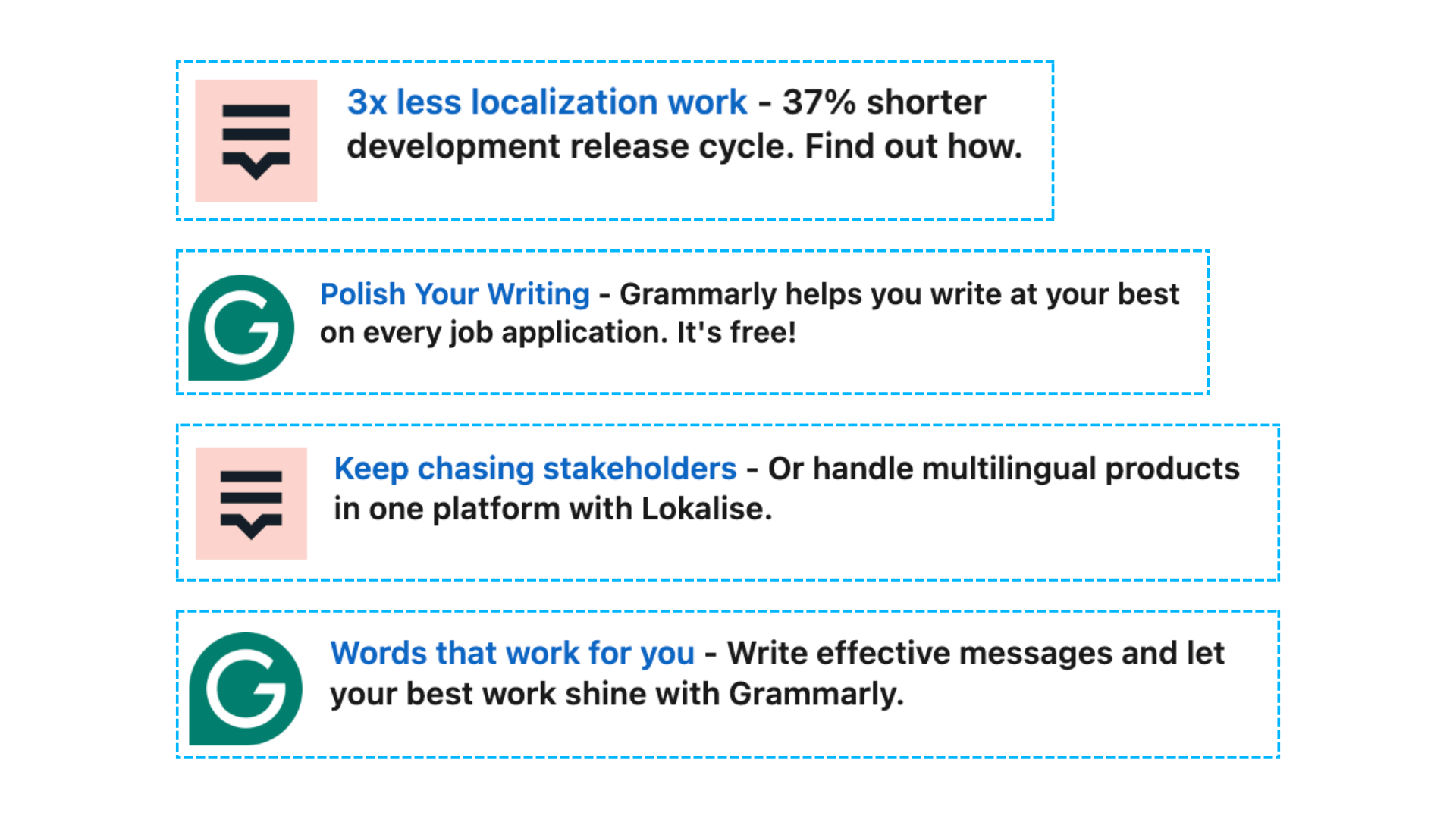
Pro tip: Text ads are very effective, allowing you to stay top of mind at a low cost in front of your target audience. Also, they always help to keep your logo in your ICP’s LinkedIn Feed.
Conversation Ads
Conversation Ads offer an interactive way to engage your audience by allowing recipients to choose their own path through multiple call-to-action buttons.
This format fosters engagement and ensures high visibility in LinkedIn Messaging inboxes.
- Highly engaging format that fosters engagement.
- High visibility in LinkedIn Messaging inboxes.
- Great for generating leads
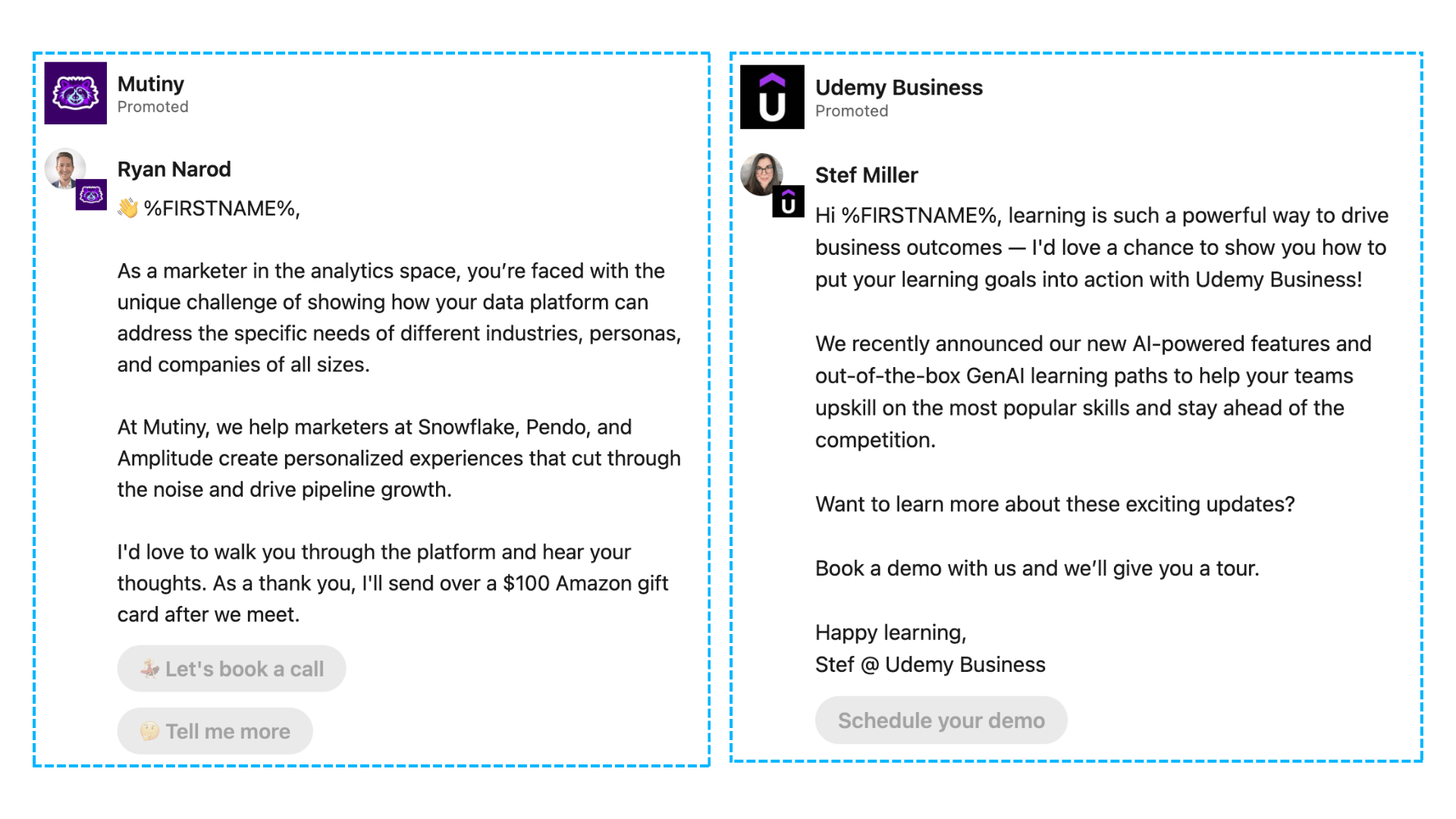
Pro tip: Create engaging and relevant conversation flows tailored to your audience's needs and interests. The message subject can be a game changer for open rates! Also, try incentivized ads, sometimes they can work miraculously 🚀
Message Ads
Message Ads are direct messages sent to LinkedIn members’ inboxes, making them highly personal and effective for driving immediate action.
- High visibility in LinkedIn Messaging inboxes.
- Personalized and direct communication.
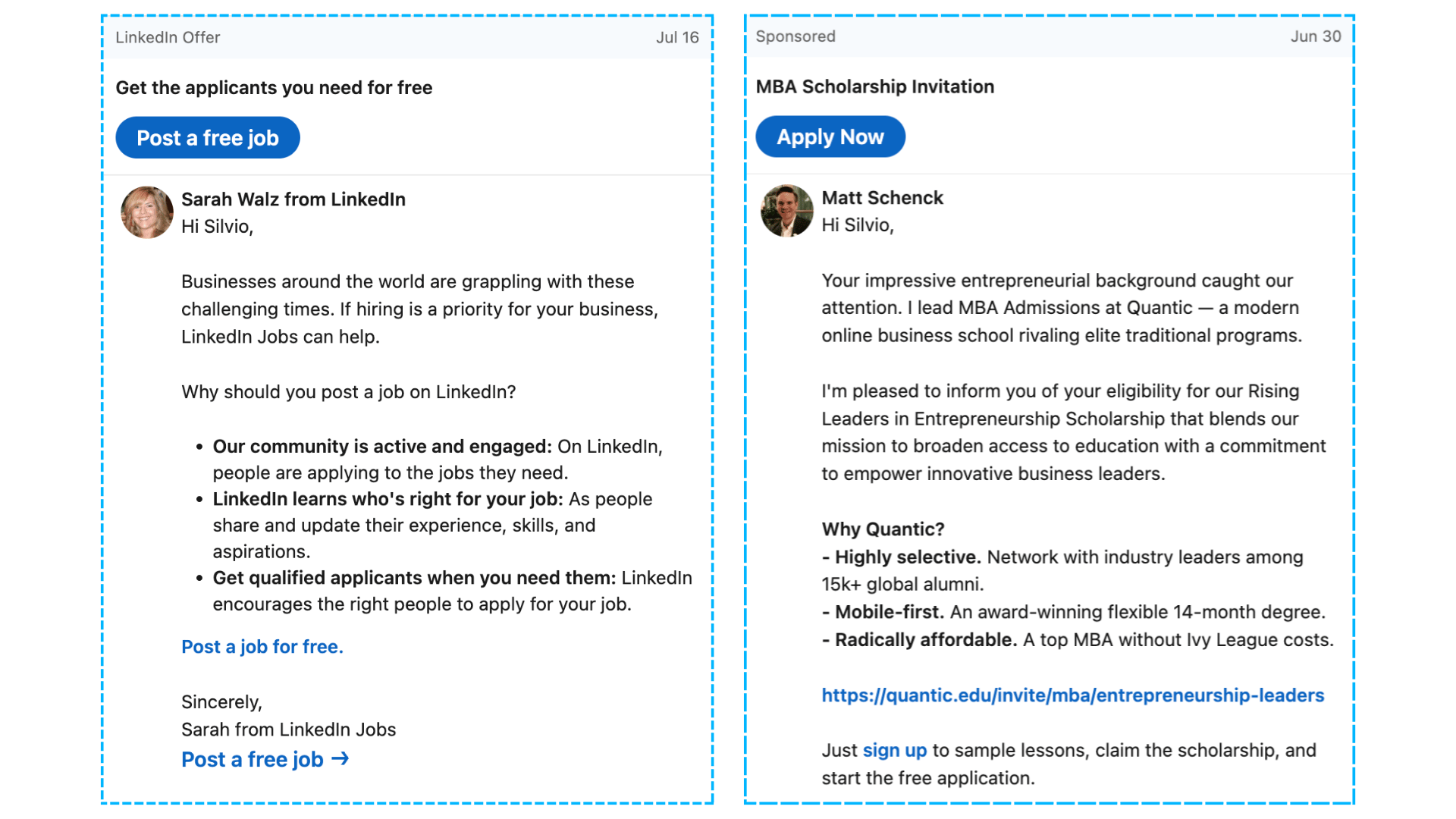
Pro tip: Craft personalized messages that speak directly to your target audience’s pain points and offer clear, actionable solutions. Keep the tone to the one that your target audience is using.
Spotlight Ads
Spotlight Ads are personalized ads that appear on the right-hand side of the LinkedIn feed.
These ads use the viewer's LinkedIn profile data, such as their photo, company name, and job title, to dynamically personalize the ad content.
- Lower CPM and High Ad Recall
- Personalized Ad Content
Check out LinkedIn Spotlight Ads In 2024: Are They Worth The Investment? to dive deeper into this ad format.

Pro tip: Spotlight ads are particularly effective for remarketing, allowing you to stay top of mind at a low cost in front of audiences that already know and trust your brand.
Follower Ads
Follower Ads help increase the number of followers for your LinkedIn page, promoting your company to a wider audience.
- Effective in promoting LinkedIn pages to acquire followers.
- Increases organic reach on LinkedIn.
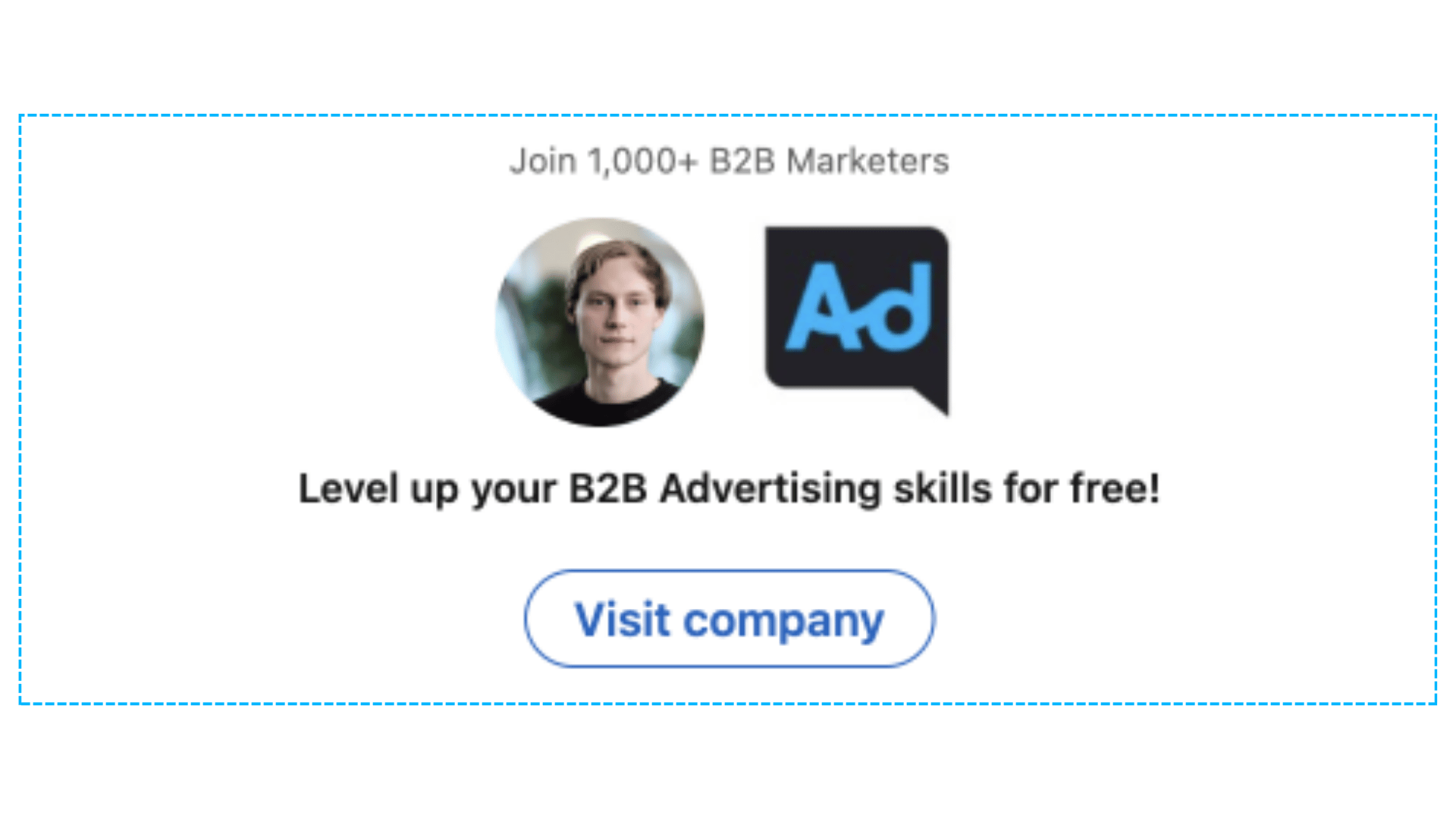
Pro tip: Highlight the unique value your LinkedIn page offers to followers. Use eye-catching visuals and compelling copy that resonate with your target audience.
Document Ads
Document Ads allow you to share in-depth content directly within the LinkedIn feed.
You can share whitepapers, e-books, or case studies that members can view and download without leaving LinkedIn.
- Share in-depth content directly within the LinkedIn feed.
- Options to gate content with a Lead Gen Form to capture leads or share freely to build brand awareness.
.gif)
Pro tip: Offer valuable content that addresses your audience's challenges or interests. Use a strong call-to-action to encourage downloads and interaction with your documents. Some say they prefer Document Ads to Carousel Ads because you can build retargeting audiences for Document ads.
Lead Gen Forms
Lead Gen Forms are a versatile tool that can be used with various ad formats to capture quality leads directly on LinkedIn. These forms are pre-filled with LinkedIn profile data, making it easy for users to submit their information.
- Captures quality leads with pre-filled forms.
- Provides a seamless user experience.
- Can be used for booking demos, downloading guides and templates, event registrations
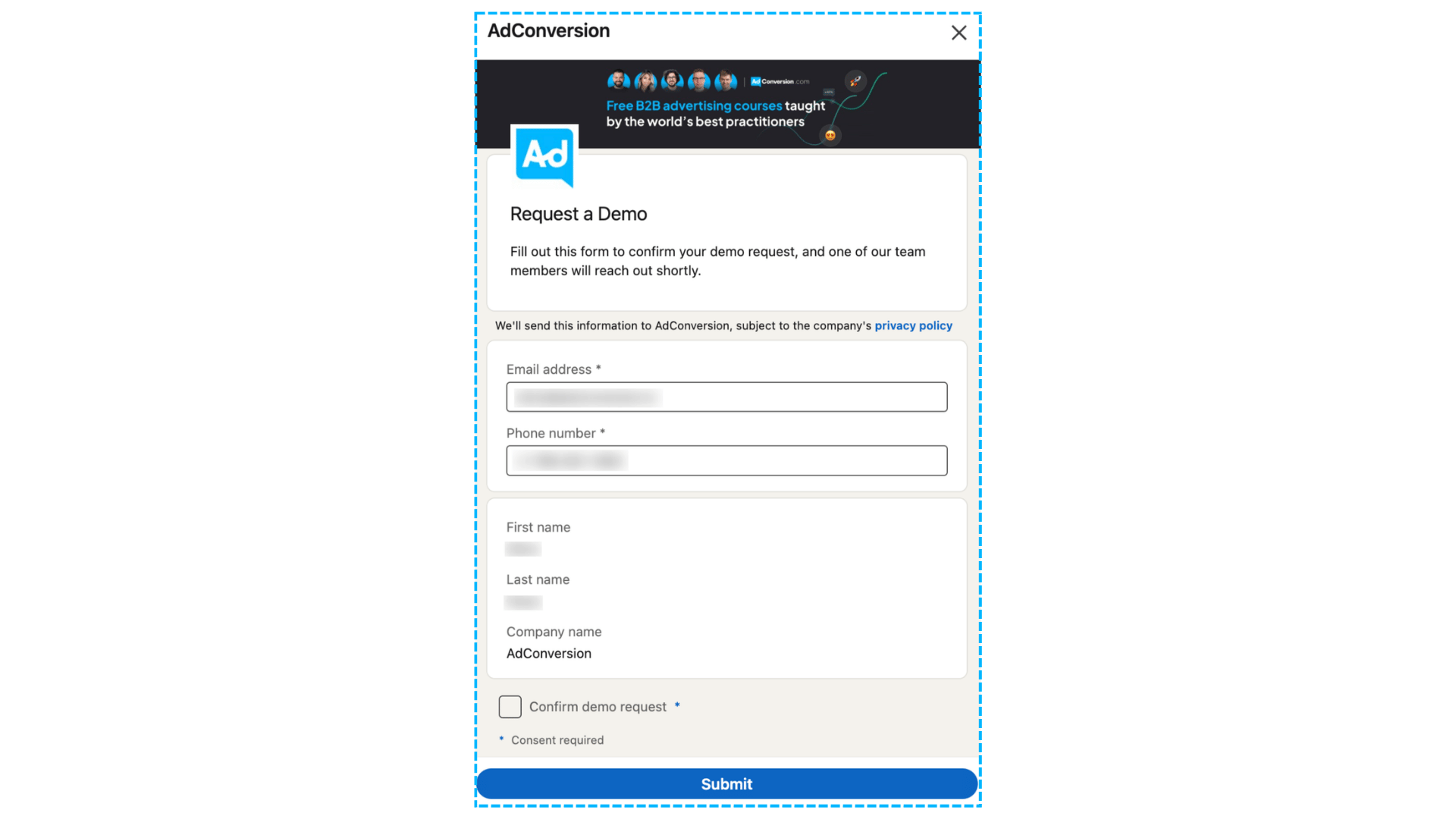
Pro tip: Minimize the number of fields in your form to reduce friction. Use pre-filled form fields to make it easier for users to submit their information quickly. Don’t use “work mobile” or “work email” because they are usually not pre-filled.
Connected TV Ads
Connected TV Ads allow you to reach professional audiences through streaming content.
These ads appear on connected TV platforms and are ideal for reaching a hard-to-reach professional audience in a large-screen environment.
- Reach professional audiences through streaming content.
- High visibility on large screens.
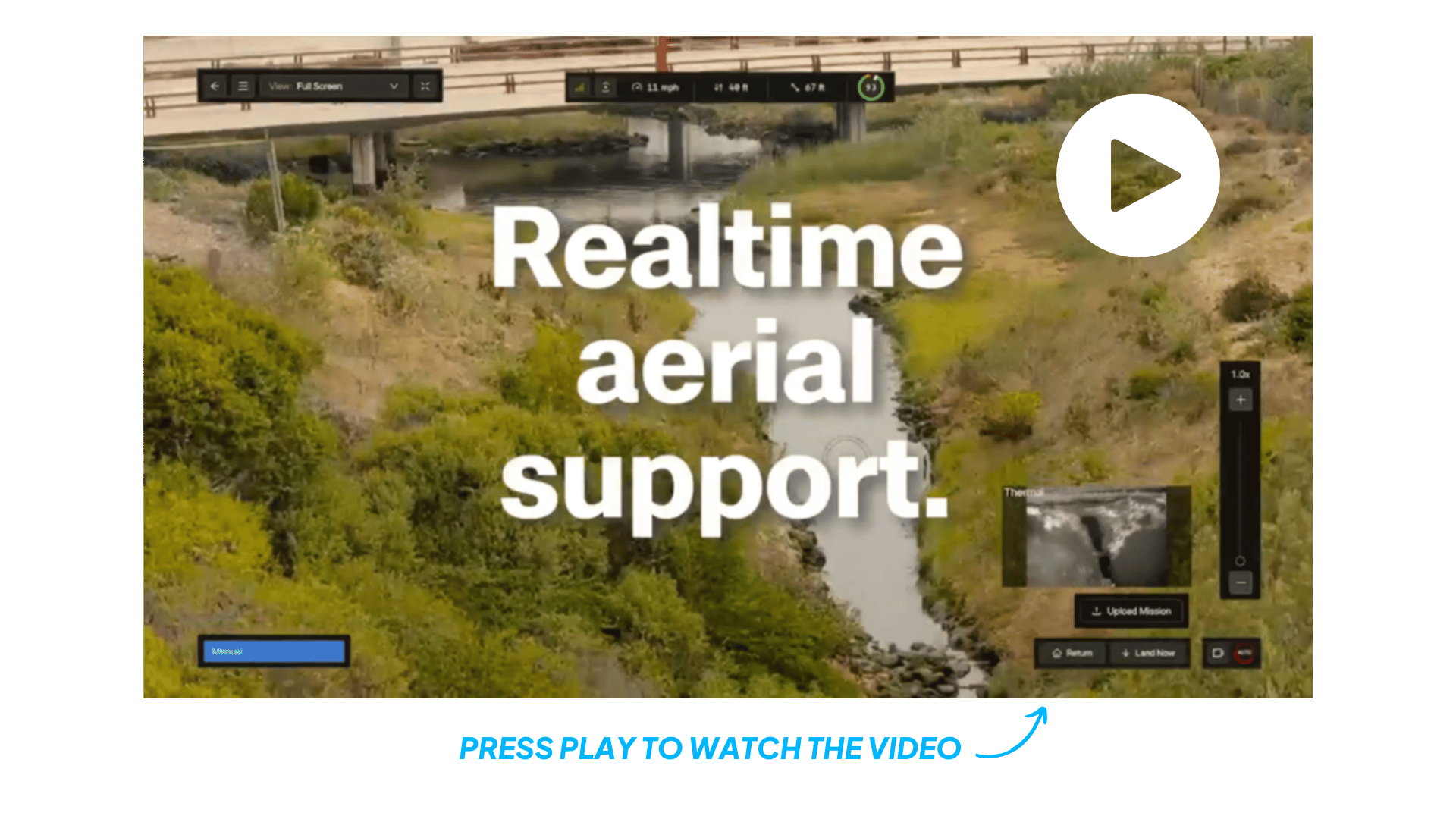
For detailed ad specifications and additional tips, check out 50+ Ad Specs for The Top 10 Ad Platforms.
How to Choose the Right Ad Format
Choosing the right LinkedIn ad format is crucial for achieving your marketing goals. Here’s a guide to help you align your campaign objectives with the most effective ad formats and measure their performance.
What's Your Primary Campaign Goal?
First, identify your primary campaign goal. Are you aiming to capture demand, create demand, accelerate open cases, or brand awareness?
How to Measure Performance of Each Ad Format
Effectively measuring the performance of your ad campaigns is key to optimizing and achieving your marketing goals.
Here are the KPIs and bidding recommendations for each ad format:
By aligning your ad formats with your campaign goals and following these tips for measuring performance, you can create more effective LinkedIn ad campaigns that drive results and maximize your ROI.
You can read more about Objectives and Bid strategies here
Hope you found this article helpful! Connect with me on LinkedIn, and check out our LinkedIn Ads agency services.
Master B2B LinkedIn Ads with these 3 Free Courses:
If you want to become a LinkedIn Ads pro, check out our free B2B LinkedIn Ads courses, where you'll learn how to launch, optimize, and scale your campaigns to drive pipeline and revenue.
Here's what you'll learn in each course:
⚙️ B2B LinkedIn Ads 101 - The Ultimate Crash Course for New LinkedIn Advertisers
- Foundations For LinkedIn Ads Success
- Measurement: Tracking & Key Principles
- Targeting: Reaching Your Dream Buyers
- Ads: Mastering The 9 Ad Formats
🎯 B2B LinkedIn Ads 102 - The Blueprint for LinkedIn Ads Optimization
- Monitoring: How To Spot Performance Trends
- Auditing: How To Find The Darlings You Need To Kill
- Reporting: How To Transform Data Into Insights
- Optimization: How To Make Your LinkedIn Ads Profitable
🚀 B2B LinkedIn Ads 103 - Advanced Scaling Strategies From $25M In Ad Spend
- Concepts of Scaling
- Divide and Conquer
- Learnings From $25M+ In LinkedIn Ad Spend
Click Here to Join 10,000+ B2B Marketers Today and start leveling up your advertising skill set.
Takes < 90 seconds to sign up (seriously we timed it 😂)
People Also Ask
What are the different ad formats available on LinkedIn?
LinkedIn offers various ad formats, including Single Image Ads, Video Ads, Carousel Ads, Thought Leader Ads, Text Ads, Conversation Ads, Message Ads, Spotlight Ads, Follower Ads, Document Ads, Lead Gen Forms, and Connected TV Ads. Each format serves distinct marketing objectives and engages audiences differently. 
How do Single Image Ads function on LinkedIn?
Single Image Ads feature a static image and appear directly in users’ LinkedIn feeds. They are designed for high engagement with minimal content and are simple to create and manage. 
What are the benefits of using Video Ads on LinkedIn?
Video Ads are ideal for storytelling and capturing attention. They allow you to share dynamic content that effectively conveys your message and engages your target audience. 
How can Carousel Ads enhance my LinkedIn advertising strategy?
Carousel Ads enable you to showcase multiple images or videos within a single ad unit, each with its own link. This format is perfect for highlighting different aspects of a product or telling a more interactive story. 
What are Thought Leader Ads, and how can they benefit my LinkedIn campaigns?
Thought Leader Ads allow you to sponsor posts from your company’s thought leaders, positioning them—and by extension, your company—as industry experts. This approach builds credibility and fosters trust with your target audience.
4 Unique LinkedIn Ad Strategies To Drive More Webinar Registrations

Webinars can be amazing generators of pipeline and revenue.
They allow you to demo different use cases of your product, highlight success stories, and start actual conversations with your ICP.
But it’s hard to get prospects interested when you’re competing against a million different ads popping up in their feed.
Below are 4 unique LinkedIn ad strategies that I like to use to stand out and generate more registrations👇
TABLE OF CONTENTS:
- Strategy #1: Leverage your thought leaders
- Strategy #2: Boost high-performing social media content
- Strategy #3: Create a LinkedIn event
- Strategy #4: Use incentives
Strategy #1: Leverage your thought leaders
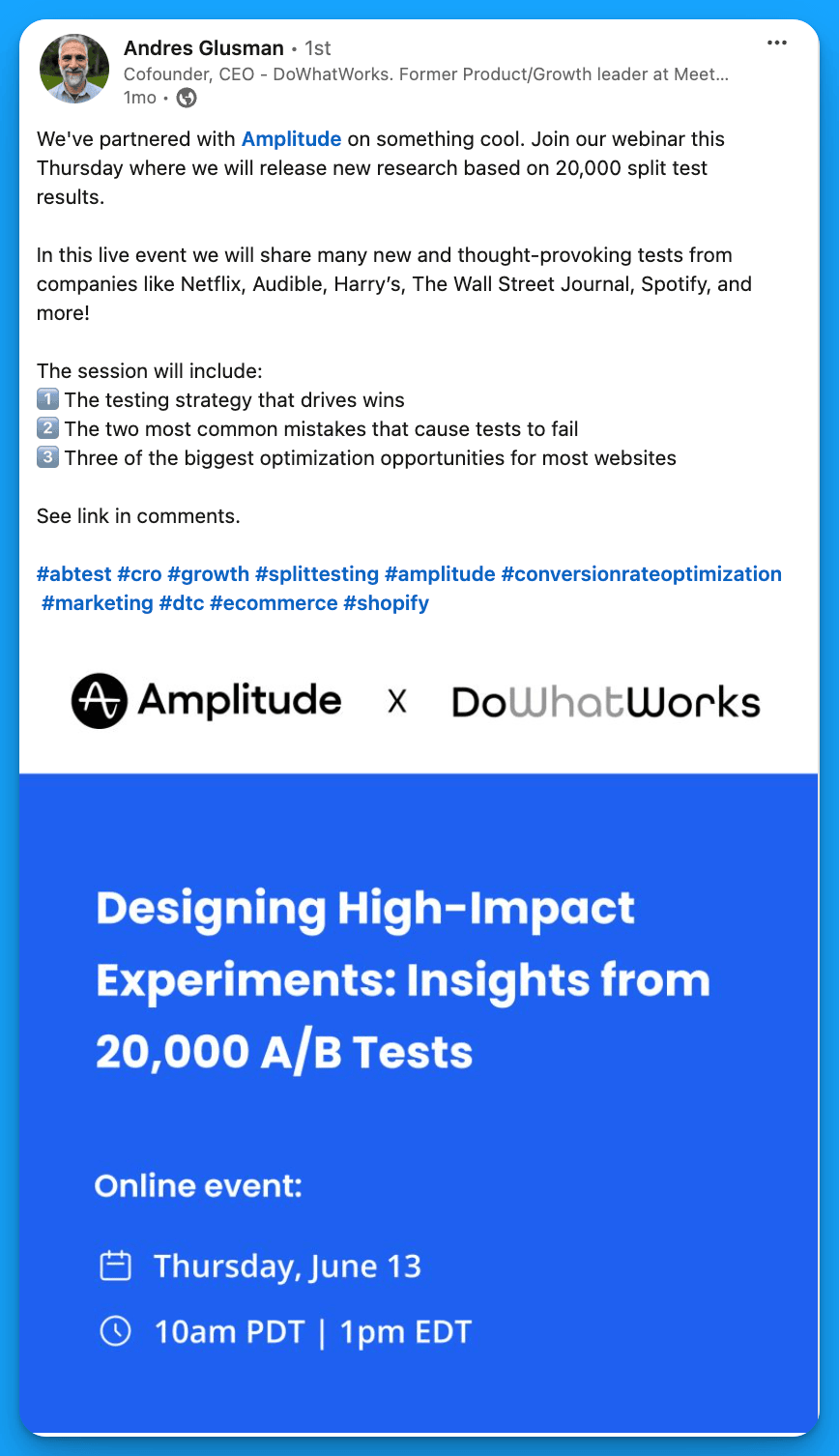
Ask your thought leaders who are participating in the webinar (from your company & other companies) if they’d feel comfortable posting about it.
If the answer is yes, draft a sample post for each of your thought leaders so that they don’t have to start with a blank page.
Ideally, they should post a couple weeks prior to the webinar date. After 4 or 5 days (once the organic reach has died down), you can boost the post to your ICP.
Example from DoWhatWorks
Strategy #2: Boost high-performing social media content
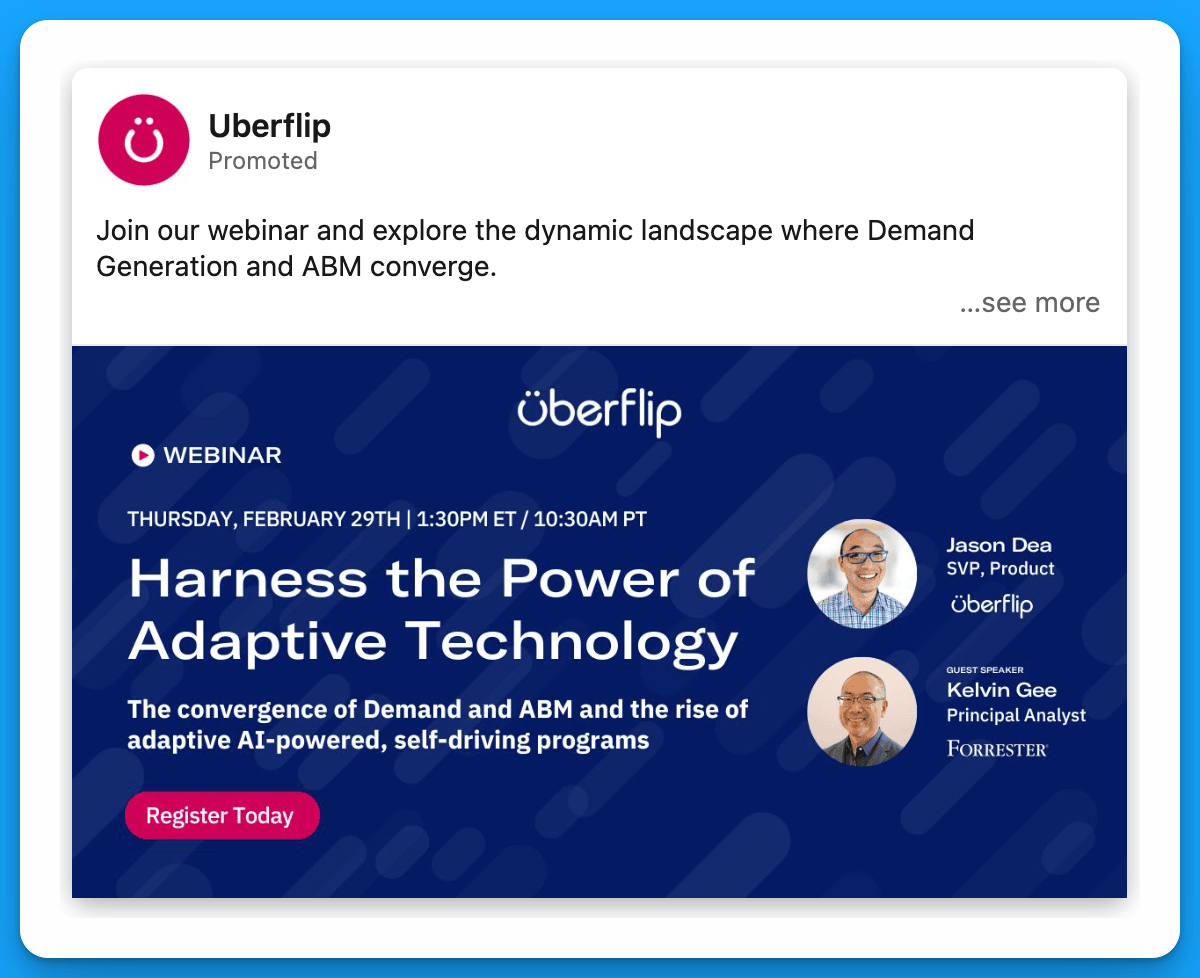
If your social media team posts about the webinar and it performs well organically, consider boosting this content and running it as an ad (instead of creating an ad from scratch). The benefit of boosting already high-performing content is the added social proof – prospects will take a closer look if a promoted post has tons of engagement.
Example from Uberflip
Strategy #3: Create a LinkedIn event
Most webinar ads take prospects to an external landing page, where they have to fill out a form to register. Although this can work well, a great alternative is to create a LinkedIn event (where people can sign up directly on the LinkedIn platform) and promote this event as an ad.
The main advantages of this approach are:
a) simplified registration (only takes a few clicks)
b) added social proof (event ads show how many people have already registered)
Example from Make

Strategy #4: Use incentives
A lot of companies use incentives for demo request offers, but few are using incentives to promote their webinars.
Give prospects an extra reason to register. Maybe by joining they’ll enter a raffle, get a free coffee, or gain access to certain templates.
Example from ZoomInfo

Final Recommendations
In addition to testing out the strategies above, here are a few final tips to maximize the ROI of your webinar program:
- If you’re having trouble getting webinar registrations on your landing page, consider switching to native lead gen forms to minimize friction.
- Don’t just promote your webinar to a cold audience. Think about other groups of people that might be interested in the content (i.e. retargeting audiences, open opportunities, churned customers, closed lost companies, previous webinar attendees, etc.)
- If you’re getting started, try different types of webinars to see what resonates most with your audience (and double down on whatever works)
If you want more tips around event promotion check out this article by Kirk Deis.
Hope you found this article insightful!
Connect with me on LinkedIn, and reach out with any questions.
Master B2B LinkedIn Ads with these 3 Free Courses:
If you want to become a LinkedIn Ads pro, check out our free B2B LinkedIn Ads courses, where you'll learn how to launch, optimize, and scale your campaigns to drive pipeline and revenue.
Here's what you'll learn in each course:
⚙️ B2B LinkedIn Ads 101 - The Ultimate Crash Course for New LinkedIn Advertisers
- Foundations For LinkedIn Ads Success
- Measurement: Tracking & Key Principles
- Targeting: Reaching Your Dream Buyers
- Ads: Mastering The 9 Ad Formats
🎯 B2B LinkedIn Ads 102 - The Blueprint for LinkedIn Ads Optimization
- Monitoring: How To Spot Performance Trends
- Auditing: How To Find The Darlings You Need To Kill
- Reporting: How To Transform Data Into Insights
- Optimization: How To Make Your LinkedIn Ads Profitable
🚀 B2B LinkedIn Ads 103 - Advanced Scaling Strategies From $25M In Ad Spend
- Concepts of Scaling
- Divide and Conquer
- Learnings From $25M+ In LinkedIn Ad Spend
Click Here to Join 10,000+ B2B Marketers Today and start leveling up your advertising skill set.
Takes < 90 seconds to sign up (seriously we timed it 😂)
People Also Ask
How can leveraging thought leaders enhance my LinkedIn Ads for webinars?
Encourage thought leaders participating in your webinar to post about it on their personal profiles. Provide them with sample posts to simplify the process. After the organic reach declines, boost these posts to your Ideal Customer Profile (ICP) to increase visibility and credibility. 
What is the benefit of boosting high-performing social media content for webinar promotion?
If your social media team shares a webinar post that performs well organically, consider boosting it as an ad. This approach leverages existing engagement and social proof, making the promoted post more appealing to prospects. 
How can creating a LinkedIn event aid in webinar registrations?
Instead of directing prospects to an external landing page, create a LinkedIn event where users can register directly on the platform. This method simplifies the registration process and displays the number of attendees, adding social proof. 
What are the best practices for targeting the right audience for webinar promotions on LinkedIn?
Leverage LinkedIn’s advanced targeting options to focus on specific industries, job titles, company sizes, and geographic locations that align with your ideal webinar attendees. Utilizing these parameters ensures your ads reach professionals who are most likely to be interested in your content.
How can I integrate LinkedIn ads with other marketing channels to maximize webinar attendance?
Coordinate your LinkedIn ad campaigns with email marketing, social media promotions, and content marketing efforts to create a cohesive promotional strategy. Consistent messaging across channels reinforces your webinar’s value and broadens its reach.
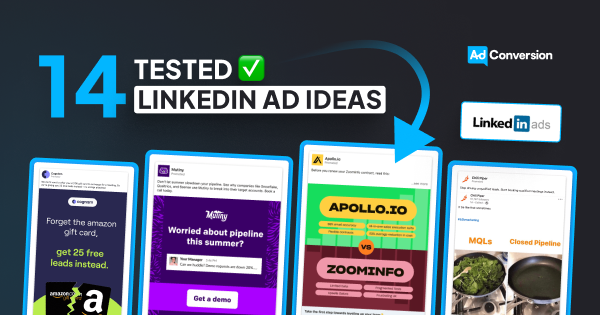
14 Tested LinkedIn Ad Ideas to Scale Demos
Getting demos isn’t easy, especially in B2B SaaS, with long sales cycles, lots of decision makers, and tons of competition.
In this article, I’ll break down the top 14 LinkedIn ads strategies you can use to break through the noise and capture existing demand.
(Irrelevant of order all ideas could be worth testing)
TABLE OF CONTENTS:
#2: Name the top companies you work with
#3: Demonstrate why you’re better than competitors
#4: Highlight integrations with partner technologies
#7: Try hyper-personalized messaging
#10: Show how much better life would be with your product
#11: Test ads in different languages
#12: Announce a new product update
#13: List the features that your ICP would be most interested in
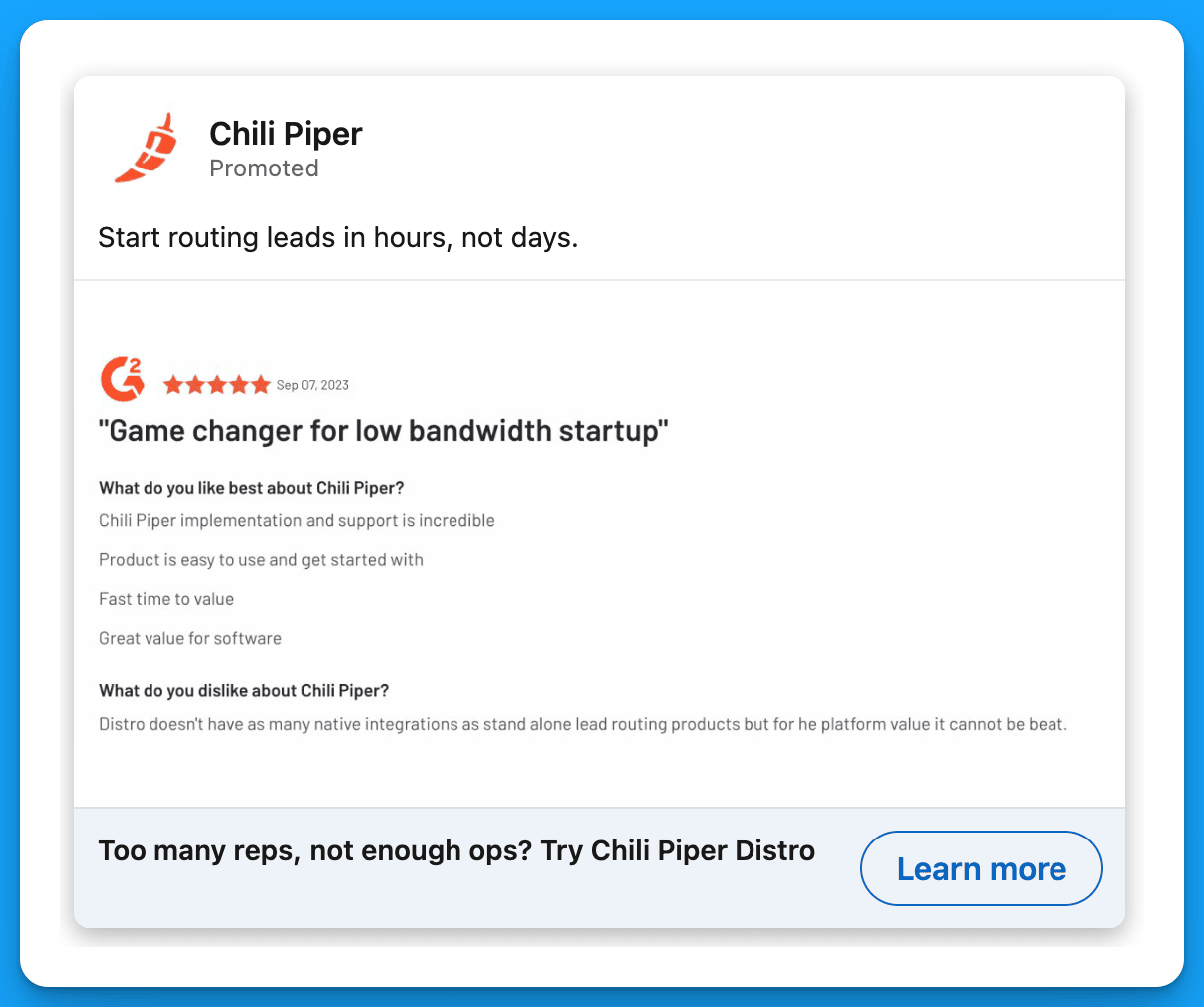
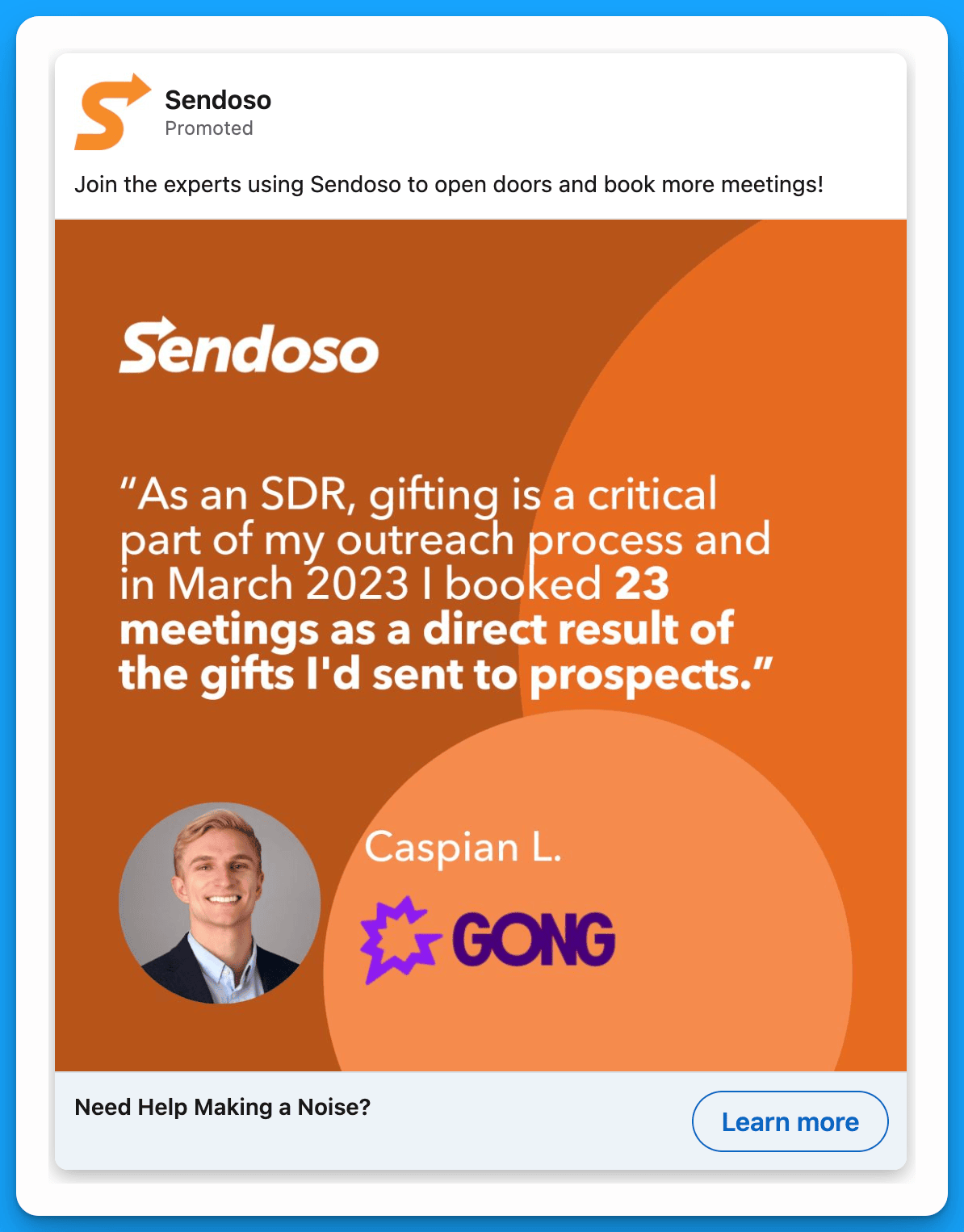
#1: Use testimonials
Testimonials are one of the most effective ways to build trust and get prospects who are on the fence to take the next step.
Example 1: Chili Piper
Example 2: Sendoso
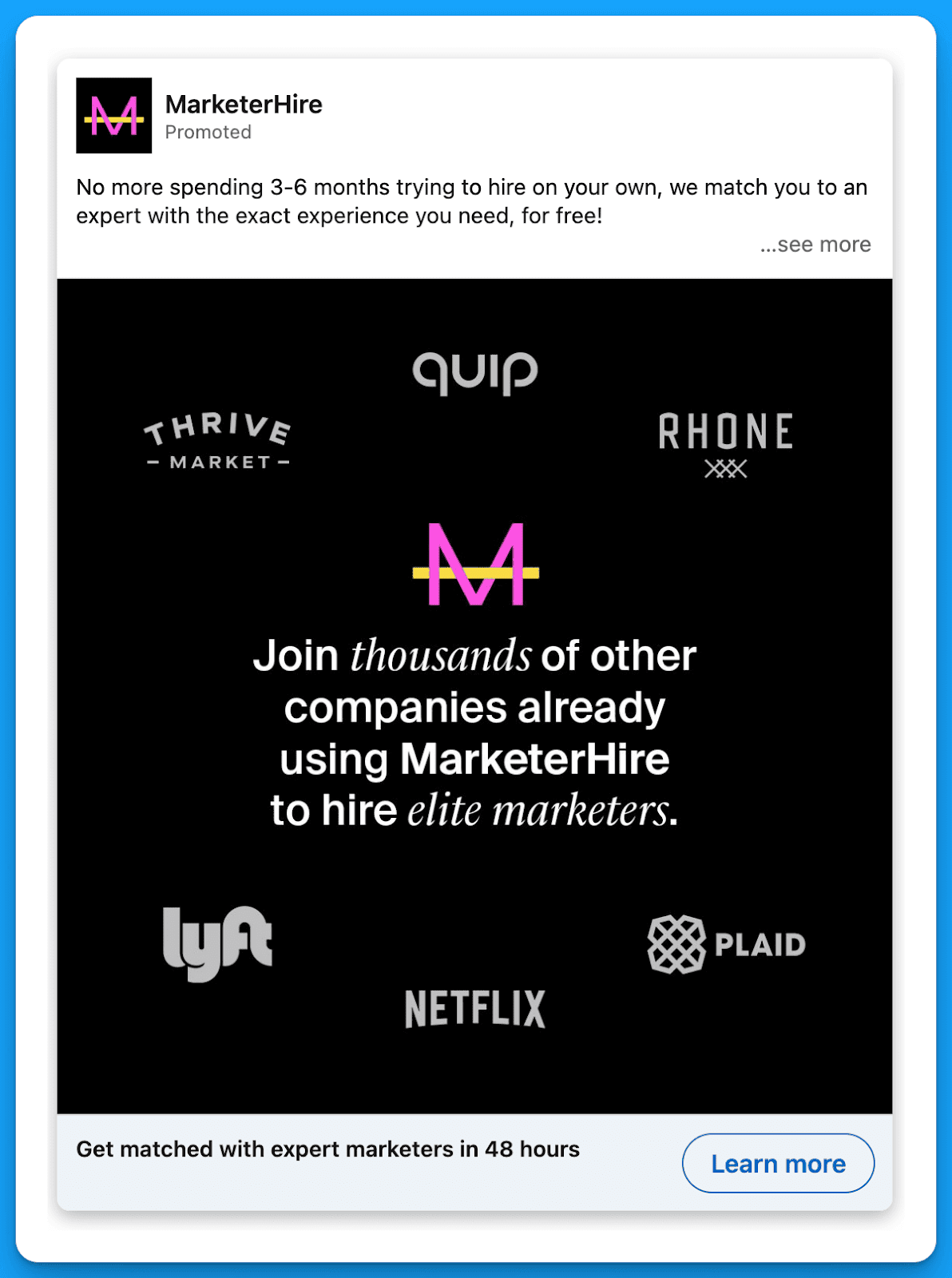
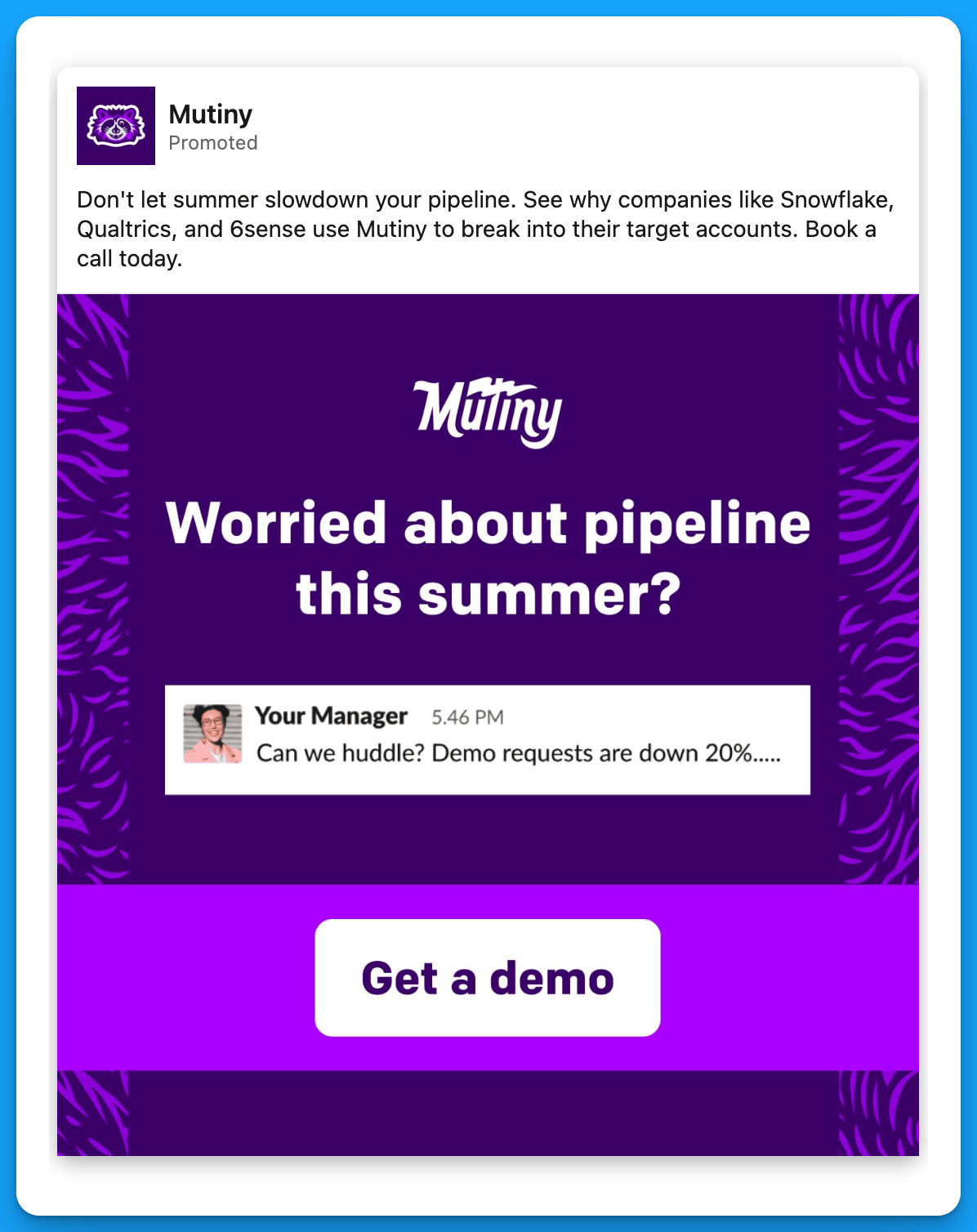
#2: Name the top companies you work with
By highlighting well-known companies that already work with you, you can gain the trust of senior leaders much faster and accelerate the sales process.
Example 1: MarketerHire
Example 2: Mutiny
#3: Demonstrate why you’re better than competitors
This approach is powerful, especially when you target prospects who are currently using your competitors. Since they’re already in-market, if they’re frustrated with their current solution, they’ll likely end up switching over (or at least consider it).
Example 1: Apollo
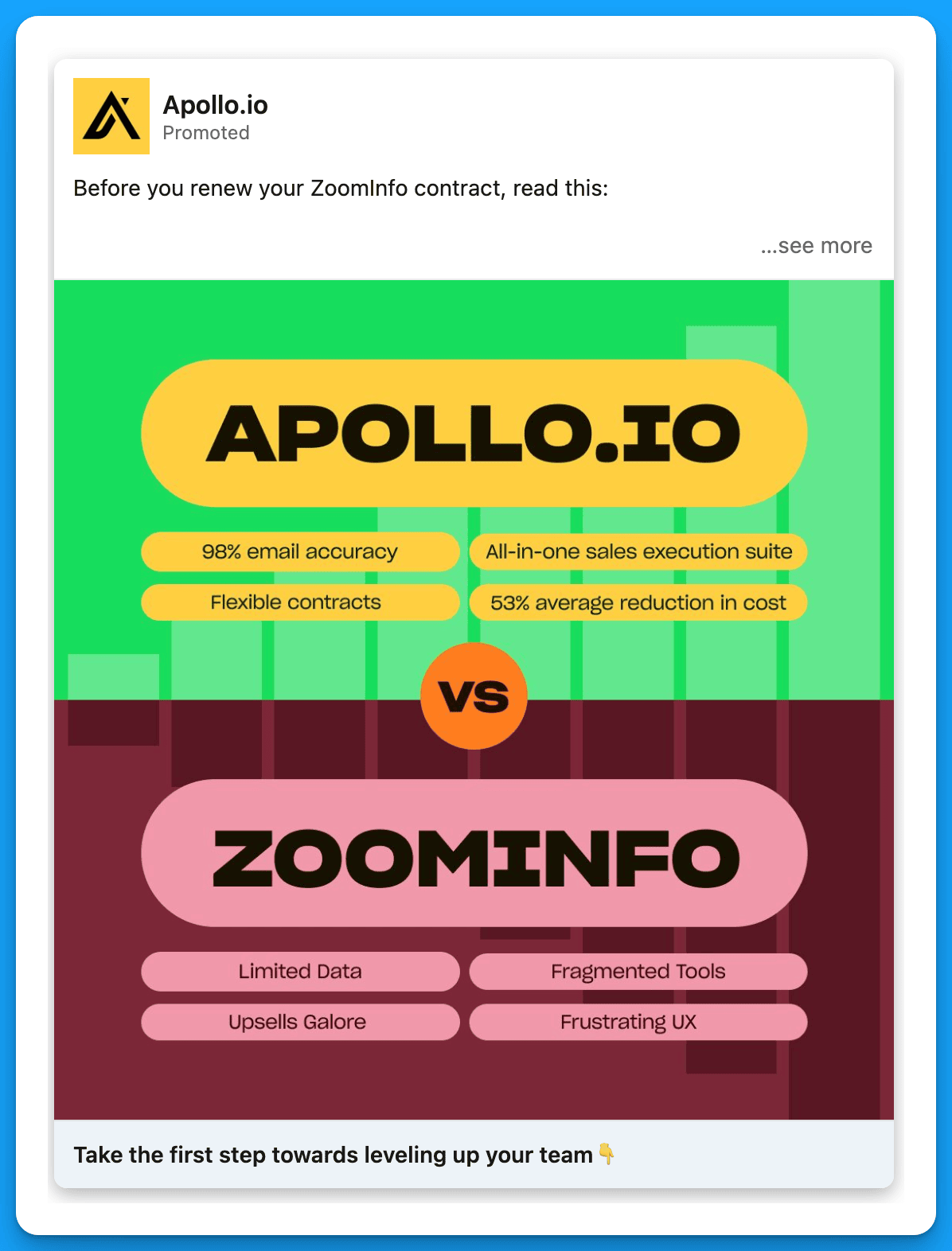
Example 2: Apollo

#4: Highlight integrations with partner technologies
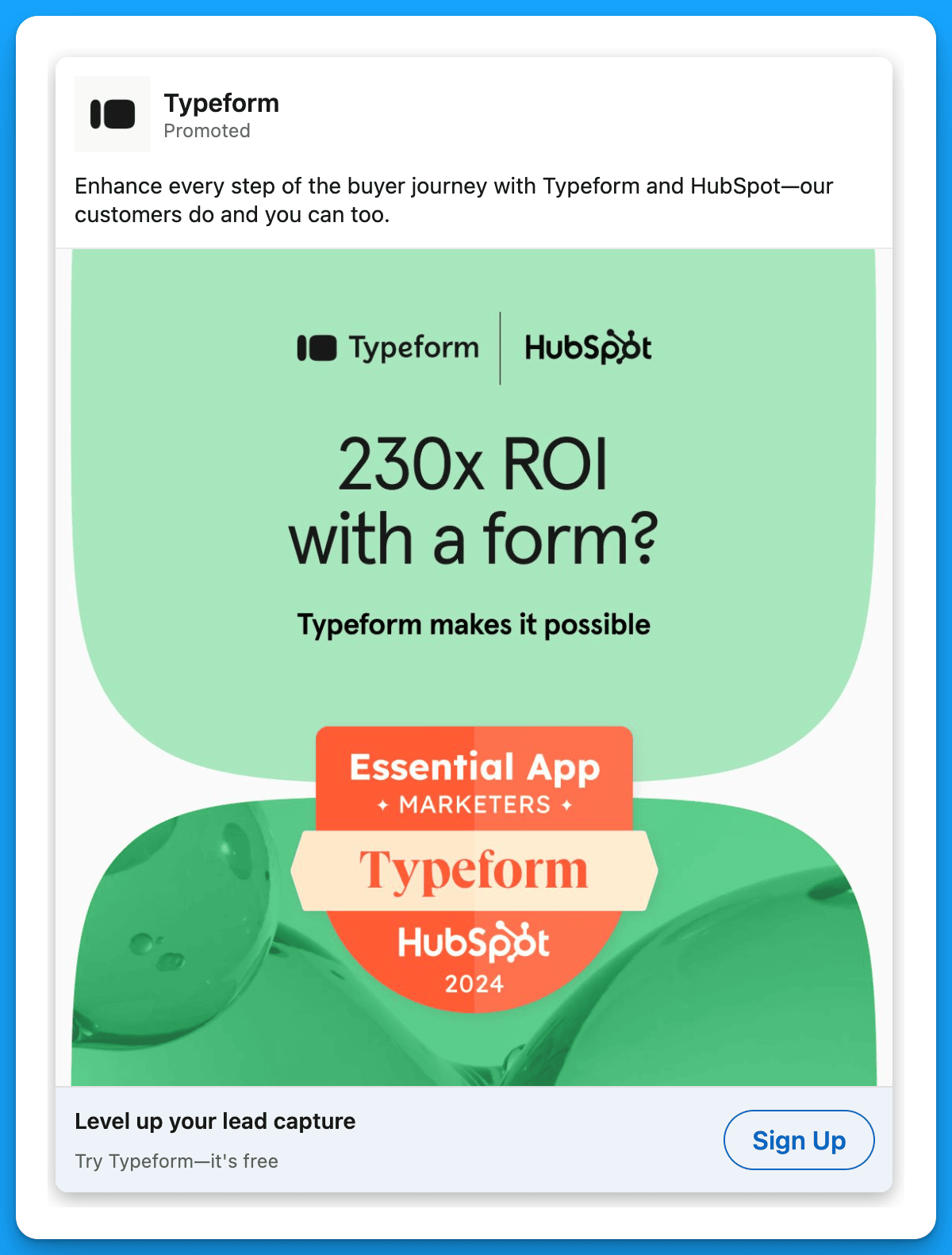
This approach is particularly effective if you have a seamless integration with a well-known technology. Do you work well with HubSpot, Salesforce, Sales Nav, Wordpress, etc.? Target a list of companies within your ICP who are using the technology you integrate with, and show them why you’re the best choice.
Example 1: Typeform
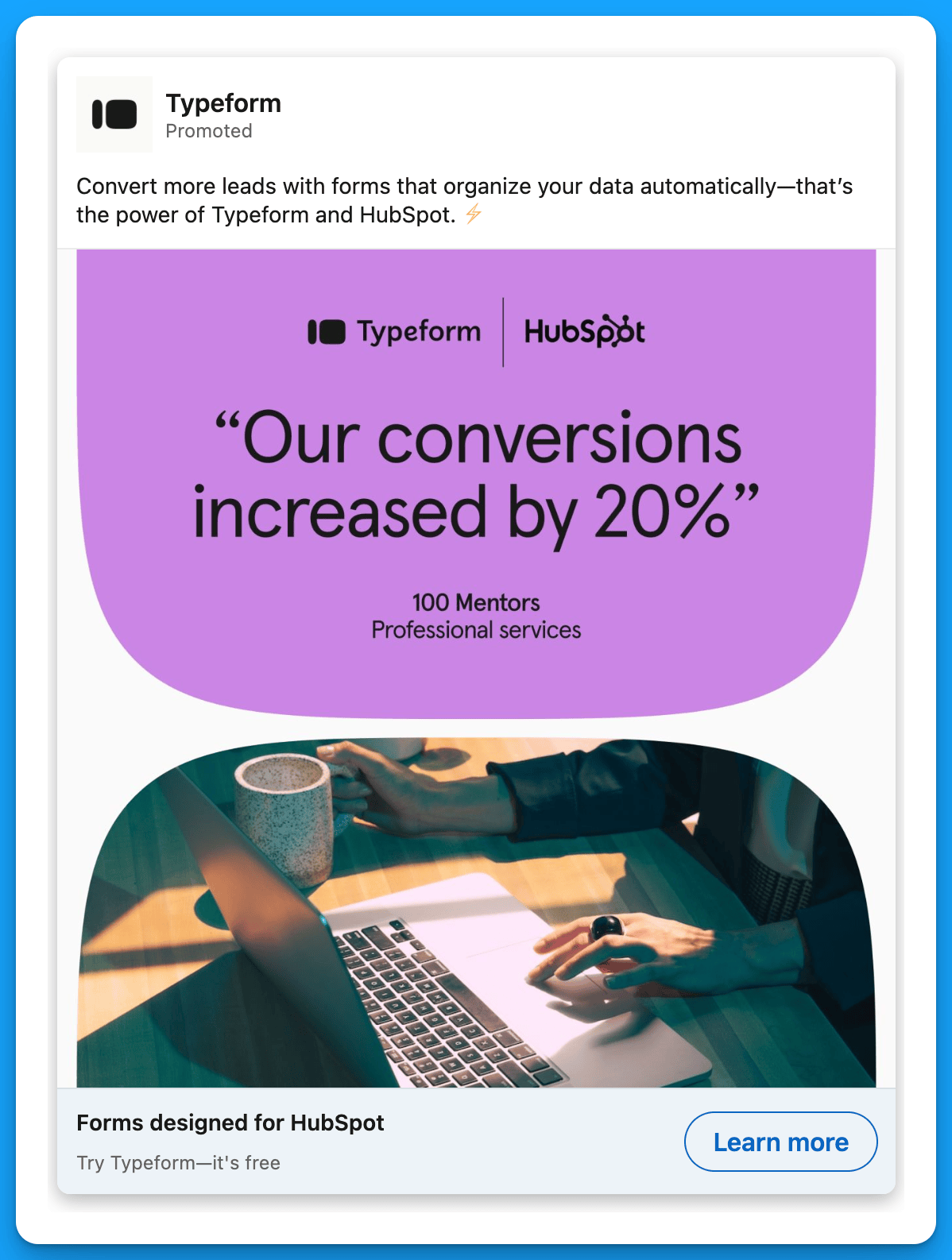
Example 2: Typeform
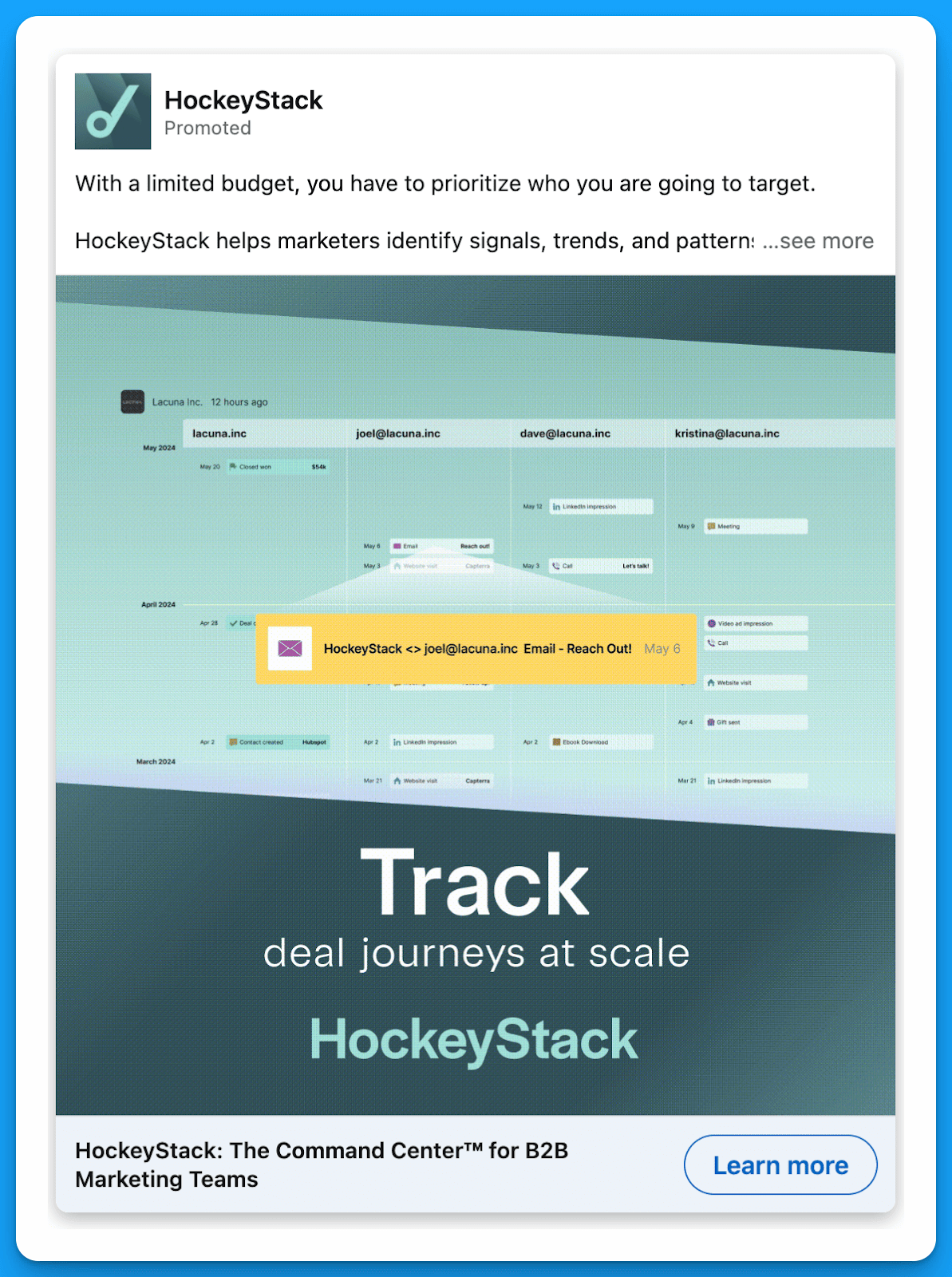
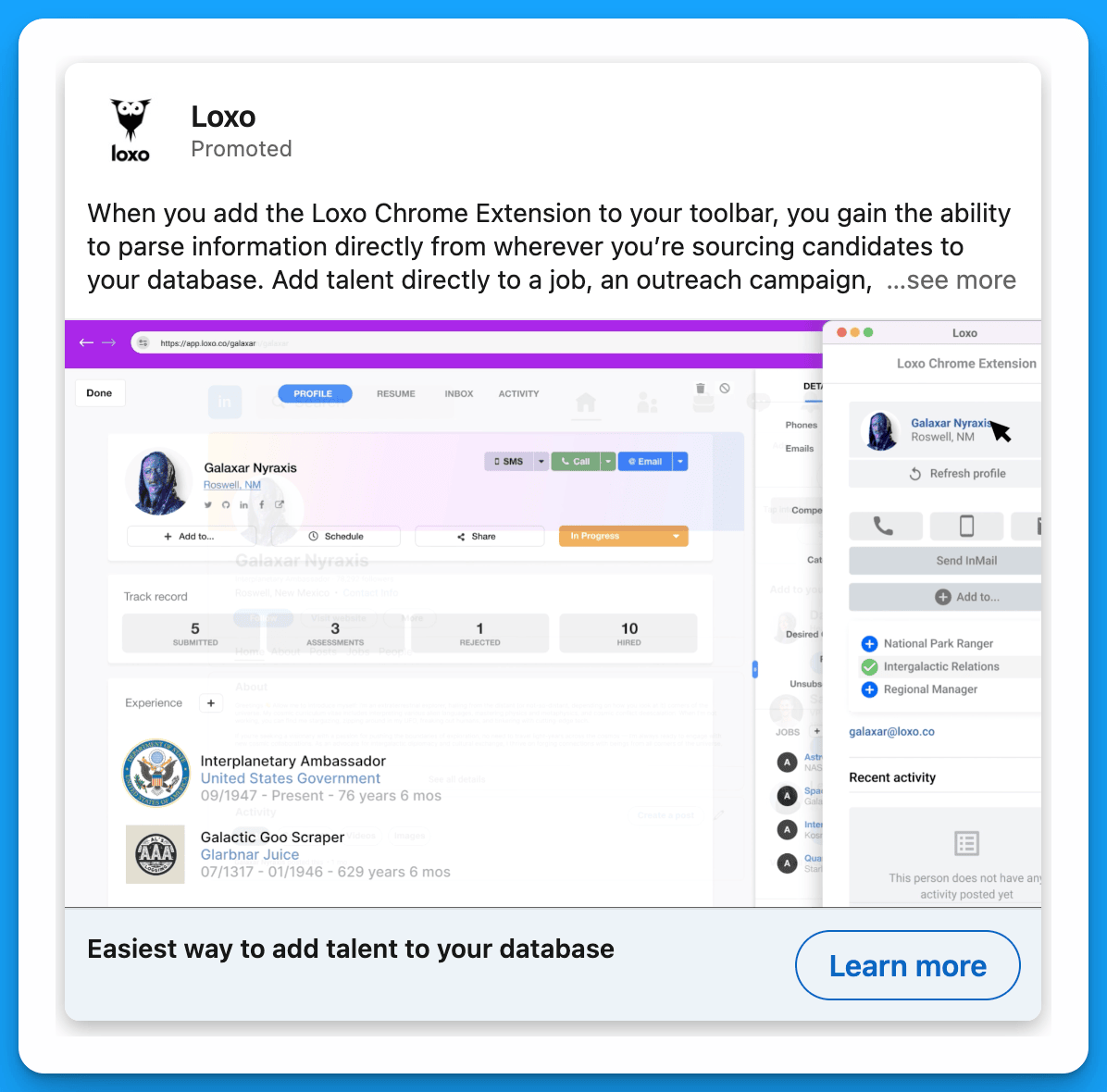
#5: Showcase your product
Many times, all prospects need to take the next step is to get a glimpse of your software. Also, this is an especially great approach because it sets the sales team up for success – when prospects jump on a demo call, they’ll already have some familiarity with the product.
Example 1: HockeyStack
Example 2: Loxo
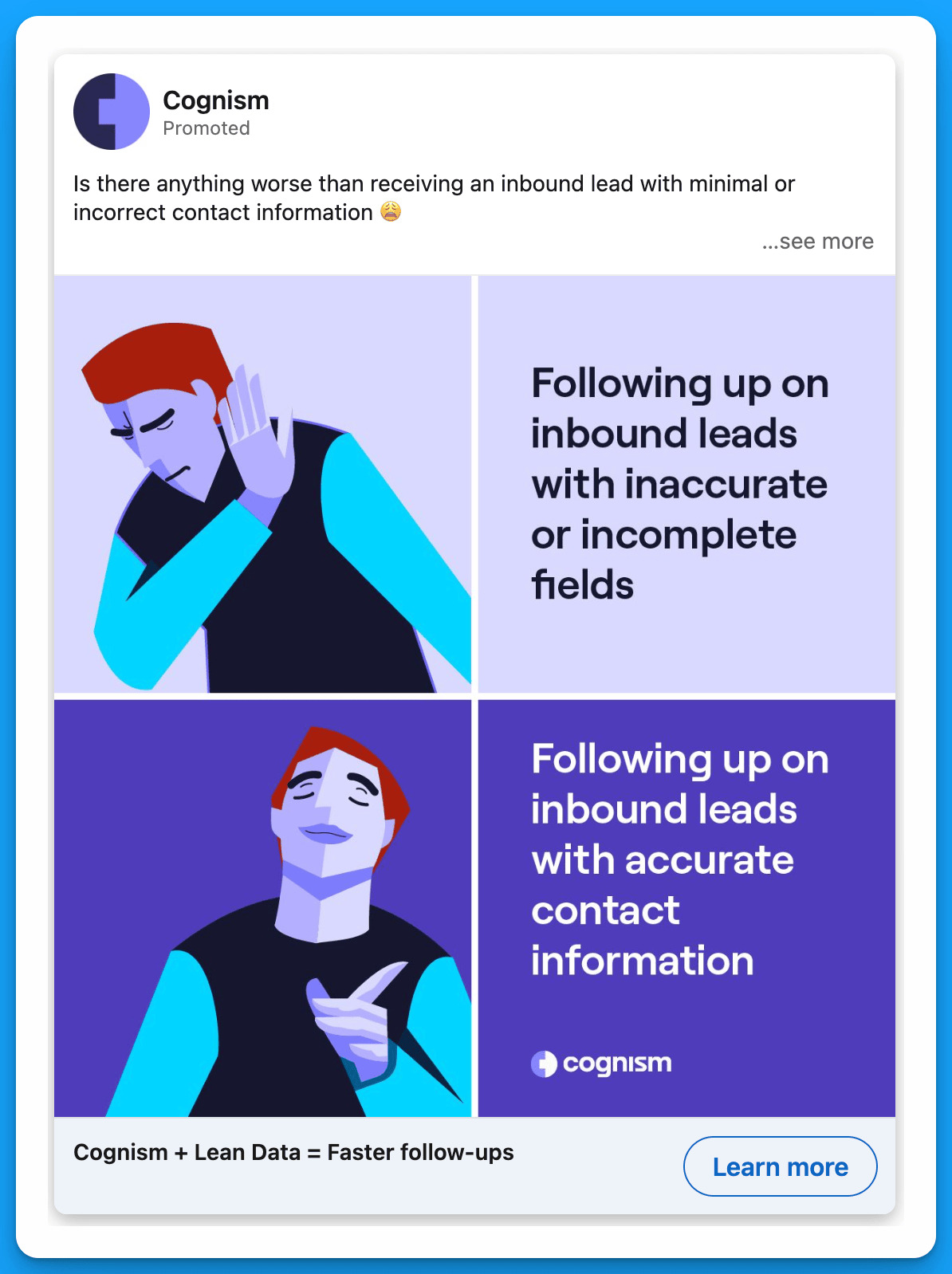
#6: Stand out with humor
B2B leaders are still people. Humor that’s relatable and clearly highlights a pain point works better than corporate jargon 99% of the time.
Example 1: Chili Piper

Example 2: Cognism
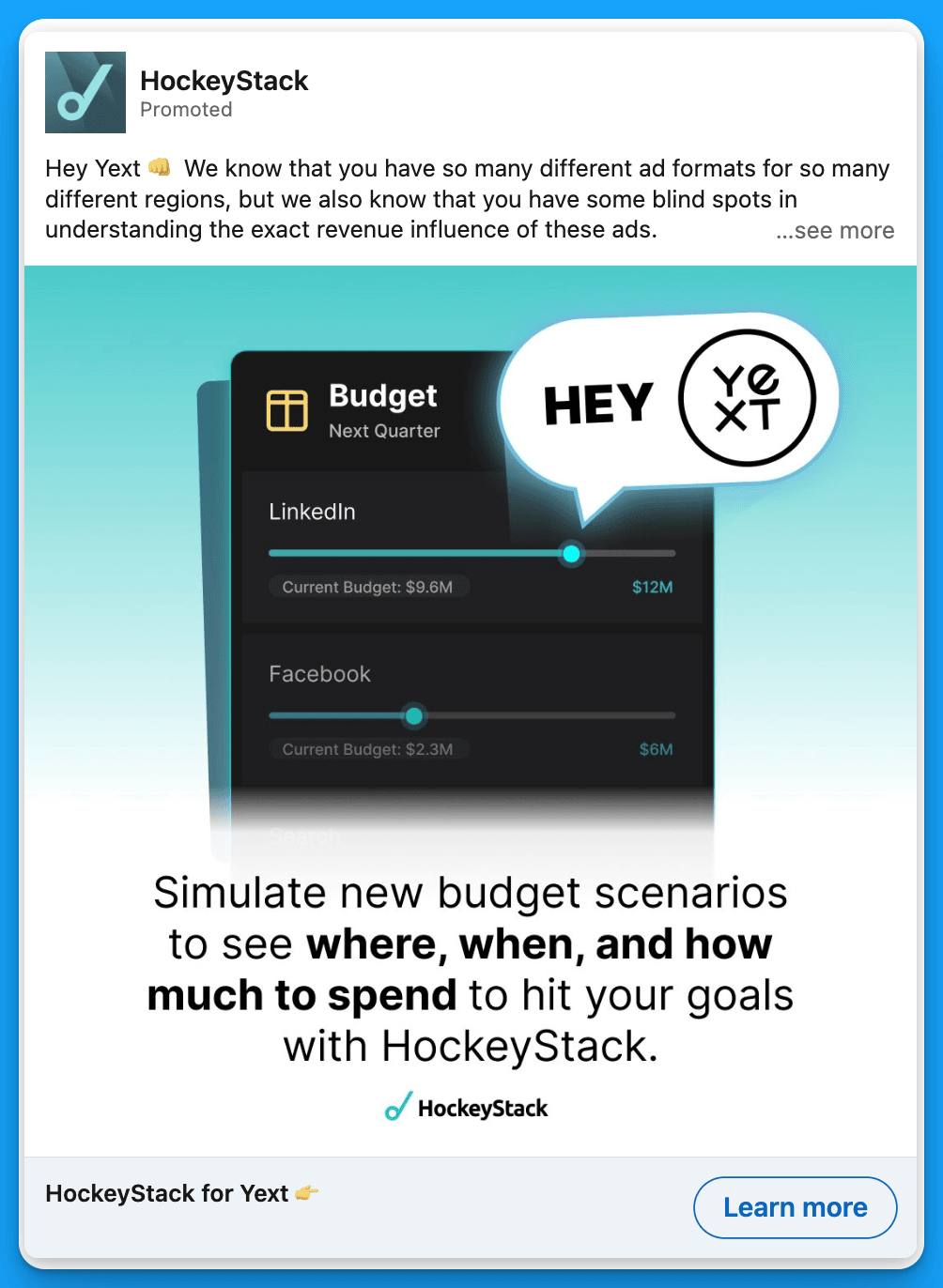
#7: Try hyper-personalized messaging
This approach, often referred to as 1:1 ABM, relies on extreme personalization. You specifically call out the company that you’re prospecting into, and maybe you take it a step further and create a personalized video or asset just for them. CTRs will be super high and even if prospects don’t convert on an initial touchpoint, you’ll make sales’s job significantly easier by generating awareness within a target account.
Example 1: UserGems

Example 2: HockeyStack
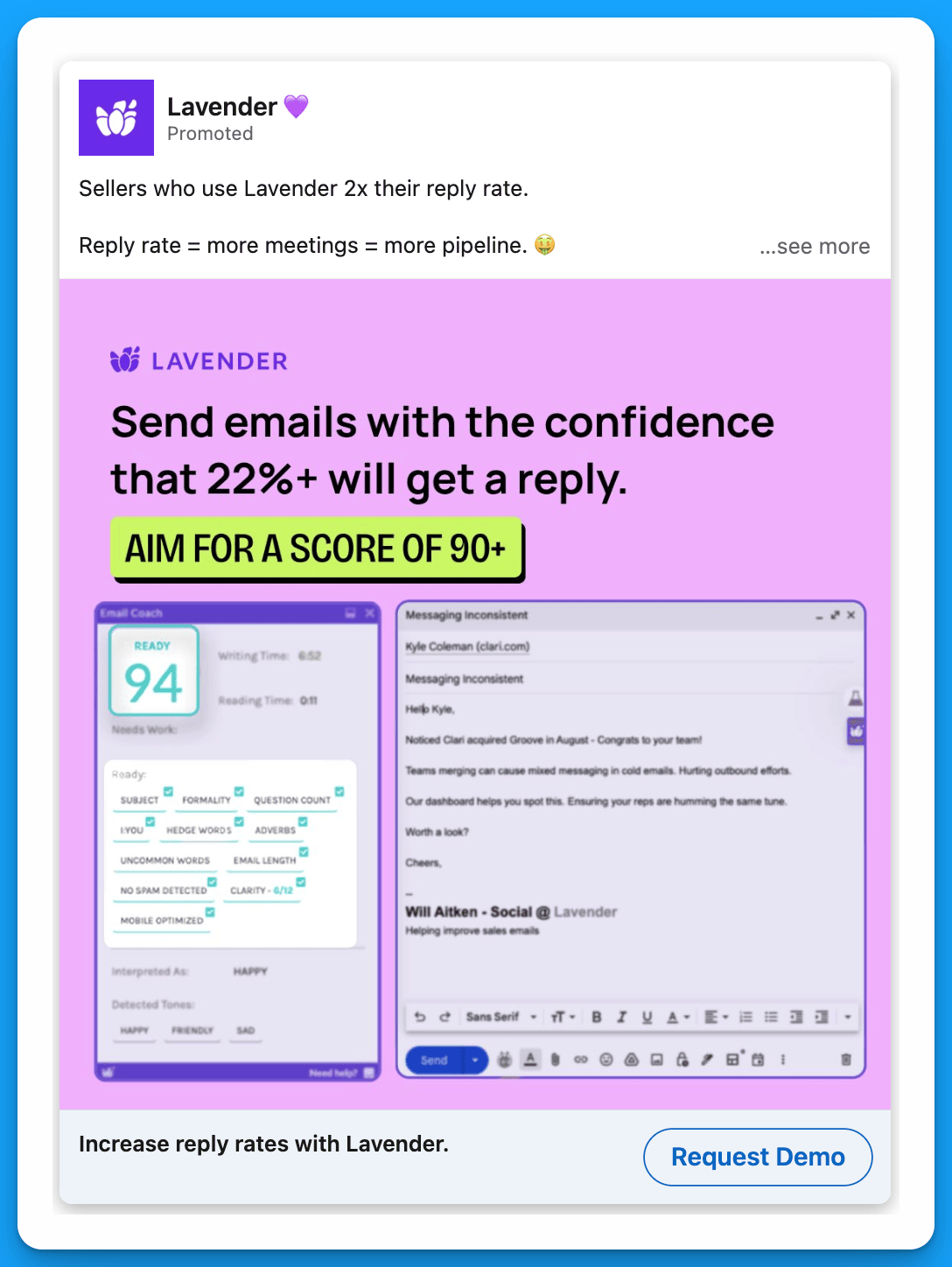
#8: Use statistics
This isn’t the flashiest or most exciting strategy, but it works. Numbers give prospects a sense of security that they’ll get a positive ROI if they invest.
Example 1: UserGems

Example 2: Lavender
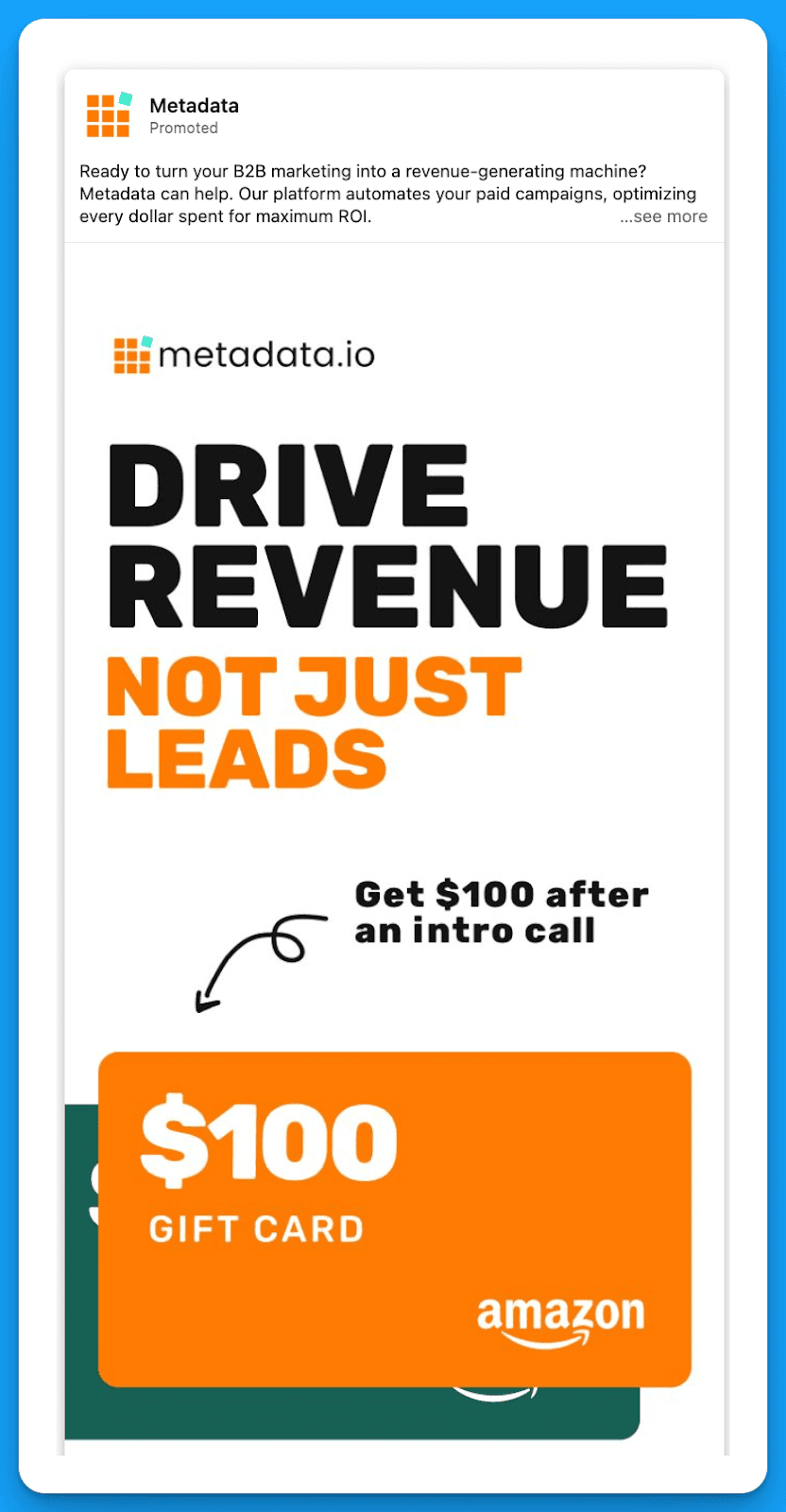
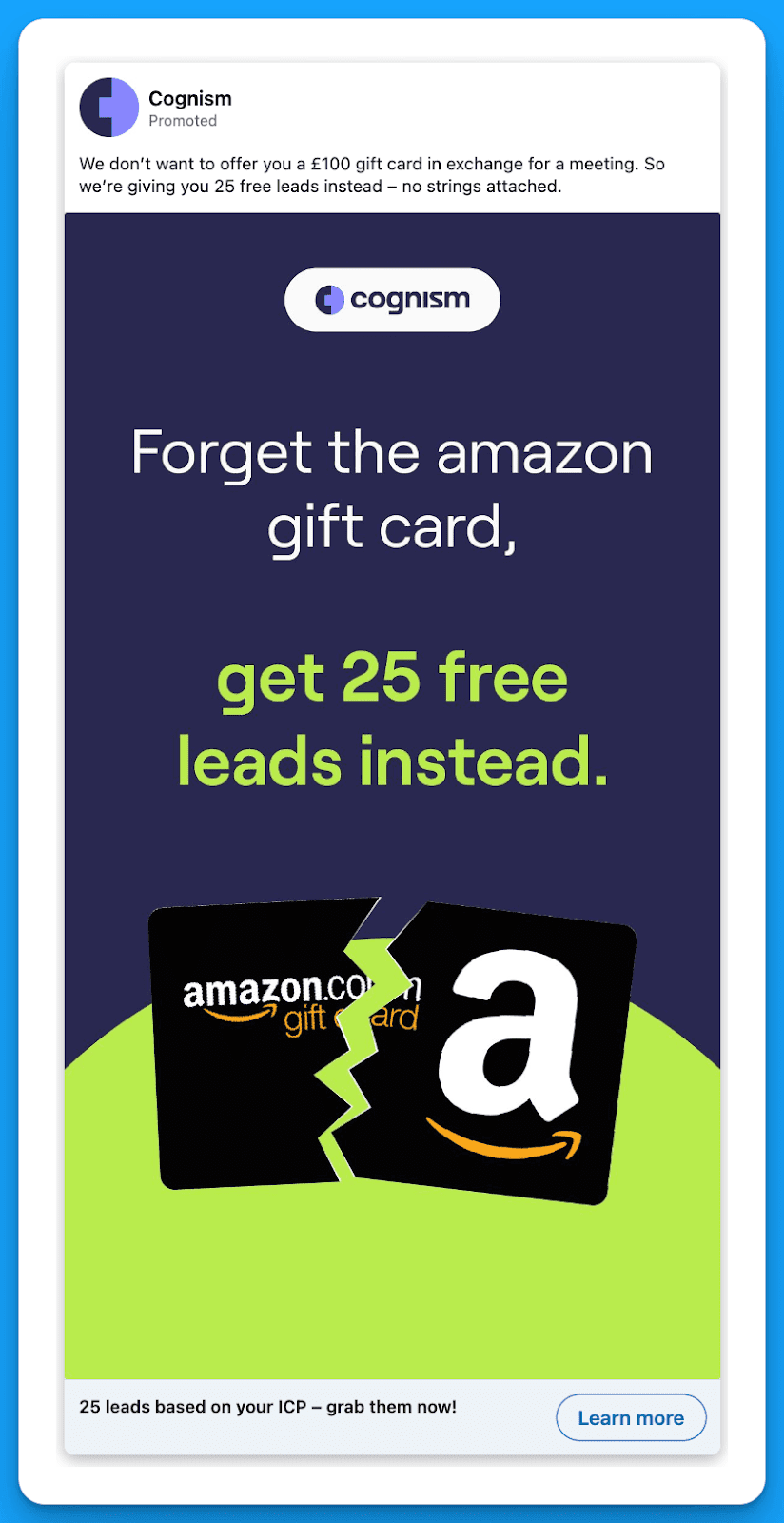
#9: Leverage Incentives
Incentives are controversial, which is understandable.
The concern is that by offering an incentive you lower the quality of your leads. But that’s only true if your targeting is weak. If it’s spot on, incentivized demo ads are amazing generators of pipeline and revenue – they serve as a tiny nudge to encourage leaders to find some time in their calendar.
Amazon or Doordash gift cards work well, but you can always get more creative with your offer.
Example 1: Metadata
Example 2: Cognism
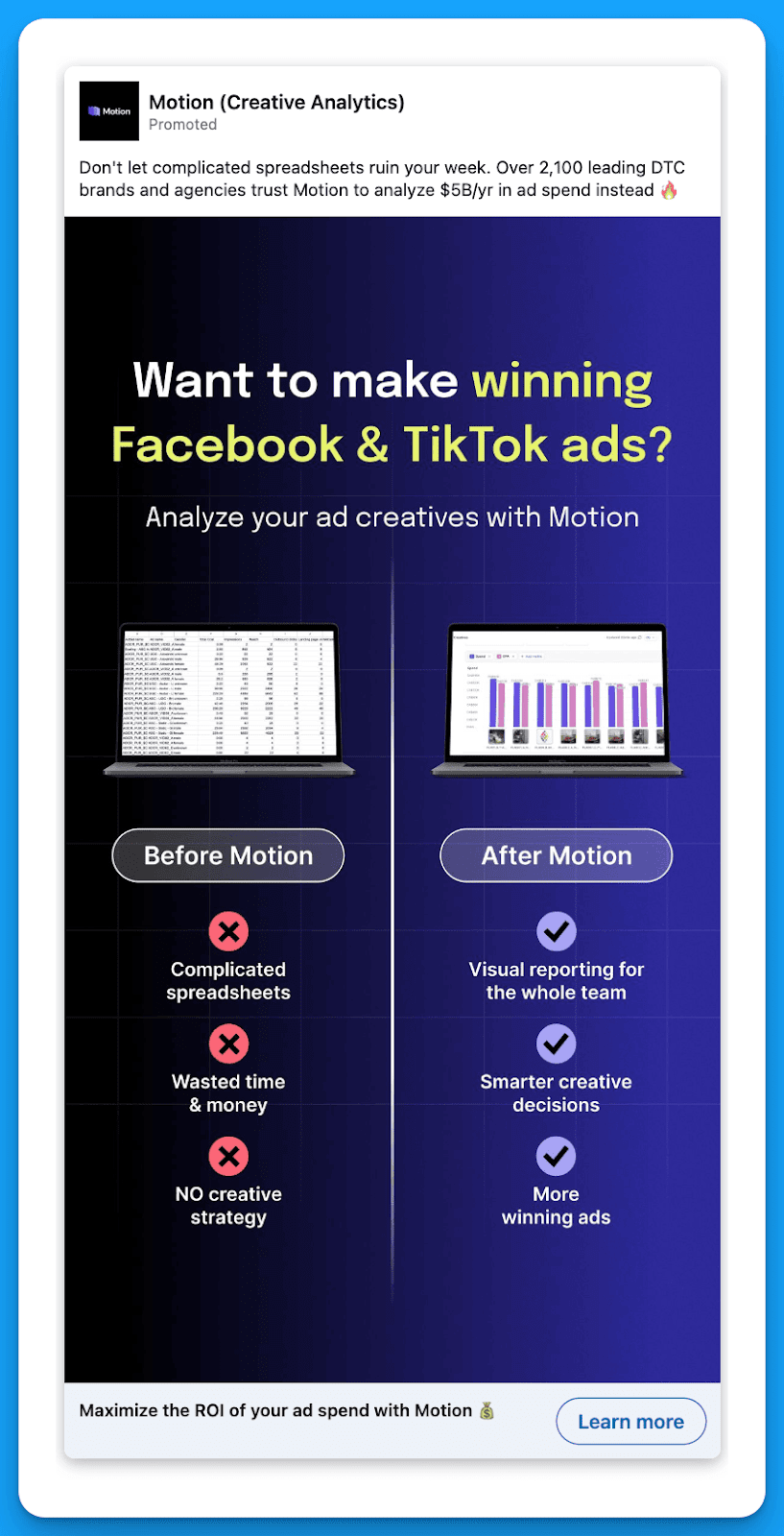
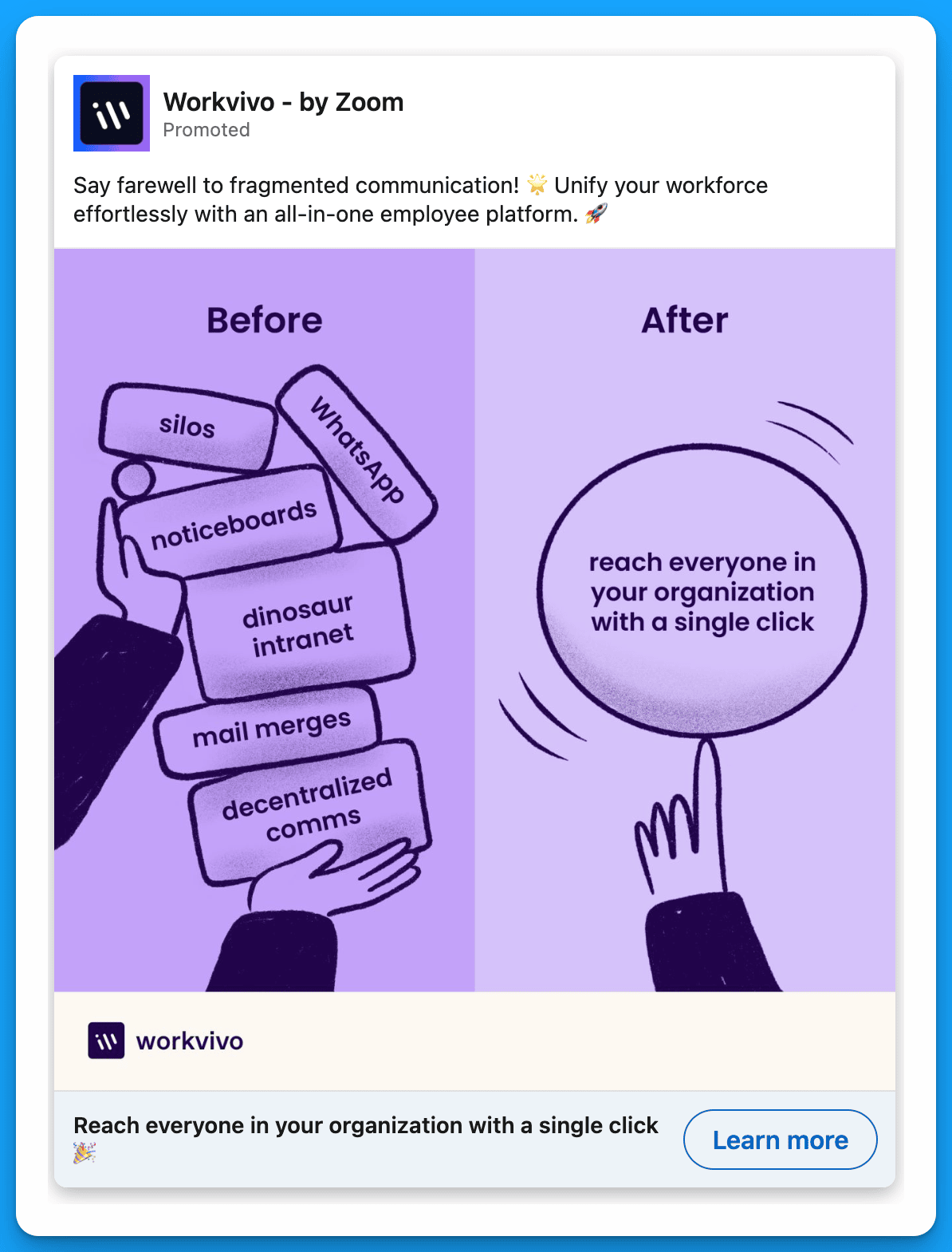
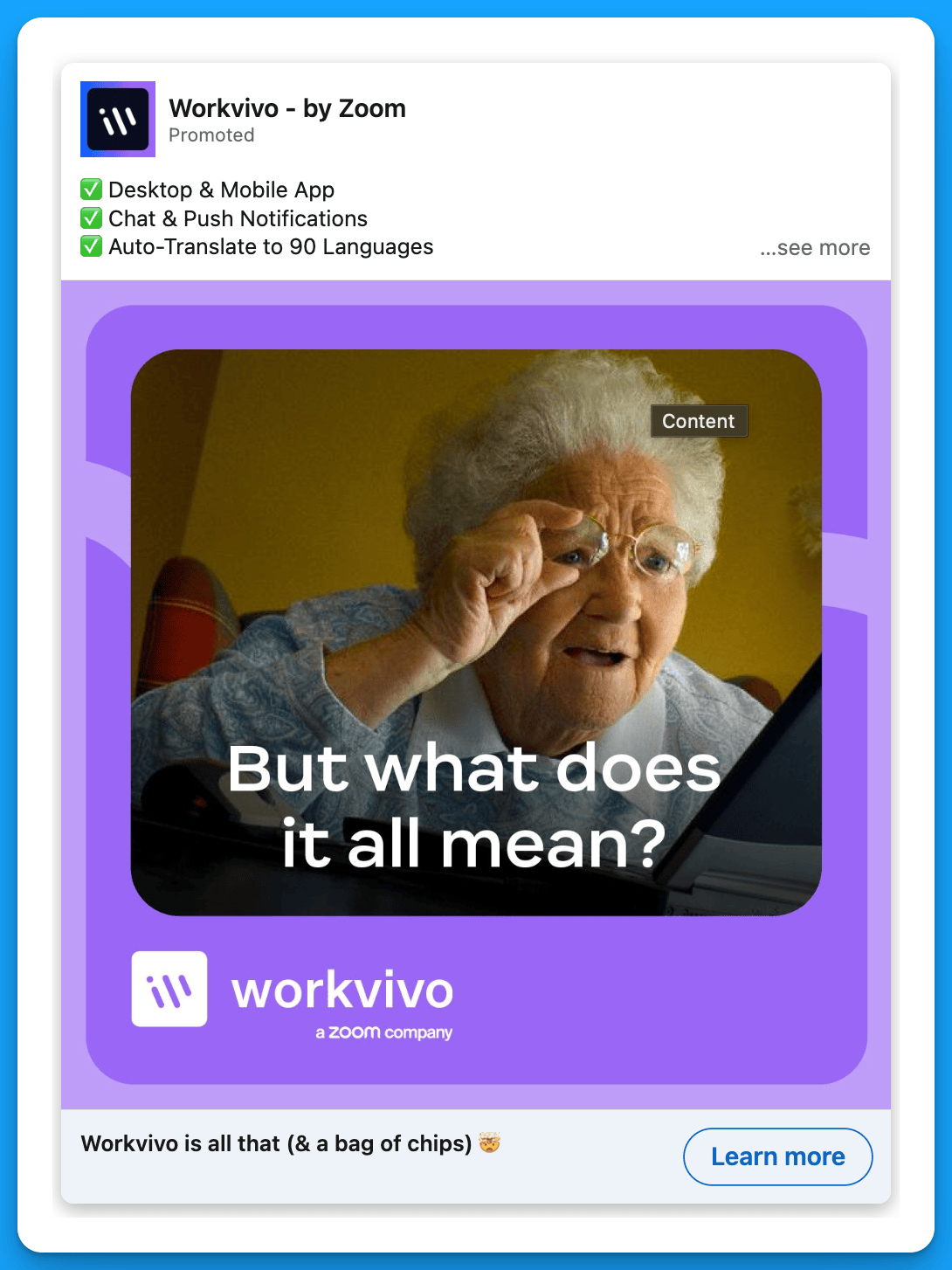
#10: Show how much better life would be with your product
This approach clearly emphasizes the pain point your product will solve, leading prospects to take action.
Example 1: Motion
Example 2: Workvivo
#11: Test ads in different languages
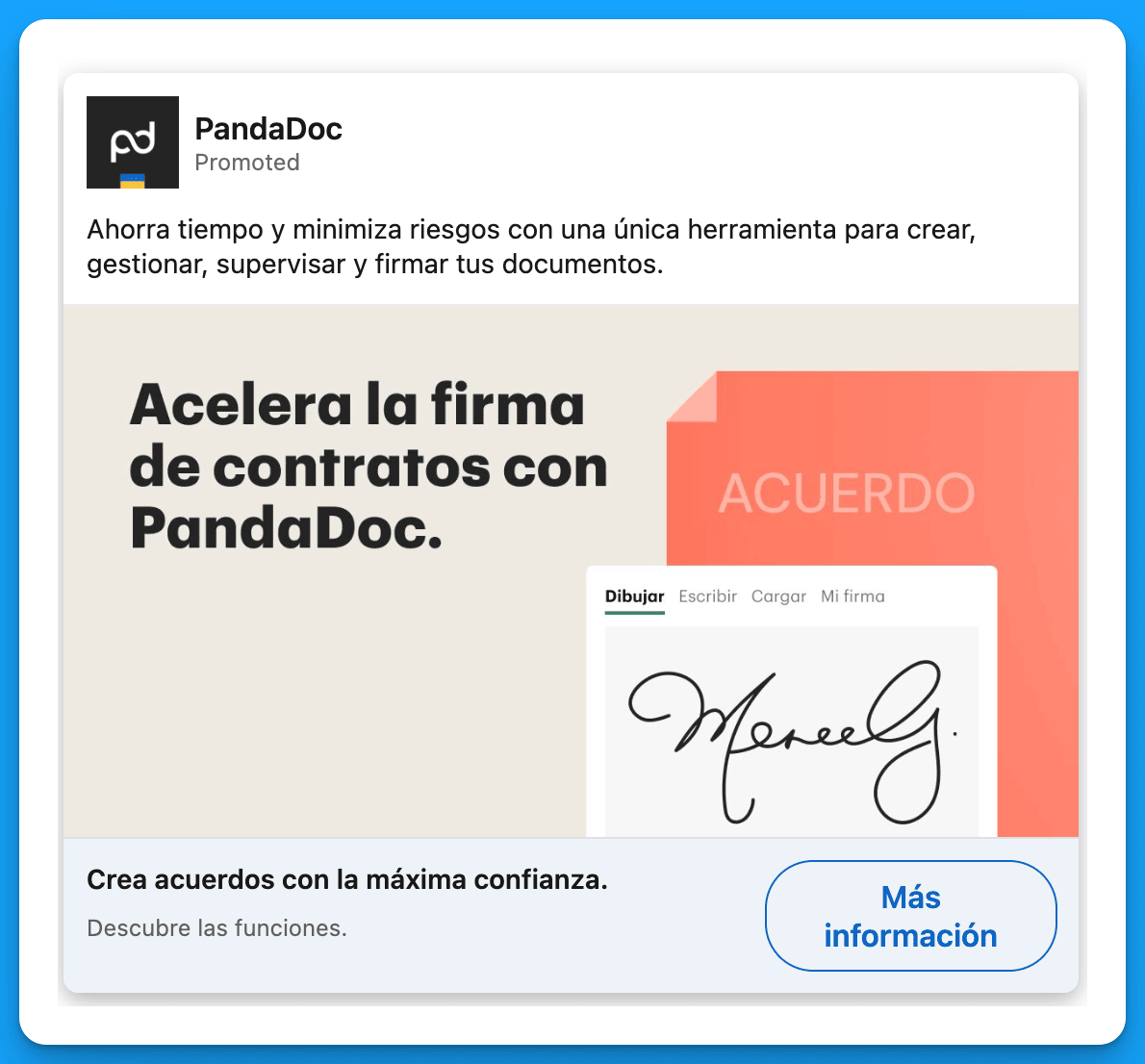
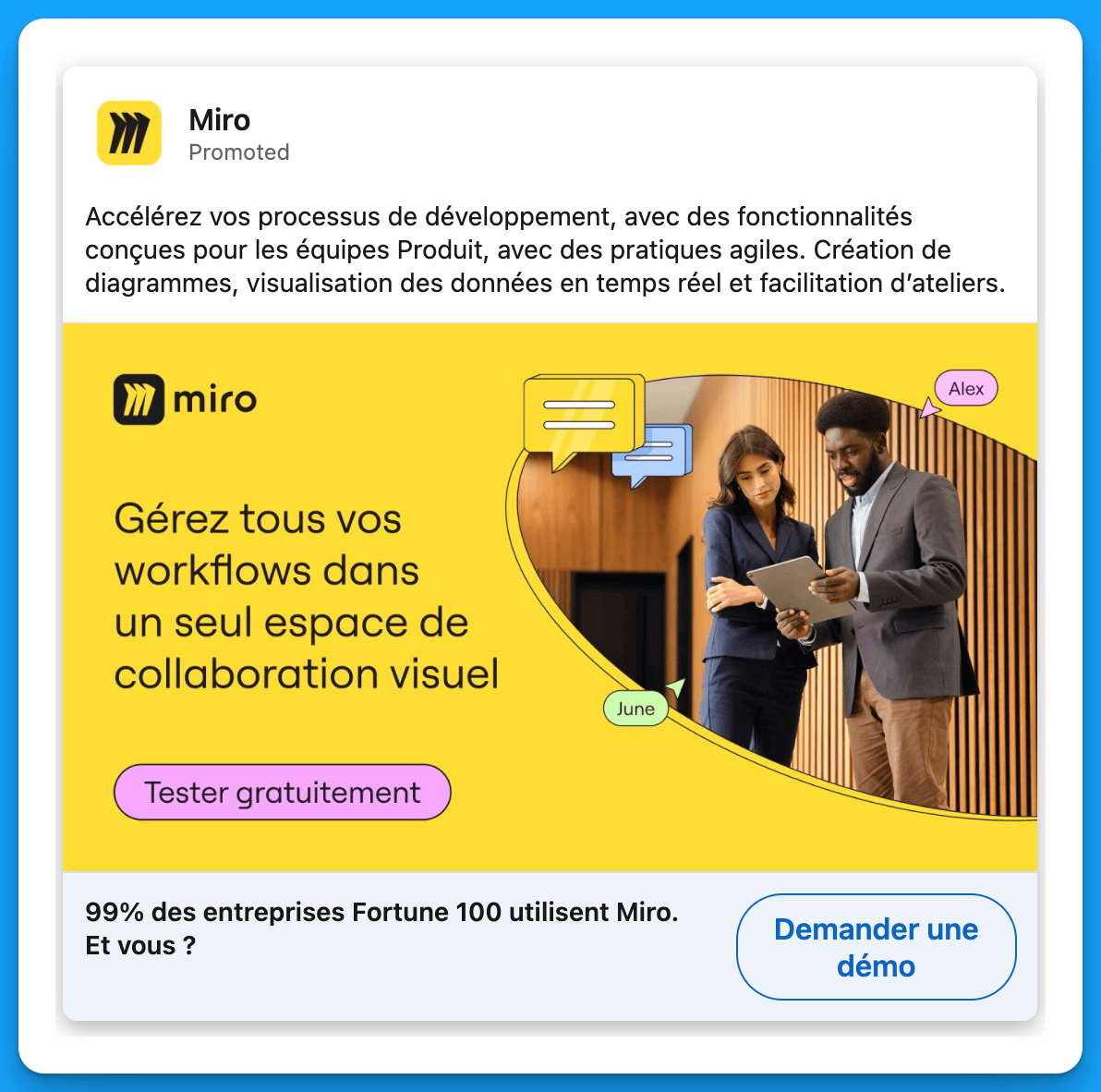
A lot of B2B SaaS companies are hyper-focused on North America, and their content for Latin America, EMEA, and APAC is just an afterthought. Running high quality ads in the language of the specific region you’re targeting can be a game changer as far as driving pipeline and revenue.
Bonus: If you take into account regional differences in consumer behavior and product usage when creating ads for different regions, your content will end up resonating even more.
Example 1: Pandadoc
Example 2: Miro
#12: Announce a new product update
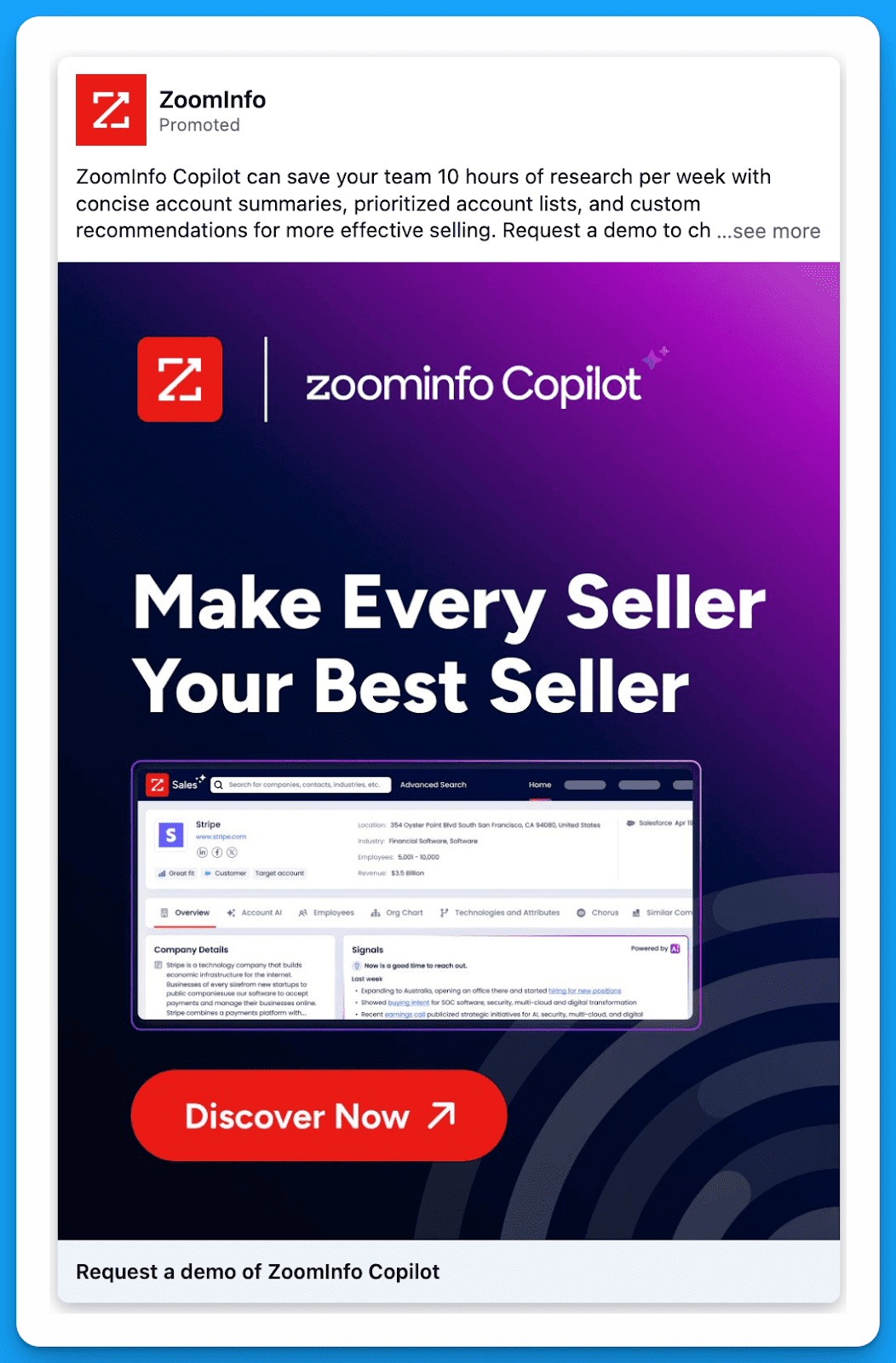
This is a great way to re-engage people who may have considered your solution in the past but weren’t fully convinced. By showing prospects how much better your product is after the updates, you can convince them to take the next step and request a demo.
Example 1: Zoominfo
#13: List the features that your ICP would be most interested in
As marketers, we’re always told to focus on pain points instead of features. But listing your top features can help prospects fully understand how powerful your product is, encouraging them to request a demo.
Example 1: Workvivo
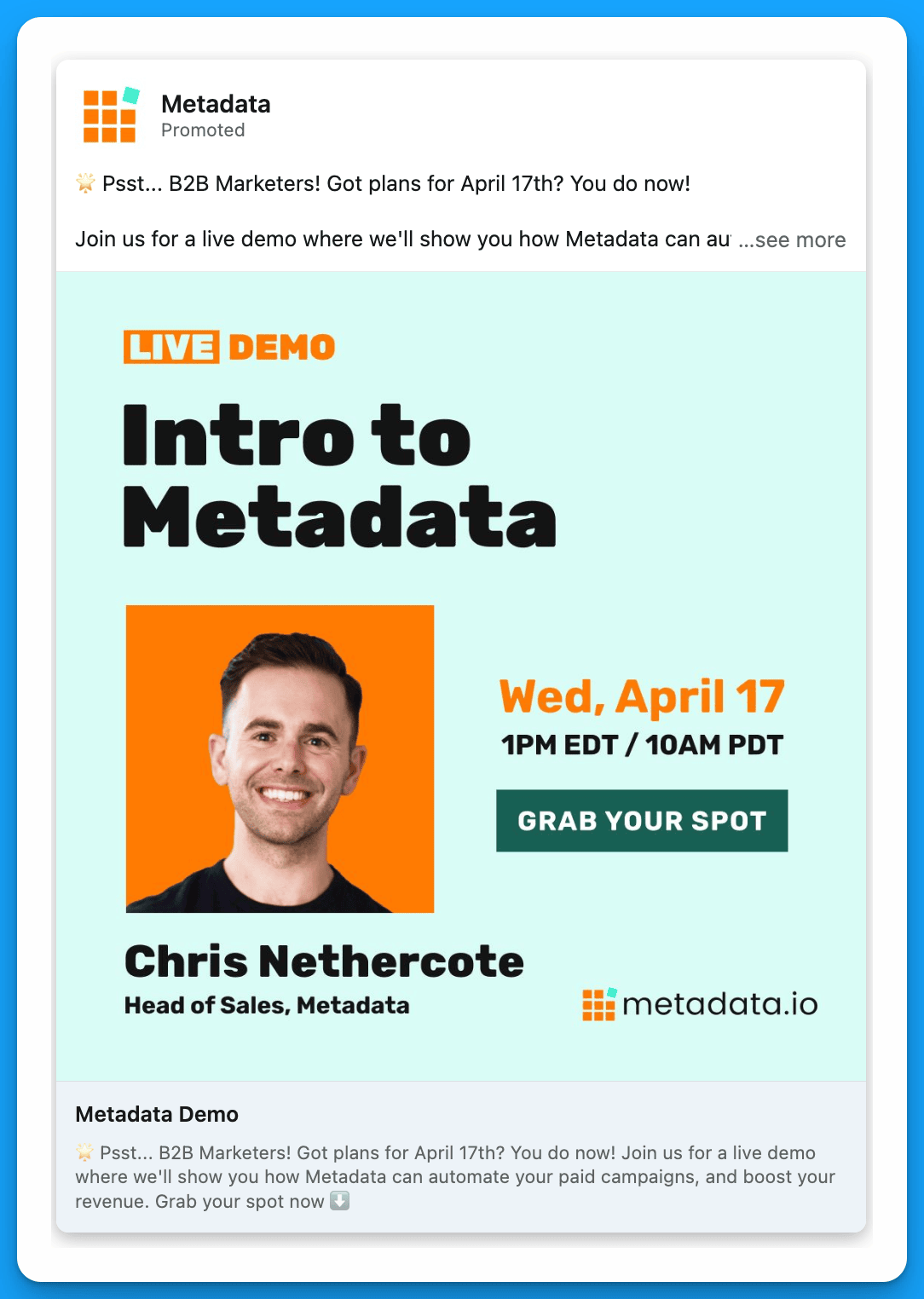
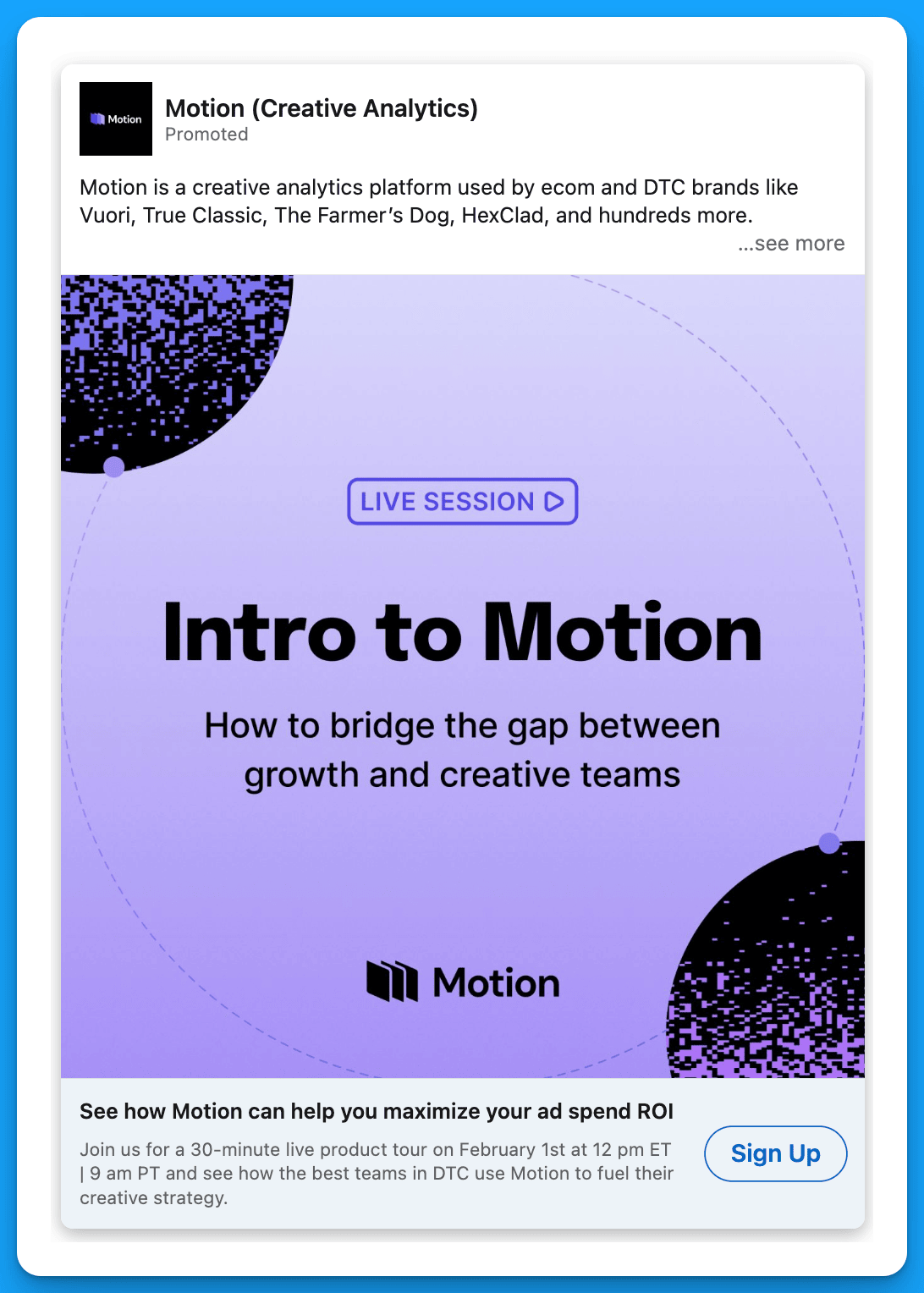
#14: Host a live demo
Promoting a live demo is a great way to get qualified prospects to see your product without having to go through the traditional (and higher commitment) demo process.
Prospects who are interested in your product may not be ready to talk to the sales team right away – a live demo can serve as a bridge, moving them further down the funnel.
Example 1: Metadata
Example 2: Motion
Final Recommendations
If you’re trying to drive more demos, in addition to testing out these capture strategies, I recommend doing a comprehensive audit of your audiences. Ask yourself:
- Am I targeting my warmest prospects who have already engaged with my content in some capacity?
- Am I reaching prospects with the right company sizes, seniorities, job functions, job titles, and industries?
- Am I excluding the LinkedIn audience network and disabling audience expansion?
- Am I making all the necessary exclusions (interns, unemployed, competitors, customers, etc.)?
Without precise targeting, even the best strategies will fail.
P.S if you want done-for-you LinkedIn campaign management that drives SQLs check out our team.
Master B2B LinkedIn Ads with these 3 Free Courses:
If you want to become a LinkedIn Ads pro, check out our free B2B LinkedIn Ads courses, where you'll learn how to launch, optimize, and scale your campaigns to drive pipeline and revenue.
Here's what you'll learn in each course:
⚙️ B2B LinkedIn Ads 101 - The Ultimate Crash Course for New LinkedIn Advertisers
- Foundations For LinkedIn Ads Success
- Measurement: Tracking & Key Principles
- Targeting: Reaching Your Dream Buyers
- Ads: Mastering The 9 Ad Formats
🎯 B2B LinkedIn Ads 102 - The Blueprint for LinkedIn Ads Optimization
- Monitoring: How To Spot Performance Trends
- Auditing: How To Find The Darlings You Need To Kill
- Reporting: How To Transform Data Into Insights
- Optimization: How To Make Your LinkedIn Ads Profitable
🚀 B2B LinkedIn Ads 103 - Advanced Scaling Strategies From $25M In Ad Spend
- Concepts of Scaling
- Divide and Conquer
- Learnings From $25M+ In LinkedIn Ad Spend
Click Here to Join 10,000+ B2B Marketers Today and start leveling up your advertising skill set.
Takes < 90 seconds to sign up (seriously we timed it 😂)
People Also Ask
How can testimonials enhance the effectiveness of my LinkedIn ads?
Incorporating testimonials from satisfied clients builds trust and encourages prospects to engage with your brand, as they see real-world validation of your product or service. 
Why is it beneficial to highlight well-known clients in my LinkedIn advertising?
Showcasing recognizable companies that utilize your offerings can quickly establish credibility and attract attention from potential customers, leveraging the influence of established brands. 
What role does humor play in LinkedIn ad campaigns?
Utilizing humor in your ads can make your content more memorable and engaging, helping your brand stand out in a professional environment and fostering a positive association. 
How can hyper-personalized messaging improve LinkedIn ad performance?
Crafting messages that directly address the specific needs and pain points of your target audience can significantly increase engagement and conversion rates by resonating more deeply with potential clients. 
What is the advantage of announcing new product updates in LinkedIn ads?
Promoting new features or updates keeps your audience informed and demonstrates ongoing innovation, encouraging existing and potential customers to explore the latest offerings.

14 Powerful LinkedIn Thought Leader Ad Strategies Worth Testing
Everyone knows that B2B buying has changed.
People trust people more than they trust companies, making thought leadership ads more important than ever before.
If you’re looking to use thought leader ads in your LinkedIn ad strategy but aren’t sure how to get started, this article is for you.
Here are 14 thought leader ad plays and examples you can test.
Let’s jump into it! 👇
TABLE OF CONTENTS:
- Play #1: Announce new product features, integrations, and partnerships
- Play #2: Highlight the main problem your product solves + the solution it provides
- Play #3: Highlight a case study featuring your own company
- Play #4: Highlight a case study featuring one of your customers
- Play #5: Generate buzz before attending an in-person event
- Play #6: Stay top of mind after an event
- Play #7: Promote your own event
- Play #8: Promote an upcoming webinar
- Play #9: Promote your newsletter
- Play #10: Celebrate Customer Wins
- Play #11: Demo different use cases of your product
- Play #12: Share long-form content with insights that your ICP would be interested in
- Play #13: Provide practical advice based on insights from your platform
- Play #14: Leverage social proof from existing customers
Play #1: Announce new product features, integrations, and partnerships
🔑 to success: Trust your audience. Target the experts and speak to them like they’re experts. Show them all the cool things they’ll be able to achieve with your product.
Example 1: Dreamdata

Example 2: Gong

Example 3: UserGems

Example 4: Dreamdata

Play #2: Highlight the main problem your product solves + the solution it provides
🔑 to success: After prospects read your content, they should be able to clearly articulate the problem your product solves + the solution it provides. If they can’t, you need to simplify your messaging.
Example 1: Apollo

Play #3: Highlight a case study featuring your own company
🔑 to success: Show how your team is using YOUR tool to reach YOUR goals – your company can serve as its own case study.
Example 1: UserGems

Example 2: Apollo

Example 3: Sendoso

Example 4: Salesloft

Play #4: Highlight a case study featuring one of your customers
🔑 to success: Clearly articulate how you’ve been helping an existing customer achieve their goals.
Example 1: Lavender

Example 2: Loxo

Play #5: Generate buzz before attending an in-person event
🔑 to success: Use an ABM list of attendees or ABM list of companies + key job functions to make sure you’re getting in front of the right people.
Example 1: HockeyStack

Play #6: Stay top of mind after an event
🔑 to success: Have an attendee post a recap after an event so that your brand is staying top of mind in the following weeks. The idea isn’t to push your product, but to keep raising awareness within key accounts.
Example 1: Sendoso

Play #7: Promote your own event
🔑 to success: Have your event speakers announce their participation on their personal pages and boost the posts to increase overall reach. This is a win for the speakers and for your company – speakers will feel supported and your event will get more registrations.
Example 1: Gleanin

Example 2: Gleanin

Play #8: Promote an upcoming webinar
🔑 to success: Clearly highlight the value of the webinar for your audience – what will they learn by attending? Make sure to tag the speakers to generate more interest.
Example 1: Sendoso

Example 2: Copy ai

Example 3: DoWhatWorks

Play #9: Promote your newsletter
🔑 to success: Keep it simple & highlight what people will get out of subscribing.
Example 1: Motion
.png)
Play #10: Celebrate customer wins
🔑 to success: Highlight customers when they win an award or achieve something big. This strategy provides social proof to help with prospecting efforts, but it’s also a great retention play, as it makes existing clients feel supported.
Example 1: Sendoso

Example 2: Lavender

Play #11: Demo different use cases of your product
🔑 to success: Have a senior leader – from your own company or one of your customers – educate prospects on how they can use your product to achieve their business goals.
Example 1: Dreamdata

Example 2: Clay

Example 3: Clay

Play #12: Share long-form content with insights that your ICP would be interested in
🔑 to success: Don’t tell everyone how great your product is – instead, show them the insights they could have access to if they used it. Also, make the content industry-specific. For example, content about conversion impact or email subject lines in B2B SaaS will be much more powerful than content about conversions or email in general.
Example 1: HockeyStack

Play #13: Provide practical advice based on insights from your platform
🔑 to success: Don’t provide generic advice that people have heard many times. Instead, give advice that your ICP may find surprising, and always back it up with data from your platform. This strategy is powerful because potential buyers will be grateful for the thought leader’s recommendations AND they’ll also relate the thought leader’s content to your organization (and hopefully be interested in learning more).
Example 1: Lavender

Play #14: Leverage social proof from existing customers
🔑 to success: Promote content from respected customers within your target industry highlighting the use cases and overall impact of your product.
Example 1: UserGems

Example 2: Clay

Putting LinkedIn Thought Leader ads into action
If you’re excited about thought leadership ads and want to start running them right away, here’s what I would recommend:
1. Find a few people at your organization that would be great thought leaders. They don’t need to be influencers with 50K followers – they simply need to have a deep understanding of your product and your ICP (bonus if they also enjoy writing).
2. Once you’ve selected your thought leaders, choose the top 3 strategies from this playbook that you’d like to begin with. I don’t recommend starting with all 14 strategies at once, since that could get pretty overwhelming.
3. Have your thought leaders post a few times per month and boost their content to your ICP.
That’s all you need to get started.
P.S.
If you’re starting out with thought leadership ads, I recommend using the engagement objective to build your retargeting audiences in a cost-effective way.
And if you want a complete masterclass on LinkedIn ads objectives, ad types, and bidding strategies, I highly recommend checking out this article by Ali Yildirim.
Master B2B LinkedIn Ads with these 3 Free Courses:
If you want to become a LinkedIn Ads pro, check out our free B2B LinkedIn Ads courses, where you'll learn how to launch, optimize, and scale your campaigns to drive pipeline and revenue.
Here's what you'll learn in each course:
⚙️ B2B LinkedIn Ads 101 - The Ultimate Crash Course for New LinkedIn Advertisers
- Foundations For LinkedIn Ads Success
- Measurement: Tracking & Key Principles
- Targeting: Reaching Your Dream Buyers
- Ads: Mastering The 9 Ad Formats
🎯 B2B LinkedIn Ads 102 - The Blueprint for LinkedIn Ads Optimization
- Monitoring: How To Spot Performance Trends
- Auditing: How To Find The Darlings You Need To Kill
- Reporting: How To Transform Data Into Insights
- Optimization: How To Make Your LinkedIn Ads Profitable
🚀 B2B LinkedIn Ads 103 - Advanced Scaling Strategies From $25M In Ad Spend
- Concepts of Scaling
- Divide and Conquer
- Learnings From $25M+ In LinkedIn Ad Spend
Click Here to Join 10,000+ B2B Marketers Today and start leveling up your advertising skill set.
Takes < 90 seconds to sign up (seriously we timed it 😂)
People Also Ask
What are LinkedIn Thought Leader Ads, and how do they differ from standard LinkedIn ads?
LinkedIn Thought Leader Ads allow companies to sponsor posts from individual profiles, such as company leaders or industry experts, rather than from the company page. This approach leverages personal connections and trust, often leading to higher engagement compared to standard company-sponsored ads. 
How can I select the right individuals for Thought Leader Ads within my organization?
Choose individuals who have a deep understanding of your product and ideal customer profile (ICP), and who are comfortable creating engaging content. They don’t need to be influencers with large followings; authenticity and expertise are key. 
What types of content work best for LinkedIn Thought Leader Ads?
Effective content includes announcing new product features, sharing case studies, promoting events or webinars, and providing practical advice based on insights from your platform. The goal is to offer valuable information that resonates with your target audience. 
How can I measure the success of my LinkedIn Thought Leader Ads?
Monitor metrics such as impressions, engagement rates, click-through rates (CTR), and conversions. Additionally, assess qualitative feedback like comments and shares to gauge how the content resonates with your audience. 
What are some best practices for creating effective LinkedIn Thought Leader Ads?
Ensure the content is authentic and aligns with the thought leader’s voice. Optimize the individual’s LinkedIn profile as it serves as a landing page for interested viewers. Use high-quality visuals, clear messaging, and include a call-to-action to guide the audience’s next steps.

5 Unconventional Ways to Use The LinkedIn Ads Library
%20-%20new%20v2.png)
Most marketers know the LinkedIn Ads library exists.
And the basics of how to use it (ex: search a competitor and voila you’ll see their ads 🪄)
You’re going to go beyond the basics in this article and learn.
5 unconventional ways experts use the library to uncover insights and inspiration.
Let’s dive into it 👇
TABLE OF CONTENTS
- Unconventional Way #1: Finding Conversation Ads Copy
- Unconventional Way #2: Identifying Localization Campaigns
- Unconventional Way #3: Studying Competitive Offers
- Unconventional Way #4: Creative Concept Discovery
- Unconventional Way #5: Landing Page Tear Downs
Unconventional Way #1: Finding Conversation Ads Copy
When you open up the LinkedIn Ads Library you can search %FIRSTNAME% to see conversation ad copy examples from competitors and relevant brands.
Here’s how to find conversation ad copy examples step-by-step:
- Open up the LinkedIn Ads Library and search for a relevant competitor or brand.

- Enter %FIRSTNAME% under search by keyword and select your relevant country and date range filters.

- From here you can browse all available variations based on your filters 🎉

If you don’t see any conversation ad messages you’ll likely need to adjust your filters or it’s possible your competitors or the relevant brands you’re researching aren’t actively testing this ad format.
Unconventional Way #2: Identifying Localization Campaigns
Localization campaigns are when you advertise outside your primary language and draft ads, and landing pages relevant to a specific language.
We’ve seen advertising outside of the English language a reduction in costs by up to 70%.
If you have the potential to advertise outside of English it’s definitely worth testing.
Here’s how to identify localization campaigns with the ad library:
- Open up the LinkedIn Ads Library and search for a relevant competitor or brand.
- Filter by all countries and uncheck your current target locations (ex: United States)

- Browse through the results to identify different localization campaigns (look for ad copy that isn’t in your primary language, example below is an ad in German).

- Click view details on the ad to identify the targeted locations.

Write down any interesting target countries and/or languages your competitors are targeting that you might consider reaching with localization campaigns.
Unconventional Way #3: Studying Competitive Offers
Let’s say you’re a B2B SaaS company looking to drive more demo requests.
You can use the LinkedIn ad library to easily see ads from competitors or relevant brands that are also trying to drive more demo requests.
The same is true if we’re talking about free trials, webinar registrations, ebook downloads, and anything else you can think of.
Here’s how to study competitive offers with the ad library:
- Open up the LinkedIn Ads Library and search your offer in the search by keyword filter.

- From here you can browse various ad types that mention your offer within the ad copy.

- You can repeat this process and narrow down your filters for further granularity.

Unconventional Way #4: Creative Concept Discovery
Most advertisers using the library will just look at the ad examples provided and not dig much further.
Instead what you should do is look for patterns around creative concepts to understand your competitors creative strategy (or the relevant brand in question).
Creative concept = the format of which the creatives are designed off
Here’s 10 examples of creative concepts:
- Before & After
- UGC
- Meme
- Product Mockup
- Illustration (Drawings)
- Stats & Research
- Comedy Skit
- Animated
- Behind-the-Scenes
- AI Generated
Using the library take note of any patterns of creative concepts your competitor/brand in question might be repeating. If it’s significant you might want to consider testing a similar concept.
Use your best judgement when labelling concepts and look for patterns.

Unconventional Way #5: Landing Page Tear Downs
When viewing ads in the library you can click on the CTA button to open up the associated landing page the ad is driving traffic towards.
The original UTMs are also still within the URL parameter so you can reverse engineer these to better understand your competitors ad strategy (learn how here).
With this valuable information you can tear down each page for inspiration.

Hope you found this article useful!
See you in the next article or one of our free courses!
Master B2B LinkedIn Ads with these 3 Free Courses:
If you want to become a LinkedIn Ads pro, check out our free B2B LinkedIn Ads courses, where you'll learn how to launch, optimize, and scale your campaigns to drive pipeline and revenue.
Here's what you'll learn in each course:
⚙️ B2B LinkedIn Ads 101 - The Ultimate Crash Course for New LinkedIn Advertisers
- Foundations For LinkedIn Ads Success
- Measurement: Tracking & Key Principles
- Targeting: Reaching Your Dream Buyers
- Ads: Mastering The 9 Ad Formats
🎯 B2B LinkedIn Ads 102 - The Blueprint for LinkedIn Ads Optimization
- Monitoring: How To Spot Performance Trends
- Auditing: How To Find The Darlings You Need To Kill
- Reporting: How To Transform Data Into Insights
- Optimization: How To Make Your LinkedIn Ads Profitable
🚀 B2B LinkedIn Ads 103 - Advanced Scaling Strategies From $25M In Ad Spend
- Concepts of Scaling
- Divide and Conquer
- Learnings From $25M+ In LinkedIn Ad Spend
Click Here to Join 10,000+ B2B Marketers Today and start leveling up your advertising skill set.
Takes < 90 seconds to sign up (seriously we timed it 😂)
People Also Ask
What is the LinkedIn Ads Library, and how does it work?
The LinkedIn Ads Library is a tool that lets users explore active and past ads from brands. It helps analyze competitor strategies, ad creatives, and targeting methods, offering inspiration and benchmarking opportunities.
How can I use the LinkedIn Ads Library to improve my ad campaigns?
The library helps identify trends, successful ad formats, and messaging styles. Use it to refine your own strategies by studying competitors’ offers, creative approaches, and audience engagement tactics.
Are there limitations to the insights I can gather from the LinkedIn Ads Library?
Yes, while it provides access to ad creatives and some targeting details, it doesn’t reveal performance metrics like click-through rates or conversions. It’s best used for inspiration and competitor research.
Can I track changes in competitors’ ad strategies over time using the LinkedIn Ads Library?
Yes, by regularly checking competitors’ ads, you can observe shifts in their messaging, offers, and formats, helping you adapt your campaigns to stay competitive.
How does the LinkedIn Ads Library compare to other ad libraries, like Meta or Google’s?
LinkedIn’s library focuses on professional audiences, showcasing ads tailored for B2B and career-focused messaging. Meta’s library offers broader consumer insights, while Google’s is keyword-centric. Choose based on your campaign goals.
.png)
LinkedIn Spotlight Ads In 2026: Are They Worth The Investment?
Should you invest in LinkedIn Spotlight Ads?
In this article you'll learn:
- The pro's and con's of LinkedIn Spotlight Ads
- How much LinkedIn Spotlight ads cost
- Examples of LinkedIn Spotlight ads
- 3 LinkedIn Spotlight ad strategies
By the end of this article you’ll know if this ad type makes sense for you.
Let’s dive into it! 👇
Contents
- What are LinkedIn Spotlight Ads?
- LinkedIn Spotlight Ad Specs
- 4 Reasons to Invest In LinkedIn Spotlight Ads
- 4 Reasons You SHOULD NOT Invest In LinkedIn Spotlight Ads
- 3 LinkedIn Spotlight Ad Strategies Worth Testing
What are LinkedIn Spotlight Ads?
Spotlight ads are only seen on desktop devices and use a combination of your audience's LinkedIn profile data such as photo, company name, and job title to dynamically change based on the user.

LinkedIn Spotlight Ad Specs
When creating a spotlight ad you’ve got the following options:
- Ad headline = 50 characters
- Company name = 25 characters
- Company Image = logo or image in JPG or PNG that is < 2 MB
- Background Image (optional) = 300x250 in JPG or PNG
I’d personally recommend not adding a background image as it removes the ad description, and the users profile photo will not be shown, which defeats the purpose of this ad type 😅
4 Reasons to Invest In LinkedIn Spotlight Ads
Reason 1: 74% Lower Cost Per 1,000 Impressions (CPM)
After reviewing $1,726,264.56 in spend by ad type for our B2B SaaS clients, we found linkedin spotlight ads have an average CPM of $5.23, 74% lower than single image ads.

Reason 2: Increased Ad Recall
Spotlight ad placements are very “low key” and unintrusive.
They only appear on Desktop and are served on the right side of the newsfeed.
Given an average CPM of $5.23 and subtle placement you can rack large frequencies > 20 without negatively impacting your audience’s experience.
The combination of high frequency and low impression costs = greater potential ad recall
Reason 3: Low Creative Effort
Spotlight ads only require an image that is < 2MB making it an EXTREMELY low creative effort.
Compare this to formats like single image, carousel, or even video ads.
If you want more exposure without a ton of effort they’re an easy addition.
Reason 4: Flexible Bidding Strategies
Spotlight ads allow you to multiple bidding strategies depending on your campaign objectives.
- Maximum delivery = LinkedIn will automatically adjust your bids for the most exposure
- Cost cap = set a target cost per landing page click
- Manual bidding = set a specific bid per landing page click
With each of these bidding strategies you have flexibility to test and leverage the one that allows you the greatest exposure for the lowest cost.
4 Reasons You SHOULD NOT Invest In LinkedIn Spotlight Ads
Reason 1: 83% higher average CPC prices
After reviewing $1,726,264.56 in spend by ad type for our B2B SaaS clients, we found linkedin spotlight ads have an average cost per click of $7.93, 83% higher than single image ads.

Reason 2: You want to generate the most conversions
Spotlight ads have horrible engagement rates compared to other LinkedIn ad types.
If your primary objective is to drive conversions then spotlight ads are not the ideal ad type to use.
Reason 3: You’re trying to drive the most traffic to your site
Spotlight ads have below average clickthrough rates compared to other ad types which makes using them to drive site traffic a poor use case of budget.
Reason 4: You’re not already investing in other ad types
Spotlight ads are not a game changer ad type. They should be used in support alongside other more dominant ad types such as (image, video, or conversation).
The best use of spotlight ads is remarketing, allowing you to stay top of mind at a low cost in front of the audiences that already know/like/trust you.
3 LinkedIn Spotlight Ad Strategies Worth Testing
In no particular order, here’s 3 strategies worth testing with spotlight ads.
Strategy #1: Remarketing
The real advantage of spotlight ads are low distribution costs with an average CPM of $5.28.
This in combination with the fact that spotlight ads are a non-intrusive ad type on desktop devices and limited right-hand placements makes them great for remarketing.
You can leverage spotlight ads to remarket:
- All website visitors
- Company page visitors
- Past event attendees
- Contacts of customers, and leads in nurture
If you want to learn more about building a LinkedIn remarketing strategy check out our in-depth article on How to Build a Multichannel B2B Retargeting Strategy (Step-By-Step).
Strategy #2: Company Page Growth
Another potential strategy to test spotlight ads is growing your LinkedIn company page.
You can leverage this ad type to drive visitors to view your page (which will then hopefully lead to a follower), check out this example from Aurora who is using a CTA of “Follow”.

Strategy #3: Job Recruitment
Spotlight ads are available with the Job applicants campaign objective and given it’s dynamic element (automatically pulling the photo of the user) you can create personalized recruitment ads.

I hope you found this article useful!
And as promised, now know if this ad type makes sense for you.
Master B2B LinkedIn Ads with these 3 Free Courses:
If you want to become a LinkedIn Ads pro, check out our free B2B LinkedIn Ads courses, where you'll learn how to launch, optimize, and scale your campaigns to drive pipeline and revenue.
Here's what you'll learn in each course:
⚙️ B2B LinkedIn Ads 101 - The Ultimate Crash Course for New LinkedIn Advertisers
- Foundations For LinkedIn Ads Success
- Measurement: Tracking & Key Principles
- Targeting: Reaching Your Dream Buyers
- Ads: Mastering The 9 Ad Formats
🎯 B2B LinkedIn Ads 102 - The Blueprint for LinkedIn Ads Optimization
- Monitoring: How To Spot Performance Trends
- Auditing: How To Find The Darlings You Need To Kill
- Reporting: How To Transform Data Into Insights
- Optimization: How To Make Your LinkedIn Ads Profitable
🚀 B2B LinkedIn Ads 103 - Advanced Scaling Strategies From $25M In Ad Spend
- Concepts of Scaling
- Divide and Conquer
- Learnings From $25M+ In LinkedIn Ad Spend
Click Here to Join 10,000+ B2B Marketers Today and start leveling up your advertising skill set.
Takes < 90 seconds to sign up (seriously we timed it 😂)
People Also Ask
How can I measure the long-term impact of Spotlight Ads on brand awareness?
While immediate metrics like impressions and clicks are helpful, track metrics like increased brand searches, company page followers, and repeat website visits over time to assess long-term brand impact.
Are Spotlight Ads effective for industries outside of B2B, such as B2C or non-profits?
While Spotlight Ads are tailored for professional audiences, they can work for B2C or non-profits if targeting aligns with LinkedIn’s user demographics and the campaign leverages professional-related messaging.
How should Spotlight Ads be used in multi-channel marketing campaigns?
Spotlight Ads are most effective when reinforcing messages seen in other channels. For instance, use them to retarget LinkedIn users who interacted with your Google Ads or visited your website from email campaigns.
How can Spotlight Ads support account-based marketing (ABM) efforts?
Pair Spotlight Ads with LinkedIn’s account targeting to focus on specific companies or industries, delivering highly personalized ads that tie directly into your ABM campaigns.

Join 0,000 B2B marketers leveling up their paid advertising skill set! 🚀
Join 0,000 B2B marketers leveling up their paid advertising skill set! 🚀


