
12 SaaS Landing Page Agencies to Boost Conversions in 2026


SaaS landing page agencies help turn clicks into customers.
They combine messaging, web design, web development, and conversion optimization to create pages that persuade visitors to book a demo, start a trial, or speak with sales.
Some of the top landing page agencies for SaaS include:
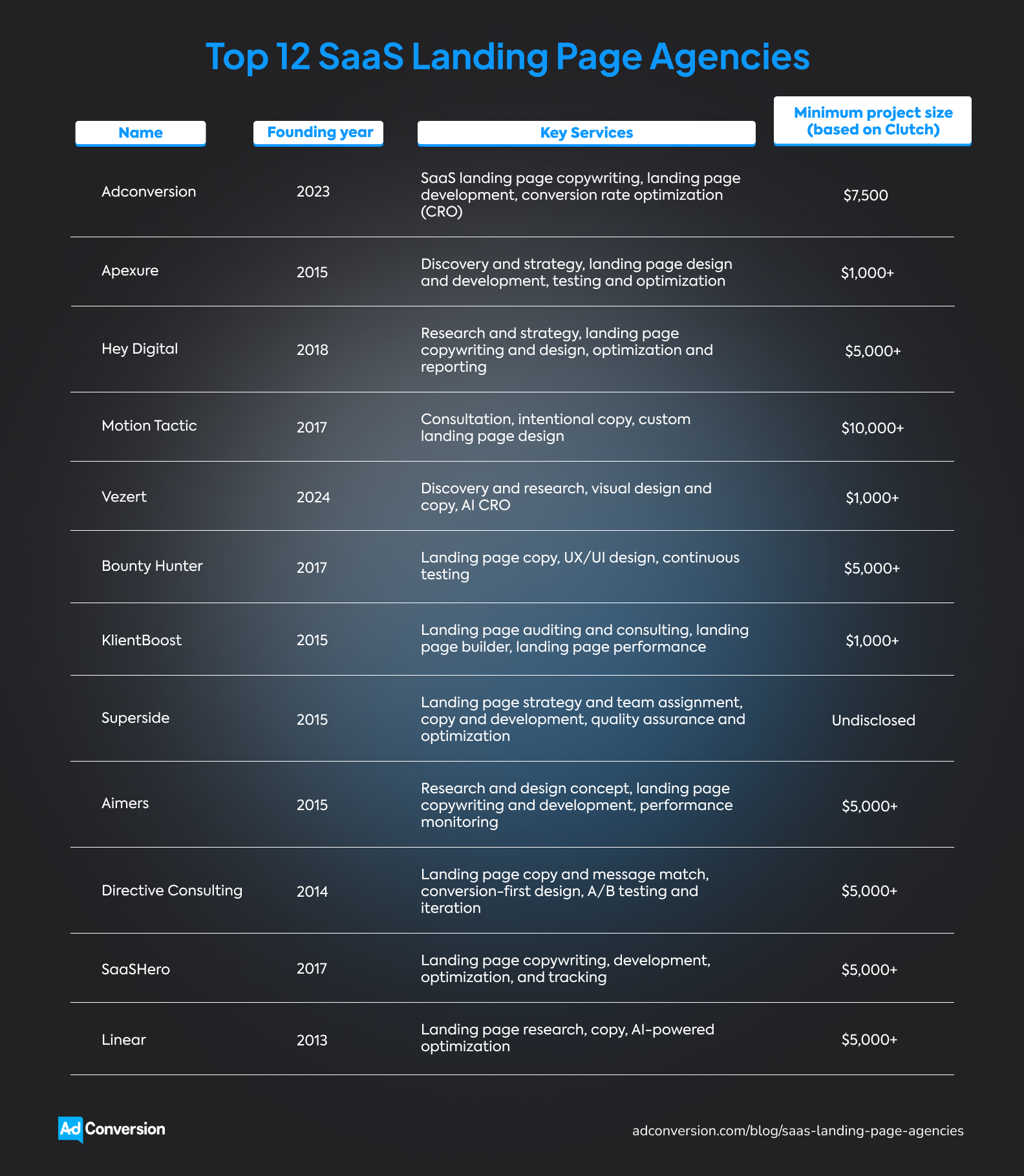
Every agency brings something different to the table.
The real challenge is finding a partner that understands your buyers, shares your growth goals, and can actually turn traffic into revenue.
If you want to get it right, carefully analyze each option and don’t make any rash decisions.
Disclosure: This article was created by AdConversion, a SaaS landing page agency, and includes its own services. The blog post was last updated in June 2026 and reflects the author’s perspective, not an independent editorial review. The agencies were evaluated using publicly available website information and Clutch reviews. The order is random and doesn’t represent a ranking system. AdConversion has no affiliate or commercial ties to the other agencies listed.
Table of Contents
What Are the Top SaaS Landing Page Agencies for Startups?
What Are the Top SaaS Landing Page Agencies for Enterprises?
How Do You Choose the Right SaaS Landing Page Agency?
1. AdConversion
AdConversion is a B2B SaaS growth partner that helps you turn paid media into qualified opportunities, sales conversations, and revenue.
The type of support you get is entirely up to you:
- If you want to handle paid advertising and landing pages in-house, AdConversion Academy gives you free B2B courses, playbooks, and resources to make that happen. These 10 proven B2B SaaS landing page tips are a good starting point.
- If you need someone to watch over your ad campaigns day and night and act quickly if costs skyrocket or performance drops, Sami, AdConversion’s proprietary AI sidekick, has got you covered.
- If you'd rather hand off execution or want to accelerate results, AdConversion Agency can take over. The team handles every part of the program, from strategy and creative production to ongoing tracking and optimization.
Since its early days in 2023, the agency has been a trusted partner to B2B SaaS brands such as Warmly, DigitalOcean, Rippling, and ActiveCampaign.
AdConversion’s SaaS Landing Page Agency is a real team player. It never works alone; it builds pages as a direct extension of your paid media campaigns.
Every landing page supports the same message, audience, and conversion goal that initiated the ad click.
You’ll also have a dedicated senior growth strategist keeping watch over your campaigns and landing pages at all times.
Since this person knows your SaaS niche, goals, and strategy inside out, they can quickly catch and fix conversion issues, test new ideas, and suggest next steps.
Services:
Pros:
Based on client testimonials and Clutch reviews:
- DigitalOcean’s head of paid mentions that AdConversion quickly zeroed in on its highest-value buyers, attracting more engaged accounts and doubling its quarter-over-quarter (QoQ) growth.
- An event platform praises the agency for always bringing new ideas to the table and backing its recommendations with campaign performance data.
- One B2B SaaS company says AdConversion integrated so well with its team that it felt more like an internal growth partner than an outside agency.
Cons:
The only potential drawbacks found on Clutch are:
- A community management platform notes that finding the right paid acquisition formula required some early testing and course correction.
- One B2B SaaS company says its own data access restrictions slowed down the agency's initial audit.
Case studies:
Minimum project size (based on Clutch):
$7,500
Good to know: AdConversion doesn't base its pricing on ad spend and won't lock you into a long contract. You pay a fixed monthly retainer and can walk away after 30 days if the engagement isn't working out.
2. Apexure
Apexure is a landing page agency that gets B2B and SaaS brands more opportunities from their paid media traffic.
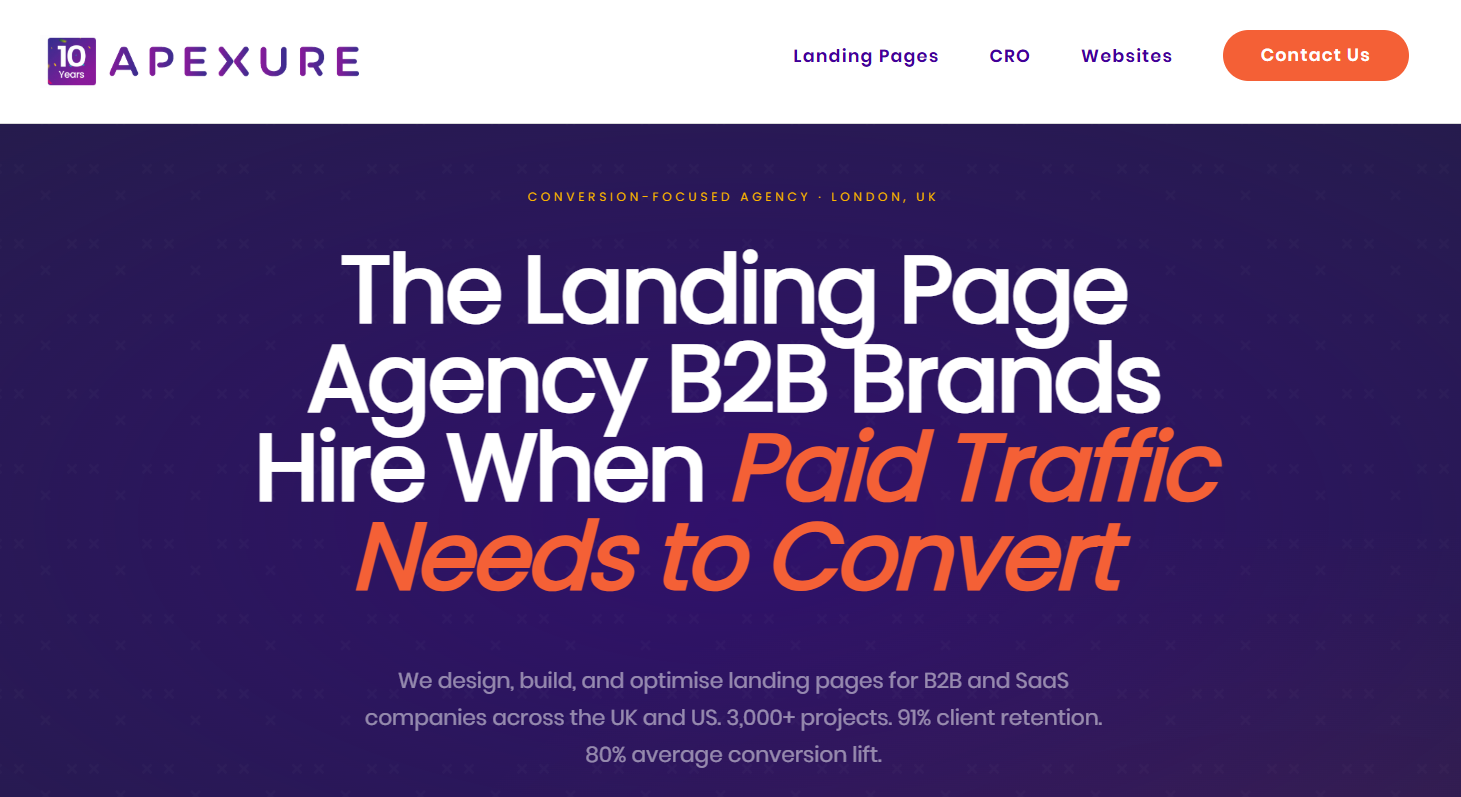
Founded in 2015, the agency’s client base includes names like Flare.io, Craver, and Therapy Brands.
If your customer acquisition costs (CAC) keep rising while conversion rates stay flat, Apexure steps in to fix your landing pages.
Services:
Pros:
From what users mention in Clutch reviews:
- A video production company says Apexure was always available to answer questions and kept communication flowing from start to finish.
- A venue marketplace credits the agency for meeting a tight deadline and sticking with the project even when internal delays pushed the launch back by several months.
- A marketing firm appreciates the team’s honest feedback, rather than simply telling the client what they want to hear.
Cons:
Reviewers on Clutch also have this to say:
- A B2B marketing agency would like more proactive updates on priority tasks instead of having to reach out for progress reports.
- A home services company says more post-launch support and regular performance reviews would’ve made it easier to keep improving its landing pages.
Case studies:
Minimum project size (based on Clutch):
$1,000+
3. Hey Digital
Hey Digital is a B2B SaaS performance marketing agency that uses paid advertising to scale your pipeline and revenue.
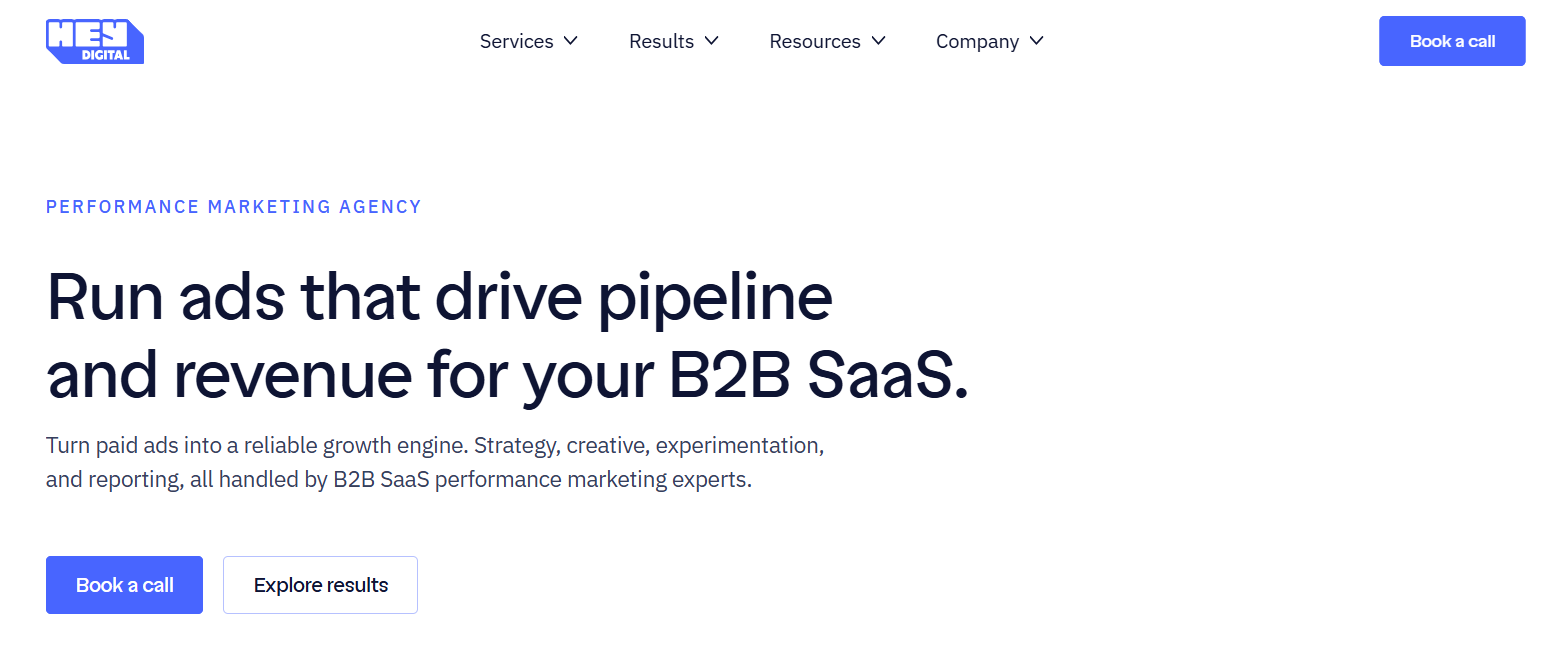
The company has been around since 2018, collaborating with SaaS companies such as Stream, Hotjar, and Pitch.
Hey Digital doesn’t rely on templates or generic messaging. It builds landing pages based on buyer research and real conversion insights.
Services:
Pros:
Clients on Clutch underline that:
- An IT services company appreciates the team for taking the time to learn both its product and market before making recommendations.
- An e-learning platform says Hey Digital always comes up with new ideas and moves from planning to execution surprisingly fast.
- A B2B SaaS company enjoyed the agency's weekly video updates, which made it easy to stay informed.
Cons:
The only area for improvement found on Clutch is:
- The above-mentioned IT services company believes the agency could’ve been more proactive.
Case studies:
Minimum project size (based on Clutch):
$5,000+
4. Motion Tactic
Motion Tactic is a B2B and SaaS web design agency that helps brands stand out in crowded markets and attract more high-intent traffic.
Since its founding in 2017, the agency has partnered with many SaaS companies, including Anomalo, Maptician, and InfraMappa.
Motion Tactic keeps every landing page focused on a single campaign, so visitors quickly understand the offer and take the next step without distractions.
Services:
Pros:
Noted in Clutch reviews:
- A transportation logistics company says Motion Tactic always met deadlines and responded quickly whenever new requests or questions came up.
- A genetic testing company praises the agency's communication and says the project managers were very easy to work with.
- A medical company appreciates how invested the team was in the project and how they constantly offered new solutions.
Cons:
The trade-offs shared on Clutch are:
- A nonprofit organization says a few communication workflows needed fine-tuning, but the agency was responsive to feedback.
- A printing company would’ve preferred a faster turnaround between project completion and launch.
- A growth marketing company would’ve liked more live discussions during the final rollout phase instead of relying mostly on email.
Case studies:
Minimum project size (based on Clutch):
$10,000+
5. Vezert
Vezert is a B2B and SaaS website design agency that builds landing pages, websites, and web portals for companies that need fast results.
The agency started in 2024, and its client roster includes NewOwner, Listron, and Ekontrol.
Vezert combines AI-powered workflows with senior CRO–strategist oversight to deliver custom landing pages in five to ten days.
Services:
Pros:
While the agency doesn’t have any online reviews, their client testimonials highlight:
- A private investor at NewOwner praises Vezert’s exceptional design systems and performance.
- An Artem CTO consultant appreciates the team for quickly getting up to speed and creating a web experience that perfectly matched the intended brand image.
- Ekontrol's founder was impressed by the agency’s speed, noting they moved from planning to launch in just seven days.
Cons:
Agency clients don’t mention any downsides, but keep in mind that:
- Vezert isn't a B2B paid media agency, so you'll likely need a separate partner to ensure your ad campaign and landing page messaging align.
Case studies:
Minimum project size (based on Clutch):
$1,000+
6. Bounty Hunter
Bounty Hunter is a B2B SaaS marketing agency that accelerates growth through a mix of paid advertising, landing pages, and web design.
The agency launched in 2017 and has since collaborated with companies like Medesk, Sell The Trend, and Doxy Chain.
Since Bounty Hunter manages pay-per-click (PPC) for SaaS companies, it knows exactly what a landing page needs to convert paid traffic into a pipeline.
Services:
Pros:
Insights gathered from Clutch reviews show that:
- A healthcare platform credits the agency for keeping projects on track and delivering work when promised.
- A document management company says Bounty Hunter quickly grasped the ins and outs of its product despite its complexity.
- An IT services company appreciates that the team cared more about business outcomes than impressive-looking marketing reports.
Cons:
A few concerns raised by Clutch reviewers include:
- A B2B SaaS company would’ve liked a more detailed view of project priorities, timelines, and upcoming work.
- A software testing company wanted marketing concepts explained in a more straightforward, non-technical way.
Case studies:
Minimum project size (based on Clutch):
$5,000+
7. KlientBoost
KlientBoost is a revenue-first performance marketing agency that specializes in paid media, SEO, landing pages, and email marketing.
SaaS brands, including Autopilot, Mavenlink, and DailyPay, have trusted the agency since its launch in 2015.
KlientBoost helps you turn landing pages into measurable revenue drivers, whether you only need a second opinion or a fully managed service.
Services:
Pros:
Clutch reviewers praise the agency for:
- A SaaS company credits KlientBoost for uncovering new growth opportunities and always pushing new ideas.
- A tattoo studio chain says the agency pairs deep marketing expertise with a personable team that's easy to work with.
- A vacation rental analytics company appreciates the agency’s focus on business impact instead of surface-level marketing metrics.
Cons:
Clutch reviews also point out the following:
- An education solutions company says a few workflow and meeting adjustments were needed in the beginning to improve collaboration.
- A call-tracking software company would’ve preferred a slower rollout rather than launching several initiatives at the same time.
- A software marketplace would like to see the agency experiment more with AI-powered advertising initiatives.
Case studies:
Minimum project size (based on Clutch):
$1,000+
8. Superside
Superside is a creative-as-a-service company that gives you on-demand access to designers, developers, strategists, and AI-powered production services.
Since 2015, the company has had a proven track record of partnering with SaaS brands such as Toast, Marqeta, and Treatwell.
Whether you need a one-off landing page for a big paid media campaign or dozens of pages launched at scale, Superside can do both without sacrificing quality.
Services:
Pros:
Limited feedback from Clutch reveals:
- A software development company says Superside produces high-quality creative work, with design and motion graphics standing out in particular.
- A software company was impressed by the agency’s wide range of creative services and capabilities.
- A marketing agency praises Superside for building an easy-to-use platform and being quick to respond whenever support was needed.
Cons:
A couple of Clutch reviews suggest room for improvement:
- A marketing agency would’ve liked the team to be more up front about their design choices and offer more detailed explanations.
- A software company felt some creative concepts played it a bit too safe and would’ve preferred more unique design ideas.
Case studies:
Superside doesn’t have any public SaaS landing page case studies, but these results still prove their worth:
Minimum project size (based on Clutch):
Undisclosed
9. Aimers
Aimers is a B2B SaaS marketing agency that brings in more qualified pipeline through PPC and landing pages.
The agency has been in the market since 2015 and has successfully collaborated with many industries. Originality.AI, Now Press Play, and Propello are just a few of its SaaS clients.
Aimers creates SaaS landing pages based on real user behavior and conversion data to improve the user experience and drive more revenue.
Services:
Pros:
An overview of Clutch reviews shows that:
- A lead generation company says Aimers impressed them with its professionalism and attention to detail from start to finish.
- An immersive audio experiences company praises the team's organization, responsiveness, and willingness to jump in with advice whenever needed.
- A training company appreciates the agency’s regular performance reports, roadmap updates, and actionable suggestions.
Cons:
A few downsides mentioned on Clutch include:
- An AI e-commerce agent company would’ve liked to see new campaigns launch a bit faster.
- An LED technology company wanted more hands-on support with its HubSpot setup and ongoing management.
- A radiology software company notes that it took the team some time to fully understand its highly specialized market and product.
Case studies:
Minimum project size (based on Clutch):
$5,000+
10. Directive Consulting
Directive Consulting is a B2B marketing agency that drives business growth through a mix of paid and organic promotional tactics.
EasyVista, ServiceChannel, and DBT are among the SaaS companies that have partnered with the agency since 2014.
Directive Consulting treats every landing page as a conversion asset. That’s why the team keeps testing until they see pipeline increasing and acquisition costs dropping.
Services:
Pros:
A few clients emphasize these strengths in their Clutch reviews:
- A talent acquisition technology company says Directive Consulting brings deep SaaS expertise and shares useful market benchmarks and insights.
- A healthcare consultation firm praises the agency's responsiveness and says the team quickly became an extension of its business.
- A cloud software company credits Directive Consulting with helping turn more leads into sales opportunities while opening up new paid acquisition channels.
Cons:
Clutch review analysis points to:
- An AI software company says reporting required extra coordination from its internal marketing operations team.
- A cybersecurity company would’ve preferred using its existing tools and workflows rather than adding new ones.
- A nurse staffing agency notes that some initiatives took longer than expected and required extra budget to execute.
Case studies:
Minimum project size (based on Clutch):
$5,000+
11. SaaSHero
SaaSHero is a B2B SaaS performance marketing agency founded in 2017, specializing in paid search, paid social, landing pages, and CRO.
The agency has supported many Saas brands, including Shop Boss, Stax, and TripMaster.
SaaSHero’s landing pages answer key questions fast, address buyer concerns early, and give prospects compelling reasons to take action.
Services:
Pros:
Based on the overall sentiment from Clutch reviewers:
- A health and drug test supply company praises SaaSHero's deep B2B marketing expertise and says the team is easy to work with.
- A SaaS company appreciates the team for listening carefully, moving fast, and adjusting whenever needed.
- An HR software company values SaaSHero for always being proactive and open to client feedback.
Cons:
The only limitation mentioned by a Clutch reviewer is:
- A government services solutions provider would’ve liked to see bolder creative concepts, but admits the project started with limited brand guidelines and visual direction.
Case studies:
SaaSHero doesn’t have any public case studies, but these 2025 results give you all the proof you need:
- Shop Boss increased its conversions by 305% and lowered its cost per conversion by 97%.
- Stax registered a 163% rise in lead volume, a 10X drop in CPL, and a 50% higher conversion rate.
- TripMaster added over $504K in net new annual recurring revenue and registered a 20% average conversion rate.
Minimum project size (based on Clutch):
$5,000+
12. Linear
Linear is a PPC and CRO agency that blends human expertise with AI to scale your paid acquisition.
Since its start in 2013, the agency has partnered with SaaS brands such as WhatConverts, CoachCare, and ClinCapture.
Linear uses conversion testing and AI optimization to ensure each visitor lands on the page most likely to convert them into an opportunity or customer.
Services:
Pros:
Clients on Clutch underline the following strengths:
- A software company says Linear isn't afraid to try new ideas and moves quickly to find what actually clicks with the target audience.
- A business services company praises the agency's creative thinking and credits the team with bringing in higher-quality leads.
- A dental partnership organization appreciates Linear's detailed reporting, which applied even before the engagement officially began.
Cons:
A few improvement areas come up in Clutch reviews:
- A graphic design agency would’ve liked to see more A/B testing and new campaign ideas.
- A pawnshop and lending institution noted that occasional follow-ups were needed on smaller requests, though larger projects stayed on track.
- An entertainment company felt some of its creative suggestions weren't fully incorporated into campaign execution.
Case studies:
Minimum project size (based on Clutch):
$5,000+
What Are the Top SaaS Landing Page Agencies for Startups?
The best SaaS landing page agencies for startups help you get more pipeline from every dollar of ad spend while moving fast enough to keep up with your growth:
- AdConversion helps Series A+ SaaS startups launch and scale paid acquisition programs without overspending and builds dedicated landing pages that support growth at every stage.
- Apexure creates startup landing pages that combine eye-catching visuals, persuasive CTAs, and social proof to help new brands earn trust and convert visitors faster.
- Vezert delivers custom landing pages in days rather than weeks, making it a practical option for startups that are pressed for time.
What Are the Top SaaS Landing Page Agencies for Enterprises?
The best SaaS landing page agencies for enterprises know how to turn large ad budgets and complex sales cycles into opportunities and customers:
- AdConversion builds landing pages that support the large-scale paid media programs they manage for you and connect six-figure monthly ad budgets to qualified pipeline and revenue.
- Superside gives enterprise teams access to scalable creative production, dedicated design talent, AI tools, and a centralized platform for managing landing page projects at scale.
- SaaSHero creates landing pages that help enterprise buyers build trust faster by addressing key concerns and reinforcing credibility.
How Do You Choose the Right SaaS Landing Page Agency?
Choose a SaaS landing page agency that understands your market, supports your acquisition strategy, and can prove its work produces measurable business results.
Use this step-by-step selection guide:
- Check for SaaS expertise. An agency that already understands the SaaS industry, audience pain points, long sales cycles, and complex buying committees, won't waste months learning the basics.
- Search for real SaaS landing page examples before making a decision. The portfolio should show pages built for different offers, audiences, and campaign types, not the same template recycled across every client.
- Look beyond SaaS landing page design. The best agencies also handle copywriting, CRO, and paid media alignment to make sure every click has the best chance of converting.
- Dig into the case studies and don't get distracted by conversion rates alone. Look for proof that the agency helped generate more sales opportunities and revenue.
- Read customer reviews carefully. Pay attention to what clients repeatedly say about communication, responsiveness, strategic thinking, and overall results.
- Take a closer look at the pricing pages to make sure they work for you. Whether it's a monthly retainer, project fee, or performance-based agreement, the best partnerships happen when incentives are aligned from the start.
Over to You
Driving traffic is easy. Turning that traffic into pipeline is the hard part.
The best SaaS landing page agencies don't just make pages look better. They help you integrate your ads, messaging, offers, and conversion goals into a single, seamless experience.
Whether you're trying to gain traction as a startup or squeeze more revenue from an established acquisition program, the right partner can help you get more from every click.
If you want your landing pages and paid advertising to work harder and faster, have a quick chat with AdConversion to see how it can help.

About the Author
Similar Articles

10 Best Martech Paid Ads Agencies to Consider in 2027

Table of Contents
Which martech paid ads agencies are best for startups?
Which martech paid ads agencies are best for enterprises?
How do you choose the right martech paid ads agency?
Frequently Asked Questions (FAQs)
1. AdConversion
AdConversion helps B2B SaaS companies turn paid advertising into qualified pipeline and revenue.
You can work with AdConversion in three ways:
- Let AdConversion take paid media off your plate. A senior performance marketer handles everything from strategy to campaign execution. No junior handoffs or account managers getting in the way.
- Put campaign monitoring on autopilot with Sami. AdConversion’s AI ad automation tool checks your campaigns hourly, keeps budgets on track, adjusts bids, and pauses underperforming ads.
- Level up your in-house team with AdConversion Academy. Get free, practical courses on Google Ads, LinkedIn Ads, Reddit Ads, account-based marketing (ABM), and building a B2B paid media program.
AdConversion knows its way around martech and sales tech, with clients like ActiveCampaign, Uberall, Mixpanel, and Warmly.
Your martech buyers know their stuff. Demand gen managers want better campaign results. Marketing ops teams care about integrations and clean data. AdConversion gets these differences and builds campaigns that speak to what each buyer actually cares about.
The agency also knows that a packed demo calendar means little if the wrong companies keep showing up. It finds the audiences and messages that attract your ideal customers. Then it doubles down on what brings in real sales opportunities.
Services:
Pros:
Here's what AdConversion clients have to say:
- A B2B SaaS company praises AdConversion for turning LinkedIn Ads into its main paid channel and working like an extension of its in-house team.
- PayHOA’s VP of Marketing values the team’s focus on revenue impact over vanity metrics and calls project management one of its strengths.
- TeamOut’s CEO credits AdConversion with a 20% ROAS improvement and notes that the team shows up every week to dig into the data.
Cons:
Reviewers also pointed out a couple of areas for improvement:
- The same B2B SaaS company says deeper insights sometimes needed extra prompting, though the team acted on feedback.
- PayHOA reports that some experiments and bidding strategy changes didn’t pay off in the beginning.
Case Studies:
Minimum project size (based on Clutch):
$8,600
Good to know: AdConversion takes 0% of your ad spend. You pay a fixed monthly fee based on your budget and the services you need. Choose a quarterly or annual plan, with a 90-day notice period.
2. Single Grain
Single Grain is a digital marketing agency that runs paid advertising alongside SEO and content marketing.
Founded in 2009, the agency has worked with martech and SaaS brands such as Salesforce, Semrush, Drift, and Nextiva.
For martech companies ready to go beyond traditional paid ads, Single Grain brings AI search and AI-powered marketing into the mix.
Services:
Pros:
From Single Grain’s paid advertising reviews on Clutch:
- Nextiva’s CMO credits the agency with cutting cost per lead (CPL) by 41.37% year over year while improving lead quality.
- An entertainment company praised the team's consistent service quality and the fact that its account representatives stayed on the project throughout.
- A real estate company appreciates the agency’s proactive recommendations, including suggestions beyond the original project scope.
Cons:
Clients mention some limitations too:
- A financial software company felt Single Grain could have spent more time planning the project before execution.
- A construction company's marketing director reported occasional delays and communication gaps. They also felt they had to push for new strategic ideas themselves.
Case Studies:
Minimum project size (based on Clutch):
$10,000+
3. TripleDart
TripleDart is an AI-native B2B marketing agency that runs paid media, ABM, SEO, and go-to-market (GTM) engineering for tech and SaaS companies.
The agency launched in 2020 and has since worked with martech brands like CleverTap, VWO, and MoEngage.
TripleDart’s edge comes from pairing senior marketers with AI agents to keep campaigns on track and focused on pipeline, not vanity metrics.
Services:
Pros:
TripleDart’s clients highlight several strengths in their Clutch reviews:
- An AI-native customer support platform praises the team's proactive approach, quick responses, and ability to tailor campaigns to different audience segments.
- An HR tech company appreciates TripleDart's clear reporting and close collaboration throughout the engagement.
- ClearlyRated’s VP of Marketing describes the team as an extension of its own, praising its flexibility and proactive recommendations.
Cons:
One client pointed out room for improvement:
- Signeasy's inbound lead felt the agency could take a more strategic approach to its commitments and problem-solving.
Case Studies:
Minimum project size (based on Clutch):
$5,000+
4. Hey Digital
Hey Digital is a performance marketing agency that focuses exclusively on B2B SaaS paid advertising.
The agency has worked with martech brands like Hotjar, SocialBee, and Mailgun since opening its doors in 2018.
Instead of guessing what works, Hey Digital runs structured tests on audiences, messaging, and creative to find what actually drives results.
Services:
Pros:
Here's what Hey Digital's clients liked most, according to Clutch:
- Checkly’s Senior Growth Marketing Manager liked how the team took the time to understand the company's product and market instead of jumping straight into campaigns.
- An HR software company’s Brand and Creative Lead praised the team's fast turnaround on creative, smooth delivery, and value for money.
- Playroll’s Growth Manager appreciated getting advice that actually fit the company's budget instead of the usual one-size-fits-all playbook.
Cons:
Clutch reviewers also shared some concerns:
- Checkly's Senior Growth Marketing Manager felt the team could have taken more initiative instead of waiting for direction.
- Playroll’s Growth Manager mentioned a slow start and a missed campaign setting at launch, although the team owned up to the mistake.
Case Studies:
Minimum project size (based on Clutch):
$5,000+
5. SaaS Hero
SaaS Hero takes the day-to-day work of paid acquisition off B2B marketing teams' plates, handling everything from ads and creative to landing pages.
Since 2018, the agency has helped B2B software companies like Playvox, TestGorilla, and TripMaster grow through paid advertising.
SaaS Hero’s proprietary Marketing Hub gives the team one place to track campaign performance, spot problems, and find opportunities to improve results.
Services:
Pros:
SaaS Hero's Clutch reviews highlight:
- WaitWell’s CMO likes how the team explains the thinking behind campaign decisions instead of just reporting what it changed.
- A Dutch HR software company’s CEO praises the team's quick responses and ability to get new campaign ideas off the ground fast.
- Transit Technologies’ CEO appreciates how closely the team listens before jumping into campaign execution.
Cons:
One Clutch reviewer raised a concern:
- WaitWell’s CMO felt the ad creative could’ve been better, although the company hadn't yet established clear brand guidelines or a visual identity.
Case Studies:
SaaS Hero hasn't published any martech case studies, but its work with this B2B SaaS brand shows what it can do with paid ads.
Minimum project size (based on Clutch):
$5,000+
6. GrowthSpree
GrowthSpree helps B2B SaaS companies turn paid advertising and account-based marketing into qualified pipeline, with RevOps support to connect the dots.
GrowthSpree’s client roster includes martech and adtech brands like Hubilo, Konnect Insights, and AdOnMo, with experience dating back to 2017.
GrowthSpree pairs senior marketers with in-house AI agents to catch campaign issues and wasted spend early.
Services:
Pros:
GrowthSpree's clients had good things to say about the team on Clutch:
- A financial software company liked having the same senior marketer run its account from start to finish, without constantly bringing new people up to speed.
- A technology solutions company praised the team's proactive approach and willingness to take on more than just campaign management.
- Corpoladder’s CEO appreciated how quickly the team understood its challenges and adjusted campaigns when priorities changed.
Cons:
One client mentioned something they'd like to see more of:
- The financial software company wanted more content and creative testing as its advertising budget grew.
Case Studies:
Minimum project size (based on Clutch):
$1,000+
7. Directive
Directive takes an enterprise-first approach to paid advertising, focusing on the high-value accounts and buying committees that drive B2B revenue.
Image source: directiveconsulting.com
The agency’s experience goes back to 2013, with clients including martech and sales tech brands like WordPress VIP, Calendly, and ZoomInfo.
Directive also brings its own AI platform, Stratos, into the mix to give clients a clearer view of performance across ads, CRM, and other marketing channels.
Services:
Pros:
Clutch reviewers mention these Directive strengths:
- LogicGate’s Digital Marketing Manager liked how the team took the time to understand its audience instead of recycling the same strategy across clients.
- iCIMS’s Senior Manager of Digital Experience and Performance praised Directive's B2B SaaS expertise and ability to share industry trends and benchmarks from other clients.
- Corti’s Director of Marketing appreciated the team's quick responses and how closely it worked with the internal marketing team.
Cons:
Reviewers across Clutch and G2 flagged some drawbacks:
- iCIMS’s Senior Manager of Digital Experience and Performance experienced several account team changes within six months, largely due to internal moves at Directive.
- LogicGate's Digital Marketing Manager felt the team could do a better job tailoring its reports to different audiences, from executives to hands-on marketers.
- A verified G2 reviewer mentioned that Directive can be expensive for companies with smaller budgets.
Case Studies:
Minimum project size (based on Clutch):
$250,000+
8. Upraw Media
Upraw Media is a paid media agency that manages ads, landing pages, and analytics for B2B SaaS companies.
Founded in 2016, the agency has worked with martech and sales tech brands like Landbot, Bynder, and Chili Piper.
What sets Upraw Media apart is its small, senior-led team. The specialist who builds your strategy also runs your campaigns, with no account manager in between.
Services:
Pros:
Upraw Media's clients shared some positive feedback on Clutch:
- A freight exchange platform’s Digital Marketing Manager appreciated the team's understanding of its customers, close collaboration, and consistent service quality over time.
- The CEO of a product review management SaaS for Shopify stores praised Upraw's organization, reliable delivery, and ability to keep campaigns on track.
- Leaptree’s CEO was impressed by the team's pay-per-click (PPC) expertise and strong project management.
Con:
One client pointed out a limitation worth considering:
- Xentral’s Interim Head of Marketing switched agencies because Upraw worked mainly in English, while most of Xentral's customers were in German-speaking markets.
Case Studies:
Minimum project size (based on Clutch):
$5,000+
9. KlientBoost
KlientBoost combines paid advertising with conversion rate optimization and creative testing to help companies get more from their ad spend.
The agency’s client roster includes martech brands like Autopilot, ReviewTrackers, and Broadly, with experience dating back to 2015.
KlientBoost's in-house software, Kite, monitors campaigns around the clock, flagging performance issues and opportunities to improve results.
Services:
Pros:
Clutch reviewers share some advantages of working with the agency:
- Recurly’s Digital Marketing Manager praised the team's ownership, quick responses, and willingness to act on feedback about lead quality.
- BetterCloud’s CMO appreciated the team's curiosity, flexibility, and openness to testing new advertising channels.
- TrustedTech’s Director of Paid Media and Marketing Operations valued having creative, development, and strategy specialists working together under one roof.
Cons:
Clutch and G2 reviewers also mentioned some setbacks:
- A financial services company felt onboarding moved too quickly and wanted a more gradual walkthrough of the initial account changes.
- TrustedTech's Director of Paid Media and Marketing Operations suggested a more formal project management tool to make feedback and assignments easier to track.
- A recruiting coordinator on G2 mentioned that onboarding required a lot of up-front information sharing.
Case Studies:
Minimum project size (based on Clutch):
$1,000+
10. Gripped
Gripped works with B2B SaaS and tech companies that have proven their product-market fit and need to scale their pipeline through paid advertising.
The agency has been around since 2017, with martech clients like Crownpeak and Herdify on its roster.
Gripped founders bring firsthand SaaS experience to the table, helping the team connect paid campaigns with sales goals and revenue.
Services:
Pros:
A few Clutch reviewers highlighted these perks of working with Gripped:
- Terryberry’s Demand Marketing Manager appreciated the detailed insights shared during monthly meetings, along with the team's organized approach and clear communication.
- causaLens’s VP of Marketing praised the team's effort to understand the company's business, target market, and goals before shaping its strategy.
- An IT company’s Channel Marketing Manager valued how Gripped explained the reasoning behind its recommendations and welcomed open discussions, even when opinions differed.
Cons:
A reviewer also noted a setback:
- An IT services company’s Digital Marketing Manager wanted earlier warnings about underperforming campaigns and stronger recommendations on when to pause or change direction.
Case Studies:
Minimum project size (based on Clutch):
$5,000+
Which martech paid ads agencies are best for startups?
The best martech paid ads agencies for startups help you test acquisition channels, stretch limited resources, and build on what works. A good PPC strategy for startups makes those early experiments more manageable.
These three agencies offer different ways to get there:
- AdConversion helps Series A+ B2B SaaS startups scale paid acquisition with a senior marketer who handles strategy and campaigns directly. Its team also covers ad creative, landing pages, conversion tracking, and RevOps so you get everything under one roof.
- Hey Digital works with Series A and Series B SaaS startups to figure out which ads and messages actually work. Its in-house team handles paid campaigns, creative, and landing page testing, taking the workload off lean marketing teams.
- KlientBoost gives early-stage startups a way to improve paid advertising without outsourcing everything. Its PPC audits, one-time campaign setups, and consulting services help teams fix problems and build a stronger foundation before scaling.
Which martech paid ads agencies are best for enterprises?
The best martech paid ads agencies for enterprises can reach large buying committees, manage campaigns across channels, and track which accounts turn into revenue.
These three agencies are worth considering:
- AdConversion puts your ads in front of the people who actually influence enterprise deals. Its team runs ABM campaigns across multiple channels and connects ad data to your CRM, so you can see which accounts are moving closer to a sale.
- Directive goes after high-value accounts with ads tailored to different buyers and stages of the sales cycle. It combines paid search, social, and programmatic retargeting to stay on buyers' radar until they're ready to talk.
- TripleDart uses intent signals to spot enterprise accounts already researching solutions like yours. Its team builds targeted campaigns around those accounts and tracks which ones turn into qualified pipeline.
How do you choose the right martech paid ads agency?
Choose an agency that understands how marketers buy software, knows which channels reach them, and can prove its ads bring in pipeline.
Consider these factors before signing:
- Martech experience: Look for case studies from agencies that have promoted martech platforms with similar buyer personas, sales cycles, and growth challenges.
- Paid channel expertise: Make sure the agency knows the best ad platforms for B2B SaaS and how to use them to reach your buyers.
- Ad creative and landing pages: Check who handles the copy, design, and landing pages, and how the team tests new ideas to improve conversions.
- Pipeline and revenue tracking: Find out how the agency connects ad data to your CRM and measures qualified opportunities, pipeline, and closed deals. Its reporting should also help you assess PPC ROI.
- Proof that matters: Look for results in qualified opportunities, pipeline, revenue, and cost per customer. Lead quality matters more than a high volume of clicks and impressions.
- Team and communication: Ask who actually runs your campaigns, how involved senior specialists are, and how often you'll get updates.
- Pricing and contracts: Check how management fees work, what's included, and how much flexibility you have to change or end the engagement.
- Client feedback: Read independent client reviews to learn what working with the agency is really like.
Over to you!
Running paid ads is one thing. Finding an agency that understands your martech product, reaches the right buyers, and brings in qualified leads is another.
Each martech paid ads agency on this list has its strengths. The best fit depends on your goals, the channels you want to grow, and how much help your team needs.
If you want to turn more of your ad spend into pipeline, have a quick chat with AdConversion to see how it can help.
Frequently Asked Questions (FAQs)
What is a martech paid ads agency?
A martech paid ads agency helps companies that sell marketing software reach potential buyers through paid advertising. These agencies plan, manage, and optimize campaigns across channels like Google and LinkedIn. Some also offer ad creative, landing page design, and conversion tracking to help turn clicks into qualified leads.
Which paid advertising channels work best for martech companies?
It depends on who you're trying to reach. Google Ads helps capture buyers already looking for software, while LinkedIn Ads lets you target specific roles and companies. Meta is useful for retargeting, Reddit helps reach marketers in relevant communities, and YouTube gets your product in front of new audiences.
How much do martech paid ads agencies charge?
Most agencies charge a flat monthly fee, a percentage of your ad spend, or a one-time project fee. What you pay depends on the channels and services you need. Keep in mind that agency fees usually come on top of your ad budget, which you pay separately.
Should martech companies outsource paid advertising?
Outsourcing makes sense when your team lacks the time or expertise to manage paid campaigns, especially across multiple channels. An agency brings specialists in targeting, creative, and campaign optimization without extra hires. You can also keep strategy in-house and let the agency handle day-to-day execution.
How do you measure a paid ads agency's performance?
Look at the leads, sales opportunities, pipeline, and revenue your ads bring in, along with how much it costs to acquire a customer. Clicks and impressions help you understand campaign performance, but they only tell part of the story. The real test is whether your ads bring in business.

YouTube Ads for SaaS: A Complete Guide
Table of Contents
What Are YouTube Ads for SaaS?
Why Should SaaS Companies Use YouTube Ads?
How Do You Set Goals and Track Conversions for SaaS YouTube Ads?
Which YouTube Ad Formats Work Best for SaaS?
How Do You Target SaaS Buyers on YouTube?
How Much Do YouTube Ads Cost for SaaS?
How Do You Create YouTube Ads that Convert?
How Do You Measure YouTube Ad Performance?
How Can a SaaS Company Scale YouTube Campaigns?
How Can a YouTube Ads Agency Help Your SaaS Company?
Frequently Asked Questions (FAQs)
What Are YouTube Ads for SaaS?
YouTube ads for SaaS are paid video ads that software companies use to reach potential buyers, showcase their products, and spark interest in what they offer.
But when that offer involves B2B software, you can’t sell it like you would everyday consumer products.
A buyer might like what they see in your ad but still need team approval before committing to a subscription. And with longer sales cycles, a demo request isn’t always just around the corner.
Why Should SaaS Companies Use YouTube Ads?
YouTube gives SaaS companies a way to reach buyers who aren’t actively searching for software yet. While Google Search captures existing demand, YouTube helps you generate demand by:
- Getting your brand recognized. A buyer sees your ads while watching videos about problems they deal with at work. Months later, they search for software. Your company might be one of the names they remember.
- Explaining complex SaaS features. Try describing a multi-step automation workflow in a search ad. It’s tough. A short video explaining the process on screen gets the point across much easier.
- Letting people see the product for themselves. Instead of praising your software for how much time it saves, show a real task being completed. This gives buyers a better sense of what using your software would look like.
- Reconnecting with interested prospects. If someone visited your website but left without booking a demo, retargeting gives you another shot at reaching them. For instance, you can use an ad that addresses a common concern about switching software providers.
How Do You Set Goals and Track Conversions for SaaS YouTube Ads?
Before launching your SaaS YouTube ads in Google Ads, you need to know what you're trying to achieve and how you'll measure success.
Because the last thing you want is thousands of views from people who will never buy your product.
Here’s how you avoid that…
Define your campaign goals and KPIs
Before spending money on YouTube, decide what you’re trying to get out of it. A campaign getting tons of views and one bringing in qualified leads are two different things.
Each calls for different key performance indicators (KPIs).
Here are some campaign goal examples and what to measure for each:
- Build brand awareness. Keep an eye on the view rate to see how often impressions turn into views. If your campaign is eligible for a Search Lift study, you can also measure whether your ads lead to more searches for your brand.
- Drive more website traffic. Look at click-through rate (CTR) to see how often people click your ads. Pair that with landing page views or engaged sessions to check if visitors actually reach and interact with your site.
- Increase demo bookings or free trials. Track conversion rates and cost per lead (CPL), then check which leads turn into qualified pipeline.
- Acquire more paying customers. Customer acquisition cost (CAC) tells you how much you spend to acquire each new customer. Track this alongside the revenue and pipeline generated by your campaigns.
Set up conversion tracking
Getting someone on your landing page is nice. But you also need to know what happens next.
Here's how to set up conversion tracking for your YouTube campaigns:
- Set up website conversion tracking. Start by adding the Google tag to your website, either directly or through Google Tag Manager. Then create conversion actions in Google Ads for completed demo bookings and trial registrations. Track paid subscriptions as well if customers purchase directly on your website.
- Connect Google Analytics 4. This helps you follow what visitors do on your landing pages. Make sure you’re tracking successful form submissions, not every click on the submission button.
- Connect your customer relationship management (CRM) data. Your CRM holds information on which leads become qualified opportunities and customers. Use enhanced conversions for leads and a supported import method like Google Ads Data Manager to send those outcomes back to Google Ads.
This helps Google match offline outcomes to earlier ad interactions using first-party customer data.
Which YouTube Ad Formats Work Best for SaaS?
Different YouTube ad formats serve different purposes. Skippable ads give you room to show off your software, while shorter formats help get your brand noticed. The trick is picking the right format for what you're trying to achieve.
Here’s how different ad formats work for B2B SaaS:
- Skippable in-stream ads are the go-to format for many B2B campaigns. Viewers have five seconds to watch your ad before the skip button appears, so get straight to a problem they recognize. That gives you more time to explain your software, as long as you give viewers a reason to stick around.
- Non-skippable in-stream ads get a short message across in full, especially during a launch campaign. Most standard non-skippable ads run for seven to 15 seconds, so stick to one clear message instead of trying to explain your entire product.
- In-feed video ads appear in YouTube search results, the Home feed, and other places where people discover videos. They fit longer explainer videos because people choose to watch, but you will need a title and thumbnail worth clicking.
- Bumper ads give you six seconds to present a single product benefit or reminder about your brand. A detailed feature walkthrough would be a stretch.
- YouTube Shorts ads are short-form video ads showing one relatable workplace problem and a quick product fix. People scroll quickly here, so skip the long introduction.
How Do You Target SaaS Buyers on YouTube?
To reach SaaS buyers on YouTube, use your existing customer data, relevant search behavior, and website engagement to build your audiences.
This takes a little more detective work than LinkedIn because Google Ads doesn’t give you a neat checkbox for 'VP of Finance at a 200-person company.' Instead, you need to look at what your buyers are interested in and what their online activity tells you.
Build high-intent audience segments
Start with what you already know about your customers. Look at who's buying your software, which problems they're trying to solve, and which search terms are bringing in qualified leads.
Your Google Search campaigns are a good place to find those terms. Use what you’ve learned to build custom audience segments in Google Ads:
- Search terms. Use proven queries like 'employee onboarding software' to reach people who’ve searched for those or similar terms on Google.
- Competitor research. Add competitor URLs to reach people who browse similar websites. Google doesn’t target those websites’ visitors directly.
- Software categories. Test broader terms like 'HR management systems' to reach buyers researching the category.
- Business problems. Try searches like 'how to reduce employee onboarding time' to find people researching the problem your software solves.
You can also test Google's in-market audiences to reach people showing purchase interest, or affinity audiences for broader reach.
But try not to get carried away with extra targeting filters. Test these audience groups first, see which ones bring in relevant prospects, and only then narrow further if needed.
Keep in mind that B2B purchases often involve people from different departments. The person researching your software might have little say in the final buying decision.
Retarget engaged website visitors
With retargeting, you get another shot at reaching people who’ve already shown interest in your software. What they did on your website gives you a good idea of what to show them next.
Keep your prospecting and retargeting campaigns separate so you can tailor your ads to how familiar each audience is with your software.
In Google Ads Audience Manager, create website visitor segments using data collected through your Google tag. If someone visited your integrations page, for example, they are a good candidate for a video showing how those integrations work.
You can also link your YouTube channel to Google Ads and build audiences from eligible video viewers or channel interactions.
Exclude people who already converted whenever possible and ensure your audience lists respect user consent and Google’s personalized advertising policies.
How Much Do YouTube Ads Cost for SaaS?
There's no fixed cost for YouTube ads for SaaS. What you pay depends on your audience, competition, bidding strategy, and ad format.
You buy ad space through an auction, so the cost changes every time Google decides which advertiser gets the impression.
Your bid is part of that decision, but not the whole story.
If you target a small group of SaaS buyers, you give Google fewer people to work with. Add a bunch of competitors chasing the same audience, and the price starts climbing.
Your campaign setup matters too. A campaign built around reaching more people uses a different bidding approach from one focused on views or conversions.
You’ll usually run into a few pricing models:
- Cost per view (CPV) means you pay when someone watches or interacts with your ad in a campaign that uses CPV bidding. For skippable in-stream ads, that means watching 30 seconds, finishing a shorter video, or interacting with the ad before then.
- Cost per thousand impressions (CPM) means you pay for 1,000 impressions. This is common when the campaign is built around reach. YouTube video inventory in Demand Gen also uses CPM billing.
- Cost per click (CPC) tells you how much you spend for each click. It's useful for tracking traffic costs, although YouTube video ads in Demand Gen use CPM billing. Some other Demand Gen placements, like Discover image ads, use CPC billing.
For a first test, don’t pull a random '$3,000 a month' number from a benchmark article. Instead, think about the audience you want to reach, the result you aim for, and the amount you are comfortable spending to get enough data to judge the campaign.
Google’s Reach Planner can help you estimate costs and reach before you spend anything, if you have access to it. Just remember that forecasts aren't promises.
How Do You Create YouTube Ads that Convert?
To create YouTube ads that convert, start with a problem your buyers recognize, show how your software solves it, and give them a clear reason to take the next step.
For example, if you sell HR software, show the hassle of onboarding a new employee across five different tools. Then bring in your product and show how it makes the process easier.
Write compelling video ad hooks
The first five seconds of your ad are doing the hard work. If your hook sounds like every other SaaS ad, people are gone in a second.
The best place to find better ideas is your customers.
Use language from sales calls, testimonials, or support tickets and turn pain points into opening lines.
Here are a few examples:
- If you are selling expense software, try: 'Still chasing receipts at the end of every month?'
- For cybersecurity software, try: 'Still spending hours investigating security alerts manually?'
- If you sell data analytics software, test: 'Still spending hours pulling reports from different platforms?'
Skip the long company intro and vague 'work smarter' promise. Get specific fast, and make sure your brand or product shows up early.
Then test several hooks against the same core video to see which opening gets the best response.
Demonstrate product value visually
Show your software in action instead of just talking about what it can do. Buyers want to see what they'd actually be getting.
You don’t need a ten-minute walkthrough. Pick one moment where the product makes somebody’s job easier and build around that.
A few creative angles work well:
- Product demo: Show one task from start to finish. Great for buyers already comparing software and wondering how your software handles their problem.
- Customer workflow: Put the product inside a real job someone does every week. The viewer now sees where the software fits, instead of staring at random user interface screens.
- Customer testimonial: Let the customer explain what the problem was before and what changed. A specific result, like hours saved or fewer manual steps, gives skeptical buyers something more convincing than general praise.
- Explainer video: Use it if your product needs a little setup before the demo makes sense. Give people enough context, then go to the screen.
- Problem-solution story: Show the annoying old process, then switch to the new one. If the difference is obvious on screen, you barely need to explain it.
Finish with a clear call to action (CTA), whether that's booking a demo, starting a free trial, or exploring a specific feature.
How Do You Measure YouTube Ad Performance?
To measure YouTube ad performance for SaaS, look beyond views and clicks. You want to know whether your ads are getting buyers interested in your software and bringing in qualified leads and pipeline.
But here's the tricky part. Someone might watch your ad today, search for your company two weeks later, and book a demo without ever clicking the ad.
That's why you need to look at more than the conversions Google Ads directly attributes to YouTube.
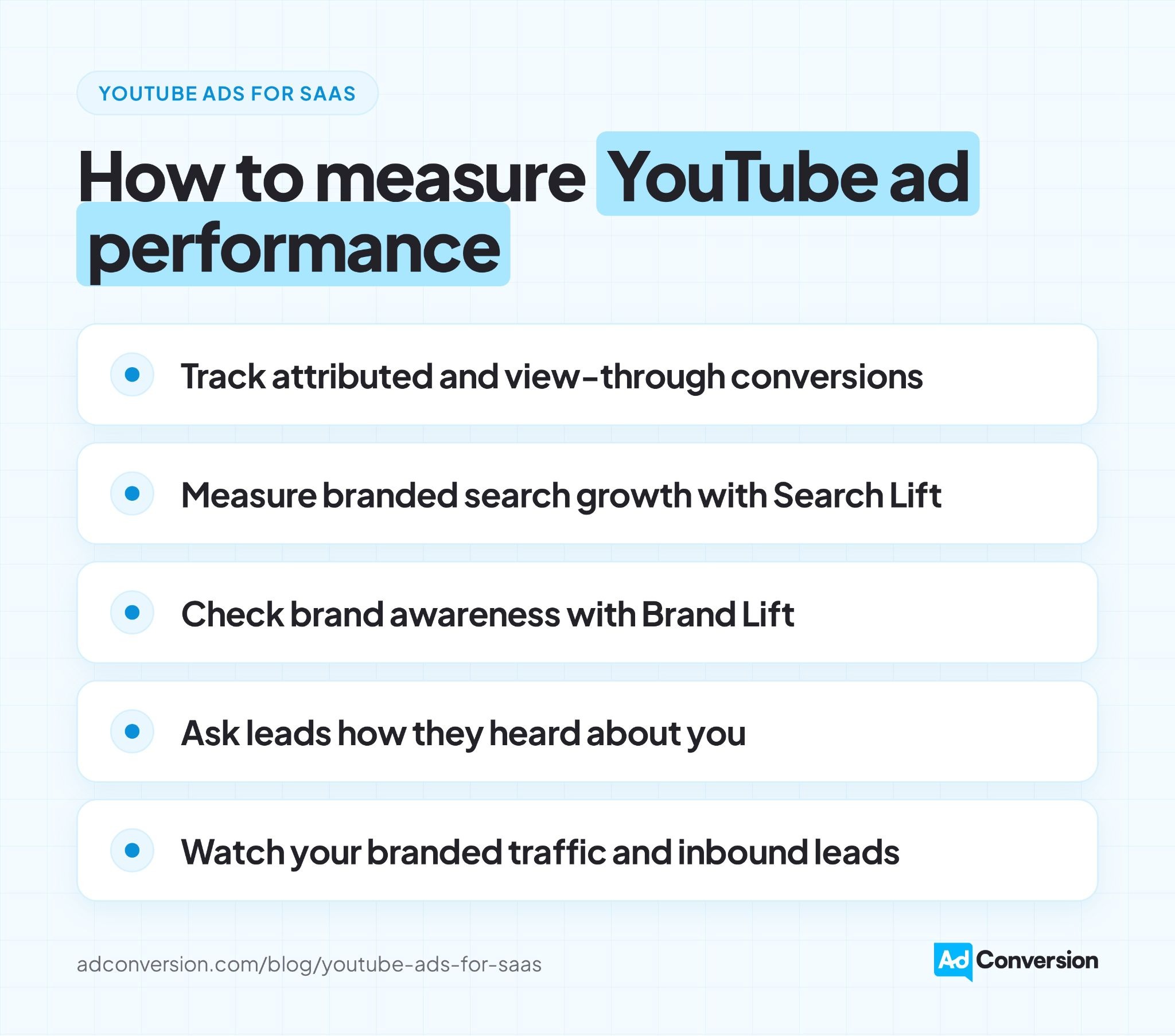
Track attributed and view-through conversions
Start with the demo bookings, trials, and other conversions Google Ads attributes to your campaigns.
Then check view-through conversions to see how many eligible conversions happened after someone saw your ad without interacting with it.
Look at these numbers separately to understand how people convert after interacting with or simply seeing your ads.
Measure branded search growth with Search Lift
Google's Search Lift studies help you see whether your ads are getting more people to search for your brand.
They compare people exposed to your ads with a control group. This gives you better evidence of YouTube's impact than simply watching your branded search numbers climb.
Check brand awareness with Brand Lift
Getting your software in front of buyers is one thing. Getting them to remember it is another.
Google's Brand Lift studies use surveys to measure changes in ad recall, brand awareness, and purchase intent.
Both lift studies have eligibility requirements, so check what's available in your Google Ads account.
Ask leads how they heard about you
Add a simple 'How did you hear about us?' question to your demo or trial forms. If more people start mentioning YouTube after your campaigns launch, that's another sign your ads are making an impression, even when Google Ads doesn't get the credit.
Watch your branded traffic and inbound leads
Keep an eye on branded searches, organic and direct website traffic, and demo requests. If those numbers start climbing after you launch your YouTube campaigns, your ads might be helping.
Just remember that other marketing activities can influence those numbers too.
And don't stop at demo bookings. Check your CRM to see how many of those leads become qualified opportunities and paying customers. That's where you start to see whether the attention you're getting is actually worth the money.
Views are nice, but pipeline pays the bills.
How Can a SaaS Company Scale YouTube Campaigns?
Once your campaigns start bringing in qualified leads and pipeline, look at what's working before increasing your spend:
- Scale your best-performing audiences. If one audience brings in qualified pipeline, give it a bit more room before chasing ten new ones. Then test similar custom segments before moving into broader audiences.
- Build on creative that's already working. Keep the core video if it’s performing well and test new hooks, edits, or formats around it instead of rebuilding it every time from scratch.
- Increase your budget gradually. See if your cost per qualified lead holds up as you spend more. If you're using Smart Bidding, give Google time to adjust after changing your targets. Performance can take a couple of conversion cycles to settle.
Use conversion data and CRM outcomes to decide where the next dollar goes; not view count alone.
Never crown a winner after just three good days. Performance moves around. Run tests long enough to separate a real improvement from a lucky week. Google’s video experiments are built exactly for that.
How Can a YouTube Ads Agency Help Your SaaS Company?
Running YouTube Ads yourself is manageable at first. But once you're juggling multiple campaigns, creative tests, budget changes, and reporting, things can get messy.
An agency can handle the heavy lifting. The tricky part is finding the right one.
What should you look for in a YouTube Ads agency?
Pick a YouTube Ads agency that understands what happens after the click.
That sounds obvious, but plenty of agencies are great at getting cheap views but not so great when you ask them which campaigns produced qualified pipeline.
For SaaS, you need a team that knows long sales cycles, buying committees, and how nasty attribution can get once a lead disappears into the CRM for a few weeks.
A good agency can explain what it's doing before you ever see a dashboard. Here's what matters:
- Audience research. They should know how to build prospecting audiences from search behavior. First-party data should shape the targeting, too.
- Creative development. Customer stories, sales calls, and product insights should give the agency plenty of ideas to work with. Generic SaaS ads won't cut it.
- Campaign optimization. Look for a testing process with a reason behind each stage. “We tweak things every week,” isn’t much of a methodology.
- Conversion tracking and reporting. You want a clear picture of which campaigns bring in qualified opportunities and customers, not just a monthly deck full of views and CTR.
- Account management. Find out who actually runs your campaigns and how often you'll talk to them. A great pitch from a senior strategist means little if they disappear once you sign.
- Pricing. Some agencies charge a flat fee, while others take a percentage of your ad spend. Make sure you understand what happens with their fee when your budget grows.
AdConversion's approach to YouTube advertising
AdConversion works exclusively with B2B SaaS companies and manages YouTube alongside their other paid advertising channels.
Here's how AdConversion helps SaaS teams get more out of their YouTube campaigns:
- Performance marketing. A senior performance marketer manages your campaign strategy, targeting, budget, and ongoing optimization. You'll work directly with the person running your campaigns, with regular updates on performance and pipeline.
- Video Ads Studio. Fresh video creative gives you more to test than the same ad everyone has already seen. AdConversion produces AI UGC ads and animated explainers, handling everything from concepts and scripts to editing, captions, and video variations.
- Conversion rate optimization (CRO). Getting people to your landing page is one thing. Getting them to book a demo is another. AdConversion's CRO team improves landing pages through copy, design, development, and A/B testing.
- Revenue operations (RevOps). Messy CRM data makes it hard to see which campaigns bring in actual customers. AdConversion helps fix CRM processes, integrations, and reporting so your team can follow leads further down the funnel.
- 24/7 ad optimization. Sami, AdConversion's in-house AI ad automation platform, checks your ad performance across YouTube and other paid channels every hour. It catches issues before they eat through your ad spend and uses automated rules to pause underperforming ads and adjust budgets and bids.
AdConversion also keeps pricing straightforward, with flat fees instead of a percentage of ad spend. Video production, CRO, and RevOps are separate services, so you can add them based on what your team needs.
Over to You!
YouTube ads for SaaS can put your brand in front of buyers long before they're ready to book a demo.
But views alone won't grow your pipeline. The real payoff comes from reaching the right people, giving them a reason to care, and tracking what happens after they watch.
If you need help building YouTube Ads campaigns that bring in more than views, have a quick chat with AdConversion.
Frequently Asked Questions (FAQs)
Are YouTube ads effective for B2B SaaS?
Yes, especially when your product needs a bit of explaining before someone is ready to book a demo. YouTube works well for reaching new buyers, showing the product in action, and bringing back previous visitors.
But don't judge success by demo bookings alone. More branded searches, better brand awareness, and qualified pipeline can all tell you whether your ads are doing their job.
Should SaaS companies use YouTube or Google Search ads?
Ideally, both. Google Search is better at catching people who are already looking for software like yours. YouTube reaches buyers earlier, when they’re still learning about the problem or comparing different ways to solve it.
How long should a SaaS YouTube ad be?
Long enough to get the point across, short enough to keep people watching. A bumper ad gives you six seconds, so you sell one idea. A skippable in-stream ad gives you more time to show the problem, bring in your product, and make your pitch.
The biggest mistake is obsessing over runtime while the opening drags. If the first few seconds don’t earn attention, the rest of the ad barely matters.
Can YouTube ads generate SaaS demo bookings?
Yes, if the ad reaches people with a real reason to care and sends them to a landing page built around the same offer. A clear CTA helps, but the rest of the funnel still has to do its job. Budget and audience quality matter. So does what you ask people to sign up for. Track booked demos properly, then follow those leads into the CRM to see which ones turn into qualified pipeline.
What budget should a SaaS startup allocate to YouTube ads?
There is no useful universal minimum. Think of the audience you want to reach and the result you care about. Then work out how much you're comfortable spending to get enough data to see what's working.
For a startup, the first budget should be big enough to test one sensible setup without spreading spend everywhere. Run the test, see what the numbers look like, and adjust from there.

ABM for SaaS: Strategies, Tools, and Best Practices
Table of Contents
What are the benefits of ABM for SaaS companies?
How does ABM differ from traditional SaaS marketing?
How do you build an ABM strategy for SaaS?
Which ABM model works best for SaaS companies?
What are the best ABM strategies for SaaS?
How can SaaS companies measure ABM success?
Which ABM tools are best for SaaS companies?
What challenges do SaaS companies face with ABM?
Frequently Asked Questions (FAQs)
What Is ABM for SaaS?
ABM for SaaS is a B2B marketing strategy where sales and marketing work together to turn a list of high-value accounts into customers.
You start with companies that match your ideal customer profile (ICP) and show signs of buying intent. From there, you map the decision-makers at each account and tailor your ads, content, and sales outreach to their roles.
You then track how target accounts engage with your campaigns, whether they turn into opportunities, and how much pipeline and revenue they generate.
This focus makes ABM a good marketing strategy for B2B SaaS companies with high contract values, long sales cycles, and several decision-makers per deal.
What Are the Benefits of ABM for SaaS Companies?
ABM for SaaS helps you spend less time chasing the wrong leads and more time reaching companies with real buying potential.
Here’s what that means for your business…
Tighter sales and marketing alignment
Both your sales and marketing teams work from one account list and one pipeline goal. Sales helps choose the accounts worth pursuing, while marketing gets your brand in front of the right people.
That way, your reps can reach out to prospects who already recognize your brand.
Higher-quality pipeline
Instead of chasing lead volume, you focus on accounts that fit your ICP and show buying intent. Your sales team spends more time with prospects who have a real reason to buy.
For instance, Checkr exceeded its enterprise pipeline goal by more than 2x in one quarter, with AdConversion’s incentivized LinkedIn conversation ads contributing to the results.
Personalized buyer experiences
B2B buying groups often include 10 or more stakeholders, so a single generic message misses most of them.
With ABM, you can show the CFO how your software affects costs, help IT understand the integrations, and show end users how it makes their jobs easier.
More efficient ad spend
Your budget goes to target accounts instead of broad audiences. You can also check whether your ads are actually reaching the priority accounts that matter most.
For one sales compensation management platform, AdConversion paired LinkedIn ads aimed at its target account list with YouTube ads costing under $2 per click.
The program increased pipe-to-spend from 3.8x to 9.7x in one quarter, and five target accounts moved to open opportunity ($1M+ in pipeline) with only a 9% increase in spend.
Clearer revenue attribution
You can see which target accounts engage with your campaigns, book meetings, and move into pipeline.
You get a clearer picture of how marketing supports pipeline, rather than just reporting lead counts.
How Does ABM Differ from Traditional SaaS Marketing?
The main difference between ABM and traditional SaaS marketing is where you start. Traditional SaaS marketing reaches a broader audience and qualifies leads as they come in. ABM starts with the best-fit accounts, then builds campaigns around the people who make the buying decision at each one.
Check out how the two approaches compare:
Traditional SaaS marketing often fits lower-priced products, shorter sales cycles, and self-serve signups. ABM makes sense when deals are larger, sales cycles run for months, and several people need to sign off.
You don't have to choose between the two. Inbound and paid search can capture buyers already looking for a solution, while ABM helps you reach priority accounts.
The two strategies also work together. If someone from a target account visits your pricing page, that activity can give your sales team a reason to take a closer look.
How Do You Build an ABM Strategy for SaaS?
To build an ABM strategy for SaaS, you need to know which companies are worth pursuing, who makes the buying decisions, and how you'll measure success.
Here's how to put it all together in five steps:
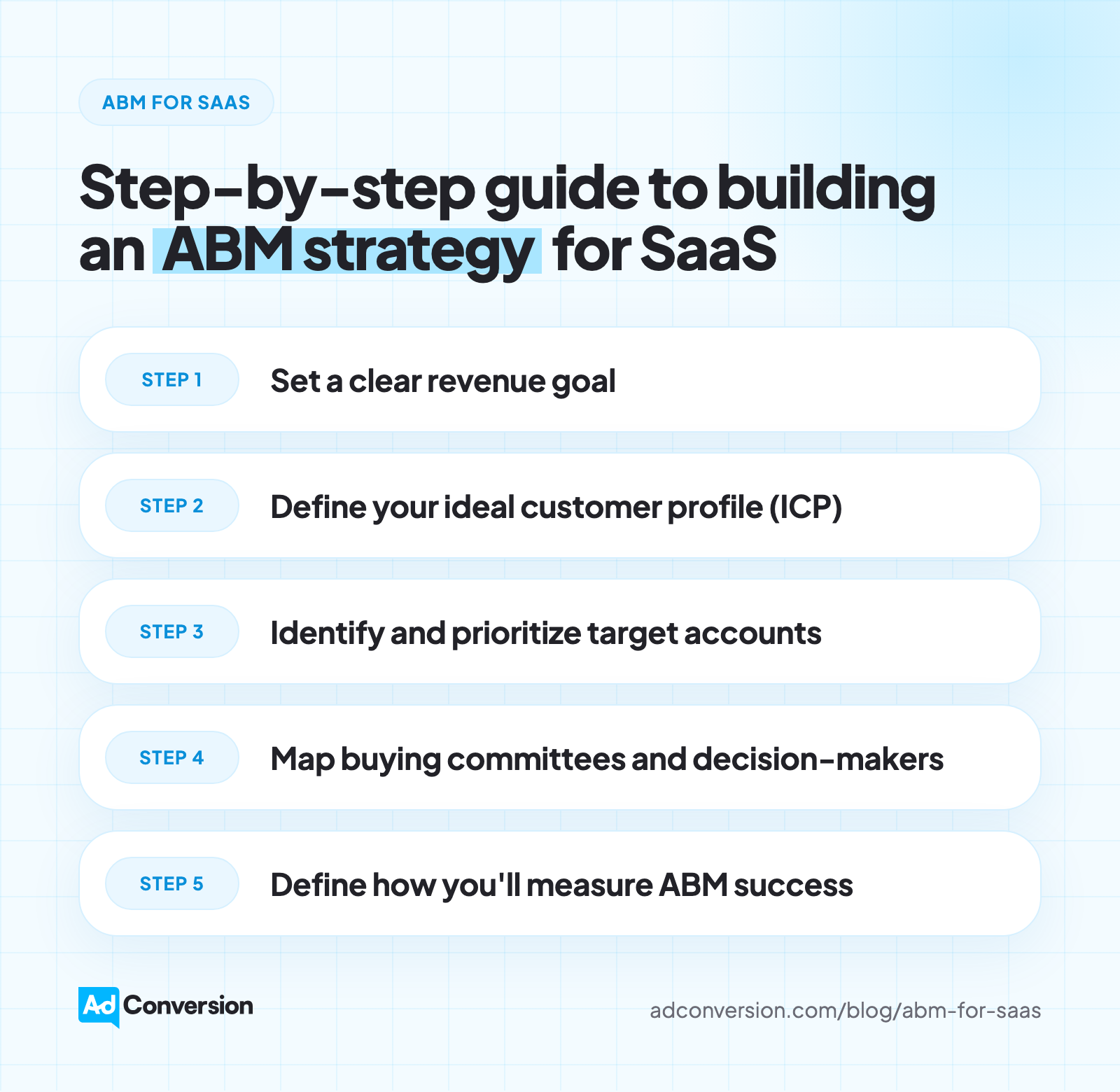
Step 1: Set a clear revenue goal
Your revenue goal helps you calculate how many customers, opportunities, and target accounts you need.
This is how the math works:
- Set your new revenue target. Agree with leadership on how much new annual recurring revenue (ARR) ABM should deliver this year, for example, $2M.
- Divide by your average annual contract value. At $50K in ARR per customer, you need 40 new customers.
- Divide by your win rate. At a 25% win rate, you need 160 opportunities.
- Divide by your account-to-opportunity rate. If 20% of target accounts become opportunities, you’ll need around 800 accounts.
- Use your own historical data. Pull conversion rates from your customer relationship management (CRM) system to make these estimates more realistic.
You don't need to target all 800 accounts at once. Start with a smaller group of priority accounts and expand as you learn what works.
Get sales and finance on board with these targets early. They'll guide everything from account selection to campaign budgets.
For instance, one AdConversion client, a sales compensation management platform, was generating plenty of leads but little revenue. The team set a new pipeline goal and rebuilt its paid campaigns around it.
That meant focusing Google Search campaigns on buyer intent, targeting priority accounts on LinkedIn, and optimizing for sales-qualified leads (SQLs) and opportunities.
The quarter closed with more than $800K in open pipeline generated, up 180% quarter over quarter.
Step 2: Define your ideal customer profile
Start by looking at the businesses that get the most value from your software and generate the most revenue. Then find what they have in common by following these steps:
- Look at firmographic details like the industries they operate in, such as healthcare, manufacturing, or retail.
- Check their company size, whether that's employee count or annual revenue.
- See which tools they already use, like Salesforce or Snowflake.
- Make sure they have the budget to invest in your software.
- Find out what problems they're trying to solve and why your software is a priority.
- Look at customer lifetime value (CLV) to see which types of customers bring in the most revenue over time.
Your CRM is the best place to start. Review your highest-value, longest-retained customers and look for patterns.
For example, if you sell payroll software, you might find that your best customers are manufacturing companies with 200–1,000 employees that still rely on outdated payroll systems.
Those shared characteristics help you identify other businesses that could be a good fit for your product.
Step 3: Identify and prioritize target accounts
With your ICP defined, build a list of key accounts and rank them by buying potential. That way, your budget goes to the companies most likely to convert.
Work with sales to identify which companies have a real reason to buy in the next three to six months.
Look at a few things to decide which accounts deserve your attention first:
- How closely they match your ICP, including their industry, size, and business needs.
- Whether similar companies have converted into customers in the past.
- Intent signals that suggest they're actively looking for a solution, such as researching products on review sites.
- How they've engaged with your business, from visiting your pricing page to attending a webinar.
- How much revenue they could bring in, including potential contract value and future upsell opportunities.
Ask your sales team about other buying signals, too. A former customer champion joining a new company, a new decision-maker, or an upcoming contract renewal could make an account worth prioritizing.
Then split the list into tiers:
- Tier 1 (strategic accounts): A small group of high-value companies with the highest buying potential. They get one-to-one campaigns and dedicated sales attention.
- Tiers 2 and 3 (broader segments): Larger groups of good-fit accounts organized by industry, business need, or buying potential. They get one-to-few or one-to-many campaigns.
Before launching ads, check whether your target accounts are reachable on your chosen platforms. A long account list won't do much good if your budget is too thin to reach the companies that matter most.
Step 4: Map buying committees and decision-makers
Before launching campaigns, find out who's involved in buying decisions at each target account and what matters to them.
Common roles to look for include:
- An economic buyer who controls the budget and cares about cost and return on investment (ROI), such as a CFO or department head.
- A technical evaluator who checks security, integrations, and setup requirements; usually someone from IT.
- End users who want software that's easy to use and makes their jobs easier.
- An internal champion who pushes for your product and helps get other stakeholders on board.
Work with sales to identify these people at your priority accounts. Use your CRM, existing contacts, and LinkedIn to find the right names and job titles.
Then note each person's role in the purchase, what they care about, and how much influence they have. That way, you know who to reach and why they matter.
You can also use B2B buyer personas to organize what different stakeholders care about.
For instance, AdConversion helped Prelude Security, a cybersecurity validation platform, improve its LinkedIn targeting by shifting away from junior titles toward decision-makers and typical users. The campaign saw better conversion rates and trial engagement.
Step 5: Define how you'll measure ABM success
Before launching your ABM campaigns, agree with sales on what success looks like. Your revenue goal is the end target, but you also need metrics that show whether you're making progress.
Focus on:
- Target-account exposure: Check which priority accounts receive ad impressions and how much exposure each gets.
- Target-account engagement: See how many accounts interact with your ads, website, or content.
- Opportunities created: Count how many target accounts turn into sales opportunities.
- Qualified pipeline: Measure the total value of qualified opportunities from target accounts.
- Win rate: Track how many opportunities from target accounts become customers.
- Revenue: Measure the ARR generated from closed-won target accounts.
Use your CRM data from the last two or three quarters to set realistic benchmarks. For example, if 5% of your Tier 1 accounts became opportunities last quarter, an 8% target may be more realistic than jumping straight to 30%.
Review these metrics with sales regularly so you can spot problems early and adjust your campaigns.
For a more hands-on walkthrough, check out AdConversion's free ABM essentials course.
Which ABM Model Works Best for SaaS Companies?
The right ABM model depends on your deal size, how complicated your sales process is, and how many accounts your team can handle.
Here's how the three main models compare:
To choose the right approach, look at four things:
- Your average contract value. Bigger deals give you more room to invest in personalized campaigns.
- How complicated your sales process is. The more people involved in a purchase, the more coordination and personalization you may need.
- How many accounts you're targeting. A list of 500 accounts needs a different approach than a list of 20.
- The resources you have available. Be realistic about how much time, budget, and sales support you can dedicate to each account.
You can also mix models. Give your biggest opportunities one-to-one attention, group similar accounts into one-to-few campaigns, and use one-to-many campaigns to reach a broader audience.
What Are the Best ABM Strategies for SaaS?
The best ABM strategies for SaaS combine personalized content, targeted ads, and coordinated sales outreach to move high-value accounts toward a purchase.
Different tactics help at different stages of the buyer journey…
Personalize content for target accounts
Generic content rarely speaks to everyone on your target account list. Make yours more relevant by focusing on what each group actually cares about:
- Speak to each industry's needs. A healthcare company might respond to a landing page about regulatory compliance, backed by a relevant customer case study.
- Consider company size. A large enterprise may prioritize security and scalability, while a smaller business may care more about ease of setup.
- Focus on the problem they're trying to solve. If an account is expanding its sales team, show how your software helps onboard new reps.
- Give each stakeholder what they need. A CFO might want an ROI calculator, while an IT lead may need integration documentation.
Use sales conversations, customer research, and account activity to create personalized messaging and choose the content that matters most to each audience.
You don't need to create new content for every account. Adapt your existing landing pages, case studies, and other assets with more relevant examples, messaging, and proof points.
Run account-targeted paid advertising
Paid ads help you get your brand in front of the right people at your target accounts, even before they're ready to talk to sales.
LinkedIn lets you reach specific companies and job roles, while Google Search captures buyers actively looking for a solution. YouTube and Meta help you build awareness and stay on prospects’ radar.
Here's how to get more out of your ad campaigns:
- Check your account coverage. Use LinkedIn's Companies Hub to check which priority accounts your ads are reaching and how they're engaging. If a handful of companies get most of the impressions, adjust your targeting or budget.
- Make your ads relevant. Tailor your ad creative and proof points to each account tier, industry, or buying role.
- Bring interested buyers back. Retarget eligible website visitors and people who've engaged with your ads. Show them case studies, product content, or demo offers that match their interests.
For example, Checkr used LinkedIn awareness ads to build a retargeting audience, then showed engaged prospects an incentivized demo offer. Enterprise buyers also saw ads featuring logos of similar customers.
AdConversion’s ABM agency helps you put these tactics into practice. Its B2B paid media team builds and manages campaigns across LinkedIn, Google, YouTube, and Meta.
The team also handles audience targeting, ad creative, landing pages, retargeting, and ongoing optimization, so you can spend more time closing deals.
Align sales outreach with marketing campaigns
Your ads and sales outreach need to tell the same story. If someone sees your ad and then gets an email from sales, the message should feel connected.
Before launching, make sure both teams agree on four things:
- Target accounts. Work with sales to build a priority account list that everyone agrees on.
- Messaging. Share the pain points and customer proof from your ads so reps can make their outreach more relevant.
- Engagement triggers. Decide which buying signals deserve a sales follow-up, like visits to high-intent pages or activity from multiple stakeholders.
- Follow-up timing. Agree on how quickly reps should respond, especially when someone requests a demo.
Not every ad click deserves a sales email. Look for better signals, like several people from the same account checking out your pricing page or someone requesting a demo. Give reps that context so they can follow up with something relevant.
Catch up with sales each week to see which accounts are engaging, which ones are moving toward a conversation, and where things are getting stuck. Use what you learn to fine-tune your ads and outreach.
Use intent data to identify buying signals
Intent data helps you spot which target accounts may be looking for a solution like yours, so you can prioritize companies showing buying interest.
Look for these four types of buying signals:
- Campaign engagement. Ad clicks, email replies, and webinar attendance from people at your target accounts.
- Third-party intent data. Spikes in research on topics related to your product across other websites and review platforms, collected by intent data providers.
- Website behavior. Visits to high-intent pages such as pricing, integrations, or comparison pages.
- CRM activity. Past opportunities, open deals, recent conversations, or a former champion who joined a new company.
Keep in mind that interest doesn't always mean someone is ready to buy. Third-party intent data can be especially tricky because researching a topic doesn't necessarily mean a company is actively shopping for software.
Use these signals to narrow your account list, then check with sales to see which companies have a real reason to buy.
How Can SaaS Companies Measure ABM Success?
To measure ABM success, look beyond clicks and impressions. Check whether you're reaching the right accounts, getting their attention, and turning that interest into pipeline and revenue.
Track account engagement and pipeline
Start by looking at the full picture. Bring together your ad data, website activity, content engagement, and sales interactions to see how target accounts respond to your campaigns.
Then check your CRM to see whether that interest is turning into sales conversations and opportunities.
For example, if 40% of your Tier 1 accounts are engaging but only two percent have become opportunities, something isn't clicking. Your ads might be getting attention, but your messaging, offers, or sales outreach could need work.
Check in with sales each week to spot where things are getting stuck. If priority accounts barely see your ads, look at your targeting and budget. If they're engaging but aren't moving forward, find out what's holding them back.
If your CRM data is messy or your reports don't show how accounts move through the pipeline, AdConversion’s RevOps team can help. The team can sort out your lifecycle stages, lead routing, and reporting in HubSpot or Salesforce.
Measure ABM ROI
ABM ROI tells you whether the profit from your target accounts is worth what you're spending to reach them.
Use this simple formula:
ABM ROI = ((Gross profit − Program costs) / Program costs) × 100
Say your target accounts bring in $600K in first-year revenue at an 80% gross margin. That's $480K in gross profit. Your ABM program costs $150K, including ads, tools, content, and the relevant share of team salaries.
The math looks like this:
ABM ROI = [($480,000 − $150,000) / $150,000] × 100 = 220%
That's a 220% gross-profit-based return for the target accounts included in the calculation, assuming the revenue and costs cover the same period. But it doesn't mean ABM alone brought in all that revenue.
Three things can make the calculation tricky:
- Long sales cycles mean you might wait months for deals to close. Keep an eye on pipeline in the meantime, and give your ROI measurement enough time to reflect your sales cycle.
- Your sales and marketing teams do more than ABM. Count only the share of their costs that goes toward the program.
- Buyers rarely convert after seeing one ad. They might interact with your content, attend an event, and speak with sales before signing. Look at revenue across your target accounts instead of giving one channel all the credit.
And don't confuse ROI with return on ad spend (ROAS). ROAS compares revenue with ad spend alone, while ROI accounts for the broader program costs. Pipeline value is different, too, because those deals haven't closed yet.
Which ABM Tools Are Best for SaaS Companies?
The best ABM tools for SaaS help you find the right accounts, reach decision-makers, coordinate sales outreach, and track results.
You don't need a separate platform for every task. Start with the tools you already use, then fill the gaps as your ABM program grows.
Here's how the main tool categories fit into your ABM strategy:
Managing paid campaigns across hundreds of target accounts takes time. Constantly checking budgets, ad performance, and campaign delivery can quickly eat into your day.
Sami, AdConversion’s AI ad automation platform, takes some of that work off your plate. It keeps an eye on your campaigns across LinkedIn, Google, Meta, and YouTube 24/7, while its prebuilt automations help you:
- Stay on top of your budget. Get alerts when spending approaches your limits and automatically pause campaigns when you hit them.
- Catch problems early. Receive Slack or email alerts when ads start to fatigue or campaigns stop delivering.
- Cut wasted ad spend. Automatically pause ads and keywords that spend money without bringing in conversions.
You can let Sami handle these tasks automatically or approve changes before they go live.
What Challenges Do SaaS Companies Face with ABM?
The biggest ABM challenges for SaaS companies include choosing the wrong accounts, dealing with unreliable data, keeping sales and marketing aligned, and proving ROI.
Here's what can go wrong and how to fix it:
Over to you!
Getting ABM for SaaS right starts with choosing accounts that have real buying potential and building campaigns around their needs.
Start small, focus on your highest-value accounts, and see what actually moves them closer to a deal. Once you know what's working, you can scale your efforts without wasting budget.
And if you need help launching or improving your ABM campaigns, have a quick chat with AdConversion.
Frequently Asked Questions (FAQs)
What is an example of ABM in SaaS?
An example of ABM in SaaS is AdConversion's LinkedIn Ads campaign for Checkr. AdConversion targeted enterprise accounts with relevant ads, then retargeted engaged prospects with an incentivized demo offer. The campaign helped Checkr exceed its enterprise pipeline goal by more than 2x.
Is ABM suitable for small SaaS companies?
Yes, especially if you sell higher-value software with longer sales cycles. Start with a manageable list of high-fit accounts and use your existing CRM and sales tools. Focus on personalized outreach and expand your paid campaigns once you have enough accounts to reach your audience effectively.
How long does SaaS ABM take to show results?
ABM results depend on your sales cycle, deal size, and how ready your target accounts are to buy. You might see campaign engagement before opportunities start coming in. Closed revenue usually takes longer, especially for enterprise SaaS companies with complex buying processes and lengthy sales cycles.

SaaS YouTube Ads Case Study: Rippling's 80% Search Lift
Table of Contents
Main Objective: Generate Demand Beyond Expensive Paid Search
Step 1: Choose YouTube as a New Demand-Generation Channel
Step 2: Repurpose Existing Video Creatives for YouTube Ads
Step 3: Reach Relevant Buyers with Intent-Based YouTube Ads Targeting
Step 4: Extend Campaign Reach Through YouTube Distribution
Step 5: Measure YouTube’s Impact Beyond Clicks and Direct Conversions
Key Results from Rippling’s YouTube Advertising Strategy
Main Objective: Generate Demand Beyond Expensive Paid Search
Rippling is a B2B SaaS platform that helps companies manage HR, payroll, IT, and workforce operations.
Like many SaaS companies, Rippling was spending heavily on Google Search Ads to reach buyers actively looking for a solution. But competition was driving up costs, with some high-intent keywords reaching $60–$80 per click.
When every click costs that much, scaling your ad campaigns gets expensive fast.
The company was also testing paid social campaigns with incentives like $100 Amazon gift cards and free AirPods. These offers encouraged prospects to book meetings, but they were expensive and often attracted low-quality leads.
Plus, Rippling wanted to reach buyers earlier too.
That meant finding a way to do two things:
- Capture existing demand: Keep reaching buyers actively searching for HR, payroll, and workforce management solutions.
- Generate new demand: Get in front of relevant audiences before they're actively searching for a solution. Build brand awareness so Rippling stays on the buyer’s radar until they’re ready to purchase.
Instead of replacing Google Search or paid social, AdConversion recommended adding YouTube advertising to the mix.
Step 1: Choose YouTube as a New Demand-Generation Channel
AdConversion recommended YouTube Ads for two main reasons:
- More affordable exposure. YouTube video views can cost around $0.05–$0.20 each. This meant Rippling could reach more potential buyers without spending a fortune on every interaction.
- A chance to make the brand stick. Search ads are great for getting clicks from people who already know what they need. YouTube lets you tell a story through video and give people a reason to remember your brand.
Of course, a video view isn't the same as a search ad click. Cheaper views don't automatically mean a better return on investment (ROI).
But the goal here wasn't to get every viewer to click through and book a demo. Rippling wanted people to recognize its brand and remember it when they eventually started looking for HR or payroll software.
Step 2: Repurpose Existing Video Creatives for YouTube Ads
Video production is one of the biggest challenges of YouTube Ads. Good creatives take time and money, and not every B2B SaaS company has the resources to produce them.
Luckily, Rippling already had two 30-second Super Bowl TV commercials starring comedian Tim Robinson.
Put existing video creatives to work
AdConversion took those TV commercials and gave them a second life on YouTube.
No new shoots or extra production budget. Just creatives Rippling had already paid for, now working on a different channel.
That's a much easier way to get started with YouTube Ads than building a video production process from scratch.
And you don't need Super Bowl commercials to do the same.
You can turn a product demo, customer testimonial, or webinar clip into a YouTube ad. Or create a simple founder-led or user-generated content (UGC) video ad without hiring actors or booking a studio.
A great script beats fancy production. Hook viewers early, show them a problem they recognize, and explain how your product solves it. Then back it up with social proof and a clear call to action (CTA).
Use humor to connect with the right audience
Rippling's commercials had another thing going for them: humor that hit close to home for its target audience.
Tim Robinson plays an evil mastermind plotting revenge. But his big plans keep getting derailed by painfully ordinary business problems.
It's absurd, but that's the point. Anyone who's dealt with messy HR, IT, or finance processes can relate to the frustration.
That's what makes the creative a good fit for YouTube. The humor gives people a reason to extend their watch time, while the underlying problems connect directly to what Rippling solves.
The lesson is simple: you don't have to be serious just because you're selling B2B software. Find a creative way to make your buyers laugh about the headaches they deal with every day.
Step 3: Reach Relevant Buyers with Intent-Based YouTube Ads Targeting
Rippling didn't want its ad creatives in front of everyone on YouTube. It wanted to reach people who might actually need its software.
So AdConversion used Google search behavior to reach potential buyers who'd already shown interest in software like Rippling's.
Identify search terms that signal buyer intent
For Rippling, AdConversion started with two types of keywords:
- Non-branded keywords: Terms people use when researching HR and payroll software solutions.
- Competitor keywords: Searches for other software providers that Rippling's potential customers might be considering.
The trick is to get specific. A broad keyword like ‘HR’ could mean almost anything. But searches such as ‘best payroll software for small businesses’ or ‘BambooHR alternatives’ tell you a lot more about what someone is looking for.
If you’re already running Google Search Ads, check which keywords are bringing in qualified leads. You've already got some evidence of buyer intent, so use those terms as a starting point for your YouTube Ads audiences.
Build relevant audiences with Google custom segments
YouTube Ads run through Google Ads. So AdConversion used the high-intent keywords it identified to build Google custom segments for Rippling's YouTube campaigns.
This meant that someone who Googled ‘payroll software’ in the morning could see a Rippling video ad on a YouTube channel that evening.
The best part was that people didn’t have to watch HR or payroll videos to see the ad. They could be watching a cooking tutorial or a gaming video.
Still, targeting people based on their searches doesn't guarantee they're qualified buyers. Test your non-branded and competitor keyword groups separately to see which audiences perform best.
For more ways to reach relevant B2B buyers, check out AdConversion’s YouTube Ads targeting strategies.
Step 4: Extend Campaign Reach Through YouTube Distribution
Rippling's Super Bowl commercials had already made it onto TV, but AdConversion wouldn't let their reach stop there.
Take commercials beyond their original TV markets
Here's the catch with Rippling's Super Bowl TV commercials: they only aired in select local markets because buying a national TV spot was expensive.
Instead of buying more TV airtime, AdConversion ran the ads on YouTube. This opened them up to audiences across the US at a fraction of the cost.
And unlike TV, YouTube lets you adjust geographic targeting, audience segments, and ad placements as your video campaign evolves.
Make repeated exposure work in your favor
Even a great commercial won't stick with everyone after just one viewing.
When you're selling B2B software, the person watching might be months away from needing your product.
So keeping Rippling's ads running beyond the Super Bowl gave the brand more chances to stay on buyers' radars.
Of course, there's a difference between building familiarity and showing someone the same ad until they get sick of it.
That's why you need to pay close attention to ad frequency. YouTube lets you control how often people see your ads, but the options depend on your campaign type.
A good starting point is to monitor reach and average frequency together. If frequency keeps climbing while unique reach barely moves, you might be showing the same ads to the same people too often.
Step 5: Measure YouTube’s Impact Beyond Clicks and Direct Conversions
Millions of YouTube views look good on paper, but they don’t tell you if your ads are sparking buyer interest.
So AdConversion started looking at what happened after people watched Rippling’s commercials, even if they never clicked.
Understand why traditional attribution falls short
Most people don’t use YouTube to shop for B2B software. They're there to watch video tutorials, podcasts, or something completely unrelated to work.
So even if your ad grabs their attention, they're unlikely to drop everything and book a demo.
But if your brand sticks, they might search for your company on Google a few days later.
That's where attribution gets tricky. Even if YouTube sparked that search, your attribution report could give all the credit to organic search.
That's why judging YouTube solely on clicks and direct conversions can be misleading.
Use Google’s Search Lift Study to measure brand interest
To see whether Rippling's commercials drove interest in the brand, AdConversion turned to Google's Search Lift Study.
The idea is pretty simple. Google compares the search behavior of two groups:
- Exposed group: People who saw Rippling's YouTube ads.
- Control group: A randomized group of people who didn't see the ads.
If the exposed group is more likely to search for Rippling, that's a pretty good sign the ads are sparking brand interest.
That's a big deal when you're running multiple marketing campaigns at once, as Rippling was. After all, a spike in branded searches could come from any of them.
Without a control group, it'd be pretty hard to tell if YouTube marketing deserved any of the credit.
Cross-check results with other measurement methods
Getting more people to search for your brand is a win. But eventually, you want to know if that interest is turning into actual business.
Luckily, Rippling had another data source: marketing mix modeling (MMM).
MMM looks at historical marketing spend and business results to estimate each channel's return on ad spend. It also accounts for seasonality and other factors that can affect performance.
MMM gave AdConversion another indication that YouTube ad performance was contributing to Rippling's pipeline.
The catch is that MMM takes a lot of data and some serious statistical expertise, and not every B2B SaaS company can pull that off.
But you don't need a fancy model to start looking beyond clicks. Here are two simpler ways to check if your YouTube campaigns are working:
- Keep an eye on inbound demos and trials. Compare your average number of direct and organic demo requests or trial signups before and after launching YouTube Ads. If the numbers go up, that's worth digging into.
- Ask leads how they heard about you. Add a field to your demo or signup form. You might find people mentioning YouTube or even remembering a specific ad.
You won't catch every YouTube-influenced lead in your attribution reports. But when people start mentioning your ads by name, you know they're making an impression.
Key Results from Rippling’s YouTube Advertising Strategy
After 90 days, Rippling's YouTube campaign had some impressive numbers to show for it:
- 18,605,571 impressions: Rippling's ads were shown millions of times, extending their reach beyond the original Super Bowl TV markets.
- 4,629,108 video views: The company got millions of additional views from video creatives it had already paid to produce.
- 80% branded search lift: People exposed to Rippling's YouTube ads were 80% more likely to search for the brand than those in the control group.
The last number is the real win.
Rippling wasn't just paying for eyeballs. Its video ads were getting potential buyers curious enough to search for the company.
Wrapping Up
Rippling's YouTube Ads case study proves that there's more to B2B advertising than chasing expensive clicks.
YouTube gave Rippling a way to make the most out of its existing creatives, generate demand, and contribute to its pipeline.
And you don't need a Super Bowl-level budget to try a similar approach.
If you're curious what YouTube could do for your B2B SaaS company, have a quick chat with AdConversion to explore your options.
How to Optimize Meta Ads for B2B SaaS in 7 Steps
Optimizing Meta Ads can help your B2B SaaS business lower acquisition costs, bring in more qualified leads, and squeeze more out of your ad budget.
The hard part comes when performance starts slipping, but there’s no obvious reason why. You could spend hours tweaking campaigns and still miss what’s actually getting in the way.
Learn how to optimize Meta Ads by finding the problem first, making changes with a purpose, and knowing when a campaign is ready for more budget.
Table of Contents
How Does Meta’s Algorithm Affect Ad Optimization?
Step 1: Fix Your Meta Ads Conversion Data
Step 2: Find What’s Hurting Meta Ads Performance
Step 3: Clean Up Your Meta Ads Campaign Structure
Step 4: Adjust Your Meta Ads Bids and Budgets
Step 5: Refine Your Meta Ads Audience Targeting
Step 6: Test Your Meta Ad Creative
Step 7: Fix Your Meta Ads Post-Click Performance
Frequently Asked Questions (FAQs)
How Does Meta’s Algorithm Affect Ad Optimization?
Meta’s algorithm now makes more ad delivery decisions for you, so optimization requires fewer manual tweaks. Your job is to give the platform better creatives, useful signals, and enough stability to learn.
Ad creatives affect who sees your ads
Meta uses more than your audience settings to figure out who might be interested in an ad. The creative itself can point the ad platform in the right direction.
Two of Meta’s AI systems play a big part here:
- Andromeda narrows tens of millions of eligible ads down to a smaller group of relevant candidates. From there, Meta uses ranking models to determine which ads to show to each user.
- GEM (Generative Ads Recommendation Model) learns from signals such as ad creative, advertiser goals, measurement data, and how people interact with ads. It then passes those learnings to other recommendation models, helping them make better predictions.
You don’t need to keep track of every model working behind the scenes. What matters is that Meta has much more to learn from than the audience you select in Ads Manager.
Give it genuinely different creative concepts to work with, not five versions of the same ad with a new headline or background.
Better inputs help Meta
The more Meta automates ad delivery, the more it relies on the signals you give it to understand what you want.
These signals come from different parts of your ad campaigns. They include your campaign objective, conversion data, and the actions people take after seeing your ads.
Meta uses that information to predict which people are more likely to deliver the result you’re optimizing for. So, better inputs give the algorithm a clearer picture of what a valuable outcome looks like for your B2B SaaS business.
Too many edits hurt
Giving Meta enough stability to learn is just as important as giving it the right inputs.
Every time you make a significant change, Meta’s algorithm needs to adjust how it delivers your ads. Some changes can also send the ad set back into the learning phase, which delays results.
That’s why constantly tweaking campaigns can do more harm than good. A short-term change in cost per acquisition (CPA), click-through rate (CTR), or conversion rate doesn’t always mean you need to step in.
If you want to brush up on the fundamentals before getting into optimization, check out AdConversion’s full guide to Meta Ads for SaaS.
Step 1: Fix Your Meta Ads Conversion Data
Your optimization is only as good as the conversion data behind it. Make sure Meta Ads sees conversions accurately, optimizes for the right action, and learns which leads actually matter to your B2B SaaS business.
Fix bad event data
Start with the basics and check if Meta Ads is recording your conversions correctly.
Review your Meta Pixel and Conversions API (CAPI) data in Events Manager. Look for missing or duplicate events, unusual jumps or drops in volume, and conversions that fire when they shouldn't.
Pay special attention to deduplication if you send the same event through both the Pixel and CAPI. Meta needs to recognize those as the same conversion rather than count them twice.
For example, one demo request shouldn't show up as two leads just because Meta received it from both your browser and server.
Pick better conversion events
Don’t let a high lead count fool you. For B2B SaaS, more conversions don’t mean much if the people behind them aren’t a good fit.
If you optimize for every demo form submission, Meta can get very good at finding users who’ll fill out that form. But that can include students, job seekers, and tiny companies that will never make it past qualification.
Once you have enough data, move the optimization event further down the funnel. A sales-qualified lead (SQL) or booked meeting gives Meta Ads a much better idea of the people you actually want to attract.
Send better data back
Meta can’t learn from what happens to a lead in your customer relationship management (CRM) system unless you send that information back.
Use the Conversions API for CRM to share outcomes that happen later in the sales cycle, such as qualified leads, opportunities, and customers.
Say your cybersecurity company gets 50 demo requests from B2B Meta ads. A few weeks later, sales turns eight of them into opportunities and closes two deals. Sending those updates back shows Meta which of the original leads produced real opportunities and customers.
Over time, Meta Ads can connect the conversions it generates today with the sales outcomes that show up in your CRM weeks or months later.
Step 2: Find What’s Hurting Meta Ads Performance
When Meta Ads performance slips, don’t start changing everything at once. Follow the numbers from delivery to pipeline to find the source of the problem.
Check delivery first
Make sure Meta is actually delivering your ads as expected.
Open Ads Manager and look at ad spend, impressions, cost per mille (CPM), and cost per result. Compare them with what you normally see, not some universal benchmark.
If you usually spend $500 a day at a $30 CPM, but CPM suddenly jumps to $45, reaching 1,000 people now costs 50% more. This can increase your cost per result even if your ads are performing just as well once people see them.
Before you blame the whole campaign, dig a little deeper. Break down the numbers by ad set and placement. You might find that one ad set has become much more expensive while the rest are doing just fine.
Compare CTR and conversion rate (CVR)
See what people do after Meta shows them your ads.
If CTR drops while delivery stays steady, fewer people are interested enough to click. This could mean your creative is losing momentum or Meta is reaching poor-fit audiences.
On the other hand, an ad might keep getting a 1.5% CTR while CVR falls from 8% to 4%. People are still clicking at the same rate, but only half as many convert once they reach your landing page. This tells you the drop is happening after the click.
If you don’t look at these metrics together, you could waste time changing an ad that’s still doing its job well.
Check your lead quality
Don’t let a good CPA convince you that everything is working.
An HR platform might cut its CPA from $200 to $130, only to discover that most of the new leads work at 20-person companies when its product is built for organizations with 500+ employees.
Go into your CRM and check the qualification data behind those Meta Ads conversions. Focus on criteria such as company size, job title, industry, or any other sign that the lead matches your ideal customer profile (ICP).
Then compare how many leads from each campaign actually qualify. A $200 CPA can still be the better deal if those leads are much more likely to become customers.
Follow leads to pipeline
Qualification gets you closer to the truth, but pipeline tells you whether those leads actually produce results.
Track Meta leads through your CRM and compare campaigns by sales opportunities, pipeline, and closed revenue. The longer your sales cycle, the easier it is for Meta’s top-line metrics to hide what those leads eventually become.
Two ad campaigns could each produce 10 qualified leads. But if the first generates one opportunity in the pipeline worth $200,000 and the second generates four worth the same, they’re clearly not delivering the same value.
AdConversion can audit your existing Meta Ads setup and campaigns to uncover wasted spend and missed opportunities that aren’t always obvious from the numbers you see in Meta.
Automate routine checks
Instead of spending your day refreshing Ads Manager to track performance, you can use a Meta Ads automation tool.
Sami, AdConversion’s AI sidekick, watches over your campaigns 24/7 and takes repetitive work off your plate.
Just connect your Meta Ads account, choose the no-code automations you want to run, and tell Sami which key performance indicators (KPIs) to keep an eye on.
From there, Sami handles routine checks for you:
- If your account goes 24 hours without an impression, it gives you a heads-up in Slack so you can investigate what’s happening.
- It checks your campaigns every hour and automatically pauses ads that blow past the CPA or another KPI limit you’ve set.
- It also catches ads that keep spending without bringing in any conversions and pauses them before they waste even more budget.
But you don’t have to let Sami make every call for you. It can take action automatically or send its recommendations to Slack first, so you can approve or reject them.
Step 3: Clean Up Your Meta Ads Campaign Structure
Too many campaigns and ad sets can spread your budget and conversion data too thin. Keep them separate when you need more control over a test, then consolidate them once you know what’s working.
Separate what you're testing
Give every test a fair shot before you pick a winner.
Imagine you’re A/B testing two target audiences. Put each one in a separate ad set, show both the same ads, and set a budget for each ad set.
If you throw both audiences into the same ad set, Meta decides where to spend. It might put most of your budget behind one audience before the other has generated enough data to tell you anything useful.
Keeping test audiences separate solves that problem. Both get enough budget to produce data, and you get a much cleaner comparison.
Bring proven campaigns together
Once the test is over, all those separate campaigns and ad sets can start working against you.
If you get 30 qualified demo requests a month and you split them across six similar ad sets, each one offers very little data to learn from.
Look for ad sets that are chasing the same conversion, target similar audiences, and no longer need separate budgets. Those are good candidates to consolidate.
This gives Meta more data to work with and more freedom to put your budget where it’s getting results.
You can still keep some things separate when there’s a good reason to. For instance, a B2B account-based marketing (ABM) campaign might need its own budget so it doesn’t have to compete with your broader campaigns.
Change one thing at a time
When you’re cleaning up your Meta Ads campaign structure, resist the urge to fix everything at once.
If you consolidate ad sets today, leave your bids and budgets alone. See how the new structure performs before changing something else.
Otherwise, your CPA might jump from $180 to $240, and you won’t know why.
The same goes for performance improvements. Changing one thing at a time tells you what worked, so you know what’s worth keeping and scaling.
Step 4: Adjust Your Meta Ads Bids and Budgets
Your bids and budgets can help Meta Ads spend more efficiently, but they can’t rescue a campaign that isn’t working. Once you have enough performance data, you can use it to control costs and scale winners.
Check restrictive bid settings
If a campaign isn’t spending its budget, check whether your bidding strategy is getting in the way.
Cost caps and bid caps give you more control over acquisition costs, but tighter doesn’t automatically mean better. If you set them too low, Meta Ads might struggle to find enough opportunities to spend on.
Imagine your education software ad campaign normally generates qualified leads at around $250. Dropping your cost cap to $150 doesn’t force Meta to find the same leads for $100 less. You might simply get fewer of them.
Before tightening your bids, check whether the limit you’ve set lines up with what the campaign can realistically achieve.
Add controls with enough data
Don’t rush into cost controls before you know what a realistic acquisition cost looks like.
Look at your campaign history first. You need enough conversions to see what you typically pay for the outcome you’re optimizing for.
Use that historic data to set a realistic cost cap. Meta will use it as a target for your average cost per result while still trying to maximize results.
Just remember that a cost limit only controls how Meta bids. It doesn’t fix weak creatives, poor conversion data, or leads that never turn into pipeline.
Move budget to winners
Put more budget behind the campaigns that produce better business outcomes, not simply the cheapest leads.
If a more expensive campaign keeps generating more qualified opportunities, a lower CPA isn't much of a win.
Use pipeline and revenue data to find your best-performing Meta ad campaigns and move more budget toward them.
This might mean accepting a higher CPA up front to get a better return on ad spend (ROAS) further down the funnel.
Increase budgets gradually
When a campaign is working, don’t throw a lot more budget at it overnight.
A campaign might generate qualified leads at a $250 CPA on a $300/day budget. But that doesn’t automatically mean it can spend $1,000 a day and keep delivering the same results.
Increase the budget gradually and watch what happens as you spend more. If CPA starts climbing or the extra leads stop turning into qualified opportunities, you may be pushing the campaign beyond what it can efficiently scale to.
And don’t get hung up on rules like increasing your budget by 10% or 20% at a time. No magic percentage works for every Meta Ads campaign.
Let your own numbers set the pace. Keep scaling while the additional spend still brings in qualified leads and pipeline at an affordable cost.
Set automatic budget protections
You don’t need to manually watch every Meta Ads campaign to make sure spend stays on track.
Sami’s Budget & KPIs dashboard brings your spend, pacing, and key metrics into one view. This way, you can quickly see if your campaigns are spending as planned. If they’re not, Sami recommends automatic fixes that you can approve in one click.
You don’t even have to open the dashboard every day. Sami sends a pacing summary straight to Slack and email each morning, so you can catch underspending or potential overspending before it starts costing you results.
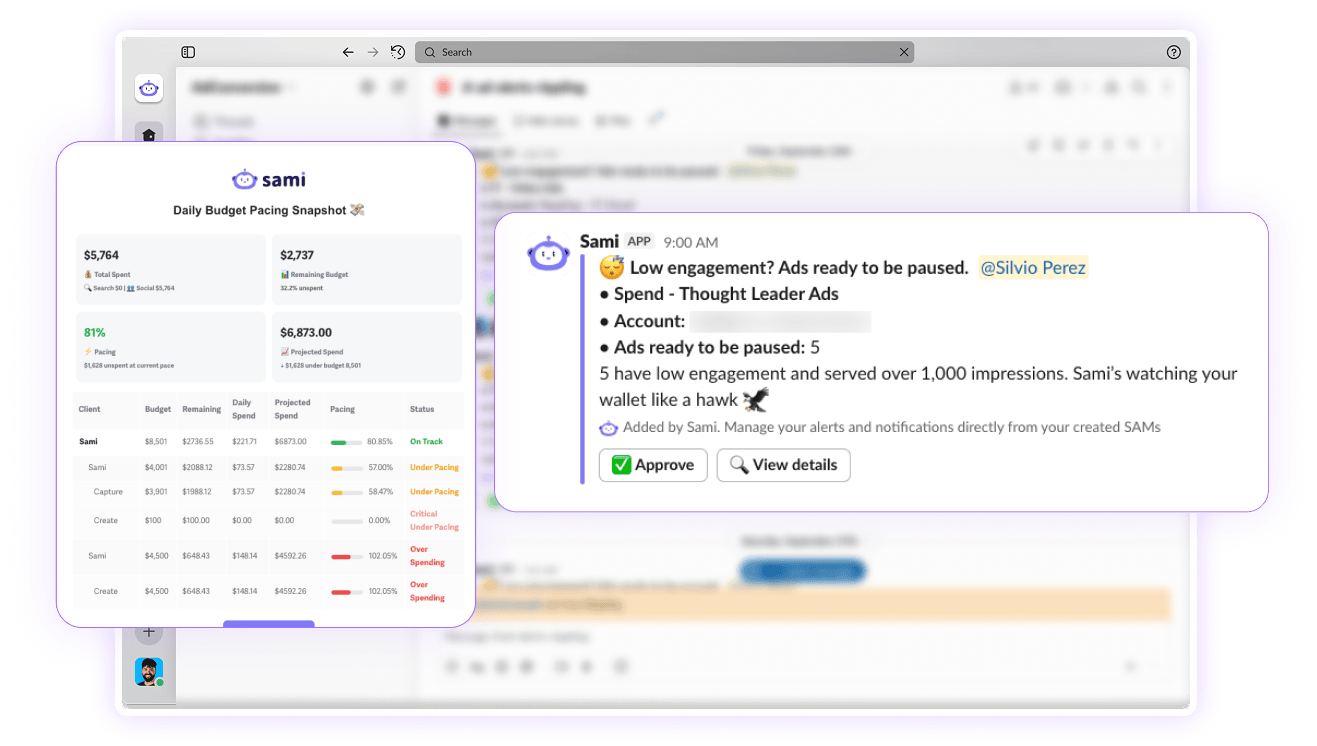
Sami also lets you set up budget protections:
- Budget Pacing automatically increases or decreases your Meta Ads campaign budgets based on performance. If you want more control, you can set a maximum daily budget or require manual approval.
- Budget Protection gives you a heads-up once you’ve spent 80% of your monthly Meta Ads budget. When you hit the full amount, Sami pauses all campaigns and starts fresh the next month.
- Ad Scheduling pauses your ads at the end of the day and switches them back on the next morning. This prevents Meta from burning through your budget too early, leaving you with no impressions or reach for the rest of the day.
Step 5: Refine Your Meta Ads Audience Targeting
Better Meta Ads targeting doesn’t always mean narrowing your audience. Find where your best leads are coming from, build on what’s working, and give Meta more room to grow.
Find your best audiences
Find which audiences actually attract good-fit buyers.
Don’t judge them on CTR or CPA alone. Compare how many leads qualify, turn into opportunities, and eventually generate pipeline or revenue.
A data analytics platform might get $120 leads from one audience and $190 leads from another. But if the $190 leads consistently come from Chief Data Officers at 500+ employee companies and turn into opportunities, that’s the audience worth building on.
Take a closer look at your B2B retargeting too. You can use UTM parameters to separate traffic coming from tightly targeted LinkedIn or Google Ads campaigns and see how those visitors perform on Meta.
Just don’t keep narrowing your custom audiences because it looks better on paper. The more specific you get, the faster you can run out of people to reach.
Build on your best first-party data
If you’re getting the wrong leads, check the audience insights you’re giving Meta.
A lookalike audience built from every lead in your CRM can send the platform in the wrong direction. This list can include people who downloaded an e-book, booked a demo but never qualified, or simply weren’t a good fit.
Try giving Meta a better starting point. Build your lookalike audiences from customers, sales opportunities, booked meetings, or other high-intent contacts.
You can play with the audience size too. Start with a one-percent lookalike, then test two percent if you need more room to scale. Just keep an eye on the leads coming through as you go wider.
A bigger audience isn’t much help if sales staff suddenly have to sift through twice as many poor-fit leads.
Test broad when it makes sense
If your best audiences are working but you can’t get much more out of them, try broad targeting.
This gives Meta Ads a larger pool of people to choose from instead of limiting delivery to the audiences you’ve built yourself.
A Pixel with plenty of conversion history and ads that clearly speak to your ICP can help the algorithm figure out who’s worth reaching.
Consider your market size as well. An HR platform selling to thousands of companies gives Meta much more room to explore than enterprise software built for a few hundred target accounts.
Learn more about Meta Ads B2B targeting from AdConversion’s full video tutorial.
Step 6: Test Your Meta Ad Creative
Once you know you’re reaching the right people, turn your attention to the ads they see. Test different ideas, messages, and formats to find what gets the right buyers to stop, click, and convert.
Test bigger creative ideas
Don’t waste your tests on tiny changes that won’t teach you much.
A new background color or slightly tweaked headline can wait. Start with creative concepts that look and feel completely different.
You can test a customer story against a product demo, a before-and-after against a meme, or a pain-point ad against one focused on the outcome.
The goal is to find out which ideas your buyers actually respond to, not whether they prefer blue or green.
Get your message and design right
A good idea still needs the right message and design to land.
Get specific with your Meta ad copy. ‘Improve your security operations’ doesn’t give someone much reason to stop scrolling. But ‘Spend less time investigating false positives’ speaks to a problem security teams deal with every day.
Specific problems also give you a more natural way to create urgency and motivation. You’re giving buyers a reason to care now instead of forcing urgency with another ‘Act today’ call to action (CTA).
Then make sure the design helps sell that message. The main point should be easy to spot, the text should be easy to read, and the visual should support what you’re saying.
Adapt creative to placement
Don’t assume an ad is bad just because it struggles in one placement.
Check your placement breakdown in Meta Ads Manager first. You might find that a square Feed ad performs well but falls flat when Meta serves it as a 9:16 Story.
That’s a format problem, not necessarily a creative problem.
You can keep the idea but adapt the asset to the placement using the right ad specs. Rework a static Feed ad for Stories, turn it into a vertical Reel, or use carousels when the message needs a few frames to tell the full story.
Watch for creative fatigue
Keep an eye on ads that used to perform well but are starting to lose momentum.
If your audience keeps seeing the same ad, CTR starts falling, and CPA begins climbing, then ad fatigue might be setting in.
Just don’t use frequency alone to decide if an ad is tired. A higher frequency can be perfectly fine if the ad is still bringing in qualified leads at a reasonable cost.
Sami can help you beat ad fatigue through automation. Its Ad Fatigue Detector checks your ads every week. If frequency is high and CTR drops below your 90-day average, Sami sends you a real-time Slack alert. That’s your cue to refresh your creative assets.
And you don’t always need to throw the whole ad away. A new hook, visual, social proof point, or format can give a winning idea another run.
Build on your winners
When you find an ad that works, squeeze more out of it.
Keep the core idea, but change how you bring it to life. For instance, you can turn a customer story into a short video, static image, or carousel. Or you can try a product demo with a different use case.
This gives Meta Ads more creative assets to work with without sending you back to the drawing board every time.
AdConversion’s B2B SaaS creative services can take the entire Meta ad creative process off your plate. Its copywriters and designers handle everything from coming up with new concepts to writing the copy and designing the ads. They also test your creatives and use what performs best to guide the next round of ads.
Watch AdConversion’s Meta Ads for B2B tutorial for more tips on getting your creatives, targeting, and overall approach right.
Step 7: Fix Your Meta Ads Post-Click Performance
If people click your Meta ads but don’t convert, or plenty convert but aren’t a good fit, look beyond the ad. The problem could be your landing page, form, or the size of the ask.
Match your ad and landing page
Your landing page should continue the conversation your Meta ad started. Keep the same problem, promise, audience, and offer all the way through.
If your ad tells security teams they can spend less time investigating false positives, the landing page should lead with that same problem. Sending people to a generic cybersecurity page forces them to hunt for the reason they clicked in the first place.
Make sure the CTA lines up too. If the ad promotes a product demo, the page shouldn’t suddenly push a free trial or a vague “Get started” button.
AdConversion builds dedicated landing pages for each Meta Ads campaign, so the message and offer stay consistent after the click. Its conversion rate optimization (CRO) specialists also keep improving your pages after launch by testing new copy, offers, CTAs, and page elements.
This approach helped Warmly increase its landing page conversion rate by 366% and average time on page by 160%. For more details, read AdConversion’s Warmly case study.
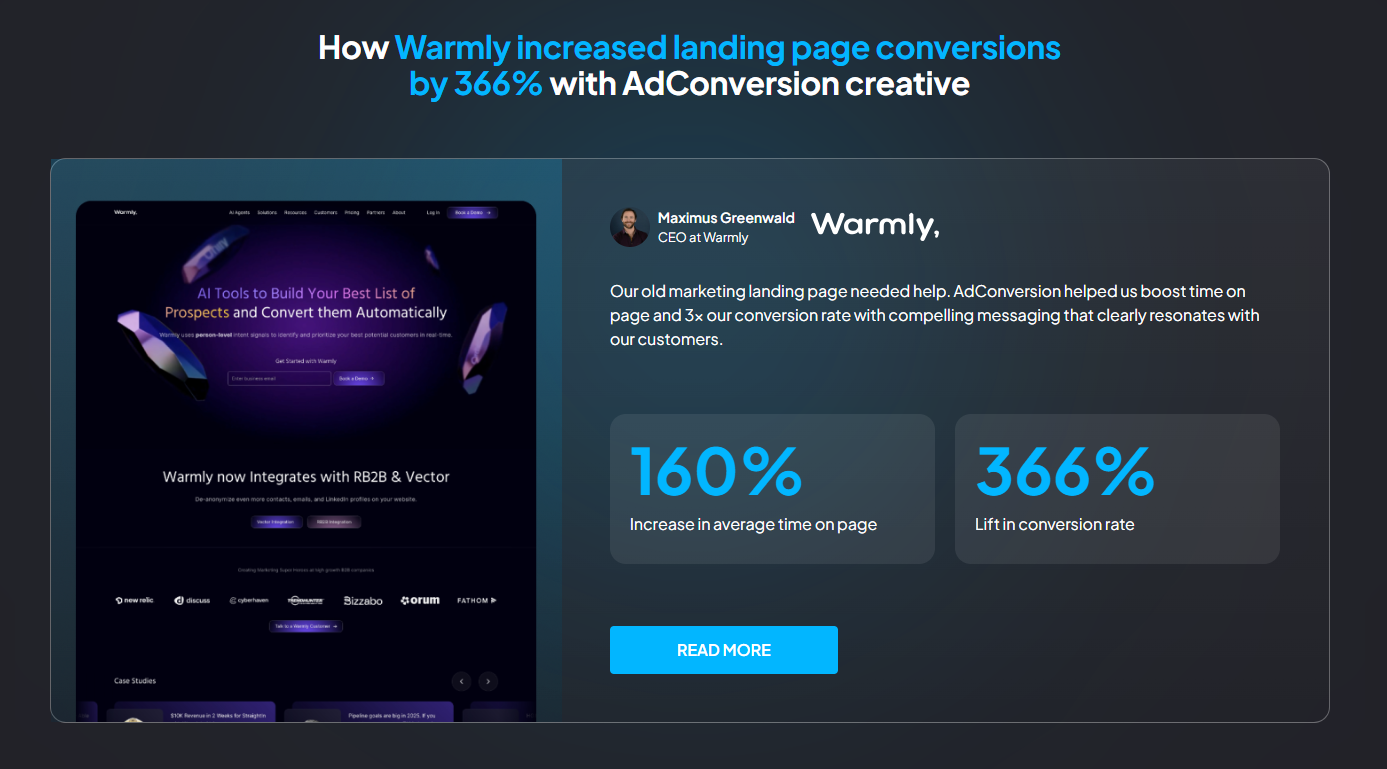
Add questions that qualify
If Meta keeps sending leads that go nowhere, make people put a little more thought into submitting the form.
Meta’s prefilled forms can make converting almost effortless. Someone can tap through so quickly that they barely remember converting when sales follows up.
To prevent this ‘social amnesia,’ add a few qualifying questions about company size, role, or other criteria your sales team uses to determine fit.
You can also test higher-intent form settings that ask people to review their information before submitting.
You might end up with fewer leads. That’s fine if more of them are worth a sales conversation.
Cut unnecessary form fields
Make sure your qualifying questions don’t turn into an interrogation.
If the right prospects reach your form but drop off before submitting, your forms may be creating too much friction.
Keep the fields sales actually uses to qualify leads and cut the ones that simply collect extra information. If removing a field wouldn’t change what sales does with the lead, test the form without it.
You still get everything you need without making prospects do unnecessary work.
Try a smaller ask
Sometimes the ask is simply too big for where the buyer is in their journey.
A cold prospect who sees your enterprise software ad for the first time might not be ready to talk to sales yet. So give them another way in.
A lower-commitment offer can help you capture interest without forcing an immediate sales conversation, such as registering for a webinar or starting a free trial.
You don’t need to rebuild your whole offer strategy. Test an ask that better matches how ready that audience is to buy. Then see whether more of those prospects eventually move further down the funnel.
Over to You
Knowing how to optimize Meta Ads for B2B SaaS makes it much easier to spot what needs your attention.
You can trace the problem, fix what’s actually getting in the way, and leave everything else alone. That makes every optimization more intentional and every dollar you spend easier to defend.
And if you’d rather bring in some backup, have a quick chat with AdConversion.
Frequently Asked Questions (FAQs)
How do you know if Meta Ads need optimizing?
Look for a pattern, not one bad day. Rising CPA, falling conversion rates, weaker lead quality, or less pipeline from the same spend can all point to a problem. Compare the change with your usual performance. If it sticks around, dig into the numbers and find out what’s driving it.
How long should Meta Ads run before optimizing?
There’s no magic number of days to wait before optimizing. It all depends on your spend, expected CPA, conversion volume, buying cycle, and what you’re testing. A tracking issue or campaign that stops delivering needs attention now. A small CPA jump after a couple of slow days probably doesn’t.
How do you scale Meta Ads without increasing CPA?
You can’t guarantee the same CPA as you spend more. Start with campaigns already bringing in qualified leads and pipeline, then increase your budget gradually. Watch what each extra dollar gets you. If marginal CPA increases too much or lead quality drops, ease off.
Does editing a Meta ad reset the learning phase?
Not every Meta Ads edit has the same effect, but significant changes can disrupt delivery and send an ad set back into learning. Don’t tweak campaigns just because you haven’t touched them lately. Make a change when you have a clear reason or hypothesis, then give Meta time to adjust before changing something else.

Meta Ads for SaaS: The B2B Playbook That Gets Results
Meta Ads for SaaS puts your software in front of potential buyers as they scroll Facebook and Instagram. It can help you spark interest, capture demand, and generate pipeline.
But getting there isn’t always easy. B2B targeting can be messy, lead quality can disappoint, and yesterday’s winning ad can quickly lose momentum.
Learn how to tackle these challenges with smarter campaign structures, targeting, creatives, measurement, and optimization.
Table of Contents
Which SaaS Business Models Benefit Most From Meta Ads?
Why Do Most SaaS Companies Struggle With Meta Ads?
How Do You Build a Meta Ads Strategy for SaaS?
How Do You Structure Meta Ads Campaigns for SaaS?
How Do You Set Budgets for SaaS Meta Ads Campaigns?
What Targeting Strategies Work Best for SaaS on Meta Ads?
What Meta Ad Creatives Work Best for SaaS?
How Do You Measure Meta Ads Performance for SaaS?
How Do You Optimize Meta Ads for SaaS?
Frequently Asked Questions (FAQs)
Do Meta Ads Work for SaaS?
Yes, Meta Ads can work for SaaS, but success depends on your business model, audience, offer, sales motion, and creatives.
You can use Meta for demand generation, high-quality lead generation, prospect conversion, retargeting, and lead nurturing across long sales cycles.
For example, one AdConversion client had previously focused most of its paid social efforts on LinkedIn. After expanding to Meta, the company generated $800,000 in new business pipeline from the channel.
But that doesn't mean Meta will work the same way for every SaaS business. A product-led growth (PLG) company looking for free trial signups has very different goals from an enterprise with a long sales cycle and a small target market.
That's why Meta needs a clear job description in your wider acquisition strategy. And you need to judge it by business results that actually matter.
Which SaaS Business Models Benefit Most From Meta Ads?
Meta Ads can work across different SaaS business models, but the role you assign it should match how customers buy your product.
Product-led SaaS
You can use Meta Ads when your product has a large pool of potential users, and people can experience its value on their own. The platform helps you reach new users at scale and give them a low-friction way to try the product.
Free trials and freemium plans offer users an easy way to go from ad to product. There’s no demo call or sales conversation standing in the way.
Just remember that more free trial signups don’t automatically mean more customers. You still need to attract people who are likely to use the product and eventually pay for it.
Sales-led SaaS
Convincing cold audiences to book a demo right away can be a tough ask. A lower-friction Meta Ads offer allows buyers to get to know your product first.
You can offer them a useful guide, webinar, or another asset that solves one of their problems.
Retargeting can then keep your product on the buyer’s radar as that initial interest grows.
Enterprise SaaS
Enterprise SaaS is a different ball game. You’re typically dealing with a smaller group of target accounts, long sales cycles, and several stakeholders who are making decisions about the deal.
Meta can help you stay in front of those accounts and reach more of the buying committee. That might include finance, legal, executives, or other stakeholders who weren’t part of the original conversation.
You can even advertise to open opportunities. Social proof, customer stories, and content that tackles common objections can give buyers another reason to keep the deal moving.
Why Do Most SaaS Companies Struggle With Meta Ads?
Most SaaS companies struggle with Meta Ads because they use strategies that don’t match how the platform works or how B2B buyers make purchasing decisions.
Common mistakes include:
- Treating Meta like e-commerce. SaaS buyers rarely see one ad and make an immediate purchase. Your campaigns need to account for a longer journey from first touch to a closed deal.
- Expecting Google-level intent. People aren’t actively searching for your solution while scrolling Facebook or Instagram. Your ads need to grab their attention and create interest first.
- Trying to copy LinkedIn targeting. Meta doesn’t offer the same professional targeting data. You need other ways to help the platform find the right buyers.
- Asking for too much too soon. A cold prospect might not be ready to book a demo. So you need to create lower-friction offers that give them an easier first step.
- Optimizing for cheap leads. A low cost per lead (CPL) means nothing if those leads never become qualified opportunities or customers.
- Running generic ad creatives. Generic messaging makes it harder to attract and qualify the right buyers. Your Meta ads need to make it clear who the product is for and why they should care.
- Judging Meta by lead volume alone. Lead numbers only show part of the story. You can easily back the wrong campaigns if you don’t check what happens after ad conversion.
How Do You Build a Meta Ads Strategy for SaaS?
Build your Meta Ads strategy around the results you want, the offer you’ll promote, the conversions you care about, and your available resources.
Start with business outcomes
Give Meta Ads a specific goal before you start building campaigns.
Maybe you want to bring in more sales opportunities, activated users, customers, or revenue. Start with that outcome and work backward.
This gives the rest of your strategy a clear direction. You can then choose offers, conversion signals, and campaigns based on what you’re actually trying to achieve.
You’ll also be able to evaluate performance against meaningful SaaS results, instead of vanity metrics.
Match offers to intent
Match your offer to how much you can realistically ask from your audience.
A guide or webinar gives someone an easy way to engage with your brand. A free trial asks them to spend more time using the product, while a demo requires them to talk to sales.
Pick the offer that makes sense for the audience you’re trying to reach. Then create a call to action (CTA) that will push them toward the next step.
A simple offer can work well with a Meta Instant Form that automatically collects contact details without the lead having to leave the platform.
But if your offer needs more explanation, building a dedicated landing page is your best bet.
Identify meaningful conversion signals
Figure out which conversions tell you that your Meta ads are bringing in the right buyers.
For sales-led SaaS, a prospect becoming a sales-qualified lead (SQL) or opportunity is more valuable than a form submission. For PLG, activation and paid conversion matter more than the initial signup.
Decide which of those milestones matter before you launch. You’ll need them later to separate campaigns that simply generate any conversions from campaigns that generate valuable conversions.
This distinction will help you decide which ad campaigns to optimize, pause, or scale.
Choose in-house or agency support
Work out whether you have the people and expertise to handle Meta Ads for B2B SaaS in-house or need outside support.
Running paid social requires campaign strategy and management, creative production, landing pages, tracking, optimization, and reporting.
If you’re missing several of those capabilities, a B2B SaaS marketing agency like AdConversion can cover them.
AdConversion Agency gives you access to a full team of B2B SaaS paid media strategists, copywriters, designers, and conversion rate optimization (CRO) specialists.
The team learns the ins and outs of your product, ideal customer profile (ICP), and go-to-market motion. Based on those insights, they build a full-funnel Meta Ads strategy to reach, nurture, and convert the accounts you care about.
AdConversion then takes the day-to-day work off your plate. It runs your Meta Ads campaigns, creates the ads, builds SaaS landing pages, optimizes performance, and handles reporting.
And because Meta Ads is only one piece of the puzzle, AdConversion can connect it with Google Ads, LinkedIn Ads, Reddit Ads, and other paid channels. So you get a cross-channel strategy focused on bringing in more pipeline and revenue.
How Do You Structure Meta Ads Campaigns for SaaS?
Structure your Meta Ads campaigns around the parts of the B2B buying journey you want to support, and keep the setup as simple as possible.
Use prospecting to find new buyers
Meta Ads prospecting campaigns help you reach potential buyers who haven’t interacted with your business yet.
Structure these campaigns around the conversion you want, whether that’s a lead, free trial, or demo request.
Keep existing customers, SQLs, and other warm audiences out of prospecting so your ad budget stays focused on finding new buyers.
Retarget buyers who already know you
B2B retargeting campaigns give you another shot at users who previously showed interest but didn’t take the next step.
Build your Meta Ads retargeting pool from meaningful interactions, such as website visits, content downloads, video engagement, or trial signups.
You can also retarget qualified traffic you’re already paying to bring in through Google Ads or LinkedIn Ads.
Accelerate deals already in your pipeline
Meta Ads can also help you move open opportunities closer to closed deals.
Set up pipeline acceleration campaigns around the opportunities your sales team is actively working on. You can use them to stay in front of existing contacts and reach more people involved in the buying decision.
Keep the audience synced with your customer relationship management (CRM) system. This way, prospects enter the campaign when they become opportunities and leave when the deal is no longer active.
Keep your structure simple
Don’t create a new campaign or ad set every time you want to A/B test something.
Keep campaigns together when they share the same objective and conversion goal. Split them when you need separate control over budget or optimization.
The same goes for ad sets. Create separate ones only when you genuinely need to test or manage audiences independently.
Otherwise, consolidate. You’ll avoid spreading your conversion data across too many places and give Meta more information to optimize with.
How Do You Set Budgets for SaaS Meta Ads Campaigns?
Set budgets for your Meta Ads campaigns based on what you can afford to spend and where that money can make the biggest impact:
- Work backward from your business goals. Look at what a new customer is worth and what you can afford to pay to acquire one. Then consider how many customers or qualified opportunities you want Meta to generate and use those numbers to set your total budget.
- Prioritize the campaigns that matter most. Don’t automatically divide your budget evenly across every campaign. Put more of your available spend behind the ones that support your current goals.
- Factor in audience size. Prospecting usually takes up more budget because you have a larger pool of potential buyers. Retargeting and acceleration audiences are much smaller, so you can stay in front of buyers without spending as much.
- Give each campaign enough budget to produce useful data. If your total budget can’t properly support every campaign, run fewer campaigns. Otherwise, you’ll spread your ad spend so thin that you won’t be able to tell what’s actually working.
- Adjust budget allocation as results come in. Your starting split isn’t set in stone. Move more budget toward the campaigns driving better business results and pull back where performance isn’t holding up.
What Targeting Strategies Work Best for SaaS on Meta Ads?
The best Meta Ads targeting strategies for SaaS start with the data you trust most, then give the platform more room to find new buyers as you scale.
First-party audiences improve precision
Your CRM already holds some of your best targeting data, so use it.
Upload lists of contacts who’ve shown real buying intent. These can include past marketing-qualified leads (MQLs), booked meetings, demo no-shows, existing customers, and more.
Meta can match those contacts to its users, giving you a much tighter audience to target.
Just don’t slice your data too thin. Small lists and low match rates can quickly limit your reach, especially if you sell to a niche ICP.
Start a little broader, then tighten your targeting based on the data and performance you see.
Lookalikes extend proven audiences
Meta’s Lookalike Audiences help you find more people like the buyers you already know.
For example, you can upload your existing customers and build a one- or two-percent lookalike from that list. This lets Meta find new users with similar characteristics.
You can repeat the same process with other CRM segments.
Third-party data gives you more options
Eventually, you’ll run out of first-party data to work with. When you hit that wall, third-party data can help you get more specific about who you reach.
Upload your target account list to third-party data providers like Primer and Metadata. They’ll find the contacts who work at those companies, which you can then feed to Meta to build custom audiences.
This helps you run account-based marketing (ABM) campaigns and get closer to the targeting precision you’re used to on LinkedIn.
Broader audiences enable discovery
Once you’ve taken first- and third-party data as far as it can go, you can give Meta Ads more freedom to find new buyers.
With Meta Advantage+, you can loosen your targeting and let the platform figure out who’s a good fit for your ads. Meta uses its own signals, including your ad content, to find relevant users within a broader audience.
This strategy has a better shot when your ad creatives speak directly to your ICP, as it shows Meta the kind of buyers you’re trying to reach.
For a step-by-step walkthrough, check out AdConversion’s full Meta Ads B2B Targeting Tutorial.
What Meta Ad Creatives Work Best for SaaS?
The best Meta ad creatives for SaaS make your product, the problem it solves, or the outcome it delivers easy to understand at a glance.
Product demos show value
Product demo ads show buyers what your software actually does instead of asking them to take your word for it.
Keep each video ad focused on one problem or use case. Show what the user is struggling with, how your product helps, and what changes as a result.
You don’t need to squeeze every feature into one ad. A quick screen recording of one useful workflow can make your value much easier to grasp.
And don’t overproduce it. A simple demo that gets to the good stuff quickly feels much more at home in the Meta feed than a professional two-minute product tour.
Human-led videos build trust
Founder, customer, and user-generated content (UGC) video ads put a real person behind your message, which makes it more credible and relatable.
Use these ad creatives to call out a familiar pain point, share a useful insight, tackle an objection, or explain how someone solved a problem with your product.
Keep the delivery natural. You want content that someone might actually stop to watch on Facebook or Instagram.
The opening matters too. Lead with the problem, result, or insight instead of wasting valuable ad time introducing your SaaS company.
Bold statics surface problems
Static image ads work best if you include a bold message that stops buyers from scrolling.
Feature a problem your ICP instantly recognizes, a result they want, or a point of view that grabs their attention. Keep the visual simple enough so the message lands immediately.
This is also a good place for creative testing. Push beyond traditional graphics with a before-and-after concept, meme, product illustration, or customer result.
Carousels explain complex products
When one visual can’t tell the whole product story, a carousel ad gives you more room to break it down.
Use the sequential cards to walk buyers through a workflow, unpack a more complex use case, or move from the problem to the solution one step at a time.
Just don’t turn the carousel into a feature catalog. Give the ad one story and make every card move that story forward. Even prospects who only swipe through the first few cards should understand what your product can help them do.
Whichever ad format you use, keep testing big creative ideas instead of endless micro-variations. Meta analyzes your ad copy, images, carousels, and video transcripts to decide which ads to serve and who might be interested in them.
See how ad creatives fit into the bigger campaign picture in AdConversion’s beginner’s guide to becoming a Meta Ads expert.
How Do You Measure Meta Ads Performance for SaaS?
Measure Meta Ads performance by tracking what happens after the click, so you know which campaigns drive pipeline and revenue.
Step 1: Set up conversion tracking
Start by giving Meta a clear view of what people do after they interact with your ads.
Install Meta Pixel on your website to track actions like landing page visits, form submissions, demo requests, and free trial signups.
Then pair it with the Conversions API (CAPI), which sends conversion data to Meta from your server, website platform, or CRM.
Using both gives Meta more conversion data to work with. CAPI can also capture events that browser-based Pixel tracking might miss because of ad blockers or connectivity problems.
Just make sure you’re tracking the actions that actually matter to your business. A page view is useful, but a qualified demo request tells you much more about buying intent.
Step 2: Connect ads to your CRM
Meta Ads tells you someone converted, but your CRM shows you what happens next.
Connect your Meta Ads account to your CRM so you can see which leads turn into SQLs, opportunities, and customers.
Use UTMs (Urchin Tracking Modules) to keep track of the campaign, ad set, and ad behind each lead. AdConversion’s free UTM generator makes this easy.
Step 3: Prioritize pipeline over vanity metrics
Once your tracking is in place, judge Meta Ads by the quality and business value of the leads it generates.
Impressions, click-through rates (CTRs), cost per click (CPC), and cost per mille (CPM) help diagnose campaign performance issues.
For instance, a low CTR might point to a weak creative, while a high CPM could signal an expensive audience.
But these metrics only tell you what’s happening inside your campaigns. They don’t tell you whether your ad spend is creating value for the business.
For that, focus on metrics tied to actual sales outcomes, like cost per SQL, cost per qualified opportunity, pipeline generated, and revenue.
How Do You Optimize Meta Ads for SaaS?
Optimize Meta Ads for SaaS by cutting wasted spend, giving winning ads more room to grow, and refreshing creatives before performance starts to slip.
Meta Ads automation tools can take some of that day-to-day work off your plate, helping you catch problems early and act on opportunities faster.
Cut persistent underperformers
Some Meta ads need more time to prove themselves, while others keep dragging on your budget with nothing to show for it.
Give new ads enough time and data before making a call. Look for the ones that consistently miss the key performance indicators (KPIs) you’re optimizing toward.
The tricky part is catching those underperformers before they burn through your budget.
Sami, AdConversion’s AI ad automation tool, monitors your Meta ads around the clock. It checks your campaigns every hour and can automatically pause any ads that have underwhelming KPIs.
If you’d rather approve changes yourself, it can send you recommendations to Slack first.
Shift budget toward winners
When a Meta Ads campaign is consistently delivering the results you want, give it more room to grow.
Scale gradually and watch what happens as spend increases. A campaign won’t necessarily show the same cost per acquisition (CPA) when you put more money behind it.
And don’t let cheap leads fool you. If another campaign costs more up front but brings in better opportunities, spending more on it could have a bigger impact.
Sami helps you keep those budget shifts tied to performance. The AI sidekick automatically increases budgets for top-performing campaigns and pulls back on weaker ones.
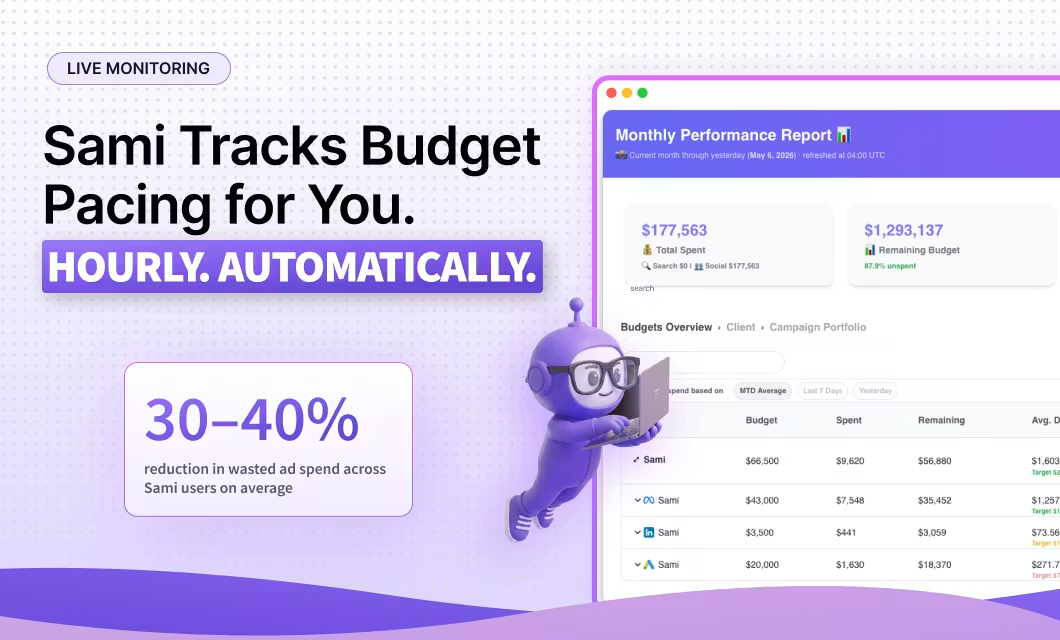
Refresh tired ad creatives
Even your best Meta ad can lose momentum once people have seen it too many times.
Watch frequency and CTR together. If frequency keeps climbing while CTR drops, people might be getting tired of your ad creatives.
That’s your cue to bring something fresh into the mix. Just don’t settle for swapping a headline or changing one small design element. Give people a reason to stop scrolling with a new ad format or creative concept.
Sami helps you beat Meta Ads fatigue with automation. Its ad fatigue detector sends you a Slack alert when frequency rises and CTR falls below the ad’s 90-day average. You can then take a closer look and decide whether it’s time for a fresh creative.
Protect your overall ad spend
Meta Ads can burn through money, so make sure your campaigns don’t blow past your monthly budget too soon.
Monitor pacing as the month unfolds, especially when you start scaling winners. A few budget increases can push your monthly spend higher than expected if nobody’s keeping track.
Sami gives you a couple of guardrails here. Its Budget & KPIs dashboard shows your spend, pacing, and key metrics at a glance. If there’s an issue, Sami recommends automatic fixes, so you know exactly what to do.
Sami’s budget protection automation goes one step further. It alerts you when you’ve spent 80% of your monthly Meta Ads budget and it can automatically pause your campaigns once you hit your spending limit.
Explore AdConversion’s complete guide on how to optimize Meta Ads for B2B SaaS for a more detailed, step-by-step walkthrough.
Over to You
Meta Ads for SaaS can open up a lot of room for growth if you approach it with a clear plan and stay curious about what the data is telling you.
There’s no magic setup you can copy and leave running forever. Just keep learning from your buyers, trying new ideas, and putting your money behind what actually moves the business forward.
If you need a fresh perspective on where Meta could fit into your paid media mix, have a quick chat with AdConversion.
Frequently Asked Questions (FAQs)
Q1. Are Meta Ads or LinkedIn Ads better for B2B SaaS?
It depends on what you need the channel to do. LinkedIn Ads gives you much tighter B2B targeting, while Meta Ads can help you reach buyers at greater scale and often at a lower cost. Don’t treat it as an either-or decision. The two channels can work well together across the buying journey.
Q2. Are Meta Ads or Google Ads better for SaaS?
Google Ads and Meta Ads catch buyers in different moments. Google Search Ads are great for reaching people already searching for a solution like yours. Meta Ads, meanwhile, can get your software in front of potential buyers before they start searching. Using both can help you capture existing demand while also creating more.
Q3. Should SaaS companies use Meta Instant Forms or landing pages?
Test both and let the lead quality decide. Meta Instant Forms make it easy for buyers to convert without leaving the platform, so they can generate more leads. Landing pages add a bit of friction, but they can help explain complex offers and bring in higher-quality prospects. Compare SQLs and qualified opportunities, not just form fills or CPL, before picking a winner.
