


10 Google Ads Automation Tools to Manage Paid Campaigns

Compare 10 best Google Ads automation tools. Get a practical framework to choose the right stack for your account size and campaign types.
July 22, 2026
Google Ads



Jess Amaral
Head of Growth
Google Ads automation tools take care of the repetitive tasks that quietly eat up your day.
You no longer waste hours adjusting bids and budgets, spotting wasted spend, or building reports from scratch, because these platforms can do it all for you.
Instead of babysitting campaigns, you get more time to test ideas, improve performance, and focus on the work that actually makes a difference.
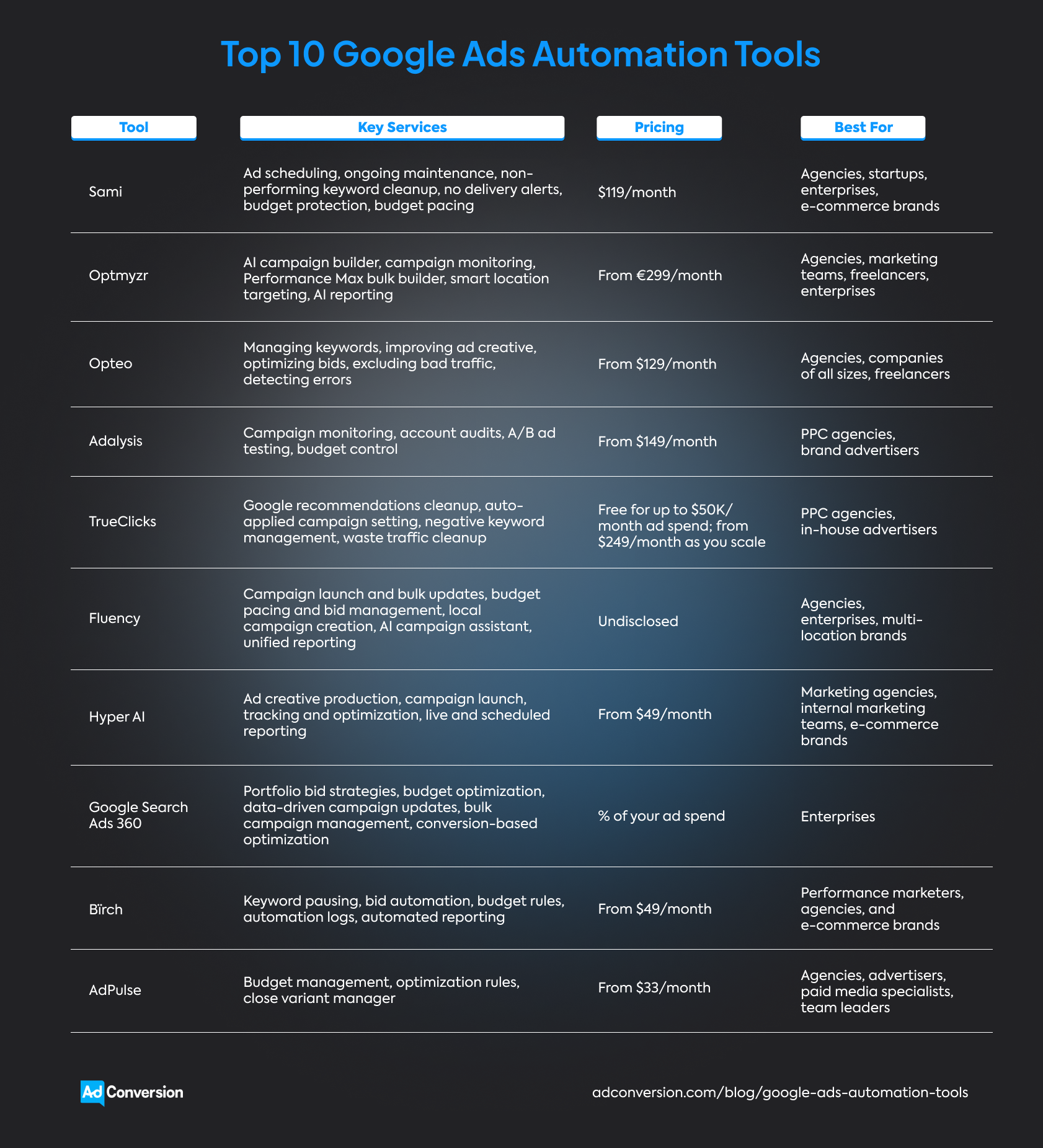
Some of the best Google Ads automation tools are:
The catch? Every platform defines ‘automation’ a little differently.
Some act like an AI teammate that spots problems and fixes them for you. Others give you a toolbox for building your own workflows from scratch.
Recognizing which style best matches how you manage Google Ads is only half the battle.
You also need to dig into integrations, reviews, use cases, and pricing to find the right fit.
Disclosure: This article was written by AdConversion, a B2B advertising agency and education platform, and the creator of Sami, the first Google Ads automation tool on this list. The blog post was last updated in July 2026 and reflects the author’s perspective rather than an independent editorial review. The tools were evaluated using publicly available website information and reviews from G2, Capterra, and Trustpilot. The order is random and doesn’t represent a ranking system. AdConversion has no affiliate or commercial ties to the other tools listed.
1. Sami
Sami is an AI-powered ad automation tool that watches over your paid ad campaigns 24/7 and quickly jumps in when performance starts to slip.
The platform was created by AdConversion, a B2B paid media agency and education platform, to take repetitive optimization work off your plate.

Your only job is to connect your Google Ads account and build simple, no-code workflows called SAMs.
These rules tell Sami what to watch out for, when to step in, and what action to take.
Once everything is set up, the AI sidekick monitors your Google ads day and night to catch wasted spend and underperforming campaigns.
If an ad breaks your automated rules, Sami pauses it on the spot and quickly reallocates spend.
You also get access to a live Budget & KPIs (key performance indicators) dashboard that shows your budget pacing across every connected ad account in real time.
This way, you can stay on top of ad spend and fix issues before they burn through your budget.
Google Ads automations
Integrations
Sami can babysit all your paid campaigns at the same time. Simply connect your Google Ads, LinkedIn Ads, Meta Ads, and YouTube Ads accounts and let it do the busywork.
The platform also integrates with Slack to send you real-time alerts. This means you can review, approve, or override actions without leaving your workspace.
Pros
Based on a G2 review and client testimonials:
- A marketing and advertising company credits Sami with keeping optimization on autopilot and preventing wasted spend, while also offering excellent customer support.
- The senior director of demand at UserGems describes Sami as the first automation tool the team trusted enough to run on its own, thanks to AdConversion’s paid media expertise that backs it up.
- The global paid media manager at Trustpilot built 50+ SAMs that now run five million account checks every month, reclaim 300 work hours a year, and deliver a 12X return on investment (ROI).
Cons
The only areas for improvement found on G2 are:
- Back in 2025, a marketing and advertising company noted that some parts of the interface could be easier to navigate and asked for built-in reporting.
Since then, Sami has upgraded its interface and rolled out the Budget & KPIs dashboard to give users live budget pacing and performance reporting.
Best for
- Agencies juggling dozens of Google Ads accounts that want to catch budget leaks before they get clients into trouble.
- Startups that need to get more from every ad dollar without increasing their marketing headcount.
- Enterprises running high-spend Google Ads campaigns that need monitoring by someone every hour of the day.
- E-commerce brands that want to stop wasting ad spend on campaigns that don't sell and quickly scale the ones that do.
Pricing
$119/month or save 20% with an annual plan. You also get a 14-day free trial.
2. Optmyzr
Optmyzr is a pay-per-click (PPC) management platform that lets you look under the hood of your Google Ads account.
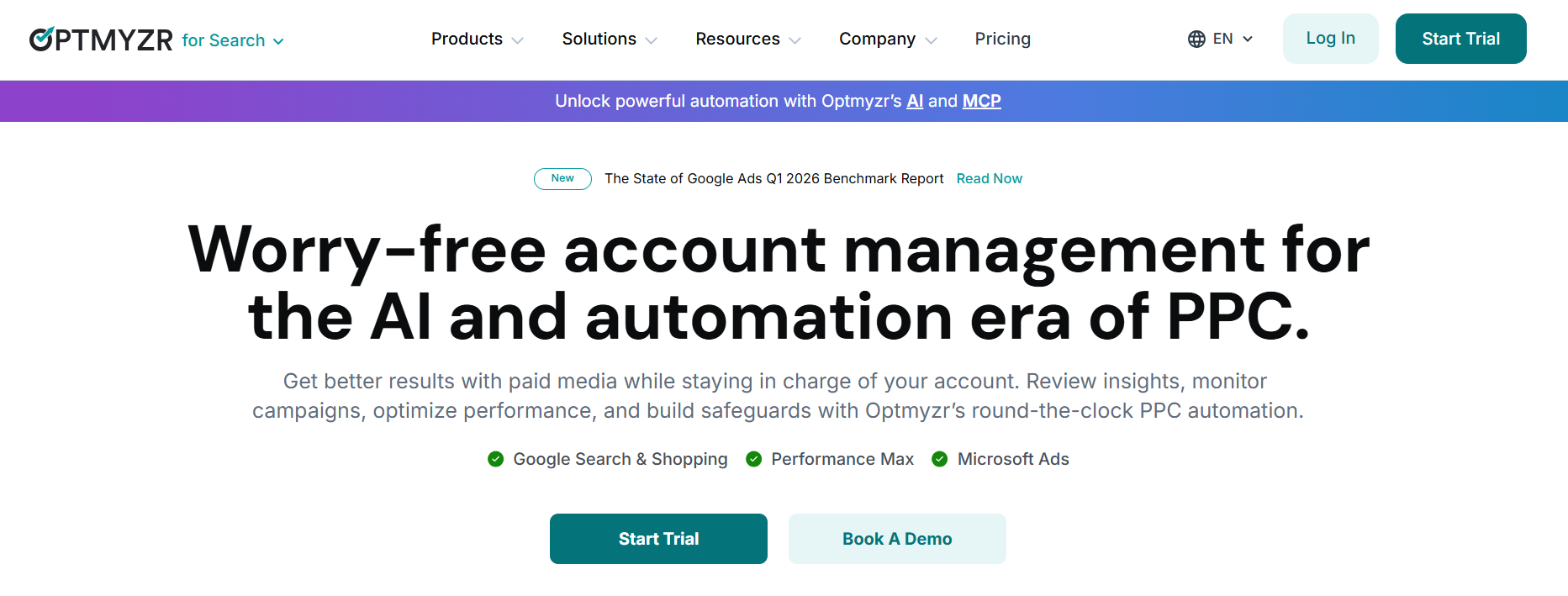
This solution doesn’t take over your paid campaigns. Instead, it gives you a larger toolbox for customizing your workflows.
What you do with its advanced automations, account audits, bid optimizations, and AI-powered recommendations is entirely up to you.
Google Ads automations
Integrations
Optmyzr also offers Microsoft Ads, Amazon Ads, Meta Ads, and LinkedIn Ads automations.
If your team relies on Slack, HubSpot, Salesforce, Shopify, or other business tools, you can connect them through Zapier too.
Pros
From what users mention in Capterra reviews:
- A marketing and advertising company likes how easy Optmyzr is to use and credits its automation with taking bid management and other repetitive tasks off the client’s plate.
- A health, wellness, and fitness company highlights the hands-on onboarding experience and says the support team was quick to help throughout the trial period.
- Another marketing firm values the platform's Google Ads API integrations and real-time data, which make account analysis faster and more dependable.
Cons
Reviewers on Capterra also have this to say:
- A marketing and advertising company notes that Optmyzr has a learning curve due to the sheer number of features, reports, and customization options.
- Another advertising company would like to roll out the same campaign changes across multiple client accounts in one go.
- A photography company feels the interface could use a more modern look to match the platform's advanced capabilities.
Best for
- Agencies that spend their day hopping between different Google Ads accounts and want to speed up optimization without cutting corners.
- Marketing teams that like digging into the numbers before making campaign decisions.
- Freelancers who want to manage more paid media accounts without letting their to-do lists get out of hand.
- Enterprises that need custom workflows, API connections, and premium support as operations grow.
Pricing
From €299/month, or get a 30% discount on the annual plan.
3. Opteo
Opteo is a Google Ads optimization tool that acts like a second set of eyes on your account.
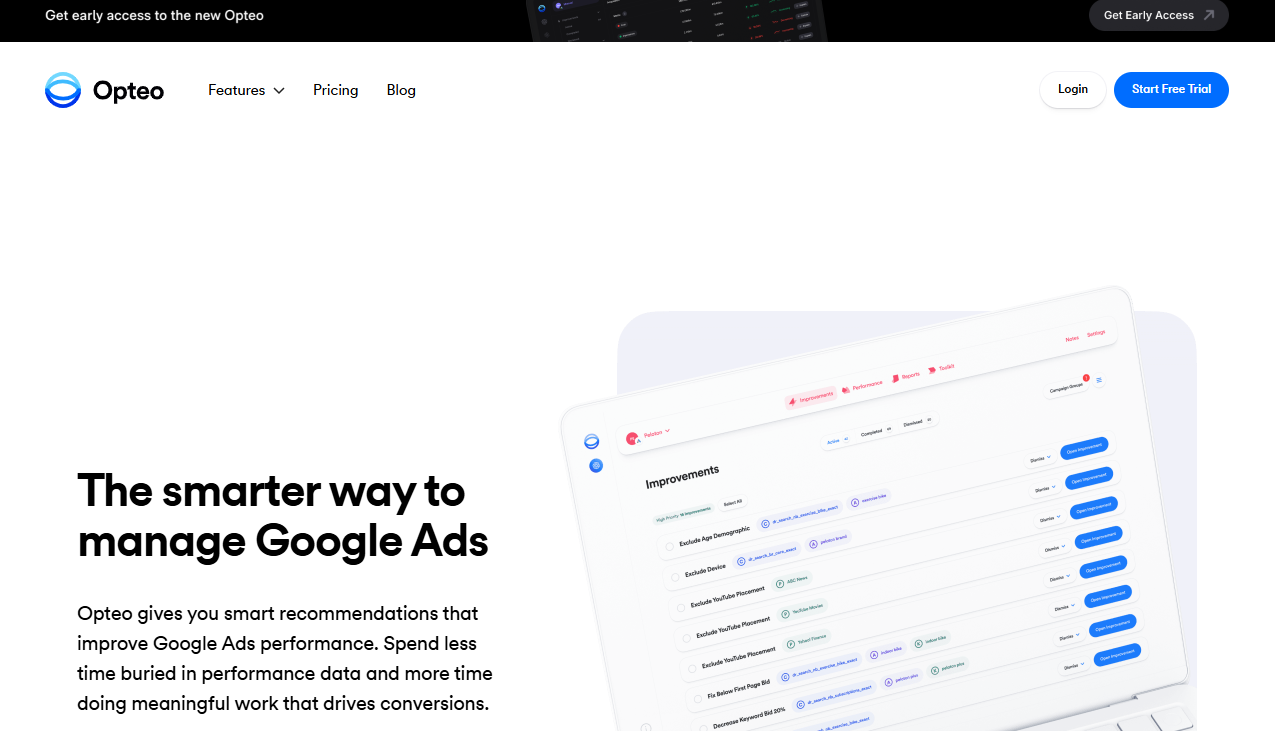
The platform spots performance trends for you and serves up practical recommendations you can apply in just a few clicks.
If you want to spend less time hunting for optimization opportunities and more time acting on them, Opteo keeps them coming.
Google Ads automations
Integrations
Opteo only integrates with Google Ads for campaign monitoring and optimization.
It also integrates with Slack for real-time alerts and with ChatGPT to help you analyze performance or write new ad copy.
Pros
Clients on Capterra underline:
- A marketing company likes how easy Opteo is to use and says the support team is always quick to help.
- Another advertising company credits the tool with lowering its cost per click, increasing return on ad spend (ROAS), and reducing manual campaign work.
- One marketing firm praises the clean interface that makes day-to-day campaign management fast and distraction-free.
Cons
A few downsides come up in Capterra reviews:
- A sporting goods company notes that Opteo doesn't uncover anything you couldn't find through manual campaign management. It just does it faster.
- A marketing company says some recommendations could better weigh conversion rates against ad spend.
- Another advertising firm would like more advanced negative keyword features and deeper competitor analysis.
Best for
- Agencies that want to spot optimization opportunities across multiple Google Ads accounts without missing any detail.
- Companies of all sizes, from startups to enterprises, looking for a simpler way to improve ad performance without spending hours poring over reports.
- Freelancers who want agency-style Google Ads tools without adding to their workload.
Pricing
From $129/month
4. Adalysis
Adalysis is a PPC management software solution that keeps a constant eye on your Google ads.
Think of it as the teammate who never stops auditing your campaigns, checking for issues, and pointing out what needs fixing next.
Adalysis doesn’t drown you in data. It simply brings the biggest optimization opportunities to the surface.
Google Ads automations
Integrations
Adalysis keeps things simple by focusing only on Google Ads and Microsoft Ads.
It also connects with Looker Studio for reporting and sends instant alerts to Gmail or Slack when your accounts need attention.
Pros
Noted in Capterra reviews:
- An advertising company likes the intuitive interface and says Adalysis quickly uncovers budget-draining keywords and Google Ads Quality Score issues.
- Another marketing company praises the audit feature for catching broken URLs, conflicting keywords, and other easy-to-miss account errors.
- One advertising firm says the platform makes it much easier to manage multiple Google Ads accounts without wasting hours on manual checks.
Cons
The trade-offs shared on Capterra are:
- An oil and energy company says Adalysis takes time to learn, especially if you want to make the most of its advanced features.
- A marketing company would like the platform to support more paid channels, saying that the lack of Instagram and Facebook Ads integrations was a deal-breaker.
- Another advertising company feels the interface could be easier to navigate and would welcome more advanced budget management tools.
Best for
- PPC agencies that want to take on more clients, free up time to work on Google Ads strategies, and grow without burning out the team.
- Brand advertisers who want everyone working from the same Google Ads data, to spend less time on repetitive account checks, and to get more from their ad budget.
Pricing
From $149/month or 15% less with a yearly subscription.
5. TrueClicks
TrueClicks is a paid media management tool that uses AI and real data to catch Google Ads issues before your clients do.

It keeps score of your account health, flags anything that needs attention, and automatically applies your preferred settings to all campaigns.
You spend less time cleaning up recurring issues and more time improving results.
Google Ads automations
Integrations
TrueClicks can keep tabs on and offer suggestions for Google Ads, Microsoft Ads, and Google Merchant Center, but it can only apply changes to Google Ads.
It also plugs into Slack and Microsoft Teams for instant alerts, while syncing your data with Google Sheets, Looker Studio, Excel, Power BI, and Tableau for reporting.
Pros
An overview of Capterra reviews shows that:
- A marketing company values real-time budget tracking and anomaly alerts that catch spend spikes, broken tracking, and disapproved ads.
- A financial services company says TrueClicks’s ongoing monitoring, automations, and integrations help everyone work more efficiently.
- An advertising company likes the platform’s user-friendly interface and says the alerts make Google Ads errors easy to catch and fix.
Cons
Capterra review analysis brings up some reservations:
- A marketing firm says TrueClicks finds so many issues that prioritizing what to fix first can feel overwhelming.
- Another advertising company would like AI to suggest performance improvements and support in-app campaign edits beyond Google Ads.
- A marketing company wants more control over audit rules, reports, and recommendation settings.
Best for
- PPC agencies that want to impress prospects with in-depth Google Ads audits and keep every client account in top shape.
- In-house advertisers who want to catch Google Ads issues early, keep the team accountable, and stay one step ahead of performance dips.
Pricing
Free for up to $50K/month in ad spend. Paid plans start at $249/month.
6. Fluency
Fluency is an AI-first digital advertising operating system built for teams managing Google Ads at serious scale.
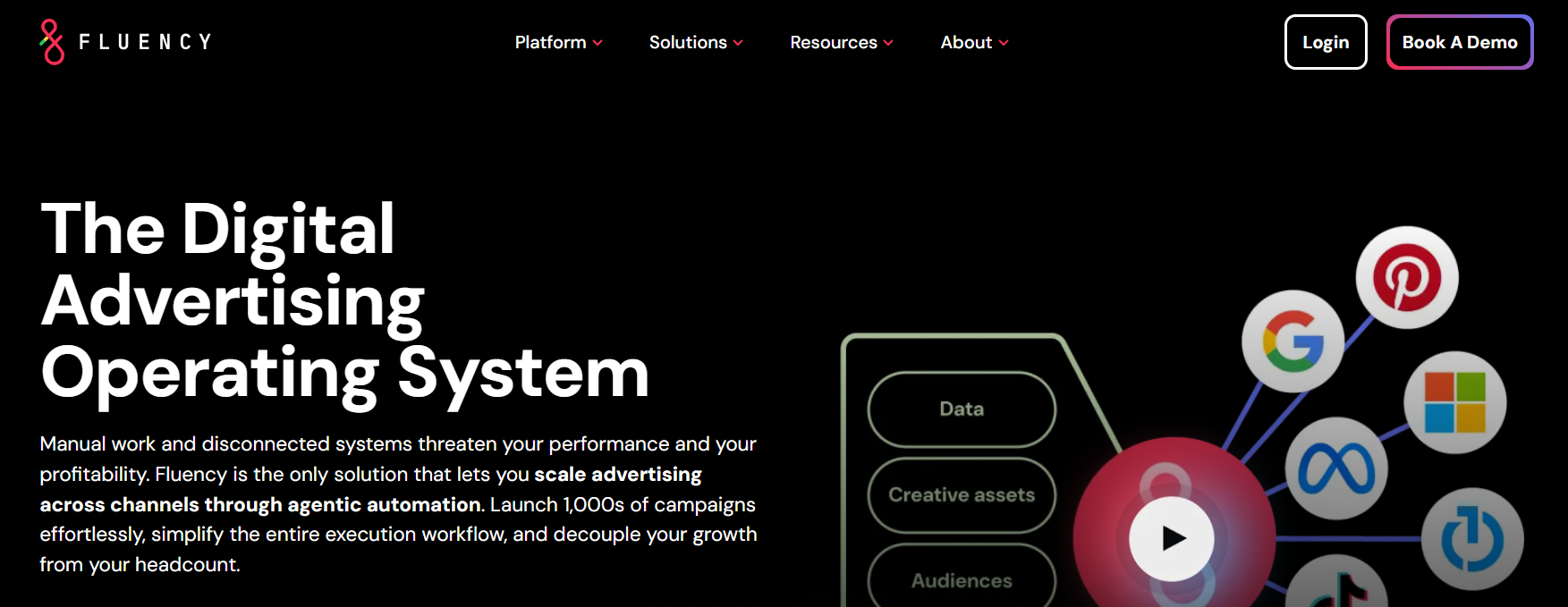
You build the strategy, while AI agents handle day-to-day execution and optimizations across thousands of campaigns.
The bigger your advertising program gets, the more Fluency proves its worth.
Google Ads automations
Integrations
Fluency doesn't stop at Google Ads. It also supports Microsoft Ads, Meta Ads, TikTok Ads, Pinterest Ads, Amazon Sponsored Display, and programmatic advertising.
The platform doesn’t publicly list any workflow integrations.
Pros
A few clients emphasize these strengths in their G2 reviews:
- An SEM analyst says Fluency takes the stress out of Google Ads budget pacing and makes spending much easier to manage.
- A health, wellness, and fitness company likes the simple interface and says the support team is always quick to jump in when needed.
- A marketing and advertising company credits Fluency with making it easy to launch and manage campaigns in bulk, saving the team precious time.
Cons
A few G2 reviews suggest room for improvement:
- A marketing company says the templates didn't always match their existing campaign structure, so they needed some tweaking.
- A social media analyst notes that the interface has a learning curve and that publishing large blueprint updates could be faster.
- An advertising company points out that Fluency's automation setup can be quite strict, so even a small mistake can throw a workflow off.
Best for
- Agencies that want to win more clients without growing their teams at the same pace.
- Enterprises that need Google Ads automation built around their own processes, rather than changing the way they work.
- Multi-location brands that want to launch and manage thousands of local Google Ads campaigns without getting buried in manual work.
Pricing
Undisclosed
7. Hyper AI
Hyper AI is an AI agent platform that provides a team of virtual marketers to manage your Google Ads campaigns from start to finish.
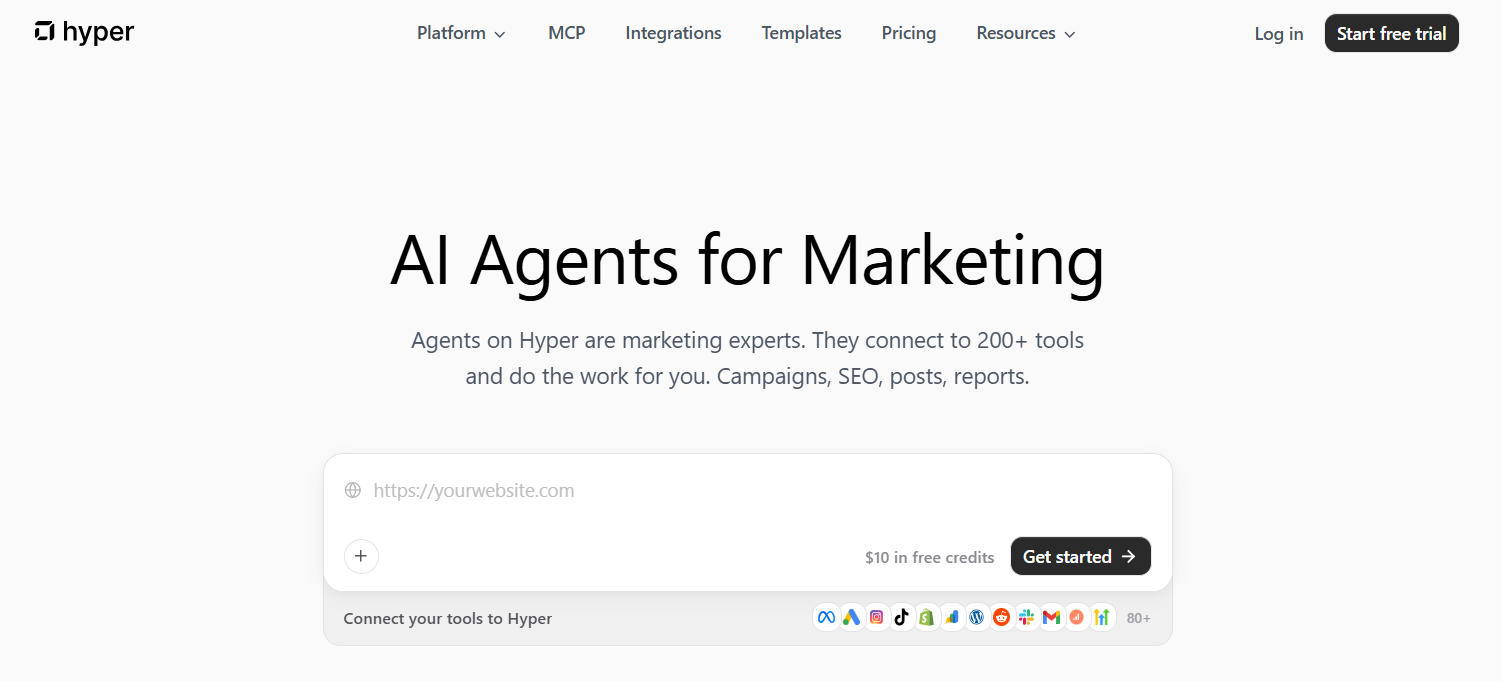
Each AI agent can browse the web, analyze data, run workflows, and complete repetitive tasks on your behalf.
You stay in control by deciding which actions agents can take on their own and which ones need your approval.
Google Ads automations
Integrations
Hyper AI supports over 80 integrations. These include Google Ads, Meta Ads, TikTok Ads, LinkedIn Ads, Amazon Ads, Reddit Ads, and Pinterest Ads.
It also works with Salesforce, Slack, and your other Google and Microsoft apps.
Pros
Trustpilot reviews praise the following:
- One customer says Hyper AI gives you the support of an entire marketing department by handling reporting, research, campaign work, and summaries.
- Another user likes how easily the tool fits into the team's existing workflow and praises the fast, hands-on customer support.
- A client praises the platform for using AI reasoning to solve complex marketing tasks on its own.
Cons
With only a handful of Trustpilot reviews available, it's still too early to identify any recurring drawbacks.
Best for
- Marketing agencies that want AI agents to handle the busywork while their teams focus on strategy.
- Internal marketing teams that are ready to reduce their workload by handing over reporting, research, and repetitive campaign tasks to AI.
- E-commerce brands that want AI agents to constantly test, optimize, and scale Google Ads campaigns without someone watching them all day.
Pricing
From $49/month
8. Google Search Ads 360
Google Search Ads 360 is Google's command center for enterprise search advertising.
This tool brings large campaign portfolios into one workspace, making it easier to automate repetitive tasks and keep performance on track.
It’s built for advertisers who’ve outgrown the standard Google Ads experience.
Google Ads automations
Integrations
Google Search Ads 360 is specifically designed for Google Ads and Microsoft Ads.
It also connects with Analytics 360, Display & Video 360, BigQuery, and other Google Marketing Platform tools.
Pros
Limited feedback from Capterra points to the following strengths:
- A consumer services company likes that Google Search Ads 360 quickly identifies which campaigns deserve more budget and which need fixing.
- A marketing company says the platform makes it much easier to manage massive Google Ads campaigns with powerful bid automation and enterprise features.
- Another advertising company praises the advanced attribution, Smart Bidding, and reporting tools that simplify large-scale optimization.
Cons
The same Capterra reviewers mention a few drawbacks:
- The consumer services company says some third-party integrations aren't very useful if you already rely on Google's ecosystem.
- The marketing company notes that Google Search Ads 360 comes with a steep learning curve, especially for new users.
- The advertising company points out that the up-front costs can be hard to justify unless you're managing large budgets.
Best for
- Enterprises managing large Google Ads programs across multiple markets that need tighter control over bidding, budgets, and performance.
Pricing
A percentage of your total ad spend.
9. Bïrch
Bïrch is an AI-assisted ad automation tool that swaps code for a visual rule builder.

Instead of wrestling with Google Ads scripts or JavaScript, every automated rule comes together visually.
Just map out your logic and let Bïrch do the heavy lifting.
Google Ads automations
Integrations
Bïrch can automate Google Ads, Meta Ads, Snapchat Ads, and TikTok Ads.
It also plugs into Slack, Google Analytics, Google Drive, Google Sheets, Adjust, Hyros, Wicked Reports, and AppsFlyer.
Pros
Based on user experiences shared on Capterra:
- An IT services company likes the creative insights that make it easier to compare ads, spot new ideas, and share reports with the rest of the team.
- Another IT services company says Bïrch handles repetitive work by pausing weak ads and giving more room to the ones that bring results.
- A cosmetics company credits the tool with making it much easier to keep budgets under control, even across many campaigns.
Cons
Concerns shared on Capterra:
- A retail company says Bïrch can get quite pricey as your ad spend grows.
- An international affairs company notes that the interface can feel intimidating if you're new to marketing automation.
- An apparel and fashion company would like additional bulk-editing tools to speed up campaign management.
Best for
- Performance marketers who'd rather build Google Ads automations their own way than settle for prebuilt rules.
- Agencies and e-commerce brands that want Google Ads reports ready on schedule and more time to focus on growing campaigns.
Pricing
From $49/month, with pricing that scales based on your ad spend.
10. Adpulse
Adpulse is a PPC management tool built to take the busywork out of Google Ads.

It keeps budgets, automations, and performance insights in one place, so you're not bouncing between reports all day.
Less dashboard-hopping means you get more things done.
Google Ads automations
Integrations
Adpulse automates Meta Ads, TikTok Ads, Microsoft Ads, LinkedIn Ads, Amazon Ads, Pinterest Ads, and Reddit Ads.
You can also integrate with HubSpot, Slack, Microsoft Teams, Monday, Trello, Asana, and other tools that keep your team moving.
Pros
Limited feedback from G2 indicates the following pluses:
- A marketing company likes the actionable insights that help save time, cut wasted spend, and improve performance.
- A digital advertising manager praises the responsive support team and appreciates how frequently new features are added.
- A head of digital media says the budget pacing and performance tools make Adpulse feel as if it were built by PPC specialists for PPC specialists.
Cons
Only one limitation shows up on G2:
- The same digital advertising manager would like a more customizable interface and says that pricing becomes less appealing when managing many accounts with smaller budgets.
Best for
- Agencies tired of juggling Google Ads budgets, reports, and client accounts from a dozen different places.
- Advertisers trying to squeeze more performance out of Google Ads without adding more people to the team.
- Paid media specialists who'd rather optimize campaigns than spend the day on repetitive account maintenance.
- Team leaders who want a live pulse on every Google Ads account without chasing updates from the rest of the team.
Pricing
From $33/month, with pricing based on your ad spend.
How Do You Choose the Right Google Ads Automation Tool?
The right Google Ads automation tool is the one that takes repetitive work off your plate without taking away your control over campaign decisions.
When comparing your options, keep these factors in mind:
- Automations should make your life easier by handling budget adjustments, bid management, keyword optimization, and reporting. The less time you spend clicking through dashboards, the more time you have to improve performance.
- Integrations can save you from jumping between platforms all day. If your paid media strategy goes beyond Google Ads, choose a tool that also supports Meta Ads, LinkedIn Ads, Reddit Ads, and more.
- Customer reviews tell you more than a feature list ever will. They reveal how well the automations work in the real world, how responsive the support team is, and whether the platform actually delivers on its promises.
- Use cases help you narrow down your shortlist. Some platforms are built for agencies, others for in-house marketers, enterprise teams, or e-commerce brands. Pick the one that matches your purpose.
- Pricing is about value, not just cost. Check how plans scale as your ad spend or number of accounts grows. Then ask yourself whether the time you'll save is worth the investment.
Over to You
Google Ads automation tools give you more room to think, experiment, and grow the campaigns that actually move the needle.
Choose the platform that feels like an extension of your team, not another task on your to-do list.
If you're ready to see it in action, start your free Sami trial today and put Google Ads on autopilot.

.png)
Related Articles
How to Optimize Google Ads: A Step-by-Step Guide
10 Google Ads Automation Tools to Manage Paid Campaigns
How to Run Google Ads for Cybersecurity [Strategy Guide]
Join 0,000 B2B marketers leveling up their paid advertising skill set! 🚀
Join 0,000 B2B marketers leveling up their paid advertising skill set! 🚀


