



LinkedIn Spotlight Ads In 2026: Are They Worth The Investment?
%20-%20new%20v2.png)
Should you invest in LinkedIn Spotlight Ads?
In this article you'll learn:
- The pro's and con's of LinkedIn Spotlight Ads
- How much LinkedIn Spotlight ads cost
- Examples of LinkedIn Spotlight ads
- 3 LinkedIn Spotlight ad strategies
By the end of this article you’ll know if this ad type makes sense for you.
Let’s dive into it! 👇
Contents
- What are LinkedIn Spotlight Ads?
- LinkedIn Spotlight Ad Specs
- 4 Reasons to Invest In LinkedIn Spotlight Ads
- 4 Reasons You SHOULD NOT Invest In LinkedIn Spotlight Ads
- 3 LinkedIn Spotlight Ad Strategies Worth Testing
What are LinkedIn Spotlight Ads?
Spotlight ads are only seen on desktop devices and use a combination of your audience's LinkedIn profile data such as photo, company name, and job title to dynamically change based on the user.

LinkedIn Spotlight Ad Specs
When creating a spotlight ad you’ve got the following options:
- Ad headline = 50 characters
- Company name = 25 characters
- Company Image = logo or image in JPG or PNG that is < 2 MB
- Background Image (optional) = 300x250 in JPG or PNG
I’d personally recommend not adding a background image as it removes the ad description, and the users profile photo will not be shown, which defeats the purpose of this ad type 😅
4 Reasons to Invest In LinkedIn Spotlight Ads
Reason 1: 74% Lower Cost Per 1,000 Impressions (CPM)
After reviewing $1,726,264.56 in spend by ad type for our B2B SaaS clients, we found linkedin spotlight ads have an average CPM of $5.23, 74% lower than single image ads.

Reason 2: Increased Ad Recall
Spotlight ad placements are very “low key” and unintrusive.
They only appear on Desktop and are served on the right side of the newsfeed.
Given an average CPM of $5.23 and subtle placement you can rack large frequencies > 20 without negatively impacting your audience’s experience.
The combination of high frequency and low impression costs = greater potential ad recall
Reason 3: Low Creative Effort
Spotlight ads only require an image that is < 2MB making it an EXTREMELY low creative effort.
Compare this to formats like single image, carousel, or even video ads.
If you want more exposure without a ton of effort they’re an easy addition.
Reason 4: Flexible Bidding Strategies
Spotlight ads allow you to multiple bidding strategies depending on your campaign objectives.
- Maximum delivery = LinkedIn will automatically adjust your bids for the most exposure
- Cost cap = set a target cost per landing page click
- Manual bidding = set a specific bid per landing page click
With each of these bidding strategies you have flexibility to test and leverage the one that allows you the greatest exposure for the lowest cost.
4 Reasons You SHOULD NOT Invest In LinkedIn Spotlight Ads
Reason 1: 83% higher average CPC prices
After reviewing $1,726,264.56 in spend by ad type for our B2B SaaS clients, we found linkedin spotlight ads have an average cost per click of $7.93, 83% higher than single image ads.

Reason 2: You want to generate the most conversions
Spotlight ads have horrible engagement rates compared to other LinkedIn ad types.
If your primary objective is to drive conversions then spotlight ads are not the ideal ad type to use.
Reason 3: You’re trying to drive the most traffic to your site
Spotlight ads have below average clickthrough rates compared to other ad types which makes using them to drive site traffic a poor use case of budget.
Reason 4: You’re not already investing in other ad types
Spotlight ads are not a game changer ad type. They should be used in support alongside other more dominant ad types such as (image, video, or conversation).
The best use of spotlight ads is remarketing, allowing you to stay top of mind at a low cost in front of the audiences that already know/like/trust you.
3 LinkedIn Spotlight Ad Strategies Worth Testing
In no particular order, here’s 3 strategies worth testing with spotlight ads.
Strategy #1: Remarketing
The real advantage of spotlight ads are low distribution costs with an average CPM of $5.28.
This in combination with the fact that spotlight ads are a non-intrusive ad type on desktop devices and limited right-hand placements makes them great for remarketing.
You can leverage spotlight ads to remarket:
- All website visitors
- Company page visitors
- Past event attendees
- Contacts of customers, and leads in nurture
If you want to learn more about building a LinkedIn remarketing strategy check out our in-depth article on How to Build a Multichannel B2B Retargeting Strategy (Step-By-Step).
Strategy #2: Company Page Growth
Another potential strategy to test spotlight ads is growing your LinkedIn company page.
You can leverage this ad type to drive visitors to view your page (which will then hopefully lead to a follower), check out this example from Aurora who is using a CTA of “Follow”.

Strategy #3: Job Recruitment
Spotlight ads are available with the Job applicants campaign objective and given it’s dynamic element (automatically pulling the photo of the user) you can create personalized recruitment ads.

I hope you found this article useful!
And as promised, now know if this ad type makes sense for you.
Master B2B LinkedIn Ads with these 3 Free Courses:
If you want to become a LinkedIn Ads pro, check out our free B2B LinkedIn Ads courses, where you'll learn how to launch, optimize, and scale your campaigns to drive pipeline and revenue.
Here's what you'll learn in each course:
⚙️ B2B LinkedIn Ads 101 - The Ultimate Crash Course for New LinkedIn Advertisers
- Foundations For LinkedIn Ads Success
- Measurement: Tracking & Key Principles
- Targeting: Reaching Your Dream Buyers
- Ads: Mastering The 9 Ad Formats
🎯 B2B LinkedIn Ads 102 - The Blueprint for LinkedIn Ads Optimization
- Monitoring: How To Spot Performance Trends
- Auditing: How To Find The Darlings You Need To Kill
- Reporting: How To Transform Data Into Insights
- Optimization: How To Make Your LinkedIn Ads Profitable
🚀 B2B LinkedIn Ads 103 - Advanced Scaling Strategies From $25M In Ad Spend
- Concepts of Scaling
- Divide and Conquer
- Learnings From $25M+ In LinkedIn Ad Spend
Click Here to Join 10,000+ B2B Marketers Today and start leveling up your advertising skill set.
Takes < 90 seconds to sign up (seriously we timed it 😂)
People Also Ask
How can I measure the long-term impact of Spotlight Ads on brand awareness?
While immediate metrics like impressions and clicks are helpful, track metrics like increased brand searches, company page followers, and repeat website visits over time to assess long-term brand impact.
Are Spotlight Ads effective for industries outside of B2B, such as B2C or non-profits?
While Spotlight Ads are tailored for professional audiences, they can work for B2C or non-profits if targeting aligns with LinkedIn’s user demographics and the campaign leverages professional-related messaging.
How should Spotlight Ads be used in multi-channel marketing campaigns?
Spotlight Ads are most effective when reinforcing messages seen in other channels. For instance, use them to retarget LinkedIn users who interacted with your Google Ads or visited your website from email campaigns.
How can Spotlight Ads support account-based marketing (ABM) efforts?
Pair Spotlight Ads with LinkedIn’s account targeting to focus on specific companies or industries, delivering highly personalized ads that tie directly into your ABM campaigns.

Heading 1
Heading 2
Heading 3
Heading 4
Heading 5
Heading 6
Lorem ipsum dolor sit amet, consectetur adipiscing elit, sed do eiusmod tempor incididunt ut labore et dolore magna aliqua. Ut enim ad minim veniam, quis nostrud exercitation ullamco laboris nisi ut aliquip ex ea commodo consequat. Duis aute irure dolor in reprehenderit in voluptate velit esse cillum dolore eu fugiat nulla pariatur.
Block quote
Ordered list
- Item 1
- Item 2
- Item 3
Unordered list
- Item A
- Item B
- Item C
Bold text
Emphasis
Superscript
Subscript

Heading
Heading 1
Heading 2
Heading 3
Heading 4
Heading 5
Heading 6
Lorem ipsum dolor sit amet, consectetur adipiscing elit, sed do eiusmod tempor incididunt ut labore et dolore magna aliqua. Ut enim ad minim veniam, quis nostrud exercitation ullamco laboris nisi ut aliquip ex ea commodo consequat. Duis aute irure dolor in reprehenderit in voluptate velit esse cillum dolore eu fugiat nulla pariatur.
Block quote
Ordered list
- Item 1
- Item 2
- Item 3
Unordered list
- Item A
- Item B
- Item C
Bold text
Emphasis
Superscript
Subscript
Heading
Heading 1
Heading 2
Heading 3
Heading 4
Heading 5
Heading 6
Lorem ipsum dolor sit amet, consectetur adipiscing elit, sed do eiusmod tempor incididunt ut labore et dolore magna aliqua. Ut enim ad minim veniam, quis nostrud exercitation ullamco laboris nisi ut aliquip ex ea commodo consequat. Duis aute irure dolor in reprehenderit in voluptate velit esse cillum dolore eu fugiat nulla pariatur.
Block quote
Ordered list
- Item 1
- Item 2
- Item 3
Unordered list
- Item A
- Item B
- Item C
Bold text
Emphasis
Superscript
Subscript
Heading
Heading 1
Heading 2
Heading 3
Heading 4
Heading 5
Heading 6
Lorem ipsum dolor sit amet, consectetur adipiscing elit, sed do eiusmod tempor incididunt ut labore et dolore magna aliqua. Ut enim ad minim veniam, quis nostrud exercitation ullamco laboris nisi ut aliquip ex ea commodo consequat. Duis aute irure dolor in reprehenderit in voluptate velit esse cillum dolore eu fugiat nulla pariatur.
Block quote
Ordered list
- Item 1
- Item 2
- Item 3
Unordered list
- Item A
- Item B
- Item C
Bold text
Emphasis
Superscript
Subscript
Heading
Heading 1
Heading 2
Heading 3
Heading 4
Heading 5
Heading 6
Lorem ipsum dolor sit amet, consectetur adipiscing elit, sed do eiusmod tempor incididunt ut labore et dolore magna aliqua. Ut enim ad minim veniam, quis nostrud exercitation ullamco laboris nisi ut aliquip ex ea commodo consequat. Duis aute irure dolor in reprehenderit in voluptate velit esse cillum dolore eu fugiat nulla pariatur.
Block quote
Ordered list
- Item 1
- Item 2
- Item 3
Unordered list
- Item A
- Item B
- Item C
Bold text
Emphasis
Superscript
Subscript
Heading
Heading 1
Heading 2
Heading 3
Heading 4
Heading 5
Heading 6
Lorem ipsum dolor sit amet, consectetur adipiscing elit, sed do eiusmod tempor incididunt ut labore et dolore magna aliqua. Ut enim ad minim veniam, quis nostrud exercitation ullamco laboris nisi ut aliquip ex ea commodo consequat. Duis aute irure dolor in reprehenderit in voluptate velit esse cillum dolore eu fugiat nulla pariatur.
Block quote
Ordered list
- Item 1
- Item 2
- Item 3
Unordered list
- Item A
- Item B
- Item C
Bold text
Emphasis
Superscript
Subscript
Heading
Heading 1
Heading 2
Heading 3
Heading 4
Heading 5
Heading 6
Lorem ipsum dolor sit amet, consectetur adipiscing elit, sed do eiusmod tempor incididunt ut labore et dolore magna aliqua. Ut enim ad minim veniam, quis nostrud exercitation ullamco laboris nisi ut aliquip ex ea commodo consequat. Duis aute irure dolor in reprehenderit in voluptate velit esse cillum dolore eu fugiat nulla pariatur.
Block quote
Ordered list
- Item 1
- Item 2
- Item 3
Unordered list
- Item A
- Item B
- Item C
Bold text
Emphasis
Superscript
Subscript
Heading
Heading 1
Heading 2
Heading 3
Heading 4
Heading 5
Heading 6
Lorem ipsum dolor sit amet, consectetur adipiscing elit, sed do eiusmod tempor incididunt ut labore et dolore magna aliqua. Ut enim ad minim veniam, quis nostrud exercitation ullamco laboris nisi ut aliquip ex ea commodo consequat. Duis aute irure dolor in reprehenderit in voluptate velit esse cillum dolore eu fugiat nulla pariatur.
Block quote
Ordered list
- Item 1
- Item 2
- Item 3
Unordered list
- Item A
- Item B
- Item C
Bold text
Emphasis
Superscript
Subscript
Heading
Heading 1
Heading 2
Heading 3
Heading 4
Heading 5
Heading 6
Lorem ipsum dolor sit amet, consectetur adipiscing elit, sed do eiusmod tempor incididunt ut labore et dolore magna aliqua. Ut enim ad minim veniam, quis nostrud exercitation ullamco laboris nisi ut aliquip ex ea commodo consequat. Duis aute irure dolor in reprehenderit in voluptate velit esse cillum dolore eu fugiat nulla pariatur.
Block quote
Ordered list
- Item 1
- Item 2
- Item 3
Unordered list
- Item A
- Item B
- Item C
Bold text
Emphasis
Superscript
Subscript
Heading
Heading 1
Heading 2
Heading 3
Heading 4
Heading 5
Heading 6
Lorem ipsum dolor sit amet, consectetur adipiscing elit, sed do eiusmod tempor incididunt ut labore et dolore magna aliqua. Ut enim ad minim veniam, quis nostrud exercitation ullamco laboris nisi ut aliquip ex ea commodo consequat. Duis aute irure dolor in reprehenderit in voluptate velit esse cillum dolore eu fugiat nulla pariatur.
Block quote
Ordered list
- Item 1
- Item 2
- Item 3
Unordered list
- Item A
- Item B
- Item C
Bold text
Emphasis
Superscript
Subscript
Heading
Heading 1
Heading 2
Heading 3
Heading 4
Heading 5
Heading 6
Lorem ipsum dolor sit amet, consectetur adipiscing elit, sed do eiusmod tempor incididunt ut labore et dolore magna aliqua. Ut enim ad minim veniam, quis nostrud exercitation ullamco laboris nisi ut aliquip ex ea commodo consequat. Duis aute irure dolor in reprehenderit in voluptate velit esse cillum dolore eu fugiat nulla pariatur.
Block quote
Ordered list
- Item 1
- Item 2
- Item 3
Unordered list
- Item A
- Item B
- Item C
Bold text
Emphasis
Superscript
Subscript
Heading
Heading 1
Heading 2
Heading 3
Heading 4
Heading 5
Heading 6
Lorem ipsum dolor sit amet, consectetur adipiscing elit, sed do eiusmod tempor incididunt ut labore et dolore magna aliqua. Ut enim ad minim veniam, quis nostrud exercitation ullamco laboris nisi ut aliquip ex ea commodo consequat. Duis aute irure dolor in reprehenderit in voluptate velit esse cillum dolore eu fugiat nulla pariatur.
Block quote
Ordered list
- Item 1
- Item 2
- Item 3
Unordered list
- Item A
- Item B
- Item C
Bold text
Emphasis
Superscript
Subscript
Heading
Heading 1
Heading 2
Heading 3
Heading 4
Heading 5
Heading 6
Lorem ipsum dolor sit amet, consectetur adipiscing elit, sed do eiusmod tempor incididunt ut labore et dolore magna aliqua. Ut enim ad minim veniam, quis nostrud exercitation ullamco laboris nisi ut aliquip ex ea commodo consequat. Duis aute irure dolor in reprehenderit in voluptate velit esse cillum dolore eu fugiat nulla pariatur.
Block quote
Ordered list
- Item 1
- Item 2
- Item 3
Unordered list
- Item A
- Item B
- Item C
Bold text
Emphasis
Superscript
Subscript
Heading
Heading 1
Heading 2
Heading 3
Heading 4
Heading 5
Heading 6
Lorem ipsum dolor sit amet, consectetur adipiscing elit, sed do eiusmod tempor incididunt ut labore et dolore magna aliqua. Ut enim ad minim veniam, quis nostrud exercitation ullamco laboris nisi ut aliquip ex ea commodo consequat. Duis aute irure dolor in reprehenderit in voluptate velit esse cillum dolore eu fugiat nulla pariatur.
Block quote
Ordered list
- Item 1
- Item 2
- Item 3
Unordered list
- Item A
- Item B
- Item C
Bold text
Emphasis
Superscript
Subscript
Heading
Heading 1
Heading 2
Heading 3
Heading 4
Heading 5
Heading 6
Lorem ipsum dolor sit amet, consectetur adipiscing elit, sed do eiusmod tempor incididunt ut labore et dolore magna aliqua. Ut enim ad minim veniam, quis nostrud exercitation ullamco laboris nisi ut aliquip ex ea commodo consequat. Duis aute irure dolor in reprehenderit in voluptate velit esse cillum dolore eu fugiat nulla pariatur.
Block quote
Ordered list
- Item 1
- Item 2
- Item 3
Unordered list
- Item A
- Item B
- Item C
Bold text
Emphasis
Superscript
Subscript
Heading
Heading 1
Heading 2
Heading 3
Heading 4
Heading 5
Heading 6
Lorem ipsum dolor sit amet, consectetur adipiscing elit, sed do eiusmod tempor incididunt ut labore et dolore magna aliqua. Ut enim ad minim veniam, quis nostrud exercitation ullamco laboris nisi ut aliquip ex ea commodo consequat. Duis aute irure dolor in reprehenderit in voluptate velit esse cillum dolore eu fugiat nulla pariatur.
Block quote
Ordered list
- Item 1
- Item 2
- Item 3
Unordered list
- Item A
- Item B
- Item C
Bold text
Emphasis
Superscript
Subscript
Heading
Heading 1
Heading 2
Heading 3
Heading 4
Heading 5
Heading 6
Lorem ipsum dolor sit amet, consectetur adipiscing elit, sed do eiusmod tempor incididunt ut labore et dolore magna aliqua. Ut enim ad minim veniam, quis nostrud exercitation ullamco laboris nisi ut aliquip ex ea commodo consequat. Duis aute irure dolor in reprehenderit in voluptate velit esse cillum dolore eu fugiat nulla pariatur.
Block quote
Ordered list
- Item 1
- Item 2
- Item 3
Unordered list
- Item A
- Item B
- Item C
Bold text
Emphasis
Superscript
Subscript
Heading
Heading 1
Heading 2
Heading 3
Heading 4
Heading 5
Heading 6
Lorem ipsum dolor sit amet, consectetur adipiscing elit, sed do eiusmod tempor incididunt ut labore et dolore magna aliqua. Ut enim ad minim veniam, quis nostrud exercitation ullamco laboris nisi ut aliquip ex ea commodo consequat. Duis aute irure dolor in reprehenderit in voluptate velit esse cillum dolore eu fugiat nulla pariatur.
Block quote
Ordered list
- Item 1
- Item 2
- Item 3
Unordered list
- Item A
- Item B
- Item C
Bold text
Emphasis
Superscript
Subscript
Heading
Heading 1
Heading 2
Heading 3
Heading 4
Heading 5
Heading 6
Lorem ipsum dolor sit amet, consectetur adipiscing elit, sed do eiusmod tempor incididunt ut labore et dolore magna aliqua. Ut enim ad minim veniam, quis nostrud exercitation ullamco laboris nisi ut aliquip ex ea commodo consequat. Duis aute irure dolor in reprehenderit in voluptate velit esse cillum dolore eu fugiat nulla pariatur.
Block quote
Ordered list
- Item 1
- Item 2
- Item 3
Unordered list
- Item A
- Item B
- Item C
Bold text
Emphasis
Superscript
Subscript
Heading
Heading 1
Heading 2
Heading 3
Heading 4
Heading 5
Heading 6
Lorem ipsum dolor sit amet, consectetur adipiscing elit, sed do eiusmod tempor incididunt ut labore et dolore magna aliqua. Ut enim ad minim veniam, quis nostrud exercitation ullamco laboris nisi ut aliquip ex ea commodo consequat. Duis aute irure dolor in reprehenderit in voluptate velit esse cillum dolore eu fugiat nulla pariatur.
Block quote
Ordered list
- Item 1
- Item 2
- Item 3
Unordered list
- Item A
- Item B
- Item C
Bold text
Emphasis
Superscript
Subscript
Heading
Once you understand the basics and set up initial campaigns, start A/B testing and experimenting. You could test many things, for example, different ad formats, creatives, messaging, campaign objectives or targeting - all of which can lead to better performance. From my experience, any significant improvement in advertising efficiency starts with a (sometimes random and "long shot") test. To make the testing process smooth and successful, I recommend starting with a hypothesis, creating a testing plan, and having clear KPIs and ways of tracking those.

Kris Wojcik
#1 tip for marketers getting into B2B advertising is to have fun with it. A lot of B2B brands take themselves really seriously to appeal to Enterprise buyers, but the reality is we're all human and you're marketing to humans.

Jess Bahr
People buy different, not better. So when you're advertising in B2B, it's crucial to sniff out your differentiator and explain that in a way that your buyers will clearly understand it, consume it, and resonate with it. Each of your buyers is different too so it's important to have a good mix of how you explain the difference.

Tim Davidson
One valuable tip I'd offer new marketers entering the realm of B2B advertising is to prioritize understanding your target audience deeply. B2B advertising differs significantly from B2C advertising in that you're not just targeting individual consumers but engaging with businesses, often involving nuanced decision-making units.
To effectively connect with your B2B audience, invest time researching and profiling your ideal customer profile (ICP). This means identifying their industry, company size, and job roles and delving into their pain points, challenges, and aspirations – try to get in the minds of your ICP from entry-level to executive.
By going that extra mile in understanding your audience, you can craft messaging and content that resonates with them—addressing their specific needs, providing solutions, and positioning your products or services as the standout choice.

Tyler Ray
Before you create any adverts, you need to figure out what your message is going to be. Don't rush into it until you know 'what problems you solve, how you solve them, and why your customer should solve them.' One sentence on each of those creates your elevator pitch, which should be present in some way, in all of your ads. It also represents the business case for your product. If you can't explain your story easily, how on earth do you expect your audience to remember it?

Joseph Hill
You know that crazy Marketing 'funnel' everyone talks about? Always start from the bottom up. Meaning, the first place to start is to know who your customers are and how they equate to revenue. Then work yourself up the funnel to drive the most impact.

Bryttney Blanken
Adopt the 'kill your darlings' mantra. You have to be ready to cut what you love if it isn't delivering results—be it an ad, keyword, or campaign. What was once a good performer might not stay that way, so never 'set and forget.' Always monitor and optimise.
Three macroeconomic principles should guide you:
1- Budget is limited.
2- Benchmark against your own metrics, not industry fluff.
3- Make trade-offs based on what performs better.
Kill the darlings that don't contribute to the revenue to make room for what does.

Canberk Beker
Focus on the audience/ICP first, not being the best/all-in-one product. When you address the pain and call the audience out, it resonates far more than simply stating 'We're #1/the best in ... category'. No one gives a shit about fancy review badges, Gartner, or other reports (maybe just a tiny bit) & enterprise studies/research. Everyone wants to know how your product will solve their pain or problem.
The best way (for me at least) to find out the actual problem of a customer is to go to G2 and your biggest/well-known competitor and read/scrape all the 'What problems is PandaDoc solving and how is that benefiting you?' answers. You'll find out that most answers are about one/two specific cases, and so then it's your job to address it right via website/ad copy messaging.

Alex Panchuk
Shift your mindset. You'll generate leads, but it's not just about lead generation. When they convert, focus on quality and intent. To do that, you need to understand the customer and how to reach them with the right and interesting message in the right places, consistently. Make it easy for them to remember you, find you, and buy from you when they are ready. For practical advice, Go through the LinkedIn ebook 'How B2B Brands Grow", study demand generation, join communities, and ask questions there.

Roman Krs
Before you blame the channel, do the research to see if there are some other reasons why leads aren't converting to opportunities.
For example:
WEBSITE
- Does the ad align with the landing page?
- Is it easy to understand how it works, who it's for, how much it costs, and the outcome it drives?
- Do you have relevant social proof?
CONVERSION
- Is the form simple and short?
- Does it offer an easy way to schedule a meeting?
- Are there clear CTAs across the website?
- Do you address common objections on the demo page?
LEAD HAND-OFF
- How long does it take to set up a meeting with a buyer after the form is filled take?
- Did we align the follow-up with the intent level?
- Do we offer a demo at the first meeting?
- Do we identify the core problems of the buyer and how our solution can help solve those issues?
SALES CYCLE
- Did we create a close plan?
- Have we gotten all key decision-makers involved?
- Do we add value along the sales process?
- Do we always set up the next meeting with a clear agenda?
- Have we properly differentiated ourselves against competitors and keeping with the status quo?
80% of the above don't directly involve the "channel"

Jonathan Bland
For someone starting with B2B advertising, I highly recommend following the right B2B content creators on LinkedIn, as well as other paid media ones - then block some time to go through their posts/videos to learn new strategies/tips, or merely understand their point-of-view. Then, find ways of testing those strategies/quick wins with your own clients to get your own insights and takeaways - plus, it's a great way of implementing what you learn

Gonçalo Prates
Make sure that you nail your fundamentals before you launch your campaign. Know where your ICP spends time online and what they are searching for.
If you don't, you won't be able to nail down your targeting for paid social and you won't go after the right keywords on paid search.
Start with the understanding of your buyer (the qualitative and quantitative) insights, and then go and build your strategy based off of that. There are a lot of great resources on how to technically set up your campaign - just keep it as simple as you can to begin with.
The final part of the fundamentals is to make sure you have tracking in place in your CRM. You need to be able to know what leads came in from your paid ads, and be able to track them throughout the sales process. Otherwise you'll never be able to answer the question at the executive level, "How are our ads performing?

Blake Strozyk
Seasonality in B2B is real & should be taken into account when optimizing & experimenting with paid ads.
Here is what I mean: We have grown very rapidly over the last 1.5 years and therefore don't have reliable base data from last summer, so only this year we started to feel the summer slow down properly. Many experiments that we ran have to be pre & post (sometimes it's technically not possible to run A/B), so if you launch an experiment in June & compare results with May the results will be heavily impacted by external factors (summer period slowdown).
It's not something new, but something we faced a lot this summer. So don't disregard the importance of taking seasonality into account.

Borys Khodan
1. When building advertising campaigns, be hyper focused on audience and targeting. Your best advertising campaign won't be successful unless you target the right people at the right time.
2. The biggest gold mine for ad copy is customer calls. If you have a tool like Gong, you should be listening to calls every day to find insights on what your customers care about.

Liam Barnes
The B2B Buyer's journey is complex, make sure you are filling all the content gaps on your paid ad strategy.

Miguel Sánchez
Offers are the most underused and underappreciated lever in B2B ad performance, and it’s not even close.
People associate Offers with e-commerce style, “buy one get one free” marketing messages. But the category is so much broader than that - it’s offering different things to your audience to see what they respond best to.
In short: Everything you promote with an ad is an Offer, whether you think of it that or not. Some example Offers that B2B companies can use:
a.) Click this ad and schedule a sales call
b.) Click this ad and get access to a demo
c.) Click this ad and get an eBook
d.) Click this ad and get an incentive.
You should start with an Offer when building campaigns, don't make it an afterthought.

Kevin Lord Barry
Advertising can be daunting as a new B2B marketer, when you don't have a full grasp on how the ad platforms work or you haven't spent as much money on them, you might feel like you are not ready to run ads.
But here's the thing, you will never be 100% ready till you actually take action, and as scary as this might feel, there's a great thing about this too, you are also more prepared than you actually think.
That first campaign won't be perfect, you will make mistakes, and you will lose some $$$ in the process (sad reality about advertising 😅), but as long as you see this as a learning experience, you will accelerate your knowledge about the platforms and become strong in them in no time.

Diego Oquendo
Never skip out on creative. With all the targeting features that we have access to as B2B marketers, creating content specific to the persona you're going after is important. Whether it's copy or the images you use, I recommend investing time into making sure they resonate with your ICP.

Ali Yildirim
Ultimately it boils down to establishing trust. Your objective is to educate prospects from various angles and persuade them to take the desired action. Providing value upfront through various means is the most sustainable approach to accomplish this.

Rory Conroy
Put a real effort into the ad creation on social channels. Create a list with the prospects’ pain points, their headaches, and how your product could solve any of these pain points, then transform it into ad copy that talks directly to your prospect in a humane language, it’s B2B but we’re talking to people, this will make ads that will stand out on the crowd. We can have the best audience and an infinite budget, but if we don’t master the message (and have a compelling design), chances are that our ads will not be noticed.

Jessica Amaral
Other Articles You May Enjoy.
How to Optimize Meta Ads for B2B SaaS in 7 Steps
Optimizing Meta Ads can help your B2B SaaS business lower acquisition costs, bring in more qualified leads, and squeeze more out of your ad budget.
The hard part comes when performance starts slipping, but there’s no obvious reason why. You could spend hours tweaking campaigns and still miss what’s actually getting in the way.
Learn how to optimize Meta Ads by finding the problem first, making changes with a purpose, and knowing when a campaign is ready for more budget.
Table of Contents
How Does Meta’s Algorithm Affect Ad Optimization?
Step 1: Fix Your Meta Ads Conversion Data
Step 2: Find What’s Hurting Meta Ads Performance
Step 3: Clean Up Your Meta Ads Campaign Structure
Step 4: Adjust Your Meta Ads Bids and Budgets
Step 5: Refine Your Meta Ads Audience Targeting
Step 6: Test Your Meta Ad Creative
Step 7: Fix Your Meta Ads Post-Click Performance
Frequently Asked Questions (FAQs)
How Does Meta’s Algorithm Affect Ad Optimization?
Meta’s algorithm now makes more ad delivery decisions for you, so optimization requires fewer manual tweaks. Your job is to give the platform better creatives, useful signals, and enough stability to learn.
Ad creatives affect who sees your ads
Meta uses more than your audience settings to figure out who might be interested in an ad. The creative itself can point the ad platform in the right direction.
Two of Meta’s AI systems play a big part here:
- Andromeda narrows tens of millions of eligible ads down to a smaller group of relevant candidates. From there, Meta uses ranking models to determine which ads to show to each user.
- GEM (Generative Ads Recommendation Model) learns from signals such as ad creative, advertiser goals, measurement data, and how people interact with ads. It then passes those learnings to other recommendation models, helping them make better predictions.
You don’t need to keep track of every model working behind the scenes. What matters is that Meta has much more to learn from than the audience you select in Ads Manager.
Give it genuinely different creative concepts to work with, not five versions of the same ad with a new headline or background.
Better inputs help Meta
The more Meta automates ad delivery, the more it relies on the signals you give it to understand what you want.
These signals come from different parts of your ad campaigns. They include your campaign objective, conversion data, and the actions people take after seeing your ads.
Meta uses that information to predict which people are more likely to deliver the result you’re optimizing for. So, better inputs give the algorithm a clearer picture of what a valuable outcome looks like for your B2B SaaS business.
Too many edits hurt
Giving Meta enough stability to learn is just as important as giving it the right inputs.
Every time you make a significant change, Meta’s algorithm needs to adjust how it delivers your ads. Some changes can also send the ad set back into the learning phase, which delays results.
That’s why constantly tweaking campaigns can do more harm than good. A short-term change in cost per acquisition (CPA), click-through rate (CTR), or conversion rate doesn’t always mean you need to step in.
If you want to brush up on the fundamentals before getting into optimization, check out AdConversion’s full guide to Meta Ads for SaaS.
Step 1: Fix Your Meta Ads Conversion Data
Your optimization is only as good as the conversion data behind it. Make sure Meta Ads sees conversions accurately, optimizes for the right action, and learns which leads actually matter to your B2B SaaS business.
Fix bad event data
Start with the basics and check if Meta Ads is recording your conversions correctly.
Review your Meta Pixel and Conversions API (CAPI) data in Events Manager. Look for missing or duplicate events, unusual jumps or drops in volume, and conversions that fire when they shouldn't.
Pay special attention to deduplication if you send the same event through both the Pixel and CAPI. Meta needs to recognize those as the same conversion rather than count them twice.
For example, one demo request shouldn't show up as two leads just because Meta received it from both your browser and server.
Pick better conversion events
Don’t let a high lead count fool you. For B2B SaaS, more conversions don’t mean much if the people behind them aren’t a good fit.
If you optimize for every demo form submission, Meta can get very good at finding users who’ll fill out that form. But that can include students, job seekers, and tiny companies that will never make it past qualification.
Once you have enough data, move the optimization event further down the funnel. A sales-qualified lead (SQL) or booked meeting gives Meta Ads a much better idea of the people you actually want to attract.
Send better data back
Meta can’t learn from what happens to a lead in your customer relationship management (CRM) system unless you send that information back.
Use the Conversions API for CRM to share outcomes that happen later in the sales cycle, such as qualified leads, opportunities, and customers.
Say your cybersecurity company gets 50 demo requests from B2B Meta ads. A few weeks later, sales turns eight of them into opportunities and closes two deals. Sending those updates back shows Meta which of the original leads produced real opportunities and customers.
Over time, Meta Ads can connect the conversions it generates today with the sales outcomes that show up in your CRM weeks or months later.
Step 2: Find What’s Hurting Meta Ads Performance
When Meta Ads performance slips, don’t start changing everything at once. Follow the numbers from delivery to pipeline to find the source of the problem.
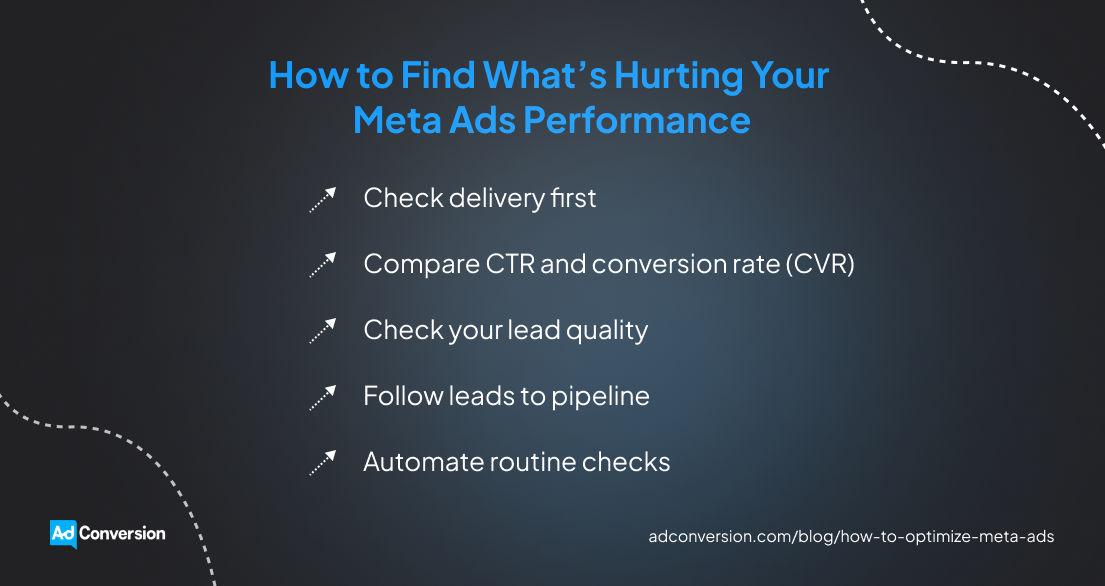
Check delivery first
Make sure Meta is actually delivering your ads as expected.
Open Ads Manager and look at ad spend, impressions, cost per mille (CPM), and cost per result. Compare them with what you normally see, not some universal benchmark.
If you usually spend $500 a day at a $30 CPM, but CPM suddenly jumps to $45, reaching 1,000 people now costs 50% more. This can increase your cost per result even if your ads are performing just as well once people see them.
Before you blame the whole campaign, dig a little deeper. Break down the numbers by ad set and placement. You might find that one ad set has become much more expensive while the rest are doing just fine.
Compare CTR and conversion rate (CVR)
See what people do after Meta shows them your ads.
If CTR drops while delivery stays steady, fewer people are interested enough to click. This could mean your creative is losing momentum or Meta is reaching poor-fit audiences.
On the other hand, an ad might keep getting a 1.5% CTR while CVR falls from 8% to 4%. People are still clicking at the same rate, but only half as many convert once they reach your landing page. This tells you the drop is happening after the click.
If you don’t look at these metrics together, you could waste time changing an ad that’s still doing its job well.
Check your lead quality
Don’t let a good CPA convince you that everything is working.
An HR platform might cut its CPA from $200 to $130, only to discover that most of the new leads work at 20-person companies when its product is built for organizations with 500+ employees.
Go into your CRM and check the qualification data behind those Meta Ads conversions. Focus on criteria such as company size, job title, industry, or any other sign that the lead matches your ideal customer profile (ICP).
Then compare how many leads from each campaign actually qualify. A $200 CPA can still be the better deal if those leads are much more likely to become customers.
Follow leads to pipeline
Qualification gets you closer to the truth, but pipeline tells you whether those leads actually produce results.
Track Meta leads through your CRM and compare campaigns by sales opportunities, pipeline, and closed revenue. The longer your sales cycle, the easier it is for Meta’s top-line metrics to hide what those leads eventually become.
Two ad campaigns could each produce 10 qualified leads. But if the first generates one opportunity in the pipeline worth $200,000 and the second generates four worth the same, they’re clearly not delivering the same value.
AdConversion can audit your existing Meta Ads setup and campaigns to uncover wasted spend and missed opportunities that aren’t always obvious from the numbers you see in Meta.
Automate routine checks
Instead of spending your day refreshing Ads Manager to track performance, you can use a Meta Ads automation tool.
Sami, AdConversion’s AI sidekick, watches over your campaigns 24/7 and takes repetitive work off your plate.
Just connect your Meta Ads account, choose the no-code automations you want to run, and tell Sami which key performance indicators (KPIs) to keep an eye on.
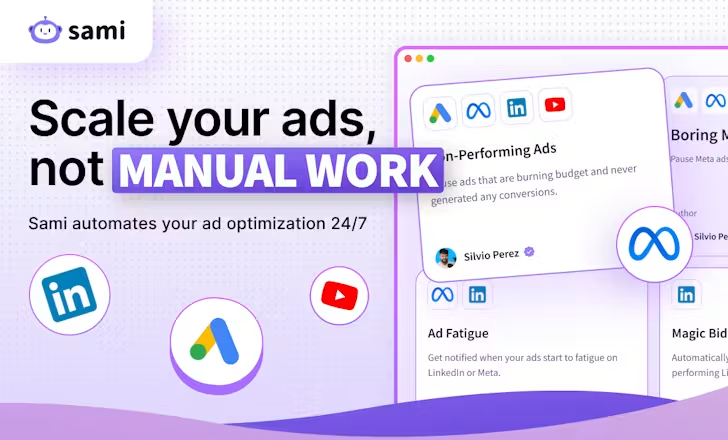
From there, Sami handles routine checks for you:
- If your account goes 24 hours without an impression, it gives you a heads-up in Slack so you can investigate what’s happening.
- It checks your campaigns every hour and automatically pauses ads that blow past the CPA or another KPI limit you’ve set.
- It also catches ads that keep spending without bringing in any conversions and pauses them before they waste even more budget.
But you don’t have to let Sami make every call for you. It can take action automatically or send its recommendations to Slack first, so you can approve or reject them.
Step 3: Clean Up Your Meta Ads Campaign Structure
Too many campaigns and ad sets can spread your budget and conversion data too thin. Keep them separate when you need more control over a test, then consolidate them once you know what’s working.
Separate what you're testing
Give every test a fair shot before you pick a winner.
Imagine you’re A/B testing two target audiences. Put each one in a separate ad set, show both the same ads, and set a budget for each ad set.
If you throw both audiences into the same ad set, Meta decides where to spend. It might put most of your budget behind one audience before the other has generated enough data to tell you anything useful.
Keeping test audiences separate solves that problem. Both get enough budget to produce data, and you get a much cleaner comparison.
Bring proven campaigns together
Once the test is over, all those separate campaigns and ad sets can start working against you.
If you get 30 qualified demo requests a month and you split them across six similar ad sets, each one offers very little data to learn from.
Look for ad sets that are chasing the same conversion, target similar audiences, and no longer need separate budgets. Those are good candidates to consolidate.
This gives Meta more data to work with and more freedom to put your budget where it’s getting results.
You can still keep some things separate when there’s a good reason to. For instance, a B2B account-based marketing (ABM) campaign might need its own budget so it doesn’t have to compete with your broader campaigns.
Change one thing at a time
When you’re cleaning up your Meta Ads campaign structure, resist the urge to fix everything at once.
If you consolidate ad sets today, leave your bids and budgets alone. See how the new structure performs before changing something else.
Otherwise, your CPA might jump from $180 to $240, and you won’t know why.
The same goes for performance improvements. Changing one thing at a time tells you what worked, so you know what’s worth keeping and scaling.
Step 4: Adjust Your Meta Ads Bids and Budgets
Your bids and budgets can help Meta Ads spend more efficiently, but they can’t rescue a campaign that isn’t working. Once you have enough performance data, you can use it to control costs and scale winners.
Check restrictive bid settings
If a campaign isn’t spending its budget, check whether your bidding strategy is getting in the way.
Cost caps and bid caps give you more control over acquisition costs, but tighter doesn’t automatically mean better. If you set them too low, Meta Ads might struggle to find enough opportunities to spend on.
Imagine your education software ad campaign normally generates qualified leads at around $250. Dropping your cost cap to $150 doesn’t force Meta to find the same leads for $100 less. You might simply get fewer of them.
Before tightening your bids, check whether the limit you’ve set lines up with what the campaign can realistically achieve.
Add controls with enough data
Don’t rush into cost controls before you know what a realistic acquisition cost looks like.
Look at your campaign history first. You need enough conversions to see what you typically pay for the outcome you’re optimizing for.
Use that historic data to set a realistic cost cap. Meta will use it as a target for your average cost per result while still trying to maximize results.
Just remember that a cost limit only controls how Meta bids. It doesn’t fix weak creatives, poor conversion data, or leads that never turn into pipeline.
Move budget to winners
Put more budget behind the campaigns that produce better business outcomes, not simply the cheapest leads.
If a more expensive campaign keeps generating more qualified opportunities, a lower CPA isn't much of a win.
Use pipeline and revenue data to find your best-performing Meta ad campaigns and move more budget toward them.
This might mean accepting a higher CPA up front to get a better return on ad spend (ROAS) further down the funnel.
Increase budgets gradually
When a campaign is working, don’t throw a lot more budget at it overnight.
A campaign might generate qualified leads at a $250 CPA on a $300/day budget. But that doesn’t automatically mean it can spend $1,000 a day and keep delivering the same results.
Increase the budget gradually and watch what happens as you spend more. If CPA starts climbing or the extra leads stop turning into qualified opportunities, you may be pushing the campaign beyond what it can efficiently scale to.
And don’t get hung up on rules like increasing your budget by 10% or 20% at a time. No magic percentage works for every Meta Ads campaign.
Let your own numbers set the pace. Keep scaling while the additional spend still brings in qualified leads and pipeline at an affordable cost.
Set automatic budget protections
You don’t need to manually watch every Meta Ads campaign to make sure spend stays on track.
Sami’s Budget & KPIs dashboard brings your spend, pacing, and key metrics into one view. This way, you can quickly see if your campaigns are spending as planned. If they’re not, Sami recommends automatic fixes that you can approve in one click.
You don’t even have to open the dashboard every day. Sami sends a pacing summary straight to Slack and email each morning, so you can catch underspending or potential overspending before it starts costing you results.
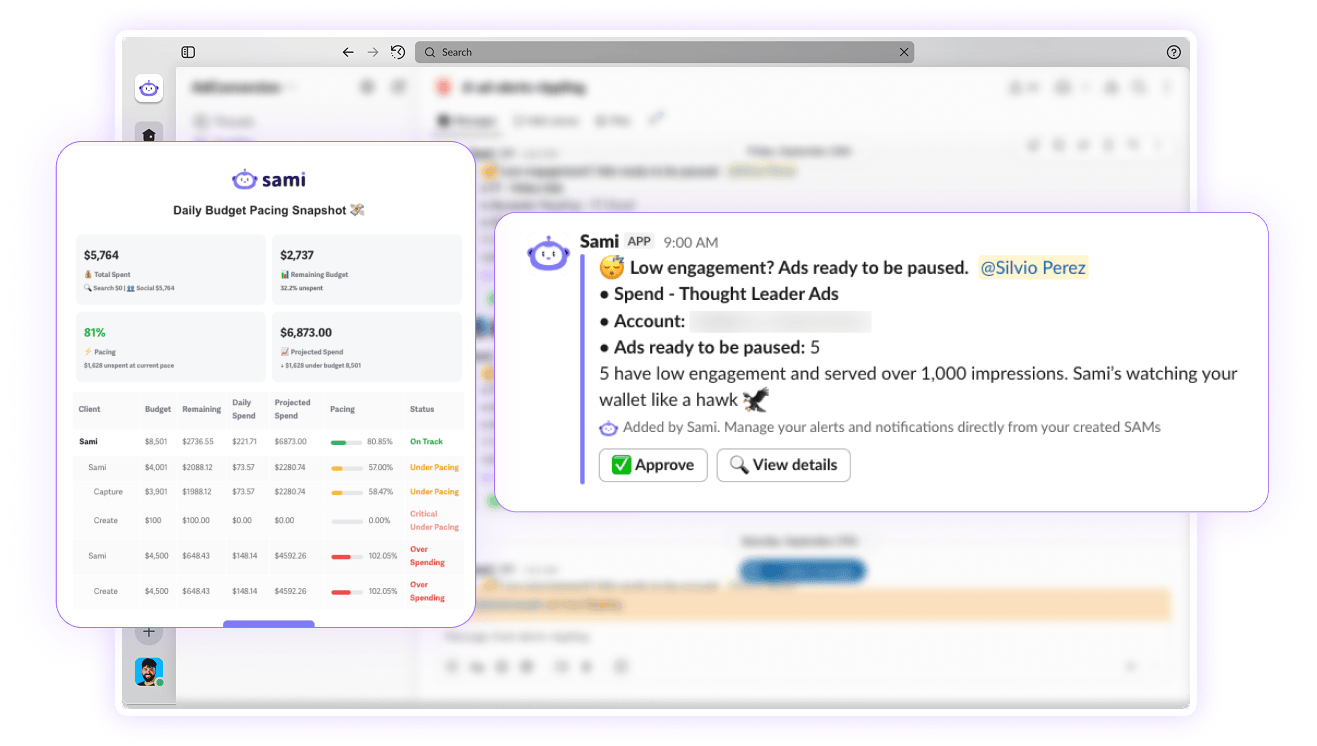
Sami also lets you set up budget protections:
- Budget Pacing automatically increases or decreases your Meta Ads campaign budgets based on performance. If you want more control, you can set a maximum daily budget or require manual approval.
- Budget Protection gives you a heads-up once you’ve spent 80% of your monthly Meta Ads budget. When you hit the full amount, Sami pauses all campaigns and starts fresh the next month.
- Ad Scheduling pauses your ads at the end of the day and switches them back on the next morning. This prevents Meta from burning through your budget too early, leaving you with no impressions or reach for the rest of the day.
Step 5: Refine Your Meta Ads Audience Targeting
Better Meta Ads targeting doesn’t always mean narrowing your audience. Find where your best leads are coming from, build on what’s working, and give Meta more room to grow.
Find your best audiences
Find which audiences actually attract good-fit buyers.
Don’t judge them on CTR or CPA alone. Compare how many leads qualify, turn into opportunities, and eventually generate pipeline or revenue.
A data analytics platform might get $120 leads from one audience and $190 leads from another. But if the $190 leads consistently come from Chief Data Officers at 500+ employee companies and turn into opportunities, that’s the audience worth building on.
Take a closer look at your B2B retargeting too. You can use UTM parameters to separate traffic coming from tightly targeted LinkedIn or Google Ads campaigns and see how those visitors perform on Meta.
Just don’t keep narrowing your custom audiences because it looks better on paper. The more specific you get, the faster you can run out of people to reach.
Build on your best first-party data
If you’re getting the wrong leads, check the audience insights you’re giving Meta.
A lookalike audience built from every lead in your CRM can send the platform in the wrong direction. This list can include people who downloaded an e-book, booked a demo but never qualified, or simply weren’t a good fit.
Try giving Meta a better starting point. Build your lookalike audiences from customers, sales opportunities, booked meetings, or other high-intent contacts.
You can play with the audience size too. Start with a one-percent lookalike, then test two percent if you need more room to scale. Just keep an eye on the leads coming through as you go wider.
A bigger audience isn’t much help if sales staff suddenly have to sift through twice as many poor-fit leads.
Test broad when it makes sense
If your best audiences are working but you can’t get much more out of them, try broad targeting.
This gives Meta Ads a larger pool of people to choose from instead of limiting delivery to the audiences you’ve built yourself.
A Pixel with plenty of conversion history and ads that clearly speak to your ICP can help the algorithm figure out who’s worth reaching.
Consider your market size as well. An HR platform selling to thousands of companies gives Meta much more room to explore than enterprise software built for a few hundred target accounts.
Learn more about Meta Ads B2B targeting from AdConversion’s full video tutorial.
Step 6: Test Your Meta Ad Creative
Once you know you’re reaching the right people, turn your attention to the ads they see. Test different ideas, messages, and formats to find what gets the right buyers to stop, click, and convert.
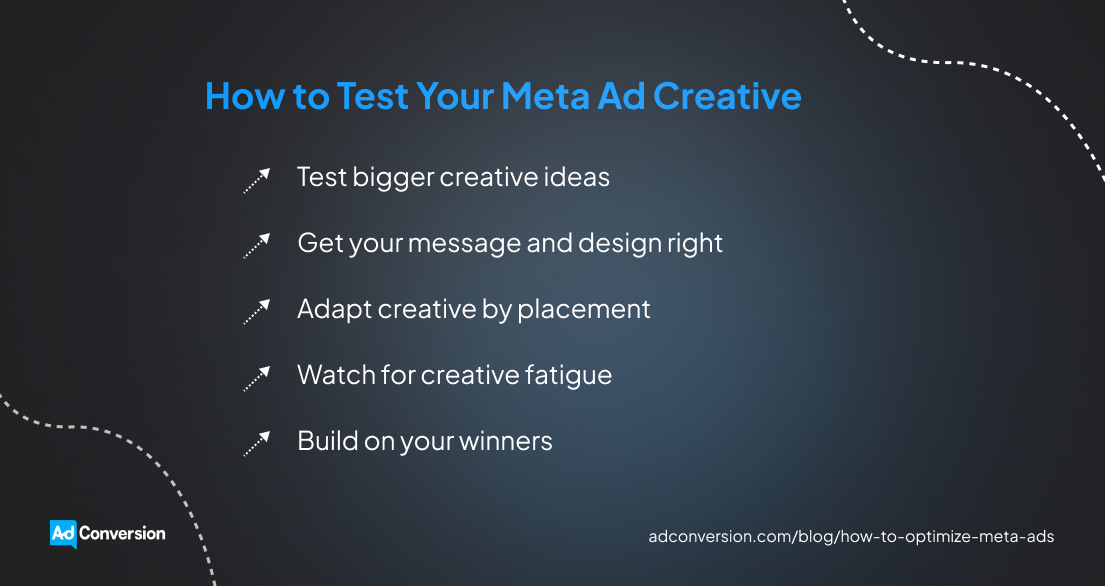
Test bigger creative ideas
Don’t waste your tests on tiny changes that won’t teach you much.
A new background color or slightly tweaked headline can wait. Start with creative concepts that look and feel completely different.
You can test a customer story against a product demo, a before-and-after against a meme, or a pain-point ad against one focused on the outcome.
The goal is to find out which ideas your buyers actually respond to, not whether they prefer blue or green.
Get your message and design right
A good idea still needs the right message and design to land.
Get specific with your Meta ad copy. ‘Improve your security operations’ doesn’t give someone much reason to stop scrolling. But ‘Spend less time investigating false positives’ speaks to a problem security teams deal with every day.
Specific problems also give you a more natural way to create urgency and motivation. You’re giving buyers a reason to care now instead of forcing urgency with another ‘Act today’ call to action (CTA).
Then make sure the design helps sell that message. The main point should be easy to spot, the text should be easy to read, and the visual should support what you’re saying.
Adapt creative to placement
Don’t assume an ad is bad just because it struggles in one placement.
Check your placement breakdown in Meta Ads Manager first. You might find that a square Feed ad performs well but falls flat when Meta serves it as a 9:16 Story.
That’s a format problem, not necessarily a creative problem.
You can keep the idea but adapt the asset to the placement using the right ad specs. Rework a static Feed ad for Stories, turn it into a vertical Reel, or use carousels when the message needs a few frames to tell the full story.
Watch for creative fatigue
Keep an eye on ads that used to perform well but are starting to lose momentum.
If your audience keeps seeing the same ad, CTR starts falling, and CPA begins climbing, then ad fatigue might be setting in.
Just don’t use frequency alone to decide if an ad is tired. A higher frequency can be perfectly fine if the ad is still bringing in qualified leads at a reasonable cost.
Sami can help you beat ad fatigue through automation. Its Ad Fatigue Detector checks your ads every week. If frequency is high and CTR drops below your 90-day average, Sami sends you a real-time Slack alert. That’s your cue to refresh your creative assets.
And you don’t always need to throw the whole ad away. A new hook, visual, social proof point, or format can give a winning idea another run.
Build on your winners
When you find an ad that works, squeeze more out of it.
Keep the core idea, but change how you bring it to life. For instance, you can turn a customer story into a short video, static image, or carousel. Or you can try a product demo with a different use case.
This gives Meta Ads more creative assets to work with without sending you back to the drawing board every time.
AdConversion’s B2B SaaS creative services can take the entire Meta ad creative process off your plate. Its copywriters and designers handle everything from coming up with new concepts to writing the copy and designing the ads. They also test your creatives and use what performs best to guide the next round of ads.
Watch AdConversion’s Meta Ads for B2B tutorial for more tips on getting your creatives, targeting, and overall approach right.
Step 7: Fix Your Meta Ads Post-Click Performance
If people click your Meta ads but don’t convert, or plenty convert but aren’t a good fit, look beyond the ad. The problem could be your landing page, form, or the size of the ask.
Match your ad and landing page
Your landing page should continue the conversation your Meta ad started. Keep the same problem, promise, audience, and offer all the way through.
If your ad tells security teams they can spend less time investigating false positives, the landing page should lead with that same problem. Sending people to a generic cybersecurity page forces them to hunt for the reason they clicked in the first place.
Make sure the CTA lines up too. If the ad promotes a product demo, the page shouldn’t suddenly push a free trial or a vague “Get started” button.
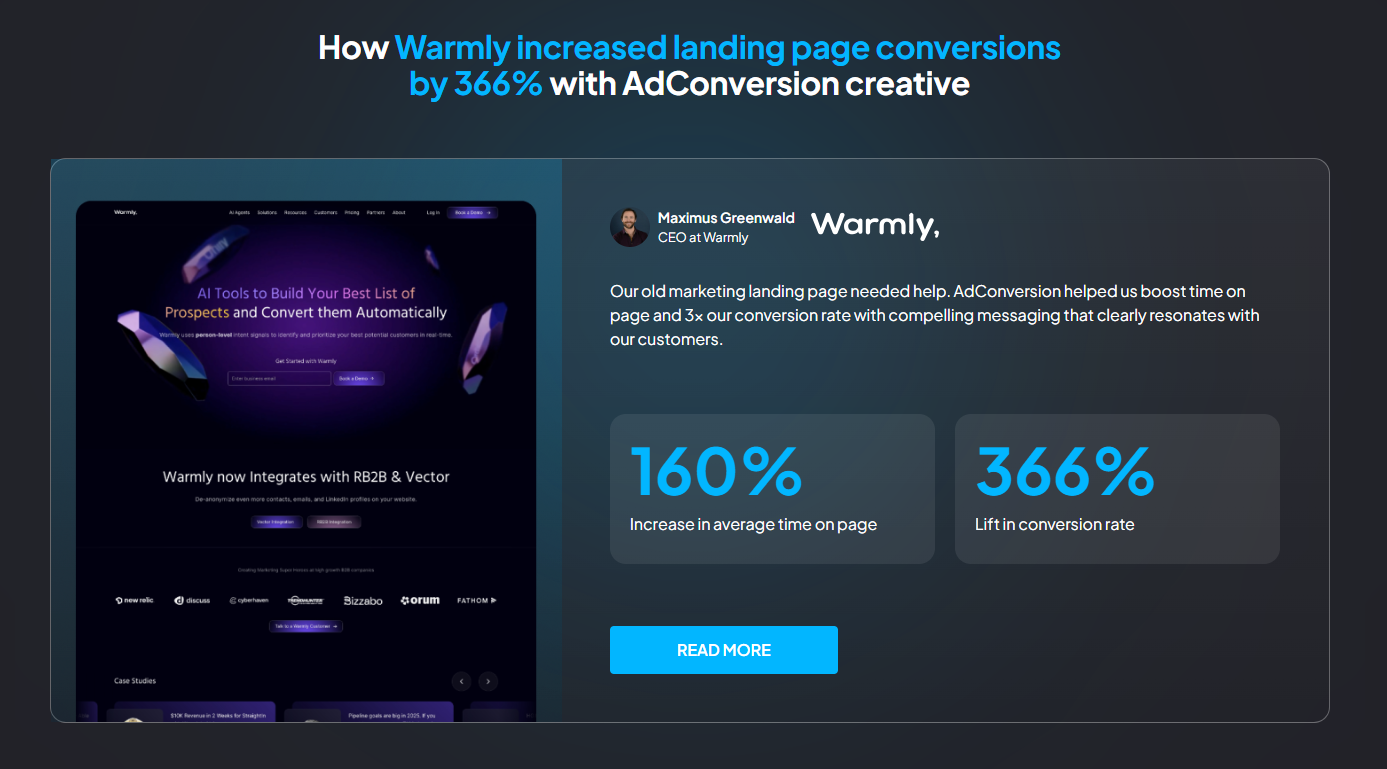
AdConversion builds dedicated landing pages for each Meta Ads campaign, so the message and offer stay consistent after the click. Its conversion rate optimization (CRO) specialists also keep improving your pages after launch by testing new copy, offers, CTAs, and page elements.
This approach helped Warmly increase its landing page conversion rate by 366% and average time on page by 160%. For more details, read AdConversion’s Warmly case study.
Add questions that qualify
If Meta keeps sending leads that go nowhere, make people put a little more thought into submitting the form.
Meta’s prefilled forms can make converting almost effortless. Someone can tap through so quickly that they barely remember converting when sales follows up.
To prevent this ‘social amnesia,’ add a few qualifying questions about company size, role, or other criteria your sales team uses to determine fit.
You can also test higher-intent form settings that ask people to review their information before submitting.
You might end up with fewer leads. That’s fine if more of them are worth a sales conversation.
Cut unnecessary form fields
Make sure your qualifying questions don’t turn into an interrogation.
If the right prospects reach your form but drop off before submitting, your forms may be creating too much friction.
Keep the fields sales actually uses to qualify leads and cut the ones that simply collect extra information. If removing a field wouldn’t change what sales does with the lead, test the form without it.
You still get everything you need without making prospects do unnecessary work.
Try a smaller ask
Sometimes the ask is simply too big for where the buyer is in their journey.
A cold prospect who sees your enterprise software ad for the first time might not be ready to talk to sales yet. So give them another way in.
A lower-commitment offer can help you capture interest without forcing an immediate sales conversation, such as registering for a webinar or starting a free trial.
You don’t need to rebuild your whole offer strategy. Test an ask that better matches how ready that audience is to buy. Then see whether more of those prospects eventually move further down the funnel.
Over to You
Knowing how to optimize Meta Ads for B2B SaaS makes it much easier to spot what needs your attention.
You can trace the problem, fix what’s actually getting in the way, and leave everything else alone. That makes every optimization more intentional and every dollar you spend easier to defend.
And if you’d rather bring in some backup, have a quick chat with AdConversion.
Frequently Asked Questions (FAQs)
How do you know if Meta Ads need optimizing?
Look for a pattern, not one bad day. Rising CPA, falling conversion rates, weaker lead quality, or less pipeline from the same spend can all point to a problem. Compare the change with your usual performance. If it sticks around, dig into the numbers and find out what’s driving it.
How long should Meta Ads run before optimizing?
There’s no magic number of days to wait before optimizing. It all depends on your spend, expected CPA, conversion volume, buying cycle, and what you’re testing. A tracking issue or campaign that stops delivering needs attention now. A small CPA jump after a couple of slow days probably doesn’t.
How do you scale Meta Ads without increasing CPA?
You can’t guarantee the same CPA as you spend more. Start with campaigns already bringing in qualified leads and pipeline, then increase your budget gradually. Watch what each extra dollar gets you. If marginal CPA increases too much or lead quality drops, ease off.
Does editing a Meta ad reset the learning phase?
Not every Meta Ads edit has the same effect, but significant changes can disrupt delivery and send an ad set back into learning. Don’t tweak campaigns just because you haven’t touched them lately. Make a change when you have a clear reason or hypothesis, then give Meta time to adjust before changing something else.
Meta Ads for SaaS: The B2B Playbook That Gets Results
Meta Ads for SaaS puts your software in front of potential buyers as they scroll Facebook and Instagram. It can help you spark interest, capture demand, and generate pipeline.
But getting there isn’t always easy. B2B targeting can be messy, lead quality can disappoint, and yesterday’s winning ad can quickly lose momentum.
Learn how to tackle these challenges with smarter campaign structures, targeting, creatives, measurement, and optimization.
Table of Contents
Which SaaS Business Models Benefit Most From Meta Ads?
Why Do Most SaaS Companies Struggle With Meta Ads?
How Do You Build a Meta Ads Strategy for SaaS?
How Do You Structure Meta Ads Campaigns for SaaS?
How Do You Set Budgets for SaaS Meta Ads Campaigns?
What Targeting Strategies Work Best for SaaS on Meta Ads?
What Meta Ad Creatives Work Best for SaaS?
How Do You Measure Meta Ads Performance for SaaS?
How Do You Optimize Meta Ads for SaaS?
Frequently Asked Questions (FAQs)
Do Meta Ads Work for SaaS?
Yes, Meta Ads can work for SaaS, but success depends on your business model, audience, offer, sales motion, and creatives.
You can use Meta for demand generation, high-quality lead generation, prospect conversion, retargeting, and lead nurturing across long sales cycles.
For example, one AdConversion client had previously focused most of its paid social efforts on LinkedIn. After expanding to Meta, the company generated $800,000 in new business pipeline from the channel.
But that doesn't mean Meta will work the same way for every SaaS business. A product-led growth (PLG) company looking for free trial signups has very different goals from an enterprise with a long sales cycle and a small target market.
That's why Meta needs a clear job description in your wider acquisition strategy. And you need to judge it by business results that actually matter.
Which SaaS Business Models Benefit Most From Meta Ads?
Meta Ads can work across different SaaS business models, but the role you assign it should match how customers buy your product.
Product-led SaaS
You can use Meta Ads when your product has a large pool of potential users, and people can experience its value on their own. The platform helps you reach new users at scale and give them a low-friction way to try the product.
Free trials and freemium plans offer users an easy way to go from ad to product. There’s no demo call or sales conversation standing in the way.
Just remember that more free trial signups don’t automatically mean more customers. You still need to attract people who are likely to use the product and eventually pay for it.
Sales-led SaaS
Convincing cold audiences to book a demo right away can be a tough ask. A lower-friction Meta Ads offer allows buyers to get to know your product first.
You can offer them a useful guide, webinar, or another asset that solves one of their problems.
Retargeting can then keep your product on the buyer’s radar as that initial interest grows.
Enterprise SaaS
Enterprise SaaS is a different ball game. You’re typically dealing with a smaller group of target accounts, long sales cycles, and several stakeholders who are making decisions about the deal.
Meta can help you stay in front of those accounts and reach more of the buying committee. That might include finance, legal, executives, or other stakeholders who weren’t part of the original conversation.
You can even advertise to open opportunities. Social proof, customer stories, and content that tackles common objections can give buyers another reason to keep the deal moving.
Why Do Most SaaS Companies Struggle With Meta Ads?
Most SaaS companies struggle with Meta Ads because they use strategies that don’t match how the platform works or how B2B buyers make purchasing decisions.
Common mistakes include:
- Treating Meta like e-commerce. SaaS buyers rarely see one ad and make an immediate purchase. Your campaigns need to account for a longer journey from first touch to a closed deal.
- Expecting Google-level intent. People aren’t actively searching for your solution while scrolling Facebook or Instagram. Your ads need to grab their attention and create interest first.
- Trying to copy LinkedIn targeting. Meta doesn’t offer the same professional targeting data. You need other ways to help the platform find the right buyers.
- Asking for too much too soon. A cold prospect might not be ready to book a demo. So you need to create lower-friction offers that give them an easier first step.
- Optimizing for cheap leads. A low cost per lead (CPL) means nothing if those leads never become qualified opportunities or customers.
- Running generic ad creatives. Generic messaging makes it harder to attract and qualify the right buyers. Your Meta ads need to make it clear who the product is for and why they should care.
- Judging Meta by lead volume alone. Lead numbers only show part of the story. You can easily back the wrong campaigns if you don’t check what happens after ad conversion.
How Do You Build a Meta Ads Strategy for SaaS?
Build your Meta Ads strategy around the results you want, the offer you’ll promote, the conversions you care about, and your available resources.
Start with business outcomes
Give Meta Ads a specific goal before you start building campaigns.
Maybe you want to bring in more sales opportunities, activated users, customers, or revenue. Start with that outcome and work backward.
This gives the rest of your strategy a clear direction. You can then choose offers, conversion signals, and campaigns based on what you’re actually trying to achieve.
You’ll also be able to evaluate performance against meaningful SaaS results, instead of vanity metrics.
Match offers to intent
Match your offer to how much you can realistically ask from your audience.
A guide or webinar gives someone an easy way to engage with your brand. A free trial asks them to spend more time using the product, while a demo requires them to talk to sales.
Pick the offer that makes sense for the audience you’re trying to reach. Then create a call to action (CTA) that will push them toward the next step.
A simple offer can work well with a Meta Instant Form that automatically collects contact details without the lead having to leave the platform.
But if your offer needs more explanation, building a dedicated landing page is your best bet.
Identify meaningful conversion signals
Figure out which conversions tell you that your Meta ads are bringing in the right buyers.
For sales-led SaaS, a prospect becoming a sales-qualified lead (SQL) or opportunity is more valuable than a form submission. For PLG, activation and paid conversion matter more than the initial signup.
Decide which of those milestones matter before you launch. You’ll need them later to separate campaigns that simply generate any conversions from campaigns that generate valuable conversions.
This distinction will help you decide which ad campaigns to optimize, pause, or scale.
Choose in-house or agency support
Work out whether you have the people and expertise to handle Meta Ads for B2B SaaS in-house or need outside support.
Running paid social requires campaign strategy and management, creative production, landing pages, tracking, optimization, and reporting.
If you’re missing several of those capabilities, a B2B SaaS marketing agency like AdConversion can cover them.
AdConversion Agency gives you access to a full team of B2B SaaS paid media strategists, copywriters, designers, and conversion rate optimization (CRO) specialists.
The team learns the ins and outs of your product, ideal customer profile (ICP), and go-to-market motion. Based on those insights, they build a full-funnel Meta Ads strategy to reach, nurture, and convert the accounts you care about.
AdConversion then takes the day-to-day work off your plate. It runs your Meta Ads campaigns, creates the ads, builds SaaS landing pages, optimizes performance, and handles reporting.
And because Meta Ads is only one piece of the puzzle, AdConversion can connect it with Google Ads, LinkedIn Ads, Reddit Ads, and other paid channels. So you get a cross-channel strategy focused on bringing in more pipeline and revenue.
How Do You Structure Meta Ads Campaigns for SaaS?
Structure your Meta Ads campaigns around the parts of the B2B buying journey you want to support, and keep the setup as simple as possible.
Use prospecting to find new buyers
Meta Ads prospecting campaigns help you reach potential buyers who haven’t interacted with your business yet.
Structure these campaigns around the conversion you want, whether that’s a lead, free trial, or demo request.
Keep existing customers, SQLs, and other warm audiences out of prospecting so your ad budget stays focused on finding new buyers.
Retarget buyers who already know you
B2B retargeting campaigns give you another shot at users who previously showed interest but didn’t take the next step.
Build your Meta Ads retargeting pool from meaningful interactions, such as website visits, content downloads, video engagement, or trial signups.
You can also retarget qualified traffic you’re already paying to bring in through Google Ads or LinkedIn Ads.
Accelerate deals already in your pipeline
Meta Ads can also help you move open opportunities closer to closed deals.
Set up pipeline acceleration campaigns around the opportunities your sales team is actively working on. You can use them to stay in front of existing contacts and reach more people involved in the buying decision.
Keep the audience synced with your customer relationship management (CRM) system. This way, prospects enter the campaign when they become opportunities and leave when the deal is no longer active.
Keep your structure simple
Don’t create a new campaign or ad set every time you want to A/B test something.
Keep campaigns together when they share the same objective and conversion goal. Split them when you need separate control over budget or optimization.
The same goes for ad sets. Create separate ones only when you genuinely need to test or manage audiences independently.
Otherwise, consolidate. You’ll avoid spreading your conversion data across too many places and give Meta more information to optimize with.
How Do You Set Budgets for SaaS Meta Ads Campaigns?
Set budgets for your Meta Ads campaigns based on what you can afford to spend and where that money can make the biggest impact:
- Work backward from your business goals. Look at what a new customer is worth and what you can afford to pay to acquire one. Then consider how many customers or qualified opportunities you want Meta to generate and use those numbers to set your total budget.
- Prioritize the campaigns that matter most. Don’t automatically divide your budget evenly across every campaign. Put more of your available spend behind the ones that support your current goals.
- Factor in audience size. Prospecting usually takes up more budget because you have a larger pool of potential buyers. Retargeting and acceleration audiences are much smaller, so you can stay in front of buyers without spending as much.
- Give each campaign enough budget to produce useful data. If your total budget can’t properly support every campaign, run fewer campaigns. Otherwise, you’ll spread your ad spend so thin that you won’t be able to tell what’s actually working.
- Adjust budget allocation as results come in. Your starting split isn’t set in stone. Move more budget toward the campaigns driving better business results and pull back where performance isn’t holding up.
What Targeting Strategies Work Best for SaaS on Meta Ads?
The best Meta Ads targeting strategies for SaaS start with the data you trust most, then give the platform more room to find new buyers as you scale.
First-party audiences improve precision
Your CRM already holds some of your best targeting data, so use it.
Upload lists of contacts who’ve shown real buying intent. These can include past marketing-qualified leads (MQLs), booked meetings, demo no-shows, existing customers, and more.
Meta can match those contacts to its users, giving you a much tighter audience to target.
Just don’t slice your data too thin. Small lists and low match rates can quickly limit your reach, especially if you sell to a niche ICP.
Start a little broader, then tighten your targeting based on the data and performance you see.
Lookalikes extend proven audiences
Meta’s Lookalike Audiences help you find more people like the buyers you already know.
For example, you can upload your existing customers and build a one- or two-percent lookalike from that list. This lets Meta find new users with similar characteristics.
You can repeat the same process with other CRM segments.
Third-party data gives you more options
Eventually, you’ll run out of first-party data to work with. When you hit that wall, third-party data can help you get more specific about who you reach.
Upload your target account list to third-party data providers like Primer and Metadata. They’ll find the contacts who work at those companies, which you can then feed to Meta to build custom audiences.
This helps you run account-based marketing (ABM) campaigns and get closer to the targeting precision you’re used to on LinkedIn.
Broader audiences enable discovery
Once you’ve taken first- and third-party data as far as it can go, you can give Meta Ads more freedom to find new buyers.
With Meta Advantage+, you can loosen your targeting and let the platform figure out who’s a good fit for your ads. Meta uses its own signals, including your ad content, to find relevant users within a broader audience.
This strategy has a better shot when your ad creatives speak directly to your ICP, as it shows Meta the kind of buyers you’re trying to reach.
For a step-by-step walkthrough, check out AdConversion’s full Meta Ads B2B Targeting Tutorial.
What Meta Ad Creatives Work Best for SaaS?
The best Meta ad creatives for SaaS make your product, the problem it solves, or the outcome it delivers easy to understand at a glance.
Product demos show value
Product demo ads show buyers what your software actually does instead of asking them to take your word for it.
Keep each video ad focused on one problem or use case. Show what the user is struggling with, how your product helps, and what changes as a result.
You don’t need to squeeze every feature into one ad. A quick screen recording of one useful workflow can make your value much easier to grasp.
And don’t overproduce it. A simple demo that gets to the good stuff quickly feels much more at home in the Meta feed than a professional two-minute product tour.
Human-led videos build trust
Founder, customer, and user-generated content (UGC) video ads put a real person behind your message, which makes it more credible and relatable.
Use these ad creatives to call out a familiar pain point, share a useful insight, tackle an objection, or explain how someone solved a problem with your product.
Keep the delivery natural. You want content that someone might actually stop to watch on Facebook or Instagram.
The opening matters too. Lead with the problem, result, or insight instead of wasting valuable ad time introducing your SaaS company.
Bold statics surface problems
Static image ads work best if you include a bold message that stops buyers from scrolling.
Feature a problem your ICP instantly recognizes, a result they want, or a point of view that grabs their attention. Keep the visual simple enough so the message lands immediately.
This is also a good place for creative testing. Push beyond traditional graphics with a before-and-after concept, meme, product illustration, or customer result.
Carousels explain complex products
When one visual can’t tell the whole product story, a carousel ad gives you more room to break it down.
Use the sequential cards to walk buyers through a workflow, unpack a more complex use case, or move from the problem to the solution one step at a time.
Just don’t turn the carousel into a feature catalog. Give the ad one story and make every card move that story forward. Even prospects who only swipe through the first few cards should understand what your product can help them do.
Whichever ad format you use, keep testing big creative ideas instead of endless micro-variations. Meta analyzes your ad copy, images, carousels, and video transcripts to decide which ads to serve and who might be interested in them.
See how ad creatives fit into the bigger campaign picture in AdConversion’s beginner’s guide to becoming a Meta Ads expert.
How Do You Measure Meta Ads Performance for SaaS?
Measure Meta Ads performance by tracking what happens after the click, so you know which campaigns drive pipeline and revenue.
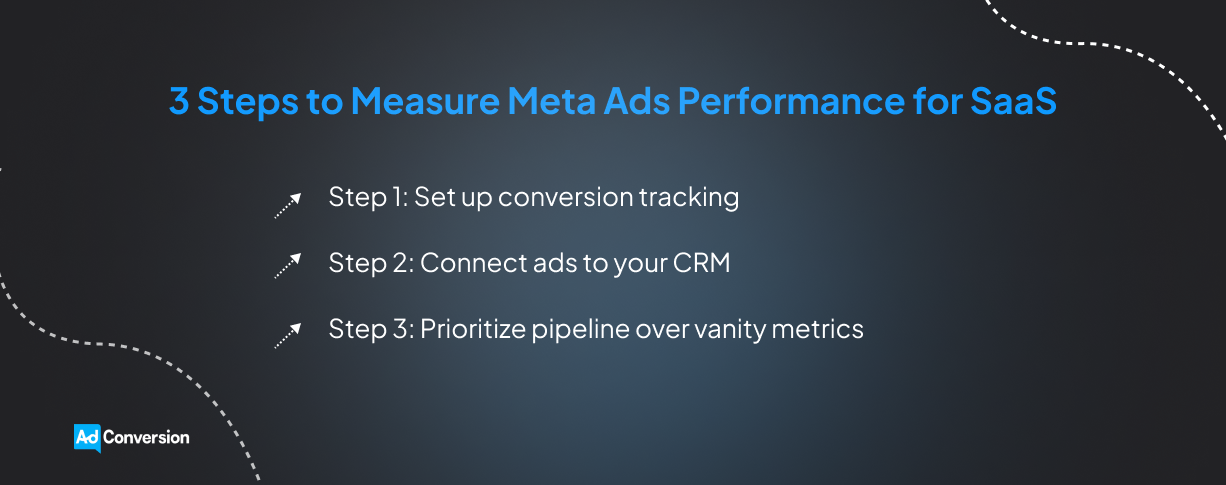
Step 1: Set up conversion tracking
Start by giving Meta a clear view of what people do after they interact with your ads.
Install Meta Pixel on your website to track actions like landing page visits, form submissions, demo requests, and free trial signups.
Then pair it with the Conversions API (CAPI), which sends conversion data to Meta from your server, website platform, or CRM.
Using both gives Meta more conversion data to work with. CAPI can also capture events that browser-based Pixel tracking might miss because of ad blockers or connectivity problems.
Just make sure you’re tracking the actions that actually matter to your business. A page view is useful, but a qualified demo request tells you much more about buying intent.
Step 2: Connect ads to your CRM
Meta Ads tells you someone converted, but your CRM shows you what happens next.
Connect your Meta Ads account to your CRM so you can see which leads turn into SQLs, opportunities, and customers.
Use UTMs (Urchin Tracking Modules) to keep track of the campaign, ad set, and ad behind each lead. AdConversion’s free UTM generator makes this easy.
Step 3: Prioritize pipeline over vanity metrics
Once your tracking is in place, judge Meta Ads by the quality and business value of the leads it generates.
Impressions, click-through rates (CTRs), cost per click (CPC), and cost per mille (CPM) help diagnose campaign performance issues.
For instance, a low CTR might point to a weak creative, while a high CPM could signal an expensive audience.
But these metrics only tell you what’s happening inside your campaigns. They don’t tell you whether your ad spend is creating value for the business.
For that, focus on metrics tied to actual sales outcomes, like cost per SQL, cost per qualified opportunity, pipeline generated, and revenue.
How Do You Optimize Meta Ads for SaaS?
Optimize Meta Ads for SaaS by cutting wasted spend, giving winning ads more room to grow, and refreshing creatives before performance starts to slip.
Meta Ads automation tools can take some of that day-to-day work off your plate, helping you catch problems early and act on opportunities faster.
Cut persistent underperformers
Some Meta ads need more time to prove themselves, while others keep dragging on your budget with nothing to show for it.
Give new ads enough time and data before making a call. Look for the ones that consistently miss the key performance indicators (KPIs) you’re optimizing toward.
The tricky part is catching those underperformers before they burn through your budget.
Sami, AdConversion’s AI ad automation tool, monitors your Meta ads around the clock. It checks your campaigns every hour and can automatically pause any ads that have underwhelming KPIs.
If you’d rather approve changes yourself, it can send you recommendations to Slack first.
Shift budget toward winners
When a Meta Ads campaign is consistently delivering the results you want, give it more room to grow.
Scale gradually and watch what happens as spend increases. A campaign won’t necessarily show the same cost per acquisition (CPA) when you put more money behind it.
And don’t let cheap leads fool you. If another campaign costs more up front but brings in better opportunities, spending more on it could have a bigger impact.
Sami helps you keep those budget shifts tied to performance. The AI sidekick automatically increases budgets for top-performing campaigns and pulls back on weaker ones.
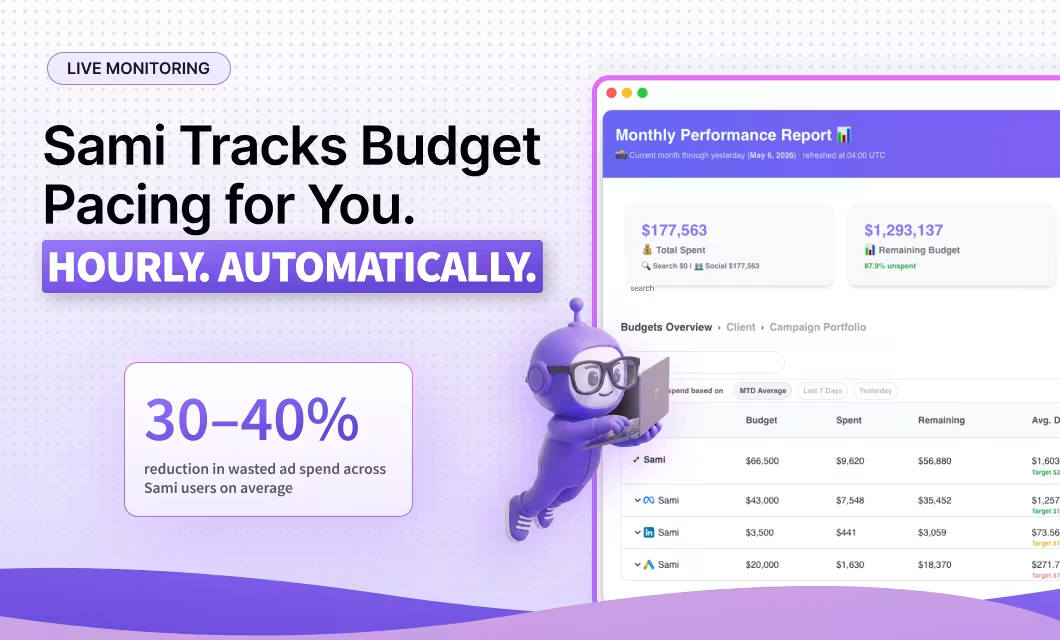
Refresh tired ad creatives
Even your best Meta ad can lose momentum once people have seen it too many times.
Watch frequency and CTR together. If frequency keeps climbing while CTR drops, people might be getting tired of your ad creatives.
That’s your cue to bring something fresh into the mix. Just don’t settle for swapping a headline or changing one small design element. Give people a reason to stop scrolling with a new ad format or creative concept.
Sami helps you beat Meta Ads fatigue with automation. Its ad fatigue detector sends you a Slack alert when frequency rises and CTR falls below the ad’s 90-day average. You can then take a closer look and decide whether it’s time for a fresh creative.
Protect your overall ad spend
Meta Ads can burn through money, so make sure your campaigns don’t blow past your monthly budget too soon.
Monitor pacing as the month unfolds, especially when you start scaling winners. A few budget increases can push your monthly spend higher than expected if nobody’s keeping track.
Sami gives you a couple of guardrails here. Its Budget & KPIs dashboard shows your spend, pacing, and key metrics at a glance. If there’s an issue, Sami recommends automatic fixes, so you know exactly what to do.
Sami’s budget protection automation goes one step further. It alerts you when you’ve spent 80% of your monthly Meta Ads budget and it can automatically pause your campaigns once you hit your spending limit.
Explore AdConversion’s complete guide on how to optimize Meta Ads for B2B SaaS for a more detailed, step-by-step walkthrough.
Over to You
Meta Ads for SaaS can open up a lot of room for growth if you approach it with a clear plan and stay curious about what the data is telling you.
There’s no magic setup you can copy and leave running forever. Just keep learning from your buyers, trying new ideas, and putting your money behind what actually moves the business forward.
If you need a fresh perspective on where Meta could fit into your paid media mix, have a quick chat with AdConversion.
Frequently Asked Questions (FAQs)
Q1. Are Meta Ads or LinkedIn Ads better for B2B SaaS?
It depends on what you need the channel to do. LinkedIn Ads gives you much tighter B2B targeting, while Meta Ads can help you reach buyers at greater scale and often at a lower cost. Don’t treat it as an either-or decision. The two channels can work well together across the buying journey.
Q2. Are Meta Ads or Google Ads better for SaaS?
Google Ads and Meta Ads catch buyers in different moments. Google Search Ads are great for reaching people already searching for a solution like yours. Meta Ads, meanwhile, can get your software in front of potential buyers before they start searching. Using both can help you capture existing demand while also creating more.
Q3. Should SaaS companies use Meta Instant Forms or landing pages?
Test both and let the lead quality decide. Meta Instant Forms make it easy for buyers to convert without leaving the platform, so they can generate more leads. Landing pages add a bit of friction, but they can help explain complex offers and bring in higher-quality prospects. Compare SQLs and qualified opportunities, not just form fills or CPL, before picking a winner.

10 Best YouTube Ads Agencies for B2B Growth in 2026

YouTube Ads agencies for B2B take video advertising off your to-do list. They bring strategy, creative, and campaign expertise to reach the right buyers and turn those views into pipeline and revenue.
Some of the best YouTube Ads agencies for B2B are:
The best pick depends on where you need backup. Maybe that’s fresh video ad creatives, hands-on campaign management, or clearer revenue tracking.
Pinpoint that gap first, and you’ll have a much easier time finding the right team for your needs.
Disclosure: This article was created by AdConversion, a YouTube Ads agency, and includes its own services. The blog post was last updated in September 2026 and reflects the author’s perspective rather than an independent editorial review. The agencies were evaluated using publicly available website information and Clutch reviews. The order is random and doesn’t represent a ranking system. AdConversion has no affiliate or commercial ties to the other agencies listed.
Table of Contents
7. Thrive Internet Marketing Agency
What Are the Best YouTube Ads Agencies for B2B Startups?
What Are the Top YouTube Ads Agencies for B2B Enterprises?
How Do You Choose the Right YouTube Ads Agency for B2B?
1. AdConversion
AdConversion is a B2B paid media agency and learning platform that gives you the expertise, tools, and support to turn ads into pipeline and revenue.
You can tap into its paid advertising expertise in three ways:
- Learn the playbook yourself with AdConversion Academy. Access free courses and resources that teach you how to build and run winning paid acquisition programs. You can start with the beginner’s guide to becoming a YouTube Ads expert and go from there.
- Keep campaigns in check 24/7 with Sami. AdConversion’s AI sidekick watches ad performance round the clock and automatically steps in when campaigns overspend or fall behind your targets.
- Hand over your paid media to AdConversion Agency. The team can take the day-to-day management and optimization work off your plate and run coordinated cross-channel campaigns.
AdConversion has been around since 2023, and its client roster includes B2B names like Rippling, ActiveCampaign, DigitalOcean, and OpenSesame.
AdConversion’s Video Ads Agency brings a B2B SaaS mindset to YouTube Ads. Its goal is to reach buyers who can turn into closed deals, not just drive more views and clicks.
That same focus carries over to ad creatives. The team develops paid-first concepts that make complex products easy to understand and hard to scroll past.
You’ll also have a senior performance marketer in your corner from day one. They get close to your business, challenge what isn’t working, and keep bringing new ideas to your campaigns.
Plus, YouTube never has to work alone. AdConversion can connect it with Google Ads, LinkedIn Ads, Meta Ads, Reddit Ads, and other channels to support the same pipeline and revenue goals.
Services:
Pros:
From AdConversion’s Clutch reviews and client testimonials:
- A B2B SaaS company describes AdConversion as an extension of its growth team rather than an agency working from the sidelines.
- An event platform highlights how the team brought fresh ideas to weekly calls and backed its recommendations with campaign data.
- NetSPI’s VP of Growth Marketing credits the agency with quickly learning the brand and taking ad creatives off their hands.
Cons:
Clutch reviews also point to a couple of bumps in the road:
- A B2B SaaS company says its internal data-access restrictions made the initial account audit take longer.
- A community management platform found that landing on the right paid acquisition approach involved a bit of trial and error.
Case studies:
Minimum project size (based on Clutch):
$7,500
Good to know: AdConversion charges a fixed monthly retainer instead of taking a percentage of your ad spend. There’s no long-term contract lock-in either, and the agency offers a 30-day money-back guarantee.
2. Vireo Video
Vireo Video is a YouTube marketing agency that helps both B2B and B2C brands grow through organic and paid video campaigns.
Founded in 2016, the agency has worked with B2B brands like Proven Winners ColorChoice, STAHLS' Transfer Express, and PolicyMe.
Vireo Video’s edge comes from specializing only in YouTube. The team uses years of organic video content know-how to create ads that fit how people actually watch and engage on YouTube.
Services:
Pros:
Based on Clutch reviews:
- A health clinic highlights the team’s reliability, clear communication, and quick responses whenever extra support was needed.
- A wellness center praises Vireo Video for being transparent and collaborative, even recommending options that saved the client money at the agency’s expense.
Cons:
Limited reviews on Clutch suggest one area for improvement:
- The health clinic referred to above mentions experiencing a slow start, but that things gradually picked up.
Case studies:
Minimum project size (based on Clutch):
$5,000+
3. LYFE Marketing
LYFE Marketing is a social media management company that handles organic and paid campaigns across YouTube, Meta, LinkedIn, and other platforms.
The company was founded in 2011 and has collaborated with B2B clients such as Mortgage Markets CUSO, Brick Staffing, and Machinery Network.
LYFE Marketing closely monitors how video trends and audience habits change. It then brings those insights into campaigns built to drive brand awareness, leads, and sales.
Services:
Pros:
From feedback on Clutch:
- A food and beverage startup values the open communication and shared focus on marketing decisions that deliver the desired return on investment (ROI).
- A digital marketing business highlights the team’s clear communication and ability to deliver work on time.
- A healthcare company praises LYFE Marketing for being responsive, acting quickly on feedback, and being a reliable partner.
Cons:
A couple of drawbacks have been reported by Clutch users:
- A fitness company felt some ad recommendations were too generic and could’ve been better tailored to its industry.
- A flooring services provider found the early paid ads process confusing due to limited guidance, although support improved later on.
Case studies:
LYFE Marketing has plenty of case studies, but only one zeroes in on YouTube Ads.
Minimum project size (based on Clutch):
$1,000+
4. SevenAtoms
SevenAtoms is a pay-per-click (PPC) agency that turns paid search and paid social into high-quality leads and sales.
Since 2013, the agency has had a proven track record of working with B2B companies like Snook & Aderton, Imperva Incapsula, and Align Technology.
SevenAtoms mixes YouTube Ads B2B audience targeting with storytelling that feels human. The result is ad campaigns that hold viewer attention and turn engagement into conversions and ROI.
Services:
Pros:
From user experiences shared on Clutch:
- A cloud application platform likes how SevenAtoms keeps reporting clear and makes campaign results easy to understand.
- An e-commerce company credits the agency with bringing acquisition costs down while driving more leads and landing page conversions.
- Another e-commerce business values the team’s straight-talking approach and willingness to set realistic expectations instead of making promises it can’t keep.
Cons:
- The same cloud application platform felt the team could have tested new campaign ideas more thoroughly before putting them into action.
Case studies:
SevenAtoms has several success stories under its belt, but only one puts YouTube Ads directly in the spotlight.
Minimum project size (based on Clutch):
Undisclosed
5. WebFX
WebFX is a digital marketing agency that covers everything from paid advertising and search engine optimization (SEO) to content creation and web design.
The agency has been in the game since 1996, with B2B clients including CenTrak, Calhoun, and Beiler’s Sawmill.
WebFX approaches YouTube Ads through a performance-marketing lens. It uses targeting and bidding to push your videos beyond casual viewers and in front of people more likely to become customers.
Services:
Pros:
Feedback trends from Clutch reveal that:
- An assistive technology company likes how WebFX dug into its niche, listened to feedback, and worked hard to get the approach right.
- A home products company praises the team for being responsive, adaptable, and consistently on time.
- A food retailer highlights the agency’s deep expertise and strong partnerships with Google and other major players.
Cons:
Some drawbacks have been reported by Clutch users:
- A tech company would like to see stronger in-house video production and editing capabilities.
- A senior care services company felt the content didn’t quite match its brand voice even after offering feedback.
- A community college wants the team to bring bolder campaign ideas and push creative boundaries more often.
Case studies:
WebFX has lots of client wins to share, but its only YouTube Ads case study comes from the B2C side.
Minimum project size (based on Clutch):
$1,000+
6. Single Grain
Single Grain is a revenue marketing agency that brings paid media, SEO, and content marketing under one roof.
The agency launched in 2009 and has since partnered with B2B brands such as Crushing It On Camera, Interchain, and Simon Pearce.
Single Grain plays the long game with YouTube. It connects paid ads with organic videos and Google Search to keep your brand visible and turn more viewers into customers.
Services:
Pros:
Some insights gathered from Clutch reviews:
- A market research firm credits Single Grain with finding new growth opportunities and getting more from its social campaigns.
- A customer experience platform likes that the agency knows its lane and doesn’t pretend to have all the answers across every area of B2B marketing.
- A publishing company found weekly calls genuinely useful, with plenty of performance insights and clear ideas for what to try next.
Cons:
A few concerns were raised by Clutch reviewers:
- A financial software company thought a little more planning before kickoff would have helped the campaign start more smoothly.
- A construction company wanted the team to take more initiative in bringing new campaign ideas forward.
Case studies:
While Single Grain doesn't have any case studies involving YouTube Ads, this success story proves its paid media expertise:
Minimum project size (based on Clutch):
$10,000+
7. Thrive Internet Marketing Agency
Thrive Internet Marketing Agency handles the whole digital marketing mix, from PPC and SEO to social media marketing and web development.
Since its founding in 2005, Thrive has collaborated with B2B companies like Business Factors, ComplianceHR, and Berryman Products.
Thrive gets pretty granular with YouTube Ads. Its Google Partner team pairs the right video ad formats with advanced targeting to reach potential customers at the right moment.
Services:
Pros:
Clients emphasize the following strengths in Clutch reviews:
- A medical school tutoring company likes how Thrive keeps everything organized and walks non-marketers through the process without overcomplicating it.
- A telecommunications company calls out the team’s quick response times as a major plus.
- A remote interpretation services company values the frequent updates and clear explanations that make complex marketing strategies much easier to follow.
Cons:
An overview of Clutch reviews reveals a couple of downsides:
- An employee benefits company found that limited familiarity with the U.S. healthcare industry meant its team had to spend extra time explaining nuances and correcting content.
- A moving and storage company would’ve preferred fewer changes to the team working on its account.
Case studies:
Thrive doesn’t showcase a YouTube Ads case study, but this client win gives you a good look at what its paid media team can deliver:
Minimum project size (based on Clutch):
$1,000+
8. Directive Consulting
Directive Consulting is a B2B marketing agency that uses paid advertising, content, revenue operations (RevOps), and more to build qualified pipeline.
B2B brands like WordPress VIP, EasyVista, and dbt have trusted the agency since its 2014 launch.
Directive Consulting’s full-funnel approach puts video to work across your paid media mix. It builds audiences you can retarget and ties performance back to your revenue goals.
Services:
Pros:
Some strengths mentioned by users on Clutch:
- A talent acquisition technology company values the team’s SaaS know-how and the market insights it brings to the table.
- A healthcare consultation firm highlights how responsive the team is and how quickly it started feeling like part of the client’s own business.
- A cloud software company credits Directive Consulting with turning more leads into opportunities and finding new ways to grow through paid channels.
Cons:
A couple of limitations come up in Clutch reviews:
- An AI software company found that reporting created extra work for its internal marketing operations team.
- A cybersecurity company would have rather stuck with its existing tech stack and processes than introduce new ones.
- A nurse staffing agency notes that certain initiatives needed more time and budget than originally expected.
Case studies:
While you won’t find a YouTube Ads case study in Directive Consulting’s library yet, this paid media example gives you a taste of what the team can do:
Minimum project size (based on Clutch):
Undisclosed
9. Marcel Digital
Marcel Digital is a B2B digital marketing and web development agency that helps companies turn their digital presence into measurable growth.
Since its early days in 2003, the agency has helped B2B brands like SEKO Logistics, Medius, and iManage.
For Marcel Digital, YouTube ads don’t live in a bubble. The team connects video ads with the wider conversion funnel to help move prospects closer to becoming customers.
Services:
Pros:
A few agency clients on Clutch highlight the following:
- A PPE manufacturer likes how the team stays on top of deadlines, pays attention to the details, and is always ready to answer questions.
- An AI software solutions company values the mix of strategy, creativity, and execution Marcel Digital brings to the partnership.
- A healthcare products company appreciates how the team learned its business inside out and kept tailoring its approach as that knowledge grew.
Cons:
Just one trade-off mentioned on Clutch:
- An academic health center says the team needed time to understand its content workflow before providing useful recommendations.
Case studies:
Marcel Digital doesn’t have a YouTube Ads case study on display, so this paid media win is the next best thing to showcase its expertise in action:
Minimum project size (based on Clutch):
$5,000+
10. Hey Digital
Hey Digital is a performance marketing agency that turns paid ads into a growth engine for B2B SaaS companies.
Founded in 2018, the agency has teamed up with B2B clients such as Hotjar, Lokalise, and Writesonic.
Hey Digital puts YouTube media buying and video creatives on the same team. It connects YouTube views to CRM data to see which ones actually turn into pipeline and closed deals.
Services:
Pros:
Highlights mentioned by Clutch reviewers:
- An IT services company likes that the team dug into its product and market before recommending a solution.
- An e-learning platform values how Hey Digital keeps fresh ideas coming and turns them into action quickly.
- A B2B SaaS company found the weekly video updates a simple way to keep tabs on what the team was doing.
Cons:
On the downside, meanwhile:
- The same IT services company would have liked the team to take more initiative instead of waiting for direction.
Case studies:
Hey Digital has plenty of B2B SaaS wins, but only one shows YouTube Ads taking center stage:
Minimum project size (based on Clutch):
$5,000+
What Are the Best YouTube Ads Agencies for B2B Startups?
The best YouTube Ads agencies for B2B startups turn video ads into a serious growth engine while making every ad dollar of a tighter budget count:
- AdConversion works with Series A+ B2B startups that need to find what works fast. Its senior-led approach and rapid experimentation help growing teams test their YouTube ads without building a large in-house paid media operation.
- Directive Consulting helps startups figure out whether YouTube deserves more ad budget. By tying campaign performance to pipeline and revenue, you can scale what pays off and rethink what doesn’t.
- Hey Digital keeps YouTube ad creatives moving for startups without forcing them to hire a separate video agency. Its production team can continuously feed campaigns with new ads to test.
What Are the Top YouTube Ads Agencies for B2B Enterprises?
The top YouTube Ads agencies for B2B enterprises know how to keep big video budgets under control while navigating longer, messier buying journeys:
- AdConversion is used to serious ad budgets, managing an average of $150K per month for enterprise clients. Its round-the-clock YouTube Ads monitoring keeps campaigns in check, while CRM-connected reporting shows where that money is actually making an impact.
- WebFX gives enterprise teams the extra manpower to manage YouTube Ads at scale. Its large team can take on media buying, creatives, and ongoing optimization without piling more work onto your internal marketers.
- Marcel Digital tackles the measurement headaches of complex enterprise buyer journeys. Its analytics expertise helps you understand where YouTube influences prospects across multiple touchpoints and how it contributes to conversions.
How Do You Choose the Right YouTube Ads Agency for B2B?
Choose a YouTube advertising agency for B2B that knows how to find the right buyers, give them video ads worth watching, and deliver measurable results.
Use this checklist to narrow down your options:
- Make B2B experience non-negotiable. You want a team that already gets narrow ICPs, buying committees, long sales cycles, and the difference between generating a lead and a real sales opportunity.
- See what their YouTube ads look like in the wild. Dig into their creative portfolio and look for variety across hooks, concepts, formats, and funnel stages. If every video follows the same formula, that’s worth questioning.
- Find out how much of the YouTube Ads funnel they can own. Media buying alone may leave you juggling multiple partners. An agency that can also handle video creatives and landing page alignment can keep the whole journey working together.
- Put their case studies under the microscope. Big view counts might look impressive, but B2B success happens further down the funnel. Look for evidence of qualified leads, opportunities, pipeline, and revenue.
- Let past clients fill in the gaps. Reviews tell you what polished agency websites won’t. Look for recurring feedback around communication, responsiveness, strategic input, testing, and the team’s ability to understand complex products.
- Make sure their pricing works before signing. Compare retainers, minimum ad spend, production costs, contract length, and any extra fees. You need a setup that leaves enough room in your budget to actually test and scale YouTube ads.
Over to You
YouTube Ads agencies for B2B can bring wildly different strengths to the table, and that’s exactly why there’s no shortcut to picking one.
Some shine at creatives, while others bring serious paid media know-how to navigate a messy B2B funnel. What matters is finding the mix your team is missing.
If you’re still weighing your options, have a quick chat with AdConversion to see what makes sense for your goals.
8 Best YouTube Ads Automation Tools for Faster Growth
YouTube Ads automation tools take some of the pressure off running video campaigns.
They handle the repetitive work that can easily take over your day, from monitoring performance and optimizing campaigns to producing new video creatives.
That means you get more time to test new ideas, improve your campaigns, and focus on the bigger picture.
The best YouTube Ads automation tools include:
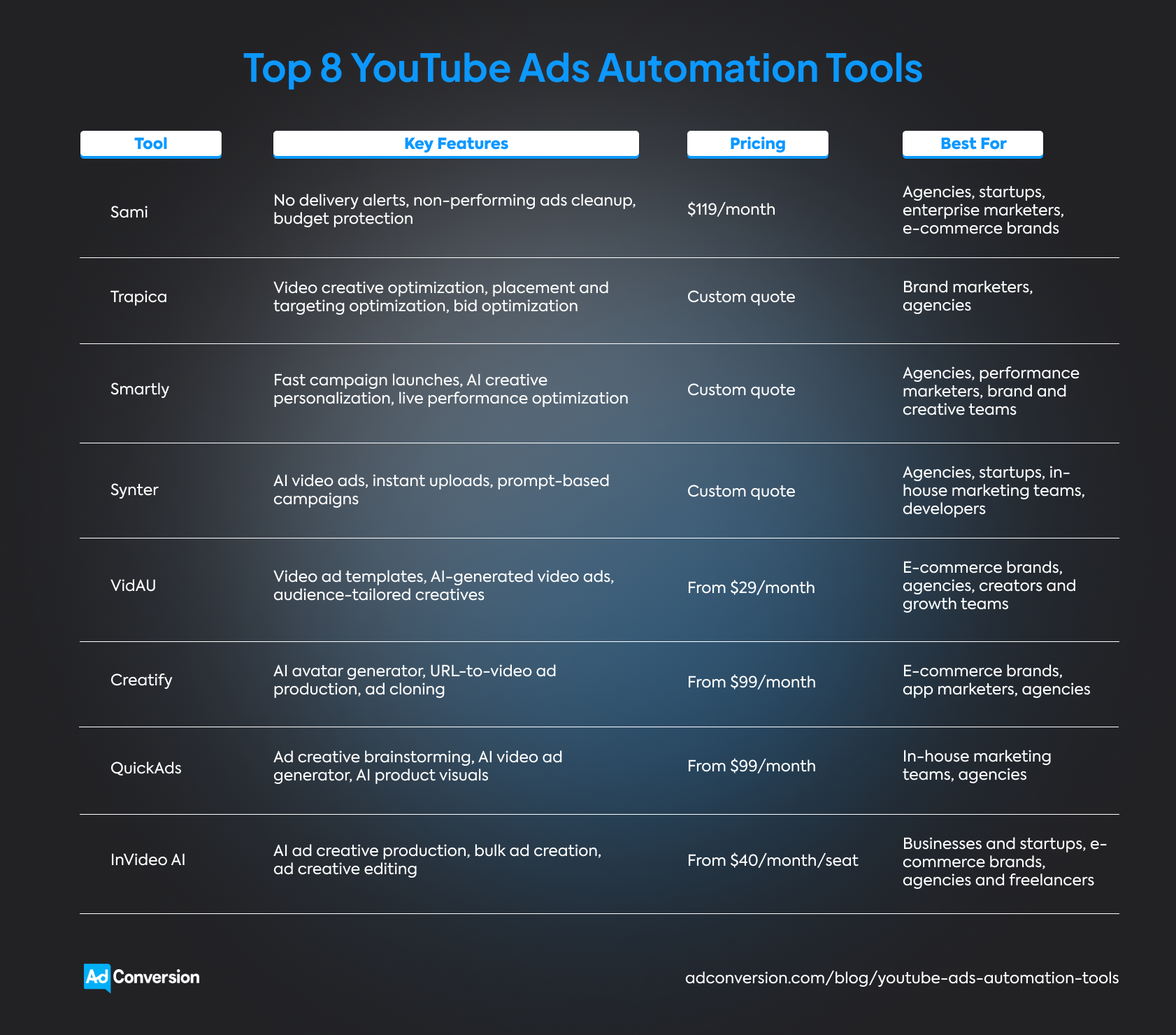
Whether you need help keeping campaigns on track, creating better videos, or doing a bit of both, there's a tool built for the job.
Just be sure to compare automations, integrations, customer reviews, best use cases, and pricing before you decide.
Disclosure: This article was written by AdConversion, a B2B advertising agency and education platform, and the creator of Sami, the first YouTube Ads automation tool on this list. The blog post was last updated in August 2026 and reflects the author’s perspective rather than an independent editorial review. The tools were evaluated using publicly available website information and reviews from G2 and Product Hunt. The order is random and doesn’t represent a ranking system. AdConversion has no affiliate or commercial ties to the other tools listed.
Table of Contents
How Do You Choose the Right YouTube Ads Automation Tool?
1. Sami
Sami is an AI ad automation tool that's always on the clock, constantly watching over your YouTube Ads.
Instead of spending your day checking budgets, spotting performance dips, or cleaning up campaigns, you can hand over those repetitive tasks to Sami.
The platform was built by AdConversion, a B2B paid media agency and education platform, to handle the day-to-day optimization work.
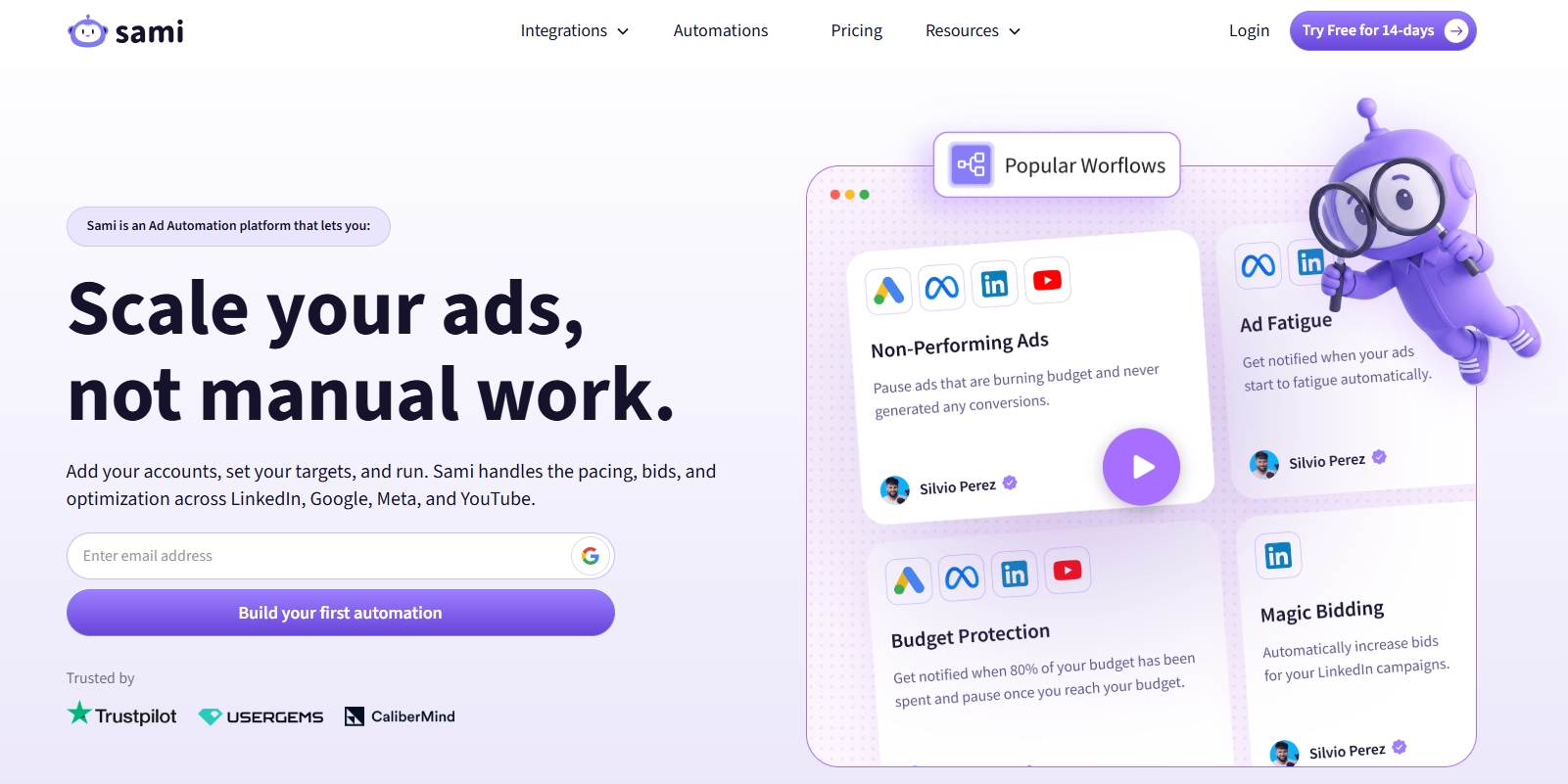
Getting started takes just a few minutes. Connect YouTube Ads through your Google Ads account, set up a few no-code automations called SAMs, and tell Sami what key performance indicators (KPIs) to watch out for.
From there, the AI sidekick keeps an eye on your campaigns 24/7. It catches problems before they become expensive and immediately takes action.
Sami can make changes automatically or ask for your approval in Slack. That’s entirely up to you.
You'll also have a live Budget & KPIs dashboard that tracks budget pacing and campaign performance across every connected ad account.
This live view flags issues early and recommends automatic fixes to stop wasted ad spend in its tracks.
YouTube Ads automations
Integrations
Sami doesn't mind if you’re running cross-channel paid media programs. It will gladly babysit and optimize your Google Ads, LinkedIn Ads, Meta Ads, and YouTube Ads at the same time.
Thanks to its Slack integration, you’ll always know what Sami is doing. You can even approve or reject changes without leaving the chat.
Pros
Client testimonials and one G2 review uncover these strengths:
- One marketing agency says Sami frees the team from regular campaign check-ins, catches wasted spend before it snowballs, and comes with top-notch customer support.
- The senior director of demand at UserGems mentions their team finally felt comfortable letting an automation tool make decisions on its own because it was built by an experienced B2B paid media agency, not just software developers.
- At Trustpilot, more than 50 SAMs now complete five million account checks every month, save around 300 hours of manual work every year, and deliver a 12X return on investment (ROI).
Cons
Back in 2025, a G2 reviewer pointed out:
- A marketing agency wished the interface was easier to navigate and included built-in reporting.
Since then, Sami has added a more user-friendly interface and a Budget & KPIs dashboard that offers a live view of performance and budget pacing.
Best for
- Agencies that are tired of logging into client accounts just to make sure nothing has gone wrong overnight.
- Startups that want enterprise-grade YouTube Ads automation without hiring an enterprise-sized team.
- Enterprise marketers who can't afford to let expensive YouTube Ads for B2B drift off course between manual account reviews.
- E-commerce brands that would rather invest more budget into their best-performing YouTube ads than spend hours cleaning up weak ones.
Pricing
$119 per month or get a 20% discount with annual billing.
You can also sign up for a 14-day free trial to see Sami in action before deciding.
2. Trapica
Trapica is a marketing automation platform that never settles for "good enough" YouTube Ads.
Its AI keeps digging through campaign data to find new ways to get more views for less money and turn more viewers into customers.
Every campaign teaches Trapica something new, so it comes back smarter in the next round.
YouTube Ads automations
Integrations
Trapica can also automate your Google Ads, Meta Ads, LinkedIn Ads, TikTok Ads, Snapchat Ads, Amazon Ads, and Pinterest Ads.
It also connects with e-commerce platforms like Shopify and WooCommerce, plus customer relationship management (CRM) systems such as Salesforce and HubSpot.
Pros
Even though Trapica doesn’t have any online customer reviews, you can tell a lot from its client testimonials:
- NBCUniversal says Trapica made audience targeting more efficient and quickly became a key part of the team's paid social strategy.
- Toys R Us ANZ credits the platform with boosting sales by more than 50% while lowering cost per purchase.
- Nom Nom likes that Trapica consistently finds new growth opportunities, scales winning campaigns fast, and adapts strategy without missing a beat.
Cons
The lack of public customer feedback makes it hard to tell where the platform falls short in day-to-day use.
Best for
- Brand marketers who want every YouTube Ads dollar working harder while they focus on bigger creative and growth decisions.
- Agencies looking to scale client accounts, deliver better results, and give their teams fewer late nights.
Pricing
Custom quote
3. Smartly
Smartly is an AI advertising platform that keeps your YouTube Ads moving at all times.
It helps you launch campaigns faster, refresh creatives without the usual back-and-forth, and respond quickly when performance shifts.
Your campaigns never stand still. They keep evolving with your audience.
YouTube Ads automations
Integrations
Smartly also supports Google Ads, TikTok Ads, Amazon Ads, Reddit Ads, Pinterest Ads, and Snapchat Ads.
Plus, Google Drive, Dropbox, Wrike, DoubleVerify, and other integrations keep your creative assets, workflows, and campaign quality checks in sync.
Pros
From what users mention in G2 reviews:
- A marketing manager says Smartly offers a user-friendly interface, responsive customer support, and smooth onboarding.
- One enterprise appreciates how the platform automatically rotates creatives, making it easier to keep campaigns fresh and reduce creative fatigue.
- A growth marketing strategist credits Smartly with making cross-channel campaign management much easier.
Cons
Reviewers on G2 also have this to say:
- One small business wishes reporting went deeper, especially when reviewing performance across several campaigns.
- An enterprise feels Smartly's focus on expanding to more ad platforms has slowed improvements to some of its existing channel features.
- A mid-market company says editing creative templates isn't as intuitive as it could be.
Best for
- Agencies that want creatives and media buyers collaborating in one streamlined YouTube Ads workflow.
- Performance marketers who see every YouTube Ads campaign as another chance to improve the next one.
- Brand and creative teams that need to produce high volumes of YouTube video ads more efficiently.
Pricing
Custom quote
4. Synter
Synter is an AI agent operator that turns a simple chat into a YouTube Ads workflow.
Instead of juggling video creation, uploads, and campaign setup separately, everything happens in one place.
That means fewer tabs to manage and more time testing new ideas.
YouTube Ads automations
Integrations
Synter is also an automation tool for Google Ads, Microsoft Ads, Reddit Ads, X Ads, and LinkedIn Ads.
If AI is already part of your workflow, you can connect Synter to ChatGPT, Claude, Cursor, Clay, or n8n.
Pros
The only feedback on G2 highlights:
- A strategic advisor says Synter replaced hours of repetitive campaign work with AI, while the straightforward onboarding and wide range of integrations made adoption easy.
Cons
The same G2 reviewer also shares:
- The more advanced AI features take time to master, although the documentation and support team help shorten the learning curve.
Best for
- Agencies that want to take on more YouTube Ads accounts without increasing their payroll at the same pace.
- Startups who'd rather spend the day improving their product than checking campaign settings.
- In-house marketing teams looking to hand over repetitive campaign work to AI and spend more time on creative ideas.
- Developers building custom AI workflows that include YouTube Ads.
Pricing
Custom quote
5. VidAU
VidAU is an AI creative agent that gives you a shortcut to better YouTube video ads.
You don't need a production team or advanced video editing skills to build attention-grabbing ads.
Just bring the idea, and let AI handle the video creation process.
YouTube Ads automations
Integrations
VidAU can also build ad creatives for Meta Ads and TikTok Ads.
The platform brings together leading AI models like Seedance, Google Veo, OpenAI Sora, Seedream, GPT Image, and more under one roof. This allows you to experiment freely without bouncing between platforms.
Pros
An overview of Product Hunt reviews shows that:
- A customer says VidAU is easy to use, requires no technical skills, and makes it easy to A/B test multiple video ads at scale.
- Another user likes how the URL-to-video feature creates clean video ads with subtitles and voiceovers in just a few minutes, saving valuable production time.
- One client reports a 25% lower cost per acquisition (CPA) and a 30% higher click-through rate (CTR) with VidAU's AI user-generated content (UGC) videos.
Cons
Product Hunt review analysis brings up a couple of reservations:
- One user would like more control over branding elements to make every video feel closer to their brand identity.
- Another customer says the AI avatars would benefit from more customization options.
Best for
- E-commerce brands that need a steady flow of fresh YouTube video ads to showcase their products.
- Agencies that want to produce video creatives at scale for multiple clients.
- Creators and growth teams looking to turn ideas into campaign-ready video ads without slowing down.
Pricing
From $29/month for access to all YouTube Ads features.
6. Creatify
Creatify is an AI ad generator that turns product pages into YouTube video ads.
You just drop in the product page URL, and it pulls the assets, writes the video script, and generates the ad in minutes.
There's no need to build everything from the ground up if you already have winning content.
YouTube Ads automations
Integrations
Creatify also works with Meta Ads, TikTok Ads, Snap Ads, Amazon Ads, and more.
Pros
Based on G2 reviews:
- An advertising agency says Creatify turns a handful of brand assets into multiple video ad variations, helping the team produce professional-looking creatives in much less time.
- A small business entrepreneur praises the clean, intuitive interface that makes it easy to find everything you need without wasting time learning the platform.
- A small business likes how quickly Creatify generates AI video ads and highlights its wide range of AI avatars and multilingual voiceovers.
Cons
The trade-offs shared on G2 are:
- A restaurant business mentions that some AI voiceovers can sound a little robotic, particularly in longer video scripts.
- A performance marketing specialist says credits disappear quickly when testing lots of video ad variations and would like a more generous monthly allowance.
- A senior media buyer points out the overreliance on templates, which can sometimes make video ads look too similar.
Best for
- E-commerce brands that launch products regularly and need a faster way to keep YouTube ad creatives fresh.
- App marketers looking to create YouTube sponsored content that drives more app installs without a lengthy production process.
- Agencies producing YouTube video ads for multiple clients and looking to speed up creative production with AI automation.
Pricing
From $99/month for access to Creatify's full suite of AI tools and automations.
7. QuickAds
QuickAds is a generative AI ad creator that believes your next great YouTube ad shouldn't start from scratch.
It studies millions of existing ads to uncover winning creative patterns, then uses those insights to build you high-quality video ads.
Think of it as AI with a memory for what audiences actually respond to.
YouTube Ads automations
Integrations
QuickAds also offers Google Ads, Amazon Ads, TikTok Ads, and Meta Ads automation tools to scale your ad creative production across every channel.
Pros
A few clients emphasize these strengths in their G2 reviews:
- One customer says QuickAds combines a user-friendly interface with a smooth workflow, making it easy to create high-quality ads while saving time on repetitive tasks.
- Another user likes the broad feature set and appreciates that every ad is ready to upload without extra formatting or editing.
- A client credits the AI ad generator and copywriting tools with improving campaign performance, while also highlighting the quick, hassle-free setup.
Cons
A few G2 reviews suggest room for improvement:
- One customer would like a mobile app that matches the desktop experience, along with a larger music and audio library for video ads.
- Another user says QuickAds could offer more customization options and better filtering tools for ad creatives.
- A client feels the AI could do a better job at matching each brand's voice and target audience.
Best for
- In-house marketing teams that want to keep YouTube ad creatives fresh without spending weeks on research and production.
- Agencies managing multiple YouTube Ads accounts and looking to produce high-quality video ads in less time with AI.
Pricing
From $99/month
8. InVideo AI
InVideo AI is an AI-powered ad generator built for marketers who'd rather create ideas than wrestle with video editing software.
Instead of stitching together scripts, visuals, music, and voiceovers yourself, you can let AI assemble everything into a YouTube-ready ad.
It's like handing your creative brief to a production team that never takes a day off.
YouTube Ads automations
Integrations
Besides YouTube, InVideo AI can generate video and static ad creatives for Meta, LinkedIn, and TikTok.
The platform supports a wide range of AI models, including Sora, Google Veo, Kling, Seedance, and PixVerse.
Pros
An overview of G2 reviews shows that:
- A marketing agency says InVideo AI turns a simple script into a professional video ad, complete with voiceovers, visuals, music, sound effects, and AI-generated media.
- An advertising agency praises the intuitive editor, consistent AI voice cloning, rich media library, and professional-quality video exports.
- A global healing consultant likes how easy it is to update every part of a video on the fly, without running into unnecessary editing limits or premium paywalls.
Cons
G2 review analysis brings up some reservations:
- A graphic designer says the AI doesn't always get everything right on the first try, so some scenes and scripts need manual adjustments.
- A translation specialist would like to see a larger selection of templates and ready-made presets.
- A small business manager feels the built-in image and audio libraries could offer more variety for AI video generation.
Best for
- Businesses and startups that need professional YouTube video ads without hiring a dedicated video production team.
- E-commerce brands that constantly need new product videos and promotional ads for YouTube campaigns.
- Agencies and freelancers that want to produce more YouTube ad creatives in less time for multiple clients.
Pricing
From $40/month/seat
How Do You Choose the Right YouTube Ads Automation Tool?
Choose a YouTube Ads automation tool that doesn't replace your marketing team but the repetitive tasks that slow them down.
These five selection criteria will help you make the best decision:
- Automations should solve your biggest bottlenecks. Some tools create and edit video ads, while others monitor campaign performance, manage budgets, and pause weak ads. Pick the platform that automates the work you'd rather stop doing yourself.
- Integrations help your YouTube Ads fit into the rest of your marketing stack. Look for a platform that also works with Google Ads, Meta Ads, LinkedIn Ads, and other tools your team already relies on.
- Customer reviews show what the platform is really like once you start using it. Pay close attention to feedback about AI quality, automation reliability, ease of use, and customer support.
- Best use cases can quickly narrow down your options. Some tools are designed for agencies managing dozens of clients, while others are a better fit for e-commerce brands, startups, or in-house marketing teams producing YouTube video ads.
- Pricing makes the most sense when you compare it with the work the platform replaces. Whether you're saving hours on video production or reducing manual campaign management, the right tool should free up enough time to justify its cost.
Over to You
YouTube Ads automation tools won't come up with your next big campaign idea. But they can give you more time and headspace to turn your own ideas into campaigns people actually want to watch.
While AI takes care of the repetitive work, you can experiment with fresh creatives and focus on what makes your brand stand out.
If you're ready to automate the busywork, start your free Sami trial today.
10 Meta Ads Automation Tools to Drive Qualified Pipeline
Meta Ads automation tools are built for marketers who'd rather start the day planning their next experiment than checking dashboards.
The software handles the repetitive work in the background, leaving you free to test new ideas, improve your creatives, and scale what delivers results.
Some of the best Meta Ads automation tools are:
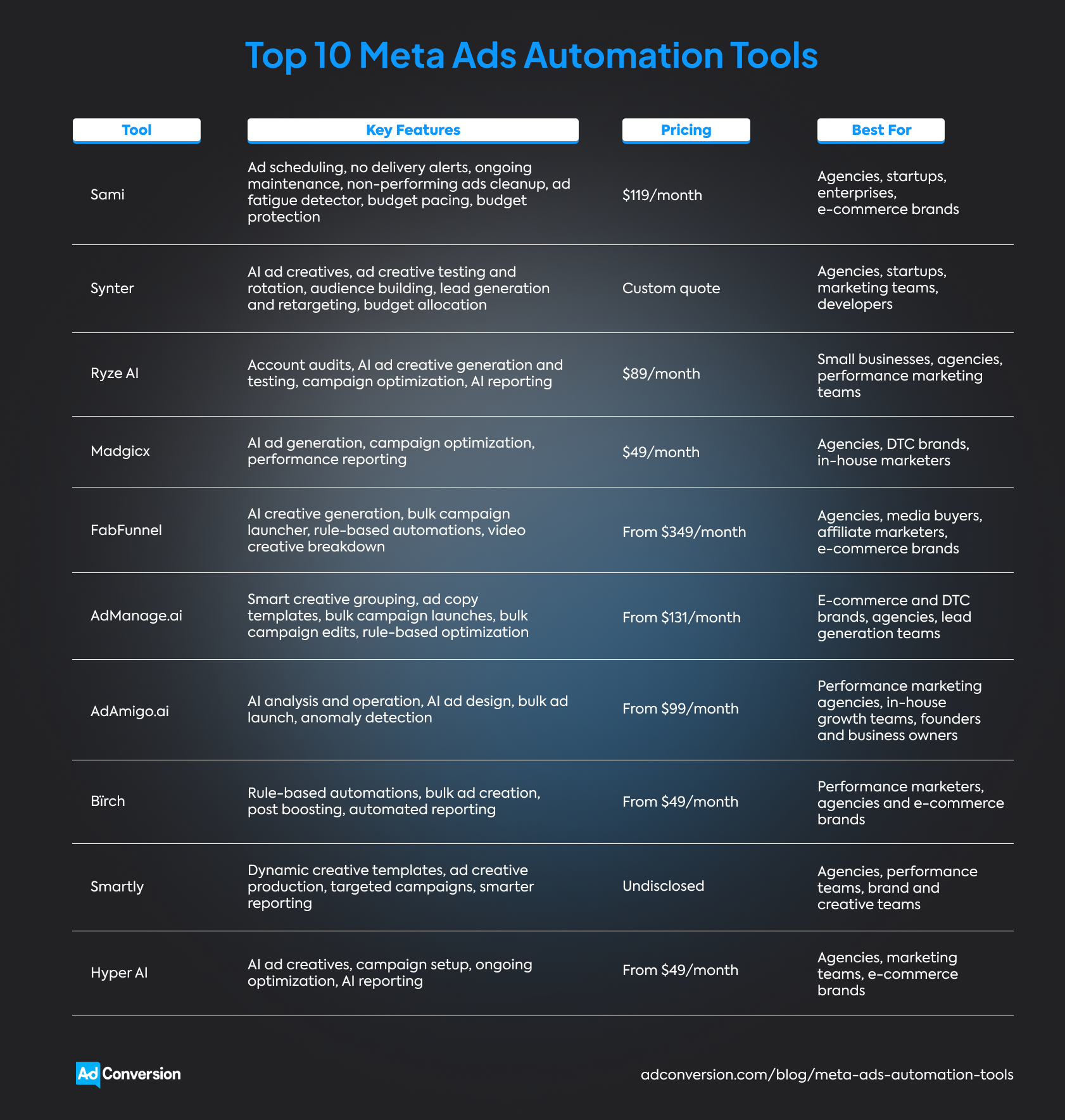
Once you start comparing these tools, you'll notice they all have their own personality.
Some do exactly what you tell them to, while others can make optimization decisions for you.
The trick is finding a tool that feels like a natural extension of your workflow.
And that means ‘looking under the hood.’ Details like customer reviews, integrations, best use cases, and pricing all guide you toward the best option for your business.
Disclosure: This article was written by AdConversion, a B2B advertising agency and education platform, and the creator of Sami, the first Meta Ads automation tool on this list. The blog post was last updated in August 2026 and reflects the author’s perspective rather than an independent editorial review. The tools were evaluated using publicly available website information and reviews from G2, Capterra, and Trustpilot. The order is random and doesn’t represent a ranking system. AdConversion has no affiliate or commercial ties to the other tools listed.
Table of Contents
How Do You Choose the Right Meta Ads Automation Tool?
1. Sami
Sami is an AI ad automation tool that babysits your Meta Ads day and night. It never gets distracted and never waits until tomorrow to fix a problem.
AdConversion built this AI sidekick after years of running B2B advertising and looking for a faster way to optimize and scale campaigns.
The magic happens through no-code automations called SAMs. Think of them as ready-made assistants, each built for a specific job.
Connect your Meta Ads account, pick the SAMs you need, and set the key performance indicators (KPIs) you want them to track.
Sami immediately starts monitoring your ads 24/7 and steps in when performance or budgets begin to slip.
You decide how much freedom to give it. Sami can make changes automatically or send every recommendation to Slack and Email first.
Whenever you want to take the pulse of your Meta Ads, you can just open the Budget & KPIs dashboard.
It shows your spend, pacing, and key metrics at a glance and provides recommendations to improve your performance based on those metrics. This makes it easy to spot problems before they eat into your budget.
Meta Ads automations
Integrations
Sami plays nicely with the rest of your paid media stack. Through it, you can also run automations for YouTube Ads, Google Ads, and LinkedIn Ads campaigns from the same place.
It plugs into Slack, making it easy to receive alerts, review recommendations, or approve actions.
Pros
Some of the strengths found in client testimonials and one G2 review include:
- A marketing agency says Sami quietly handles day-to-day ad optimization, cuts back on wasted spend, and comes with a support team that's quick to help.
- UserGems' senior director of demand trusts Sami to run on its own because every automation is built around AdConversion’s B2B paid media expertise.
- Trustpilot's global paid media manager has 50 SAMs running five million automated account checks every month, saving 300 hours of manual work each year, and producing a 12x return on investment (ROI).
Cons
The only available G2 review from 2025 points out:
- The marketing agency mentioned above felt the interface could be more intuitive and wanted built-in reporting in addition to automation.
One year later, Sami has a more user-friendly interface plus a Budget & KPIs dashboard for tracking ad spend and performance.
Best for
- Agencies managing multiple client accounts across Meta Ads and other ad platforms that need to spot and fix campaign issues early.
- Startups looking to make every ad dollar work harder to bring in more qualified pipeline without growing their teams.
- Enterprise marketing teams running high-budget B2B Meta Ads campaigns that need round-the-clock supervision to avoid wasted spend.
- E-commerce brands that are ready to cut spend on underperforming ads and put more budget behind the campaigns that drive sales.
Pricing
$119 per month or knock 20% off the price with annual billing.
You can also sign up for a 14-day free trial to test the platform before committing.
2. Synter
Synter is an AI agent operator that takes your Meta Ads to-do list and starts crossing things off for you.
Tell it what you want to achieve, and it turns your instructions into real campaign work.
Every action stays visible, so you always know what changed and why without having to dig through the Meta Ads Manager.
Meta Ads automations
Integrations
Synter is also a Google Ads, Microsoft Ads, Reddit Ads, X Ads, and LinkedIn Ads automation tool.
The platform fits into your existing workflow by integrating with popular AI tools like ChatGPT, Claude, Cursor, Clay, and n8n.
Pros
From the only customer review on G2:
- A strategic advisor appreciates Synter for freeing up hours every week through its AI automations, integrations, and helpful onboarding.
Cons
The same G2 reviewer notes that:
- There's a bit of a learning curve once you move beyond the basic features, but the documentation and support team make it much easier to get up to speed.
Best for
- Agencies that want to manage more Meta Ads accounts without growing their staff numbers at the same pace.
- Startups that would rather spend time building the business than constantly looking after campaigns.
- Marketing teams that want AI to handle repetitive tasks while they focus on strategy and creative experiments.
- Developers who want to plug Meta Ads automation into their own workflows and applications.
Pricing
Custom quote
3. Ryze AI
Ryze AI offers autonomous AI agents that give your Meta Ads an insider advantage.
Built by former Meta Ads engineers, it knows the platform inside out and uses that expertise to make smarter decisions for your campaigns.
Once connected, Ryze AI works around the clock, so your campaigns never have to wait for your next login.
Meta Ads automations
Integrations
Ryze AI also supports Google Ads, Microsoft Ads, TikTok Ads, and LinkedIn Ads.
Plus, its Slack and Teams integrations keep you informed every step of the way.
Pros
Feedback from Trustpilot indicates the following advantages:
- One customer says Ryze AI increased their ROAS from 2.1 to 3.4, cut wasted ad spend by a third, and “gave them their Mondays back.”
- Another user appreciates the tool for taking care of the repetitive campaign work, giving users more time to focus on their products.
- A third client reports a 20% drop in CPA within one quarter and appreciates the automated weekly performance reports.
Cons
The only limitations that show up on Trustpilot are:
- One reviewer points out that you won’t get valuable recommendations if your conversion tracking setup needs work.
- Another customer reports that Ryze AI sometimes loses track of information in the same chat, which makes longer interactions less reliable.
- A client believes this tool shows plenty of promise but still feels like an early product that needs more time to mature.
Best for
- Small businesses that want smarter Meta Ads optimization without stretching their budgets.
- Agencies managing many Meta Ads accounts that need audits and reporting on autopilot.
- Performance marketing teams looking for an AI copilot to help optimize campaigns without digging through the Ads Manager all day.
Pricing
$89/month
4. Madgicx
Madgicx is an AI-powered Facebook Ads automation platform that puts your campaigns on cruise control.
It's built to make decisions, adapt to performance changes, and keep campaigns moving without relying on your manual input.
In other words, you get another pair of hands working behind the scenes while you're busy with everything else.
Meta Ads automations
Integrations
Madgicx is built exclusively for Meta Ads.
However, you can connect it to Google Ads, Google Analytics, Shopify, and TikTok to get automated cross-channel performance reports.
Pros
Based on user experiences shared on G2:
- A small business appreciates the smooth onboarding experience and responsive customer support.
- A nonprofit organization values the clear, actionable reporting that helps the team refine Meta Ads targeting, improve messaging, and make smarter campaign decisions.
- Another small business praises Madgicx for optimizing Meta Ads without adding more work to the user’s plate.
Cons
Concerns shared on G2:
- An enterprise says Madgicx packs in so many features that it takes a while to find your way around the platform.
- A mid-market company notes that one-click reports can be slow to load and occasionally require reconnecting integrations.
- A food and beverage company reports that creative prompt templates are fairly broad, so niche industries might need to build their own to generate on-brand creatives.
Best for
- Agencies that want to manage multiple Meta Ads accounts from one place without drowning in manual work.
- Direct-to-consumer (DTC) brands looking to improve ROAS without expanding their teams.
- In-house marketers who want to spend less time on routine optimization and more time testing new ideas.
Pricing
$49/month
5. FabFunnel
FabFunnel is an AI ad management platform built for Meta advertisers who like to test big and scale fast.
Instead of launching a handful of ads and hoping for the best, it helps you get more ideas to the market sooner.
Once your campaigns are live, FabFunnel keeps the momentum going while you focus on finding the next growth opportunity.
Meta Ads automations
Integrations
FabFunnel can also automate your TikTok Ads and NewsBreak Ads accounts.
If you want to measure pay-per-click (PPC) ROI, connect the platform to your RedTrack, Voluum, ClickFlare, or Everflow tracker.
Pros
While the platform doesn’t have any public customer reviews yet, its case studies highlight:
- FabFunnel replaced several disconnected tools with one workflow for PearMedia, helping the team launch campaigns faster and spend more time improving performance.
- The platform allowed AdSparks to expand into new advertising platforms without having to hire a larger marketing team.
- FabFunnel made high-volume Meta Ads testing and scaling much easier for AWIC by removing the manual work that usually slows down campaign launches.
Cons
The lack of public customer feedback makes it hard to tell where the platform falls short in day-to-day use.
Best for
- Agencies managing multiple Meta Ads accounts that want client collaboration and reporting to feel less hectic.
- Media buyers who'd rather make budget decisions with real-time insights than constantly refresh the Ads Manager.
- Affiliate marketers who thrive on testing lots of offers and creative angles at scale.
- E-commerce brands running Dynamic Product Ads alongside prospecting campaigns from the same product catalog.
Pricing
From $349/month
6. AdManage.ai
AdManage.ai is a bulk ad launching platform designed to keep up with high-volume Meta advertisers.
It strips away the repetitive clicks that slow down campaign launches and replaces them with a workflow built for speed.
The more ads you need to publish, the more time and effort AdManage.ai saves.
Meta Ads automations
Integrations
AdManage.ai also works with Google Ads, LinkedIn Ads, TikTok Ads, Reddit Ads, Snapchat Ads, Pinterest Ads, AppLovin Ads, and Taboola Ads.
You can connect your Google Drive, Dropbox, Box, Air.inc, or Frame.io accounts to quickly upload ad creatives from the tools you already use.
Pros
From the only available G2 review:
- A small business says AdManage.ai helped it launch more ads and test more ideas every month, while giving the team more time to focus on client growth. It also praises the platform for regularly shipping new features based on customer feedback.
Cons
With only one G2 review available, it's too soon to draw any conclusions about the platform's weaknesses.
Best for
- E-commerce and DTC brands that regularly launch Meta partnership and collection ads at scale.
- Agencies that want client workspaces, team collaboration, and account management under one roof to move faster.
- Lead generation teams that want to reach more prospects in a fraction of the time with Facebook lead ads, service-area targeting, and instant forms.
Pricing
From $131/month (price converted from British pounds)
7. AdAmigo.ai
AdAmigo.ai is an AI media buyer that learns how you like to run your Meta Ads, then takes over campaign execution.
You decide the strategy, set the boundaries, and choose how much control you want to keep.
From there, AdAmigo.ai takes care of the day-to-day work while staying true to your playbook.
Meta Ads automations
Integrations
AdAmigo.ai only runs ad campaigns on Facebook and Instagram.
However, you can integrate it with Google Drive to pull your own ad creatives for bulk launches.
Pros
A few G2 highlights:
- A retail business credits AdAmigo.ai with quickly spotting winning creatives, shifting more budget toward them, and improving ROAS within a couple of weeks.
- A security and investigations company says the platform is easy to use and doesn’t require deep paid media expertise.
- A mid-market business says the AI-generated ad creatives looked professionally designed and made it easy to launch new campaigns in record time.
Cons
G2 review analysis reveals some reservations, however:
- An IT services company would like built-in forecasting tools, to predict future ad spend and help justify budget discussions with leadership.
- A security and investigations company says the reporting could provide more detailed insights and data visualization options.
- A retail enterprise notes that AdAmigo’s Ad Launcher tool only supports Google Drive, making teams with assets stored in Dropbox go through an extra upload step.
Best for
- Performance marketing agencies that want to increase client volume without hiring more people.
- In-house growth teams looking for an AI media buyer to handle the day-to-day campaign work.
- Founders and business owners who want to run Meta Ads themselves with expert guidance built into the platform.
Pricing
From $99/month
8. Bïrch
Bïrch (ex Revealbot) is an AI-assisted ad automation platform that turns your Meta Ads strategy into a system that runs itself.
Instead of settling for basic automated rules, you can build custom workflows that match the way you manage campaigns.
Bïrch’s AI suggests smarter ways to optimize your workflows, while you stay in control of every decision.
Meta Ads automations
Integrations
Bïrch works across Google Ads, Snapchat Ads, and TikTok Ads.
It also plugs into Slack, Google Analytics, Google Drive, Google Sheets, Adjust, Hyros, Wicked Reports, and AppsFlyer.
Pros
An overview of Capterra reviews reveals the following pluses:
- An IT services company credits Bïrch for making it much easier to review ad creatives, uncover fresh ideas, and share campaign insights with the rest of the team.
- Another IT services company likes how the platform quietly takes care of repetitive ad optimizations, such as pausing underperformers and scaling winners.
- A cosmetics company says Bïrch helps it stay on top of budgets, even when managing a large number of campaigns.
Cons
Some trade-offs are also shared on Capterra:
- A retail company notes that the platform becomes more expensive as your ad spend grows.
- An international affairs company mentions that Bïrch can feel overwhelming when you're just getting started with marketing automation.
- An apparel and fashion company would like more ways to edit multiple campaigns at once.
Best for
- Performance marketers who want to build custom Meta Ads automations instead of relying on fixed rules.
- Agencies and e-commerce brands that want reporting on autopilot and more time to grow their Meta Ads campaigns.
Pricing
From $49/month, with pricing that increases as your Meta Ads spend grows.
9. Smartly
Smartly is an AI advertising platform that brings every part of your Meta Ads workflow together.
Your creatives, campaign management, and performance data all work side by side instead of being scattered across different tools.
That means fewer bottlenecks, faster launches, and more time to scale the campaigns that move the needle.
Meta Ads automations
Integrations
With Smartly, you can run cross-channel B2B advertising on Google, TikTok, Amazon, Reddit, Pinterest, and Snapchat.
The platform also integrates with Google Drive, Dropbox, Wrike, DoubleVerify, and many other tools.
Pros
Noted in G2 reviews:
- A marketing manager praises Smartly for its responsive support team, intuitive interface, and smooth onboarding experience.
- An enterprise says the creative rotation tools make it much easier to fight creative fatigue and optimize ads across channels.
- A growth marketing strategist likes how Smartly keeps campaign management simple, even when juggling dozens of campaigns.
Cons
A few downsides come up in G2 reviews:
- A small business would like deeper creative reporting, especially when comparing ad performance across multiple campaigns.
- An enterprise feels Smartly's growing support for additional advertising platforms has taken some attention away from its Meta Ads features.
- A mid-market company says the creative templates can be difficult to edit and would benefit from a more user-friendly design.
Best for
- Agencies that want everyone, from creatives to account managers, working from the same Meta Ads workflow.
- Performance teams that believe every Meta Ads campaign should make the next one smarter.
- Brand and creative teams that need to produce more Meta ad creatives without adding more manual work.
Pricing
Undisclosed
10. Hyper AI
Hyper AI is an AI agent platform that gives your Meta Ads account an entire team of AI specialists instead of just one assistant.
Rather than handling one task at a time, different AI agents work together behind the scenes to keep your campaigns moving.
You stay in charge of every important decision while they tackle the repetitive work for you.
Meta Ads automations
Integrations
You can also automate your Google Ads, LinkedIn Ads, TikTok Ads, Amazon Ads, Reddit Ads, and Pinterest Ads.
Hyper AI simplifies your workflows by integrating with Salesforce, Slack, and a wide range of Google and Microsoft apps.
Pros
Trustpilot reviewers underline the tool’s advantages:
- One customer says Hyper AI acts like an extra member of the team, taking ownership of everything from research to campaign execution and performance reporting.
- Another user likes how easily Hyper AI fits into their existing workflow thanks to its broad range of integrations.
- One client notes that the platform can figure out complex marketing challenges without needing step-by-step instructions every time.
Cons
Given the small number of Trustpilot reviews available, it's still too early to judge Hyper AI's disadvantages.
Best for
- Agencies that need to take on more client work without stretching their team too thin.
- Marketing teams looking to automate Meta Ads campaign execution without giving up oversight.
- E-commerce brands that want Meta Ads running in the background while they focus on growth.
Pricing
From $49/month
How Do You Choose the Right Meta Ads Automation Tool?
Choose a Meta Ads automation tool that gives you more time to test new ideas, improve creatives, and scale the campaigns that actually drive results.
As you compare your options, keep these five things in mind:
- Automations should eliminate the repetitive tasks that slow you down, not replace your Meta Ads strategy. Look for a tool that can handle routine work like budget pacing, performance monitoring, and campaign optimization, while leaving the important decisions to you.
- Integrations matter because Meta Ads rarely operates on its own. A platform that works well with your other advertising channels makes it much easier to manage campaigns and doesn’t require extra tools.
- Customer reviews help you separate polished marketing from real-world experience. They often reveal how dependable the automations are, how responsive the support team is, and whether the platform remains easy to use as your Meta Ads account grows.
- Best use cases make it easier to find a tool that matches your team's needs. Some platforms are built for agencies managing dozens of accounts, while others are better suited to in-house marketers, e-commerce brands, or enterprise advertisers.
- Pricing should always be assessed alongside the value the platform brings. Consider how pricing scales with your ad spend or number of accounts, then decide whether the features and time savings justify the investment.
Over to You
Meta Ads automation tools give you something that's hard to get back once your campaigns start growing: time.
Time to test new ideas, create better ads, and figure out what's actually moving the needle, instead of getting stuck in campaign maintenance.
Start your free Sami trial today to see how much easier Meta Ads can be when the repetitive work takes care of itself.
ChatGPT Ads for SaaS: A Full Guide to OpenAI's Ad Platform
ChatGPT Ads for SaaS is still brand new, which makes it both exciting and a little unpredictable.
OpenAI launched its advertising platform in February 2026, and it has been shipping new features ever since.
You'll still run into a few rough edges, from limited campaign objectives to B2B SaaS eligibility questions that haven't been fully answered yet.
But that's the price of getting in early.
This guide brings together OpenAI's official documentation and AdConversion's first-hand experience running pilot campaigns.
Everything in this article reflects ChatGPT Ads as of July 2026. But don't be surprised if OpenAI has rolled out a few more updates by the time you’re reading it.
Table of Contents
What Are the Current Limitations of ChatGPT Ads for SaaS?
When Should SaaS Businesses Start Investing in ChatGPT Ads?
How Do You Launch Your First ChatGPT Ads Campaign for SaaS?
How Do You Measure ChatGPT Ads Performance?
What Are ChatGPT Ads?
ChatGPT ads are sponsored placements that appear below ChatGPT answers during AI conversations.
The format is refreshingly simple. Each ad includes only:
- Your brand name and favicon
- A headline and a short description (max. 100 characters)
- A small thumbnail image
- A link to your landing page
OpenAI labels every placement as sponsored, so users can easily tell it apart from the AI’s response.

What makes ChatGPT Ads stand out is the unique advertising experience it creates.
Instead of fighting for attention on search results pages and social feeds, your brand becomes part of the user’s research process.
You can reach potential buyers while they ask questions, compare vendors, or explore new solutions with AI search.
This gives you a brand new touchpoint to add to your paid media mix.
How Do ChatGPT Ads Work?
ChatGPT Ads match your ads to relevant conversations while using a familiar paid media campaign structure.
Context hints replace keyword targeting
If you've spent years building keyword lists in Google Ads, you now need to break that habit.
Instead of choosing the exact searches you want to target, you provide context hints.
These hints tell OpenAI what your product does, who it's for, and the types of conversations it belongs in.
Think of them as conversation themes that match the questions people are asking and the problems they’re trying to solve.
The more context hints you give, the easier it becomes for ChatGPT to find relevant opportunities for your ads.
Conversations determine ad relevance
ChatGPT Ads doesn't decide whether to show your ad based on a single prompt or keyword.
It looks at the entire conversational context to understand what the user is trying to accomplish.
If the chat signals commercial intent and your product could genuinely help the user, OpenAI will display your ad.
For example, someone asking ChatGPT 'What is HR software?' isn't ready to buy, so they won’t see any ads. But once they start comparing platforms and pricing, an HR software ad would fit right in.
This contextual targeting might just be one of the platform’s biggest advantages.
Campaign structure mirrors traditional ad platforms
The good news is that ChatGPT Ads Manager isn’t an entirely different ballgame if you’re used to managing Google Ads for SaaS.
The account follows the same hierarchy you're accustomed to: campaigns contain ad groups, and ad groups contain individual ads.
You can also choose a campaign objective and submit bids that determine how your ads compete for ad delivery.
This familiar structure makes the learning curve much shorter.
User trust and brand safety come first
ChatGPT Ads doesn't chase ad impressions at all costs.
If a conversation involves sensitive topics like self-harm, violence, hate, or fraud, your ads simply won't appear.
This policy protects the user experience and your brand’s reputation.
OpenAI also goes over your ad copy, images, and landing pages with a fine-tooth comb before they go live.
Misleading claims, deceptive offers, impersonation, prohibited products, and other restricted content won't pass the review.
OpenAI can reject your ad, reduce its reach, or ask you to fix it before it runs.
If you keep breaking the rules, you risk losing access to ChatGPT Ads altogether.
What Are the Current Limitations of ChatGPT Ads for SaaS?
ChatGPT Ads is still in its early stages, so you should expect some limitations in accessibility and features.
Platform access is limited
Getting into ChatGPT Ads isn't as simple as creating an account.
The Ads Manager is still in beta, and OpenAI continues to expand access in phases.
Right now, only businesses in the US, Canada, the UK, Australia, New Zealand, Japan, and Korea can apply.
Even then, you'll need OpenAI's approval before you can launch your first campaign.
If you haven’t gained early access to the beta version, as AdConversion had, don’t despair.
ChatGPT Ads is still developing and needs more time to reach maturity.
Campaign objectives are in short supply
If you're used to mature paid media platforms, you'll notice a few gaps straight away.
As of July 2026, ChatGPT Ads only supports Views and Clicks as campaign objectives, with Conversions still in development.
This means you can’t yet optimize for leads or sales as you would on Google Ads.
Targeting isn't fully mature
OpenAI’s targeting capabilities still have a long way to go.
Geographic targeting is limited to the same countries where advertisers can access the platform.
Plus, ChatGPT ads only appear to users on the Free and Go plans.
If your ideal customers use Plus, Pro, Business, Enterprise, or Edu plans, they won't see your ads.
This means part of your target audience could be out of reach before your campaign even rolls out.
Reporting has room to grow
ChatGPT Ads reporting is another area that's still catching up.
You'll see top-of-the-funnel metrics like impressions, clicks, and click-through rates (CTRs), but not much beyond that.
OpenAI recently added the option to set up conversion tracking, which is a step in the right direction.
But you still can't connect ad spend to pipeline, revenue, or other business metrics that matter most to B2B SaaS teams.
You also can't see which conversations triggered your ChatGPT ads because the platform doesn't offer conversation or placement reports yet.
This makes it much harder to understand what actually drives performance or wasted spend.
Some SaaS businesses might not qualify
OpenAI currently supports a relatively small number of advertising categories.
The problem is that most of them seem to favor B2C brands more than B2B companies.
For instance, you have lifestyle and household goods, local services, and travel and experiences.
The ad policies also mention digital products, but don't clearly define them.
And since you don’t know which SaaS products actually qualify, campaign approval becomes unpredictable.
Fintech companies face even more restrictions because OpenAI currently allows only general financial software and educational resources.
When Should SaaS Businesses Start Investing in ChatGPT Ads?
SaaS businesses should start investing in ChatGPT Ads once they’ve built a paid acquisition engine that produces consistent business results.
Experiment once your marketing works
Don't make ChatGPT Ads your first paid media channel.
Start testing it after you've achieved success on major ad platforms like Google Ads, LinkedIn Ads, or Meta Ads.
By then, you'll already know which offers generate pipeline, which messaging resonates with buyers, and which landing pages convert.
That puts you in a much better position to experiment with a new channel than if you simply go in blind.
Start with a small test budget
You don't need to bet your entire ad budget to see whether ChatGPT Ads deserve a place in your paid media program.
Treat it like any new channel and start with a learning budget of around five to ten percent of your monthly ad spend.
Gather data, learn what works, and scale only once you see measurable results.
How Do You Launch Your First ChatGPT Ads Campaign for SaaS?
Launch your first ChatGPT Ads campaign for SaaS by aligning your ads and landing pages with the conversations your ideal buyers are having.

Step 1: Set up your Ads Manager account
Start by signing in to ChatGPT Ads Manager with your OpenAI account and completing the onboarding process.
You'll need to enter your business details, verify your account, and wait for OpenAI to review your application.
Once you're approved, finish setting up your account information, billing profile, and payment method.
You can then invite other team members to help manage your campaigns.
Step 2: Build custom audiences
Custom audiences is one of the latest features in ChatGPT Ads, and it's a welcome addition for B2B SaaS marketers.
Setting up a custom audience is pretty straightforward.
You upload a list containing either email addresses or phone numbers for your customers or prospects, then wait for OpenAI to match the data.
Just make sure the list is properly formatted because ChatGPT Ads only accepts one identifier type per file.
Once your custom audience is set up, you can use it to include or exclude users from a campaign or adjust your bids for specific audience segments.
Your audience needs at least 25,000 matched users to be eligible, although OpenAI recommends aiming for 100,000 users or more for the best results.
Step 3: Configure your campaign
Use the campaign objective to tell ChatGPT Ads what you’re trying to accomplish.
If your goal is to get your brand in front of more people, choose Views, which uses CPM (cost per thousand impressions) pricing. If you'd rather drive traffic to your website, go with Clicks, which uses CPC (cost-per-click) pricing.
Choose carefully because you won't be able to change the objective once the campaign goes live.
Your budget deserves just as much attention.
The new daily budget option is a huge improvement because it gives you more control over your ad spend.
During early testing, AdConversion saw one ChatGPT Ads campaign spend its entire lifetime budget in a single day because that was the only available option at the time.
Set your maximum bid based on OpenAI’s recommendations, then adjust it as you learn more about how the platform behaves.
Pick start and end dates that give your campaign enough time to collect meaningful data before making changes.
Step 4: Create ad groups and context hints
Keep each ad group focused on a single conversation theme instead of trying to squeeze every use case into one campaign.
For example, a cybersecurity SaaS company could create one ad group for buyers comparing endpoint protection platforms and another for IT teams looking to reduce ransomware risk.
This makes it much easier to keep your ads and context hints aligned.
Your context hints should describe the conversations you want to join, not the keywords you want to target.
Think in terms of moments like 'user is comparing HR platforms' or 'user needs help automating employee onboarding.'
Based on AdConversion’s pilot ad campaigns, broader yet highly relevant context hints tend to outperform extremely narrow ones.
If you're not sure where to start, ask ChatGPT or Claude for help.
Feed the AI your customer interviews, testimonials, or sales call transcripts. Then ask it to identify the questions, pain points, and buying signals that show up most often.
Those insights make excellent context hints.
For more details, check out AdConversion’s tutorial on ChatGPT Ads targeting.
Step 5: Write relevant ads
Your ChatGPT ad creatives should feel like a natural next step in the conversation, not a promotional banner.
Write a headline that immediately tells the user how your SaaS product can help.
Instead of 'HR Software for Growing Companies,' try 'Simplify Employee Onboarding with AI.'
Use the ad description to build on the headline’s promise by highlighting one clear benefit or outcome.
Every word counts when you have limited space, so focus on what the buyer actually cares about.
ChatGPT Ads only supports small thumbnails that don't leave much room for detailed graphics or product screenshots.
A simple illustration that reinforces your headline is your better option.
Step 6: Build dedicated landing pages
Sending every visitor to your homepage is one of the fastest ways to lose potential customers.
Instead, create a landing page that matches the promise in your ChatGPT ad.
If your ad promises to help companies build real-time dashboards, take visitors straight to your data analytics solution.
Align your page headline, body, and call to action (CTA) with your ad messaging to keep the experience consistent from click to conversion.
Add UTM parameters to every landing page URL to identify traffic from a specific ChatGPT Ads campaign.
You also need to make sure every page loads correctly and is accessible to OpenAI's crawler. Otherwise, your ads might not pass the review.
Building dedicated landing pages for every campaign isn't always realistic, especially if you're juggling multiple launches at once.
If that's the case, bringing in a SaaS landing page agency, like AdConversion, can save your team a lot of time.
AdConversion builds and optimizes landing pages for all types of paid media campaigns, including ChatGPT Ads.
The team also keeps tabs on your pages once they go live, constantly testing new offers, messaging, and CTAs to increase conversions.
For example, AdConversion's work with Warmly shows how redesigning a landing page resulted in a 366% jump in conversion rates and a 160% increase in average time on page.
Step 7: Launch and double-check
Hitting Publish isn't the finish line.
Once your campaign is approved, keep an eye on its status in ChatGPT Ads Manager to make sure your ads are actually delivering.
If you see 'Not serving,' don't panic. Hover over the status to find out what's causing the issue.
In many cases, a quick edit and resubmission are all it takes to get your campaign back on track.
If you’re dealing with something more serious, such as policy violations, business verification issues, or billing problems, you need to resolve it before your ads can start running.
How Do You Measure ChatGPT Ads Performance?
You can measure ChatGPT Ads performance by combining platform metrics with conversion data to understand what's actually driving results.
Keep an eye on available metrics
As of July 2026, the ChatGPT Ads Manager lets you monitor:
- Impressions
- Clicks
- Spend
- CTR
- Average CPC
- Average CPM
- Conversions (only if you set up conversion measurement)
This gives you an idea of how your campaigns are delivering and how efficiently you're spending your ad budget.
Just remember that conversion data can take 24 to 48 hours to appear in Ads Manager, so don't expect immediate updates.
Set up conversion measurement
If you want to know whether your ChatGPT ads are driving trial sign-ups, demo requests, or other valuable actions, you'll need to set up conversion measurement.
OpenAI currently supports three measurement options:
- JavaScript Pixel is the quickest way to start tracking conversions. Once you add the code to your website, it will automatically record the actions users take after clicking your ChatGPT ads.
- Image Tag loads a small tracking image when someone reaches your conversion page. It's a simple alternative if you can't use JavaScript, but it doesn't offer the same level of access.
- Conversions API sends conversion events directly from your server to OpenAI instead of relying on the user's browser. It's the most reliable option for SaaS companies already using server-side tracking because it's less affected by browser restrictions and ad blockers.
Analyze your campaign reports
Checking reports should become part of your regular optimization routine.
ChatGPT Ads lets you compare performance across campaigns, ad groups, and individual ads, making it easy to spot winners and underperformers.
You can also switch to charts to spot performance trends over time or export your data as a CSV file for deeper analysis.
Over to You
ChatGPT Ads for SaaS is still finding its footing, but the opportunity is already hard to ignore.
Getting started now gives you a chance to learn the platform before everyone else joins the party.
Stay curious, keep experimenting, and let the data guide your decisions.
If you'd like a second opinion before launching your first campaign, have a quick chat with AdConversion.


